.jpeg?x-oss-process=image/resize,m_fill,w_80,h_80,limit_0/interlace,1/format,webp/auto-orient,1)


Description
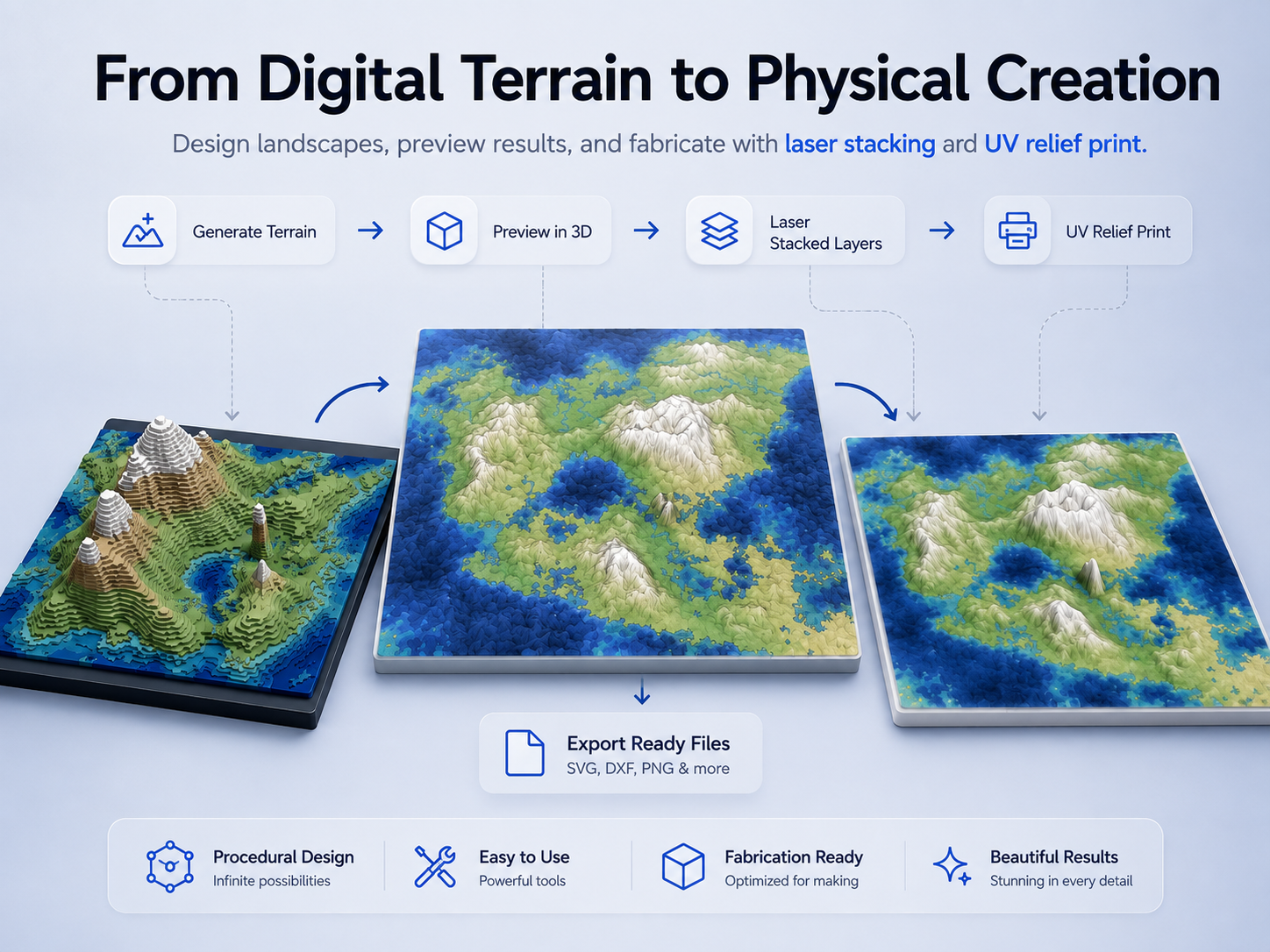
Turn Imagination into a Terrain You Can Actually Make
Terrain Maker is a creative terrain design tool built for makers who want to transform digital landscapes into physical miniature models.
Generate unique islands, mountain ranges, coastlines, rivers, and valleys, fine-tune the look of your terrain, preview the final result in 3D, and prepare it for fabrication — all in one workflow.
Whether you're creating a fantasy world, a decorative landscape, an educational model, a tabletop scene, or a one-of-a-kind display piece, Terrain Maker helps you move quickly from terrain idea to fabrication-ready output.
Generate Unique Landscapes
Start with terrain presets or create a new landscape using a random seed.
Customize the overall shape and character of your world, including:
- Island distribution and coastline complexity
- Hills and mountain height
- Peak sharpness and mountain ridges
- Terrain folds and elevation
- Ocean depth
- Climate and rainfall
- Wind direction
- Rivers and waterways
Every adjustment updates the terrain visually, making it easy to explore different landscape styles until you find the one you want.
Shape the Terrain Your Way
Want more control than procedural generation alone?
Terrain Maker also lets you refine the landscape and experiment with terrain parameters to create anything from gentle islands and rolling hills to dramatic mountain ranges and rugged fantasy continents.
Create calm coastal landscapes, volcanic islands, archipelagos, alpine regions, or entirely imaginary worlds.
Preview Before You Make
See your terrain as a dimensional model before sending anything to your machine.
Preview the landscape from different angles and inspect:
- Overall composition
- Mountain height and relief
- Coastlines and islands
- Layer transitions
- Color distribution
- Rivers and water areas
This makes it much easier to understand how the digital terrain will translate into a real physical object.
Two Fabrication Workflows
Terrain Maker supports two different ways to turn your landscape into a finished piece.
Laser Stacked Terrain
Convert the terrain into a series of contour-based layers that can be cut from sheet material and stacked together to build a physical miniature landscape.
Control parameters such as:
- Finished model size
- Material thickness
- Number of terrain layers
- Contour detail
- Kerf compensation
- Minimum feature size
- Layer colors
- Alignment and engraving marks
The stepped construction becomes part of the visual style, producing a distinctive handcrafted topographic model.
This workflow is ideal for materials such as basswood plywood, MDF, acrylic, cardboard, and other laser-cuttable sheet materials.
UV Relief Print
Create a smooth, continuous terrain relief designed for UV printing.
Instead of assembling multiple cut layers, the terrain height is reproduced as a relief directly on the base while the landscape colors are printed on the surface.
This creates a more continuous mountain profile while preserving the terrain's visual details, coastlines, rivers, and color variation.
It is a great option for decorative relief maps, miniature landscapes, display pieces, and personalized terrain artwork.
Designed for Real Fabrication
Terrain Maker is not only a terrain visualizer.
Its parameters are designed around the practical requirements of making a physical object.
For laser-stacked models, the app can simplify contours, compensate for cutting width, remove features that are too small to fabricate, and help you evaluate whether individual terrain pieces are practical to cut and assemble.
For UV relief projects, you can control the final relief height and preview how elevation and printed surface graphics work together.
Export and Build
When your terrain is ready, export a fabrication package containing the files and supporting assets needed to continue your project.
Depending on the selected fabrication workflow, the export package can include SVG cutting files, assembly information, preview assets, calibration resources, and supporting files packaged together for convenient use.
Import the resulting files into your fabrication workflow, choose your materials, and bring the landscape from the screen into the real world.
Create More Than Maps
Terrain Maker is ideal for:
- Miniature fantasy worlds
- Topographic wall art
- Tabletop scenery
- Educational geography models
- Decorative relief maps
- Custom islands and landscapes
- Souvenirs and personalized gifts
- Layered wood or acrylic artwork
- Creative maker projects
No real-world location is required — your terrain can be completely original.
Generate it. Shape it. Preview it. Make it.