Atomm AIAtomm AICreative ToolsCreative ToolsMy WorkspaceMy Workspace
ProjectsProjectsTemplatesTemplatesDesignsDesignsMaterials LabMaterials LabMy FollowingMy FollowingHubsHubs
HomeCreative ToolsImage to PLY Converter
bgImg

Image to PLY Converter

Convert a JPG, PNG, or WebP image into a depth-based PLY relief. The 3D Photo workflow interprets the subject, creates front-facing depth, lets you adjust the presentation, and exports PLY after you review the relief model.

img
3D Photo
img
3D Modeling
3D photo

Convert your photo into a 3D-like relief with depth effects

Supported formats: JPG/JPEG/PNG/WEBP, Maximum size: 10M.

Image upload suggestions
Remove Background
Processing Size(mm)x

Generate Relief Depth Before Exporting PLY

Create a dimensional surface from one image instead of simply changing the filename.

Monarch butterfly photograph becoming a dimensional relief and PLY file

How to Convert an Image to PLY Relief

Build a depth-based 3D Photo result and inspect it before downloading the PLY file.

01

Upload an Image for the PLY Relief

Choose a JPG/JPEG, PNG, or WebP file up to 10 MB. Keep the main subject fully visible and use a sharp source with clear contours.

02

Adjust the Subject and Relief Settings

Remove the background when needed, set the physical processing size, and compare dot spacing or auto adjustment options for the desired surface detail.

03

Inspect the Result and Export PLY

Review the front-facing model, check its contour and depth layers, preview the presentation when useful, and export the 3D Photo result as PLY.

Build a Depth-Based PLY from One Image

The converter first creates a relief surface from the visible shapes and tonal structure of the image. It then exports that 3D Photo result as PLY. The output is therefore a generated depth-based asset, not a flat PNG with a different extension and not a claim that the source has become a complete scanned object.

Upload Image
Maple leaf moving from photograph to depth profile and relief

Set the Physical Processing Size

Use the processing-size controls to plan how the relief is represented in millimeters. This helps you compare the intended presentation and level of visible detail before export. Treat the value as part of the digital workflow and verify dimensions later in the making process rather than assuming a physical result is guaranteed.

Upload Image
Art Deco facade relief shown in three processing-size canvases

Keep the Subject Clear with Background Removal

A busy scene can introduce unwanted depth around the main subject. Remove the background to focus the PLY relief on one portrait, animal, botanical element, or object. The strongest inputs keep the entire subject visible and separate it clearly from surrounding props, shadows, and overlapping details.

Upload Image
Antique camera isolated from a desk scene before relief generation

Preview the Relief Before PLY Export

Inspect the generated model before downloading it. Look for a clean silhouette, readable foreground and background layers, and enough detail to represent the subject without noisy texture. This review step is especially useful because a relief is judged from the front and should not be mistaken for a full 360-degree reconstruction.

Upload Image
Detailed owl relief in a model viewer beside a PLY badge

PLY Reliefs for Personal and Decorative Subjects

Use images with a strong front view and clear depth relationships.

Portrait Relief Files

Convert a centered face or bust into a front-facing PLY surface with recognizable features.

Pet and Animal Reliefs

Preserve a clear animal silhouette while simplifying unrelated scenery.

Botanical and Decorative Reliefs

Translate leaves, flowers, ornaments, and patterns into shallow dimensional assets.

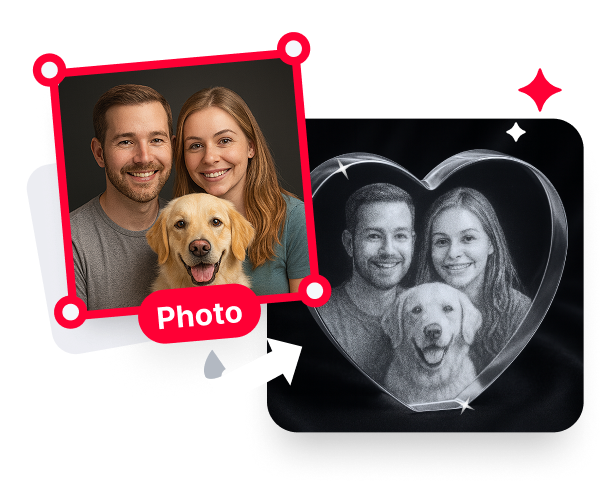
Crystal Preview Workflows

Review how the PLY relief may sit inside supported transparent display materials.

Explore More Photo-to-Relief Tools

Create the relief first, explore dedicated depth controls, or return to the main 3D workspace.

Explore More Photo-to-Relief Tools Image to 3D Relief

Image to 3D Relief

Turn a flat photo into a front-facing relief with visible depth.

Explore More Photo-to-Relief Tools Depth Map & Relief Generator

Depth Map & Relief Generator

Open the main workspace for grayscale depth, STL relief, and full-color relief.

Explore More Photo-to-Relief Tools AI 3D Model Generator

AI 3D Model Generator

Open the main workspace for complete 3D models and photo-based reliefs.

3D Crystal Engraving Projects from the Community

Explore real crystal engraving projects for making inspiration. Each project uses its own file and workflow.

Aquarium-Themed K9 Crystal Internal Engraving

Aquarium-Themed K9 Crystal Internal Engraving

M.Chef
M.Chef
48
273
Laser Engraved Crystal Block with 3D Hummingbird Design

Laser Engraved Crystal Block with 3D Hummingbird Design

lucieetjimmy24
lucieetjimmy24
49
508
Eiffel Tower Inner Engrave in K9 Crystal Glass

Eiffel Tower Inner Engrave in K9 Crystal Glass

AlanZ
AlanZ
41
450
[How To] 3D Inner Engraved Solar System Crystal Globe

[How To] 3D Inner Engraved Solar System Crystal Globe

Atomm
Atomm
109
668
Darth Vader Inner Engraved Crystal Keychain with Light

Darth Vader Inner Engraved Crystal Keychain with Light

Richard S
Richard S
21
124
Yoda Star Wars Laser Engraved Crystal Keychain

Yoda Star Wars Laser Engraved Crystal Keychain

Richard S
Richard S
27
193
[How To] 3D Inner Engraved Christmas Tree Crystal Ball with LED Light

[How To] 3D Inner Engraved Christmas Tree Crystal Ball with LED Light

Atomm
Atomm
52
219
Guardian Angel Figure

Guardian Angel Figure

hdj3dkreations
hdj3dkreations
17
176
Gravure interne 3D - Bloc en cristal avec baleine et baleineau

Internal 3D Engraving - Crystal Block with Whale and Calf

Marion Tubiana
Marion Tubiana
20
59
Glass cube with internal 3D pond scene featuring a frog and dragonfly

Glass cube with internal 3D pond scene featuring a frog and dragonfly

mendthedrift
mendthedrift
6
49
Gravure interne 3D - Bloc en cristal avec 3 perroquets amazone
Atomm Featured

Gravure interne 3D - Bloc en cristal avec 3 perroquets amazone

Marion Tubiana
Marion Tubiana
25
99
Laser Engraved Pirate Skull and Tentacles Decorative Glass Panel

Laser Engraved Pirate Skull and Tentacles Decorative Glass Panel

jasonratcliff
jasonratcliff
31
225
Anatomically Correct Human Skull In Illuminated Crystal Block with

Anatomically Correct Human Skull In Illuminated Crystal Block with

Offtoplay
Offtoplay
4
74
Gravure interne 3D lapin de Pâques danseuse étoile

Internal 3D engraving Easter bunny prima ballerina

Marion Tubiana
Marion Tubiana
21
71
Crystal Block Featuring Praying Hands and Crucifix

Crystal Block Featuring Praying Hands and Crucifix

k407.fabrication
k407.fabrication
48
338
3D Laser Engraved Teddy Bear Holding Rose with I Love You Text

3D Laser Engraved Teddy Bear Holding Rose with I Love You Text

Jo Stapleton
Jo Stapleton
57
290
3D K9 crystal engraving of rearing horse
Atomm Exclusive

3D K9 crystal engraving of rearing horse

mrs.smabbage
mrs.smabbage
23
171
3D Inner-Engraved F1 Racing Car

3D Inner-Engraved F1 Racing Car

Mayor John
Mayor John
20
112
FULL 3D ROSE SCULPTURE

FULL 3D ROSE SCULPTURE

HEATWAVEMIAMI
HEATWAVEMIAMI
28
195
Custom Couple Portrait — LED Heart Crystal Keychain

Custom Couple Portrait — LED Heart Crystal Keychain

M.Chef
M.Chef
19
141
Explore More 3D Crystal Engraving Projects

PLY Relief and 3D Photo Guides

See how depth-based photo assets connect to crystal keepsakes and 3D engraving workflows.

30 Free 3D Crystal Photo Ideas (Laser-Engraved Crystal Keepsakes & Gifts)

30 free 3D crystal photo and engraving ideas — personalized photo blocks, art cubes, keychains, LED night lights, and heart keepsakes you can open, edit, and make.

2026/08/211216

3D Laser Engraving Tutorial: From Model to Carve (2026)

3D laser engraving start to finish: turn a photo into a 3D model with AI, then carve relief across 256 gray levels or engrave inside crystal. 2026 guide.

2026/07/036629

Export a PLY Relief from Your Image

Upload one clear photo, adjust the relief, inspect the result, and download PLY.

Upload Image

FAQs about Converting Images to PLY

What is an image-to-PLY converter?

It is a tool that interprets a flat image as a depth-based relief and exports the generated 3D Photo result as PLY. It creates surface information instead of only replacing the source filename.

Does Atomm convert a flat image directly into PLY?

Is the exported PLY a full 360° model?

Which image formats can I upload?

Can I remove the background before PLY generation?

What do processing size and dot spacing change?

What is the difference between PLY and GLB in Atomm?

Which images create the clearest PLY relief?