
xTool is one of the best-known brands of desktop laser engravers, laser cutters, and craft machines for hobbyists and small businesses. If you’ve shopped for a laser cutter, a fiber engraver, or an all-in-one product printer, you’ve almost certainly seen the name.
But xTool now covers a whole ecosystem of machines, software, and materials. This guide explains what xTool is, who makes it, every machine in the current lineup, what they cost, what you can make, and where to buy.
Key Takeaways
- xTool is a brand of desktop laser engravers, laser cutters, and craft machines made by Shenzhen-based Makeblock and launched in 2021.
- The lineup covers diode, CO2, IR/fiber, and UV lasers, plus all-in-one printers, heat presses, and metal-fabrication tools.
- Machines run from about $160 to $7,500+, and every one uses the free xTool Creative Space (XCS) app.
- xTool is built for hobbyists and small businesses making personalized gifts, decor, jewelry, signage, and apparel.

What is xTool?
xTool is a brand of desktop laser engravers, laser cutters, and craft machines made by Makeblock Co., Ltd., a technology company based in Shenzhen, China.
Makeblock started in educational robotics and STEAM kits, then launched the xTool brand in 2021 to bring approachable, enclosed, software-driven fabrication tools to hobbyists and small businesses. Today it’s one of the biggest names in consumer laser cutting worldwide.
What ties the range together is a focus on being beginner-friendly: enclosed bodies, built-in cameras and safety features, tested material settings, and one free app that runs every machine. xTool also backs its hardware with a large maker community — including Atomm, where owners share projects, files, and tutorials.
| Brand type | Desktop laser & craft machines |
| Parent company | Makeblock Co., Ltd. (Shenzhen, China) |
| Launched | 2021 |
| Machine types | Diode, CO2, IR/fiber & UV lasers; printers; heat presses; metal fabrication |
| Software | xTool Creative Space (XCS), free for Windows, Mac, iOS & Android |
| Best for | Hobbyists, crafters, small businesses, schools & makerspaces |
| Price range | ~$160 to $7,500+ depending on machine |
What does xTool make?
xTool’s catalog goes well beyond a single laser. It spans several machine families, plus the software and materials that support them:

| Category | What it does | Example machines |
|---|---|---|
| Diode laser engravers & cutters | Engrave and cut wood, acrylic, leather, slate and more | S1, M1, D1 |
| CO2 laser cutters | Fast, large-format cutting of non-metals | P2S, P3 |
| IR / fiber laser engravers | Mark — and color — metals and plastics | F1, F2, F1 Ultra, F2 Ultra |
| UV lasers | Engrave glass and delicate materials | F2 Ultra UV |
| All-in-one printers | Full-color UV / DTF printing on finished products | O1 Omni, M2 |
| Apparel & screen printing | Custom shirts and merch at scale | Apparel Printer, Screen Printer |
| Heat presses | Apply HTV, sublimation & DTF transfers | Heat Press Tool, WonderPress |
| Metal fabrication | Laser welding plus CNC for metalwork | MetalFab |
| Software & materials | Free design app plus tested materials & accessories | XCS, xTool materials |
xTool’s machines, model by model
Here is the current xTool lineup at a glance, with the type of technology, who each machine suits, and an approximate price. Prices are in USD as of July 2026 and move with promotions.
| Machine | Type | Best for | Approx price |
|---|---|---|---|
| xTool F1 | Diode + infrared (dual) | Portable engraver | ~$999–1,199 |
| xTool F2 (Portable) | IR + diode dual (portable) | Portable metal + everyday | ~$1,499 |
| xTool F1 Ultra | Fiber + diode dual laser | All-rounder (metal + non-metal) | ~$3,799–4,799 |
| xTool F2 Ultra | MOPA fiber + diode dual | Pro metal color marking | from ~$5,299 |
| xTool F2 Ultra UV | 5W UV laser | Glass & delicate materials | from ~$4,299 |
| xTool S1 | Enclosed diode laser | Enclosed diode value | ~$1,699–1,899 |
| xTool P2S | 55W CO2 laser | Large-format non-metal cutting | ~$3,999 |
| xTool P3 | 80W CO2 laser | Largest-format CO2 flagship | ~$6,999 |
| xTool M2 (Color Craft) | Diode laser + CMYK inkjet | Print-and-cut crafts | from ~$599 |
| xTool O1 Omni | 4-in-1 printer | All-in-one product printer | from ~$1,699 |
| xTool Apparel Printer | DTF apparel printer | Custom apparel at scale | see xTool |
| xTool Screen Printer | Laser-assisted screen printer | Affordable screen printing | ~$399 |
| xTool Heat Press Tool | Heat press (Smart + Mini) | Pressing transfers | ~$159 |
| xTool WonderPress | 3-in-1 modular press | Flat + 3D sublimation | ~$399 |
| xTool MetalFab | Fiber laser welder + CNC | Metal fabrication | from ~$7,499 |
xTool also makes earlier and specialized models, including the M1 (a combined laser and blade cutter) and the open-frame D1 and D1 Pro diode engravers. Not sure which machine fits your projects and budget? Our guide to which xTool you should buy compares every model by use case.
How much do xTool machines cost?
xTool spans a wide price range, from small finishing tools to industrial metal fabrication. These are typical starting prices in USD as of July 2026; xTool runs frequent seasonal sales, so real prices are often lower.
| Category | Typical price (USD) |
|---|---|
| Presses & screen printing (Heat Press, Screen Printer) | ~$160–399 |
| Print-and-cut crafter (M2) | from ~$599 |
| Portable engravers (F1, F2) | ~$999–1,499 |
| Enclosed diode & all-in-one printer (S1, O1 Omni) | ~$1,699–1,899 |
| Fiber & metal-marking lasers (F1 Ultra, F2 Ultra) | ~$3,799–5,299+ |
| Large-format CO2 (P2S, P3) | ~$3,999–6,999 |
| Metal fabrication (MetalFab) | from ~$7,499 |
What can you make with xTool?
xTool machines turn up in everything from one-off personalized gifts to full small-business product lines. Here are six real projects from the Atomm community that show the range across xTool’s different machine types — laser-cut wood, color-marked metal, and full-color printing:
1. Color-Marked Stainless-Steel Pendant
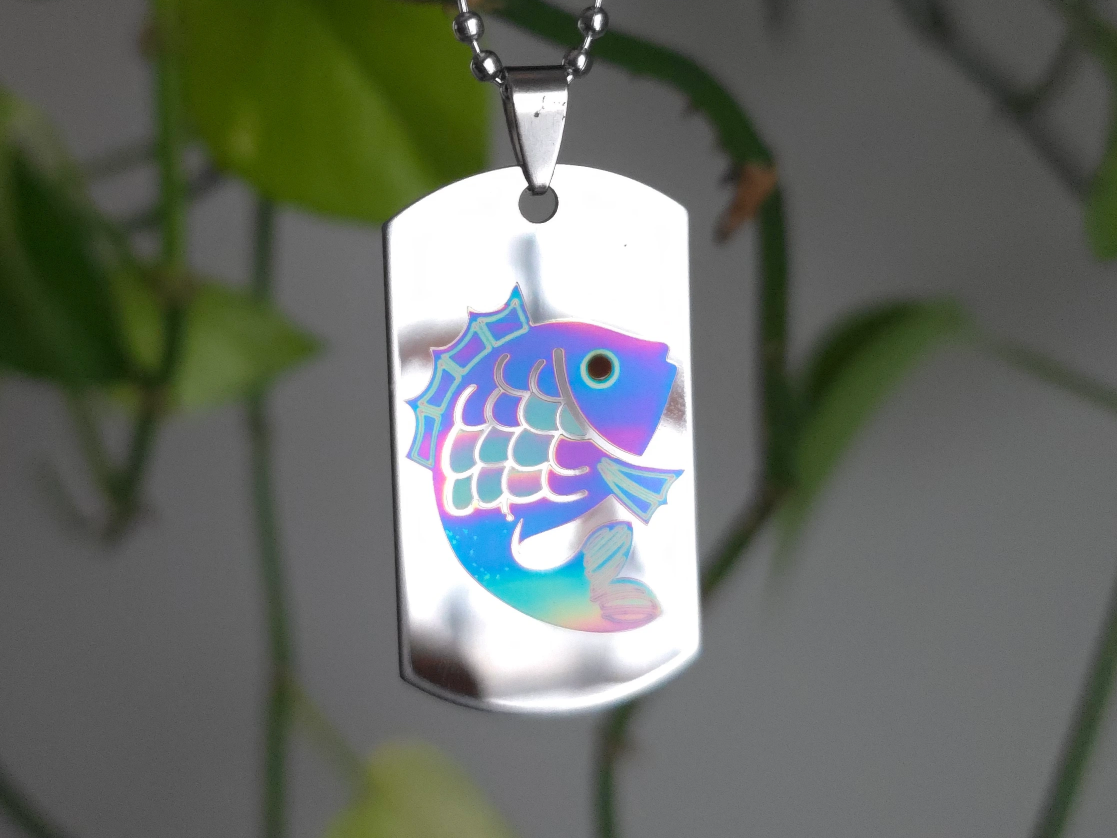
Made on an IR laser, this stainless-steel pendant carries a holographic, multi-tone fish — the kind of full-color marking on metal that only xTool’s infrared machines can do. It shows why makers reach for xTool when a project needs permanent, colorful marks on bare metal.
Get this design →2. Hummingbird & Hibiscus Wooden Wall Art
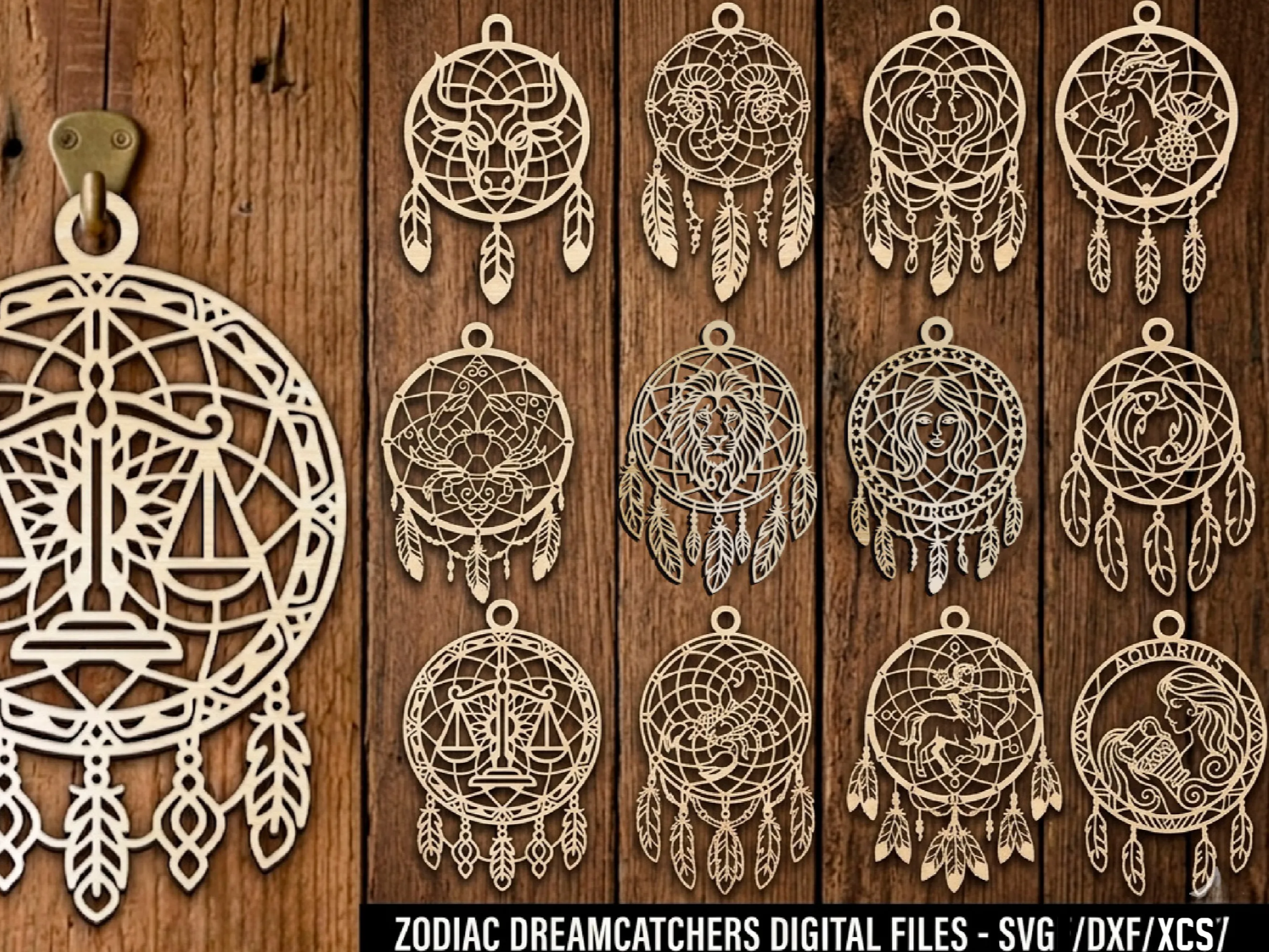
An enclosed diode laser engraved and cut this layered hummingbird-and-hibiscus panel from wood. Detailed nature scenes like this are the everyday work of xTool’s diode machines, which handle wood, acrylic, leather, and slate for decor, signs, and gifts.
Get this design →3. 3D Personalized Wedding Lantern
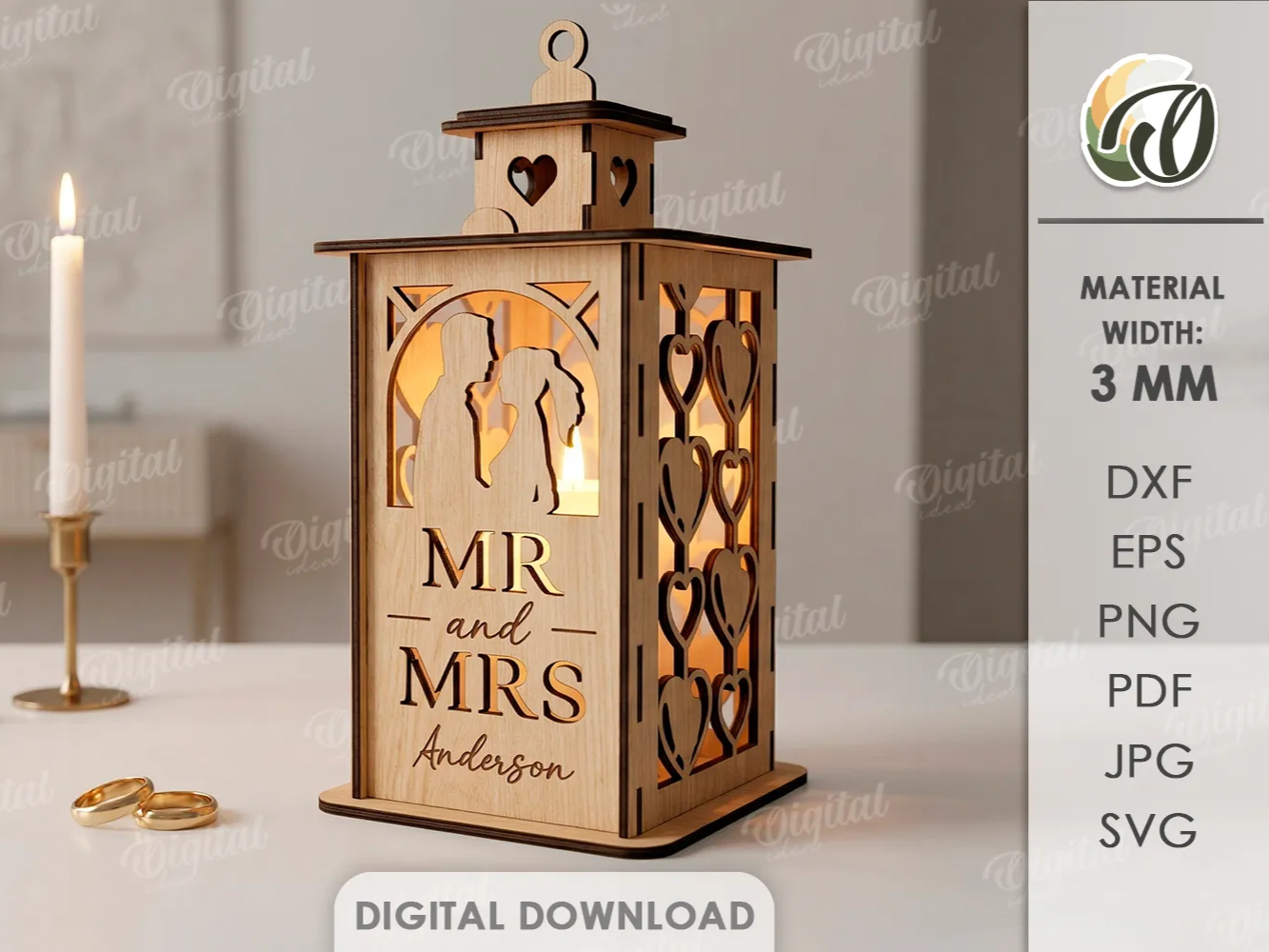
Cut and assembled on a large-format CO2 laser, this personalized tealight lantern shows how xTool’s P-series handles bigger, multi-part builds. CO2 machines cut thicker wood and acrylic quickly, making them the pick for signage, home decor, and event pieces made in batches.
Get this design →4. Color-Printed Lotus Dangle Earrings
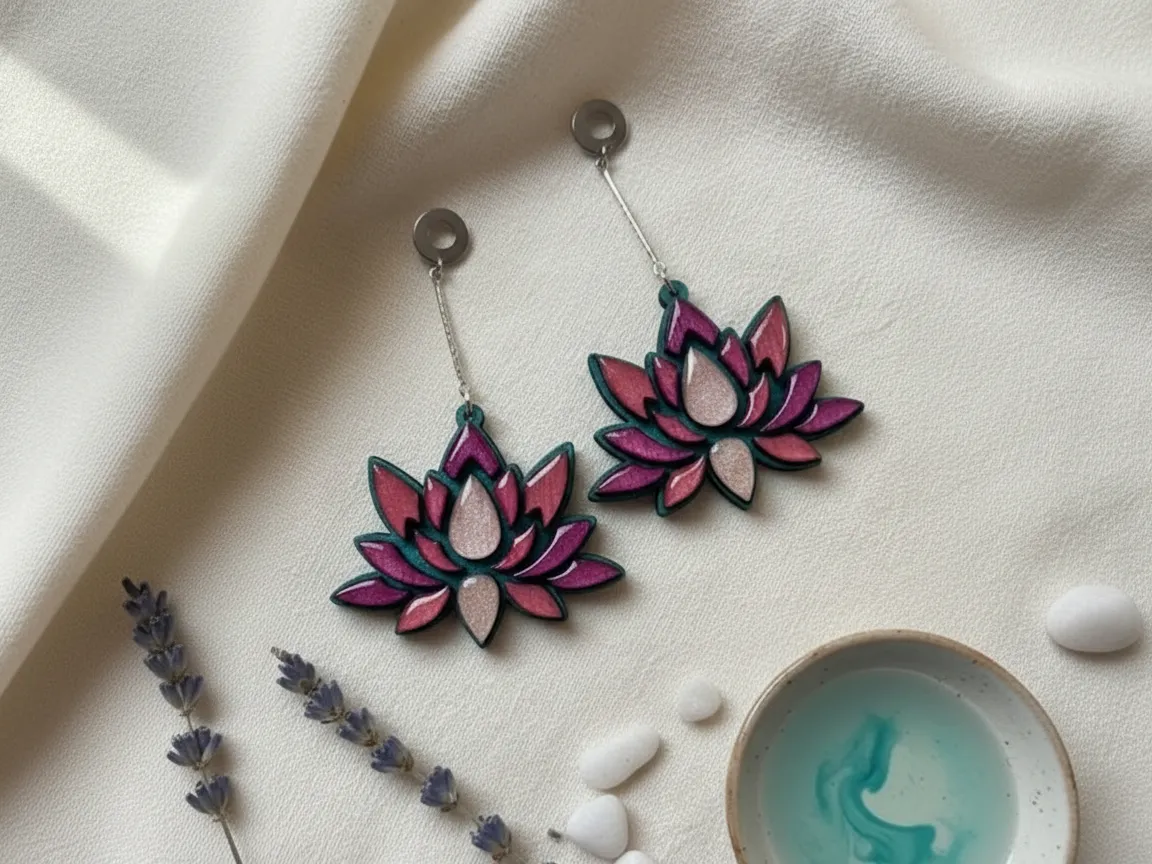
These vivid lotus earrings were color-printed and then laser-cut in one workflow on xTool’s M2 Color Craft. Print-and-cut machines add full CMYK color to laser projects, opening up bright jewelry, ornaments, and stickers without needing a separate printer.
Get this design →5. Custom Color-Printed Ceramic Mug
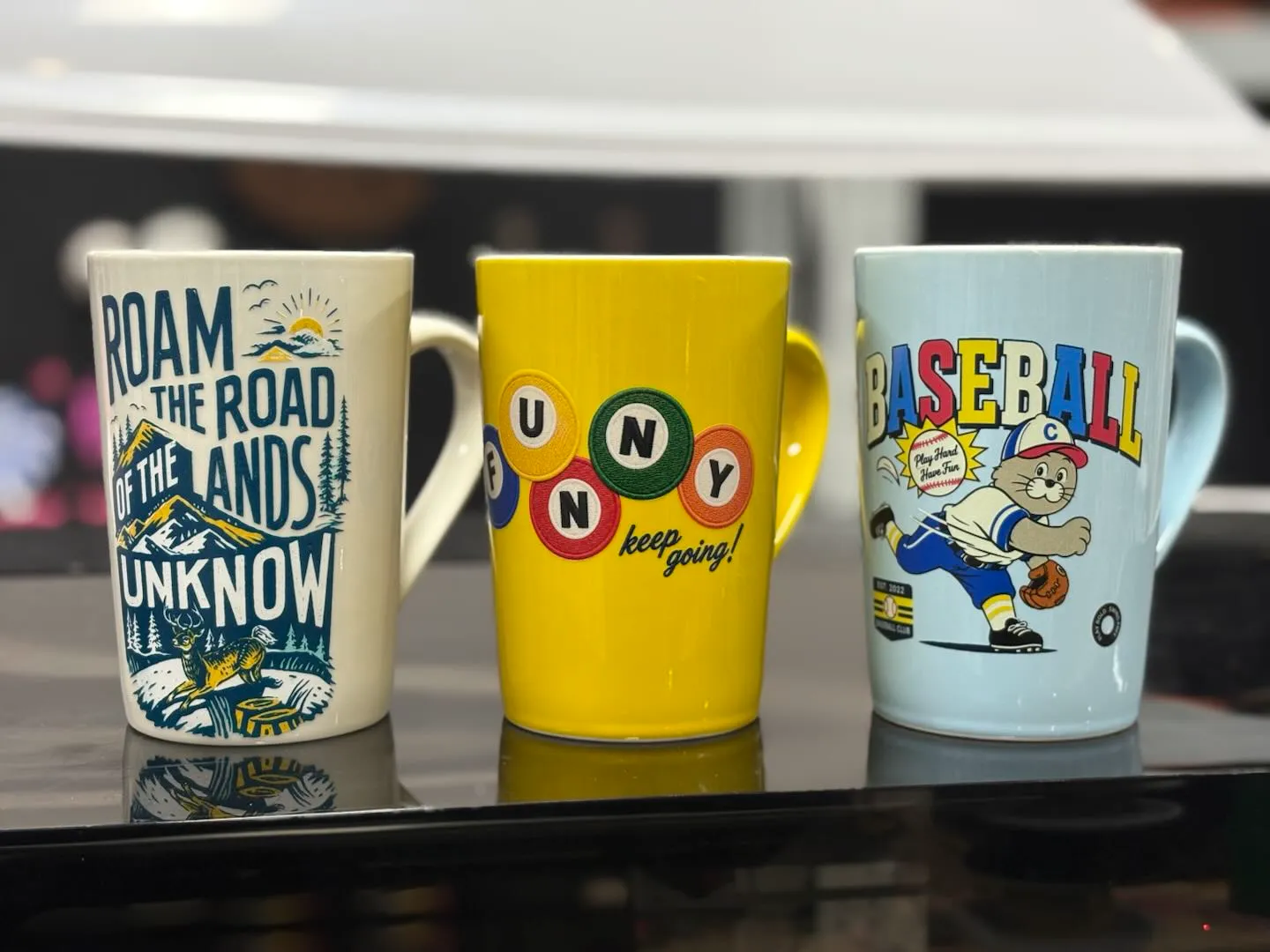
This glazed mug was wrapped in a full-color design on xTool’s O1 Omni all-in-one printer. Its UV and UV-DTF printing put photo-quality graphics on mugs, cases, signs, and more — the print side of the xTool ecosystem that sits alongside the lasers.
Get this design →6. Personalized Engraved Cutting Board
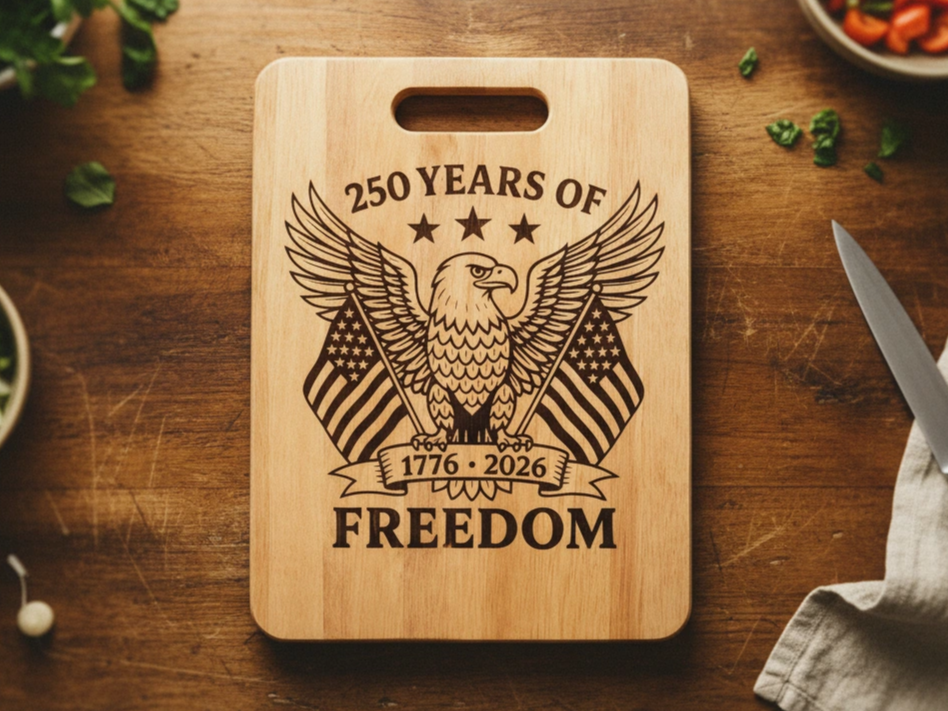
A wooden cutting board engraved with a detailed commemorative design — a classic personalized gift and a strong seller for small makers. Deep, crisp engraving on everyday wood items like this is one of the most popular ways people put an xTool to work.
Get this design →What software does xTool use?
Every xTool machine runs on xTool Creative Space (XCS) — a free design-and-control app for Windows, Mac, iOS, and Android. You lay out designs, choose tested material settings, preview with the machine’s camera, and send the job, all in one place. For a full walkthrough, see our guide to what XCS is.
xTool also offers AImake, an AI-assisted design tool where you describe what you want and it turns that into a craftable design — covering engraving, printing, cutting, vectorizing, and more — so you can go from idea to finished design without separate professional software.
What is Atomm?
Atomm is xTool’s free creative community and project platform — the same place the six projects above come from. Makers use it to browse and download thousands of ready-to-make design files, follow step-by-step tutorials, and share their own builds.
If you own (or are considering) an xTool machine, it’s the quickest way to find designs and learn techniques, and it’s free to join. You can read more about Atomm and what it offers.

Where can you buy xTool?
- xTool official store (xtool.com) — the full lineup, latest bundles, warranty, and sale pricing.
- Amazon — many xTool machines and accessories ship fast under Arts, Crafts & Sewing.
- Authorized resellers — retailers such as MatterHackers, Best Buy, and Micro Center carry select models.
Is xTool worth it, and who is it for?
xTool suits hobbyists, crafters, small-business owners, schools, and makerspaces who want capable machines without a steep learning curve.
Its strengths are the enclosed, safety-minded designs, the single free XCS app across the whole range, tested materials, and a large community for help and inspiration. The trade-off is price: xTool machines usually cost more than bare open-frame competitors.
If you value an integrated, beginner-friendly ecosystem and plan to make and sell real products, that premium is often worth it — and the wide lineup means you can start small and scale up within the same software.
xTool alternatives
xTool isn’t the only maker of desktop lasers and craft machines. If you’re comparing brands, these are the best-known alternatives and how they stack up:
| Brand | Known for | How it compares to xTool |
|---|---|---|
| Glowforge | Premium enclosed CO2 lasers with a very simple app | Beginner-friendly like xTool, but a narrower lineup and a subscription for some cloud features. |
| Ortur | Budget open-frame diode engravers | Cheaper to get started, but open-frame (less enclosed/safe) with fewer tested materials. |
| Creality Falcon | Low-cost diode lasers from the 3D-printing brand | Aggressive pricing; a smaller software and material ecosystem than xTool. |
| OMTech & Gweike | Value large-format CO2 laser cutters | More raw cutting power per dollar, but a steeper learning curve and less polished software. |
| Snapmaker | Modular 3-in-1 (3D print + laser + CNC) | One machine for several tools, versus xTool’s dedicated, more capable single-purpose machines. |
xTool’s edge is the all-in-one ecosystem — enclosed, beginner-friendly machines, one free app, tested materials, and a large community — while competitors often win on raw price or a specific specialization.
Final thoughts
xTool has grown from a single diode engraver into a full ecosystem of laser, printing, and fabrication machines, tied together by one free app and a big maker community.
Whether you want to personalize gifts, decorate your home, or launch a product line, there’s an xTool machine and price point to match — and you keep the same software as you grow. Start by deciding which materials you want to work with, then pick the machine that handles them best.
Frequently asked questions about xTool
Who makes xTool?
xTool is a brand of Makeblock Co., Ltd., a technology company based in Shenzhen, China. Makeblock launched xTool in 2021, building on its background in educational robotics and STEAM products.
Is xTool a Chinese company?
Yes. xTool’s parent, Makeblock, is headquartered in Shenzhen, China, and ships worldwide with regional stores, warranty, and support.
What is the difference between xTool’s diode, CO2, and fiber lasers?
Diode lasers are affordable all-rounders for wood, acrylic, and leather. CO2 lasers cut non-metals faster and in larger formats. IR/fiber lasers mark and color metals and plastics. Many makers own more than one for different jobs.
Do I need special software to use an xTool?
No — every machine uses xTool Creative Space (XCS), a free, beginner-friendly app with tested material settings. You can also import your own SVG or image files.
Which xTool is best for a beginner?
Most beginners start with an affordable diode or print-and-cut machine like the M2 or S1, then add a fiber or CO2 machine as their projects grow. Match the machine to the materials you want to work with.
