
The xTool F2 is a fast, portable desktop laser engraver that pairs a 5W infrared (IR) laser with a 15W diode laser in one enclosed, carry-anywhere body. Released in late 2025 as the successor to the popular xTool F1, the F2 adds a built-in 50MP camera, engraving speeds up to 6000 mm/s, 3D embossing, and its headline trick — color engraving on metal. This guide breaks down what the F2 is, what it costs, what it can make, and how to set it up and use it.
Key takeaways: The xTool F2 is a portable dual-laser (5W IR + 15W diode) engraver built for on-site and small-batch work. It reaches 6000 mm/s, handles 300+ materials, marks full-color designs on coated metal, and uses a 50MP camera for visual placement. Regular price is around $1,499. See what F2 owners make in the xTool F2 project gallery.

What is the xTool F2?
The xTool F2 is a compact, fully enclosed dual-laser engraver aimed at makers who want speed and portability without giving up metal marking. Its 5W IR laser handles metals, plastics, and color marking, while the 15W diode laser engraves and cuts organic materials like wood, leather, and acrylic. A built-in 50MP camera reads the work bed so you can position designs visually on screen — a big help for batch runs and awkwardly shaped items.
Compared with the earlier F1, the F2 is faster (up to 6000 mm/s), gains the high-resolution camera, adds 3D embossing, and expands color engraving on metal — making it a genuine on-site and small-batch production tool rather than just a hobby engraver.
| Spec | xTool F2 |
|---|---|
| Released | Late 2025 |
| Lasers | 5W 1064nm infrared + 15W 455nm diode |
| Max engraving speed | 6000 mm/s |
| Camera | Built-in 50MP (visual alignment, autofocus, batch) |
| Work area | 115 × 115 mm |
| Signature features | Color engraving on metal, 3D embossing |
| Supported materials | 300+ |
| Enclosure | Fully enclosed, portable desktop body |
What is the pricing of the xTool F2?
Pricing moves with xTool’s regular promotions, so treat these as a guide and confirm the live figure on the official xTool F2 page. Prices are in USD as of July 2026.
| Configuration | What you get | Price (approx.) |
|---|---|---|
| xTool F2 (standard) | The 5W IR + 15W diode machine with the 50MP camera | ~$1,499 (launch/promo pricing seen near $1,299) |
| xTool F2 bundles | F2 plus accessories such as the rotary, riser, or material packs | bundle pricing on xtool.com |
xTool runs frequent seasonal sales (mid-year, Black Friday, new year), so the F2 is often available below list. Check the official page for current bundle deals.
What can the xTool F2 engrave, cut, and color?
The two lasers split the work, and the IR laser is what sets the F2 apart:
- 5W IR laser — marks & colors metal: engraves bare and coated metals (stainless steel, aluminum, brass), plastics, and can produce full-color engraving on coated stainless steel — the effect behind the colorful pendants, tumblers, and plates F2 owners are known for.
- 15W diode laser — engraves & cuts: wood, MDF, bamboo, leather, paper, dark acrylic, slate, and more; it cuts wood and acrylic (thicker stock in multiple passes).
- 3D embossing: the F2 can produce raised, dimensional relief engraving, not just flat marking.
In total the F2 works with 300+ materials, which — combined with color marking — makes it popular for personalized jewelry, drinkware, signage, and mixed-material gift lines. Browse real results in the F2 project gallery.
Where can you buy the xTool F2?
- xTool official store (xtool.com) — newest bundles, warranty, and sale pricing.
- Amazon — the F2 is listed under Arts, Crafts & Sewing for fast shipping.
- Authorized resellers — retailers including MatterHackers, Best Buy, and Micro Center carry the F2.
Real projects people make with the xTool F2
Here are a few community projects made on the F2 — several show off its signature color-on-metal engraving — from the xTool F2 project gallery:
1. Holographic Fish Stainless-Steel Pendant
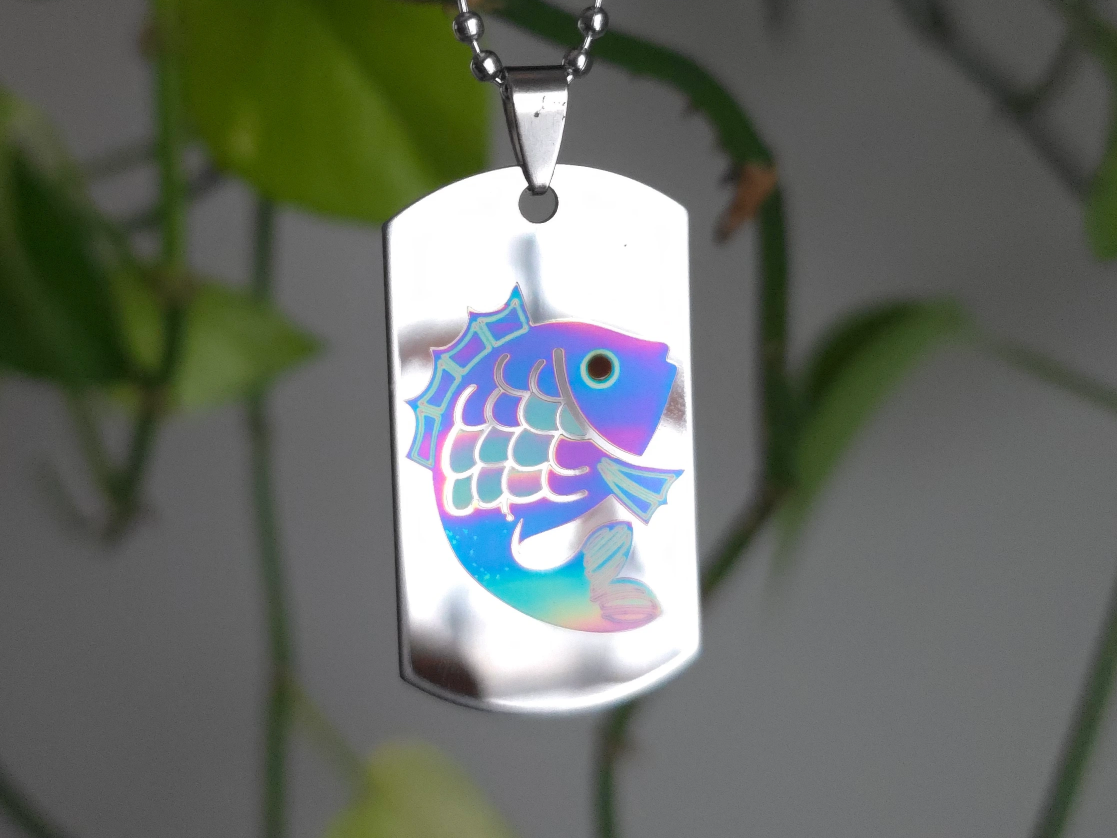
A stainless-steel pendant engraved with a holographic, multi-tone fish using the F2’s IR laser. The shifting color finish is exactly the kind of metal color marking that sets the F2 apart from diode-only machines.
Get this design →2. Color-Engraved Stainless Steel Tumbler
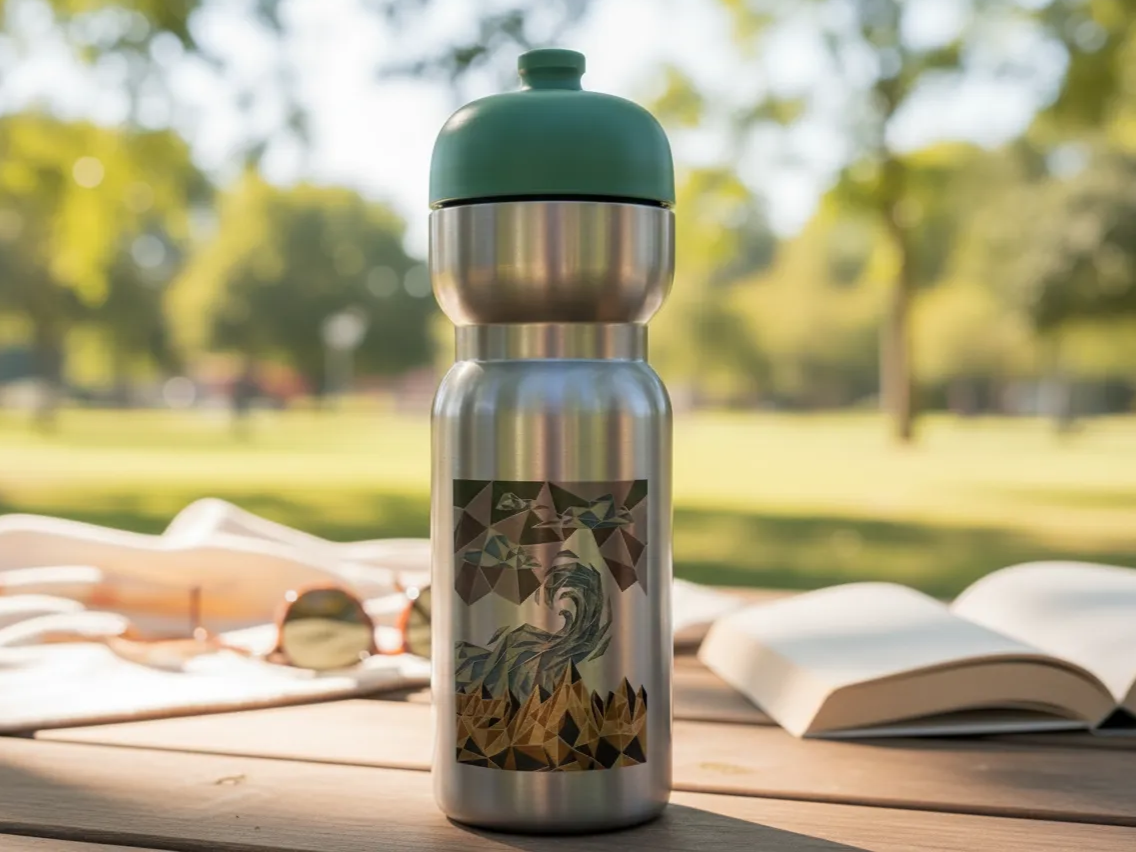
A stainless tumbler wrapped with a full-color engraved design. Personalized drinkware like this is a high-margin seller, and the F2’s color marking plus rotary support make it a repeatable product.
Get this design →3. Mini Ski Lift Candle Village

A layered wooden winter scene with a working mini ski-lift, cut and engraved on the diode laser. It shows the F2 handling multi-part assembled builds, not just flat marking.
Get this design →4. Laser-Cut Wooden Pet Name Magnets
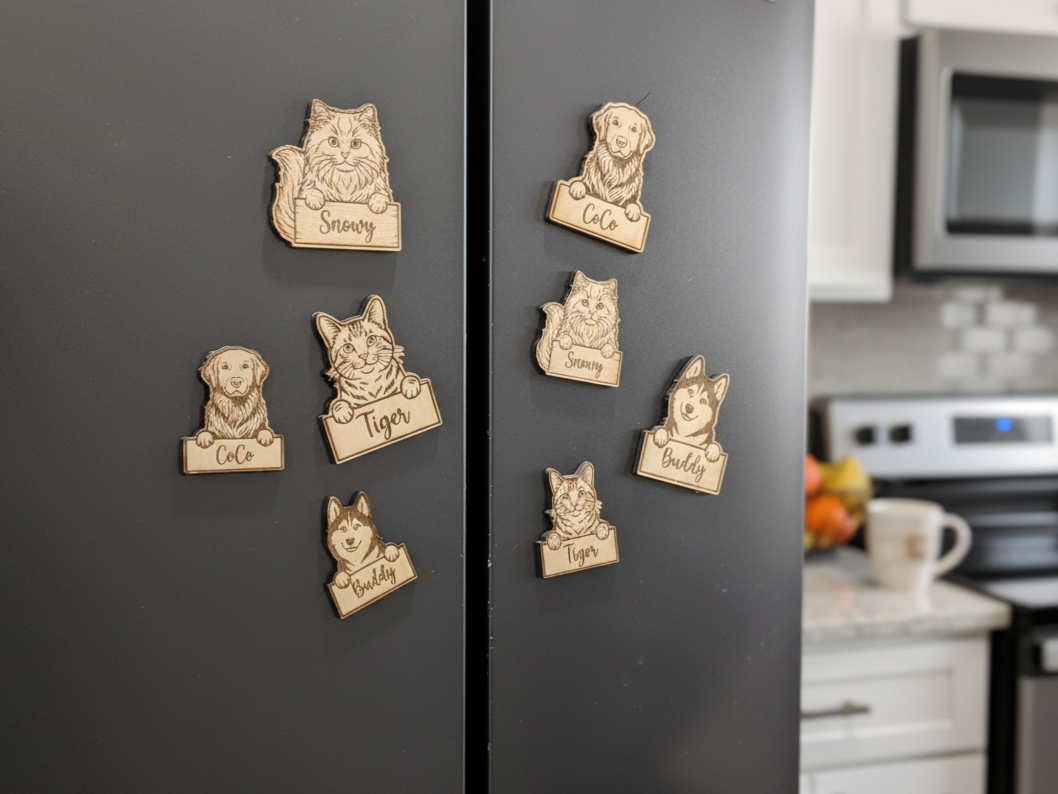
Custom pet-shaped wooden magnets, cut to outline and engraved with names on the diode laser — a quick, giftable product that highlights the F2’s clean small-detail cutting.
Get this design →5. Color-Engraved Metal Bottle Opener
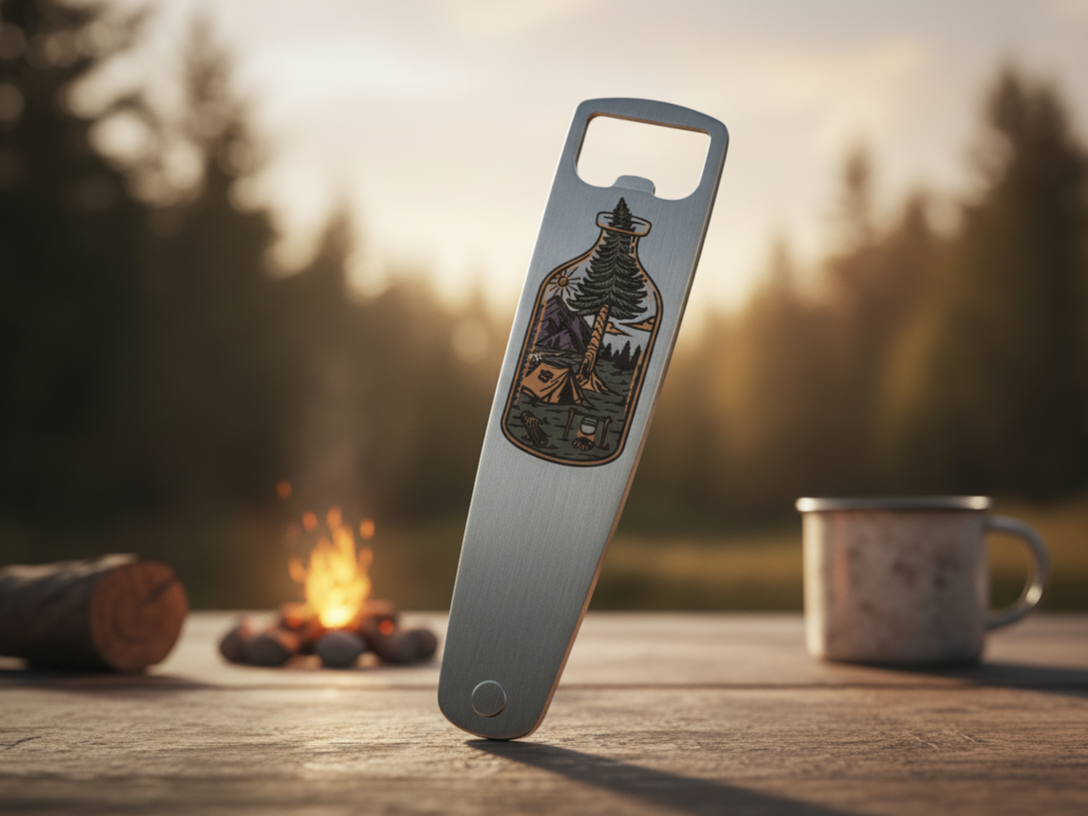
A metal bottle opener finished with a full-color engraved graphic from the F2’s IR laser. Durable, useful, and personalizable, color-marked openers are an easy add-on product for drinkware and barware lines.
Get this design →6. Woodland Scene Shadow Box
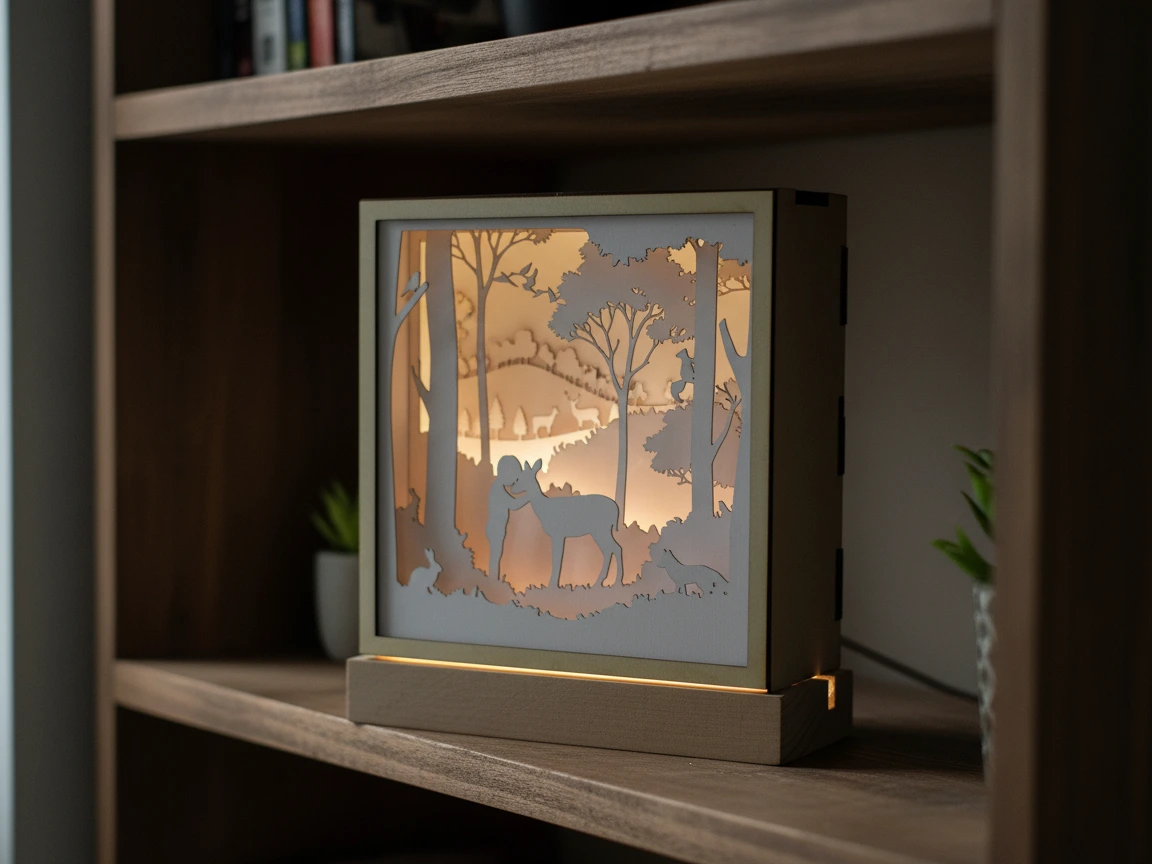
A layered shadow box with deer and rabbit silhouettes, cut and engraved on the F2’s diode laser. Multi-layer assembled pieces like this show the F2 handling precise cutting for depth-effect home decor, not just flat marking.
Get this design →How to set up the xTool F2
- Unbox and check the machine, power adapter, USB-C cable, focus accessory, exhaust hose, and test materials.
- Place it on a flat, stable surface with clearance around the vent, near a window or the smoke purifier for exhaust.
- Connect power, then link the F2 to your computer via USB-C or to your Wi-Fi network.
- Install xTool Creative Space (XCS), open it, let it detect the F2, and apply any firmware update.
- Let the 50MP camera calibrate so on-screen placement matches the real work bed.
- Set focus via auto-focus (enter material thickness) or the manual knob, and attach the rotary or riser if your project needs it.
How to use the xTool F2
- Design or import artwork in XCS — text, SVG, image, or DXF — and arrange multiple pieces for batch runs.
- Place visually with the camera: the 50MP camera shows your material on screen, so you drag the design exactly where you want it.
- Choose the laser and mode: IR for metal, color marking, and plastics; diode for wood, leather, acrylic, and cutting. Pick engrave, color, 3D emboss, score, or cut.
- Select the material preset or set power/speed/passes, then run a quick frame preview to confirm placement.
- Close the lid and run; the enclosure, fan, and purifier contain light and smoke while it works. Unload and repeat for the next piece.
What materials does the xTool F2 support?
The F2 supports 300+ materials across its two lasers. A quick reference:
| Category | Examples | Laser |
|---|---|---|
| Metal | Stainless steel (incl. color marking), aluminum, brass, coated metal | Infrared |
| Plastic | Most plastics, anodized surfaces, coated tumblers | Infrared |
| Wood & paper | Basswood, plywood, MDF, bamboo, cardstock | Diode (engrave + cut) |
| Leather & fabric | Genuine & faux leather, felt, canvas | Diode |
| Acrylic | Dark acrylic (engrave + cut) | Diode |
| Stone & glass | Slate, marble, ceramic tile, coated glass | Diode |
Always test on scrap first and follow xTool’s material settings; never laser PVC or unknown coated plastics.
Frequently asked questions about the xTool F2
Can the xTool F2 engrave color on metal?
Yes — the F2’s 5W IR laser can produce full-color engraving on coated stainless steel, which is the effect behind its colorful pendants, tumblers, and plates.
What is the difference between the xTool F1 and F2?
The F2 is the newer model: faster (up to 6000 mm/s vs 4000), with a built-in 50MP camera, 3D embossing, and stronger color-on-metal marking. The F1 uses a 2W IR + 10W diode combo and has no built-in camera.
Can the xTool F2 cut, not just engrave?
Yes. The 15W diode laser cuts wood and acrylic, with thicker stock done in multiple passes.
Is the xTool F2 good for a small business?
It is built for it — the speed, 50MP camera batch placement, and portability make it well suited to on-site jobs and small-batch production of personalized goods.
Does the xTool F2 need a computer?
You design and control jobs through xTool Creative Space (XCS) on a computer, connected by USB-C or Wi-Fi.
Final thoughts
The xTool F2 takes the portable, dual-laser idea that made the F1 popular and pushes it toward real production: faster engraving, a 50MP camera for visual placement, 3D embossing, and standout color marking on metal. For makers selling personalized jewelry, drinkware, and mixed-material gifts — especially on-site or in small batches — it is one of the most capable portable engravers available. See real builds in the F2 project gallery, then check current pricing on the official xTool F2 page.
