
UV printing is a printing process where ultraviolet light cures the ink the instant it lands, instead of leaving it to dry or soak in. That one change is what lets it print on glass, metal, and wood.
This guide explains what happens during UV printing, why instant curing matters, what the process can and cannot do, and how it differs from the other printing methods it gets confused with.
Design print-ready artwork freeBrowse Atomm's free generators for print-ready graphics, from stickers to full designs.Explore generatorsKey Takeaways
- UV printing cures ink with UV light on contact rather than by evaporation or absorption.
- Because the ink never needs to soak in, the process works on non-absorbent surfaces — glass, metal, acrylic, plastic.
- The cured ink sits on top of the surface, which makes it durable but not suited to fabric that flexes.
What Is UV Printing?
UV printing is digital inkjet printing that uses UV-curable ink. The ink stays liquid until it is exposed to ultraviolet light, at which point it hardens in a fraction of a second.
Conventional printing waits for ink to dry: solvent evaporates, or the ink soaks into paper or fabric. Both need a surface that cooperates. UV printing removes that requirement entirely.
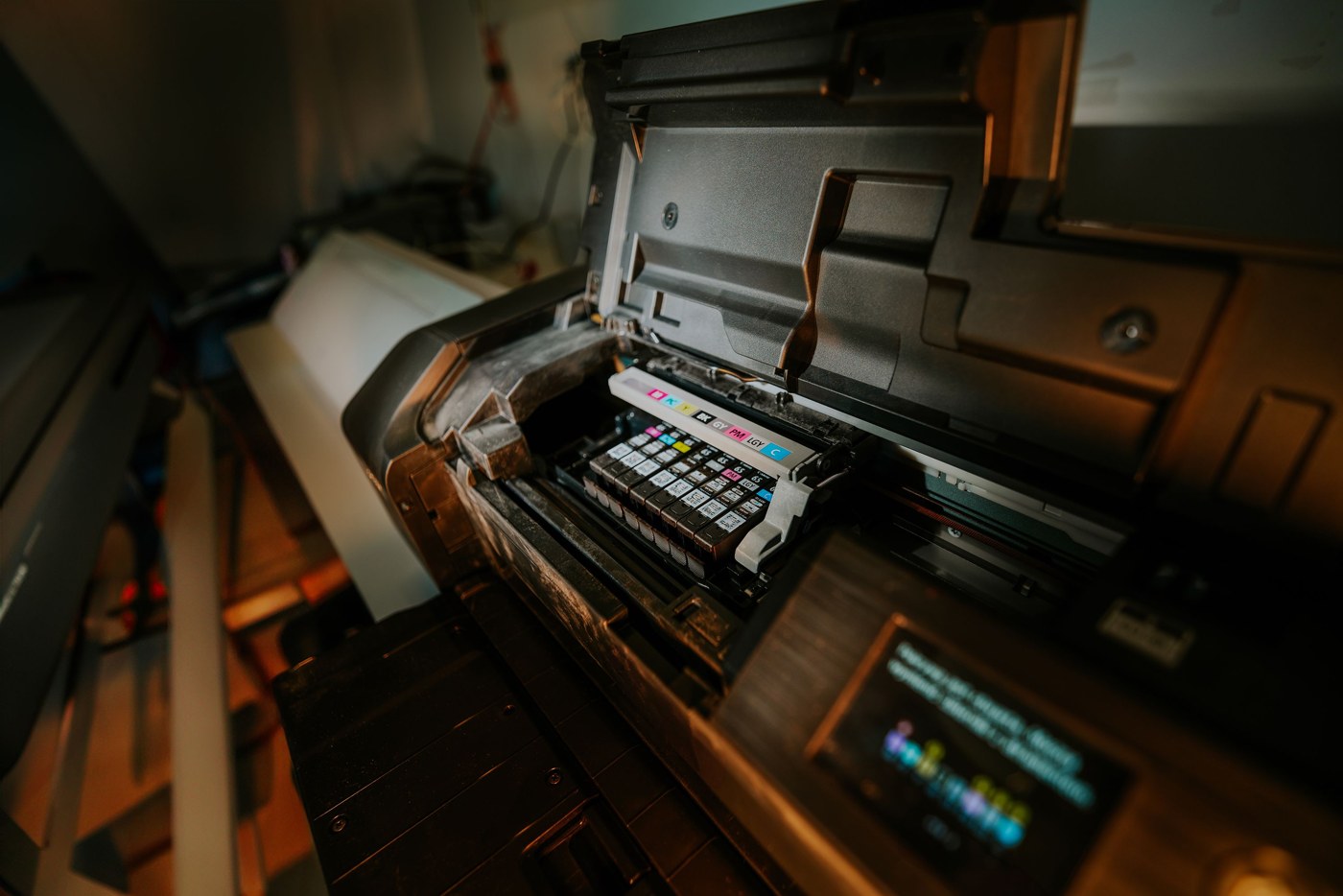
The printing hardware is ordinary drop-on-demand inkjet. What makes it UV printing is the ink chemistry and the row of UV LEDs mounted alongside the printhead.
How the UV Printing Process Works
- The surface is positioned. The object or sheet sits on a flat bed, with the printhead set to clear it by a millimetre or two.
- Ink is jetted. CMYK droplets are sprayed on, plus white ink and often a clear gloss varnish.
- UV LEDs cure each pass. Lamps travelling with the printhead harden the ink immediately behind it.
- Layers can stack. Because each pass is already solid, further layers build texture, raised effects, or an opaque white base.
The white layer matters more than beginners expect. On dark or transparent surfaces, white is printed first so the colours above it stay accurate instead of taking on whatever is underneath.
The chemistry is a photochemical reaction: photoinitiators in the ink absorb UV energy and trigger the liquid monomers to cross-link into a solid film. It is the same principle used to cure ultraviolet coatings and adhesives.
What UV Printing Can Print On
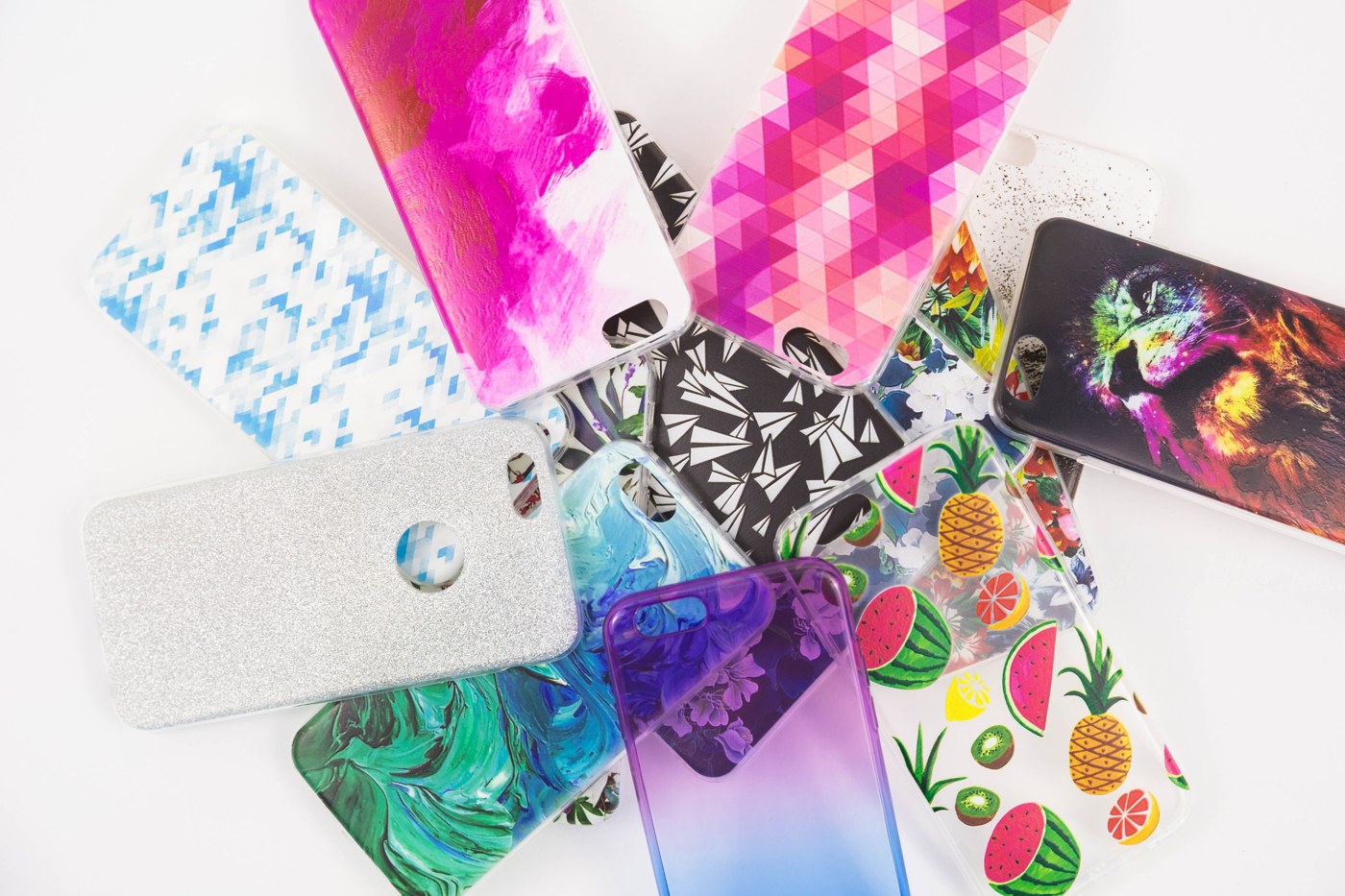
- Rigid, non-absorbent materials — glass, metal, acrylic, wood, ceramic, and most plastics.
- Finished objects — phone cases, tumblers, signage, promotional items, and packaging.
- Flat sheets — boards and panels for signs and displays.
- Transfer film — UV DTF stickers, for surfaces a flat bed cannot reach.
The limits are physical rather than chemical: an object has to fit on the bed and under the printhead, and a strongly curved face prints far less reliably than a flat or gently curved one.
Why UV Printing Matters
Instant curing sounds like a technical footnote and is actually the whole story. Because the ink hardens the moment it is hit with UV light, it never soaks in, never spreads, and never needs drying time.
It prints on almost anything. Conventional ink has to be absorbed to dry, which limits it to porous materials. UV ink cures on the surface, so glass, metal, acrylic, ceramic, and coated wood are all fair game.
It removed the drying stage. The print is touch-dry as it leaves the printer. That is what makes one-off personalisation practical — a customer can watch a tumbler being printed and take it away.
It prints white and builds texture. White ink lets full-colour artwork sit on dark or transparent surfaces. Layering the same ink builds physical relief, so a print can be felt as well as seen.
It is durable outdoors. Cured UV ink resists water, scratching, and fading far better than solvent or aqueous ink, which is why signage and outdoor product marking moved to it.
Why the surface still matters
UV ink cures on top of the material rather than into it, so adhesion depends entirely on the surface. Slick, non-porous substrates such as glass and some plastics usually need a primer or a plasma treatment first, or the print peels off with a fingernail.
Advantages and Drawbacks
Advantages
- Prints on materials no absorption-based process can handle.
- No drying time — the piece is ready to handle immediately.
- Scratch-resistant and UV-stable, so it holds up outdoors.
- White and gloss varnish let you print on dark and clear surfaces.
Drawbacks
- Ink sits on the surface, so it can chip on flexible or high-wear items.
- UV ink costs more per litre than solvent or water-based ink.
- Printheads clog if the ink cures inside them, so maintenance is unforgiving.
- Poorly suited to fabric, which flexes and cracks the cured layer.
UV Printing vs. Other Processes
| Process | How Ink Sets | Works On | Feel |
|---|---|---|---|
| UV printing | Cured instantly by UV light | Rigid, non-absorbent surfaces | Sits on top, slightly raised |
| Sublimation | Heat turns ink to gas, bonds into fibres | Polyester and coated blanks | No feel — part of the material |
| DTF transfer | Printed to film, heat-pressed on | Almost any fabric | Thin layer on the surface |
| Screen printing | Ink cured with heat after pressing | Most fabrics and flat stock | Thicker ink layer |
The process is often confused with UV laser engraving, which uses no ink at all — a laser alters the material itself. See what a UV laser engraver is for that distinction, or what a UV printer is for the machines that run this process.
Good UV Printers
Five machines from desktop to commercial. Prices are manufacturers' list prices at the time of writing.
1. xTool O1 Omni Printer
Best all-round starter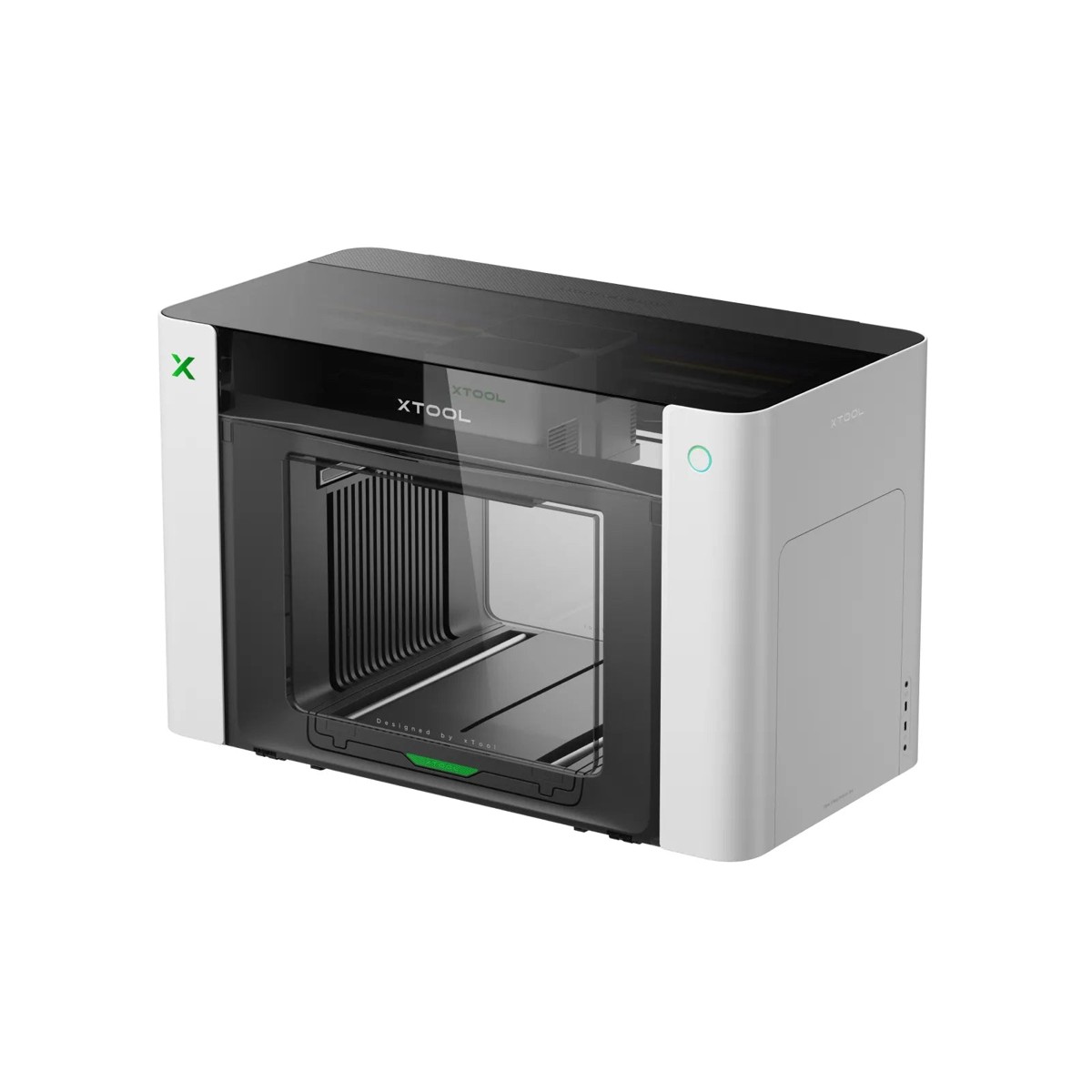
The O1 Omni does straight UV printing on rigid items and also produces UV DTF transfer film, which covers the flat objects and the curved ones from a single machine.
The 3D embossing goes up to 7 mm, well beyond the raised-varnish effect most desktop UV printers manage, and there is a texture library to drive it rather than having to build height maps by hand.
Pros
- Covers UV, transfers, and fabric in one platform
- 7 mm 3D embossing and lenticular effects
- Rotary attachment for tumblers
- G7-certified colour accuracy
Cons
- Desktop bed size
- Fabric printing needs the DT+UV version
xTool O1 Omni Printer: the most capability per pound at desktop scale, especially if your products are not all flat.
2. Procolored V4
Best budget entry
An A5 machine built around one product category. Phone cases are what it is designed for, and within that limit it does the job at the lowest entry price of anything credible.
It also prints wood, acrylic, tile, and metal, so it works as a cheap way to test whether hard-surface products sell before spending three times as much on a bigger bed.
Pros
- Lowest entry price for real UV printing
- Prints wood, acrylic, tile, and metal
- Fits on a desk
Cons
- A5 bed rules out anything larger
- Single printhead, slow for batches
Procolored V4: a low-risk way to find out whether UV-printed products sell for you.
3. Procolored V11 Pro
Best for varnish and texture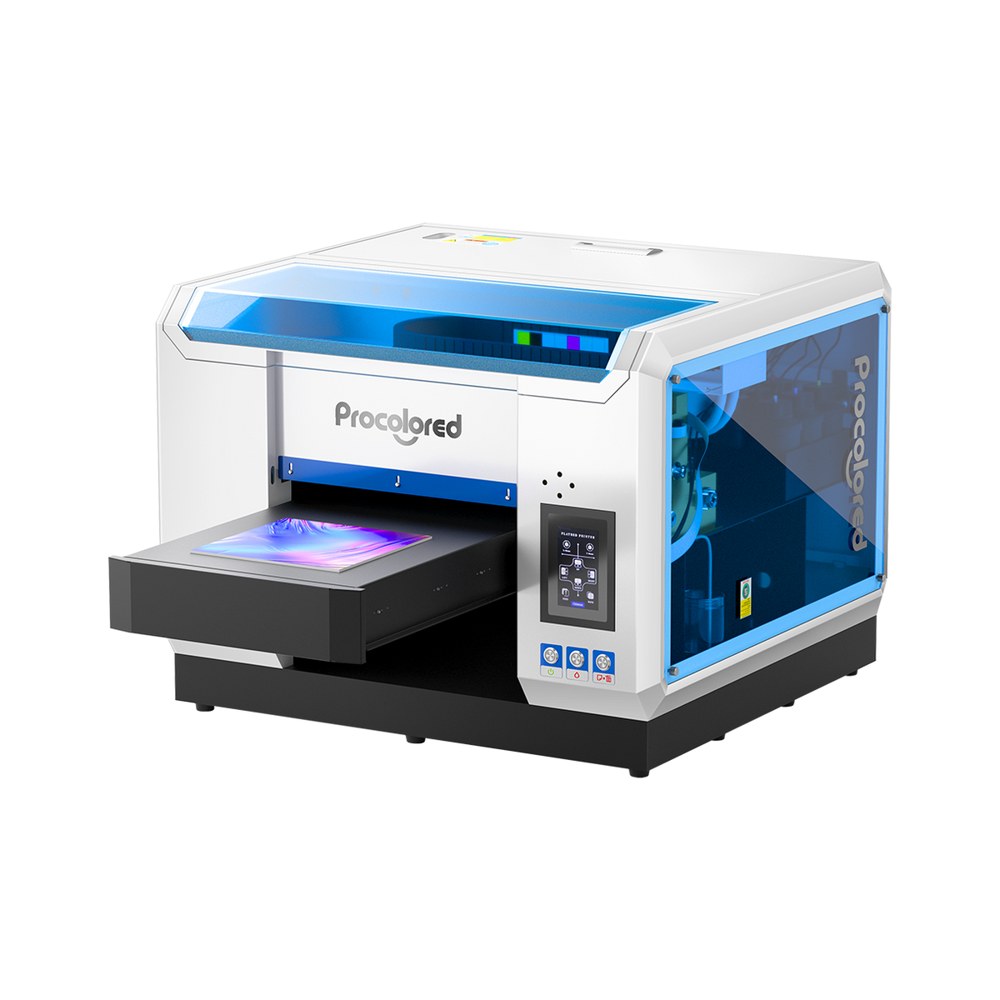
One printhead handles colour and the second is dedicated to varnish, which is the difference between a flat print and one with gloss, matte, and raised areas deliberately placed.
The A3 bed covers signage panels and larger products, and because it also produces UV DTF film it handles curved items the bed cannot physically fit.
Pros
- Dedicated varnish head for finish effects
- A3 bed suits panels and signage
- Also outputs UV DTF transfer film
Cons
- Two ink systems to maintain
- Windows-only RIP software
Procolored V11 Pro: the pick when finish quality and surface texture are part of what you are selling.
4. Procolored VF13 Pro Panda
Best for transfer stickers
This is a UV DTF machine rather than a flatbed: it prints transfer film with the laminator built in, so A film and B film are combined in the same pass instead of on a separate device.
That suits a business built on crystal stickers and decorated drinkware, where nothing ever goes under the printhead and everything is applied as a transfer.
Pros
- Printing and laminating in one machine
- Dual printheads for throughput
- Films and varnish included in the box
Cons
- Cannot print directly onto objects
- Windows-only software
Procolored VF13 Pro Panda: the right machine if transfers, not direct printing, are the product.
5. Epson SureColor V1070
Best commercial desktop
Epson's desktop UV flatbed is the one to consider when reliability matters more than headline specification. Colour consistency and support are what the premium buys, not a bigger bed.
White and varnish channels come as standard, and the ink is Epson's own UltraChrome UV set, so consumables and profiles are supported rather than sourced from wherever.
Pros
- Epson colour consistency and support network
- White and varnish channels standard
- Built for continuous commercial use
Cons
- Costs far more than the Procolored equivalents
- A4 print area despite the price
Epson SureColor V1070: worth the premium when downtime and colour drift cost you more than the machine does.
How to Choose a UV Printer
Four questions decide it, and print size is the only one you cannot fix later.
How big are your products? A5 covers phone cases and coasters. A3 covers signage panels and larger goods. Buy for the biggest thing you intend to sell, not the average.
Are they flat or curved? A flatbed needs the surface under the printhead. Bottles and tumblers need either a rotary attachment or UV DTF transfer film, so check the machine supports one of the two.
Do you need white ink? Printing on dark, coloured, or transparent material requires a white underbase. Machines without a white channel can only print onto light, opaque surfaces.
Do you want texture? Varnish and multi-layer printing turn a flat graphic into something with relief. It is a genuine differentiator on premium products, and it needs a machine with a varnish channel.
For the full comparison including industrial machines, see our roundup of the best UV printers.
Conclusion
UV printing works because the ink cures on contact instead of drying. That one property is what lets it print on glass, metal, and plastic, skip the drying stage, and build physical texture.
The trade-off is adhesion: because nothing soaks in, slick surfaces often need priming first. Test the material before promising a customer anything.
Choosing hardware? Size the bed for your largest product, check whether you need white ink, and decide early whether curved items are part of the range — that decides rotary or transfer film.
Frequently Asked Questions about UV Printing
What does UV printing mean?
It means printing with ultraviolet-curable ink. UV light hardens each pass the moment it is applied, instead of the ink drying by evaporation or absorbing into the material.
Is UV printing permanent?
The cured ink is water-resistant, scratch-resistant, and holds colour outdoors. It can still chip if the surface flexes or takes heavy abrasion, since the ink layer sits on top.
Can UV printing be done on fabric?
Technically yes, but poorly. Cured UV ink is rigid, so it stiffens fabric and cracks when it flexes. DTF or DTG give far better results on clothing.
Does UV printing smell or need ventilation?
Far less than solvent printing, since there is no evaporating solvent. UV inks still warrant sensible ventilation, but they are among the lower-odour digital printing processes.
Is UV printing the same as UV DTF?
Not quite. UV DTF uses the same ink and curing, but prints onto film to make transfer stickers instead of printing directly on the object, so it can wrap curved surfaces.
Design something worth printing
Create print-ready artwork free with Atomm, or let AI turn your idea into a design.
