
UV printers range from a $1,700 desktop unit to a $22,000 industrial flatbed, and the gap between them is not just speed — it is what size and shape of object you can physically put on the bed.
We compared the machines worth considering at each tier on print area, object height, ink system, and real running cost. Prices are the manufacturer's current listing and shift with promotions.
Design print-ready art for freeBrowse Atomm's free generators for print-ready artwork, from stickers to full graphics.Explore generatorsKey Takeaways
- For most people starting out, a desktop UV printer in the $1,700–$2,300 range covers phone cases, keychains, and small signage.
- Step up to $5,000–$9,000 for a larger bed, faster dual printheads, and better reliability under daily use.
- Check bed size, maximum object height, and white ink before price — those three specs decide what you can actually sell.
What Is a UV Printer?
A UV printer is an inkjet printer whose ink cures the instant it is hit with ultraviolet light, instead of drying by soaking into the material. A UV lamp travels alongside the printhead and hardens each pass as it is laid down.
That single difference is what makes the category useful. Because nothing has to be absorbed, a UV printer prints onto glass, metal, acrylic, ceramic, coated wood, and plastic — surfaces conventional ink simply runs off.
It also means the print is touch-dry as it leaves the machine. No drying rack, no waiting, and no risk of smudging a finished piece, which is what makes one-off personalised products practical to sell in person.
Two capabilities separate a real UV printer from a novelty: white ink, which lets colour artwork sit on dark or transparent material, and varnish, which builds gloss, matte, and physical relief. Machines without either are far more limited than the price suggests.
Types of UV Printers
The name covers four quite different machines. Which one you need depends on the shape of what you are printing, not the size of your budget.
| Type | How it works | Suits | Typical price |
|---|---|---|---|
| Desktop flatbed | Small fixed bed, object sits under the printhead | Phone cases, coasters, keychains, small signs | $1,700–$6,000 |
| Commercial flatbed | Larger bed, higher clearance, built for continuous use | Signage panels, awards, batch production | $8,000–$25,000+ |
| UV DTF | Prints transfer film rather than the object; sticker is applied by hand | Bottles, tumblers, curved and recessed items | $3,000–$7,000 |
| Roll-to-roll | Feeds flexible material continuously past the printhead | Banners, vinyl, wallpaper, long runs | $10,000+ |
The distinction that catches people out is flatbed versus UV DTF. A flatbed needs the surface flat and under the printhead; anything curved either needs a rotary attachment or has to be decorated with transfer film instead. See our comparison of DTF and UV DTF for how the transfer route works.
Desktop flatbeds cover the overwhelming majority of small-business use, which is why most of the machines below sit in that category.
The Best UV Printers at a Glance
We ranked these on what they can print, build quality, and value at their price. New to the technology? Start with our explainer on what a UV printer is and how UV curing works.
| Printer | Best For | Print Area | Price |
|---|---|---|---|
| xTool O1 Omni | Getting started with the widest range | Desktop, items to 5mm thick | From $1,699 |
| eufyMake E1 | Raised 3D texture at home | Roll-fed, prints to 10 m long | From $2,199 |
| Procolored V4 | The cheapest dedicated flatbed | A5, 4.7″ wide | $2,299 |
| Procolored V6 Panda | A4 without the A3 price | A4, 6.7″ wide | $3,599 |
| Procolored V11 | A larger bed on a budget | A3, 11.4″ wide | $5,199 |
| Procolored V11 Pro | Gloss, matte, and raised finishes | A3, 11.4″, dual heads | $5,999 |
| Procolored VF13 Pro Panda | Wrapping curved objects | A3+ UV DTF roll, 13″ | $6,399 |
| Epson SureColor V1070 | Daily production reliability | Desktop flatbed | $9,299 |
| Mutoh XpertJet 661UF | Braille, texture, and thick stock | 19″ x 23.3″, to 5.91″ thick | Commercial pricing |
| Mimaki UJF-3042 MkII e | Thick objects and repeat runs | 11.8″ x 16.5″, to 6″ thick | $21,995 |
1. xTool O1 Omni Printer
Best overall for getting started
The O1 Omni undercuts every dedicated flatbed here and is built around switching modes rather than committing to one. Depending on the edition, the same machine covers UV, UV DTF stickers, and fabric transfers.
That flexibility is the real argument for it as a first machine. Most people do not yet know whether their best-selling product will be a printed tumbler or a pressed shirt, and this postpones that decision.
Pros
- Lowest entry price on this list
- Multiple editions, including fabric transfer
- Compact enough for a desk
Cons
- 5mm object limit is tighter than flatbeds
- Newer machine, smaller user community
- Bundle add-ons raise the price quickly
xTool O1 Omni Printer: the best first UV printer if you want range and a low entry price over raw print area.
2. eufyMake E1
Best for raised 3D texture
The E1 is built around relief rather than flat colour. Its Amass3D printing stacks ink into genuine height, so wood grain, embossing, and brush texture come out as something you can feel rather than see.
It is roll-fed rather than a fixed bed, which is unusual at this price and means print length runs to ten metres. A self-cleaning system handles the head maintenance that sinks most low-cost UV machines.
Pros
- Genuine raised texture, not just gloss varnish
- Roll feed allows very long prints
- Self-cleaning heads reduce maintenance
- Compatible with 300+ materials
Cons
- Roll format suits sheets more than thick objects
- Texture printing is slow compared with flat colour
eufyMake E1: the one to pick if the selling point of your product is how it feels, not only how it looks.
3. Procolored V4
Best budget flatbed
The V4 is the cheapest way into a true flatbed, where the object sits on a bed and the head passes over it. The trade-off is size: at 4.7 inches wide, it handles small blanks and nothing more.
For a shop whose products are consistently small — cases, coasters, badges — that limit costs nothing, and the money saved goes further on ink and blanks than on bed you never use.
Pros
- Genuine flatbed at a low price
- Small desktop footprint
- Well matched to phone cases and small blanks
Cons
- A5 bed rules out larger products
- Single printhead, so slower batches
- Needs disciplined head maintenance
Procolored V4: the right pick when your products are small and you want a dedicated flatbed rather than a hybrid.
4. Procolored V6 Panda
Best A4 step up
The V6 sits between the A5 V4 and the A3 machines: enough bed for phone cases, leather goods, cards, and small acrylic panels without paying A3 prices.
It uses the same enclosed Panda body as the rest of the range, which keeps dust off the bed — a real consideration for UV, where a particle under the head shows up in the print.
Pros
- A4 bed covers most small-goods work
- Enclosed design keeps the bed clean
- Prints leather, acrylic, card, and CD blanks
Cons
- Single printhead, so batches are slow
- Still short of A3 for signage work
Procolored V6 Panda: the sensible middle choice when A5 is limiting but A3 is more than you need.
5. Procolored V11
Best A3 bed for the money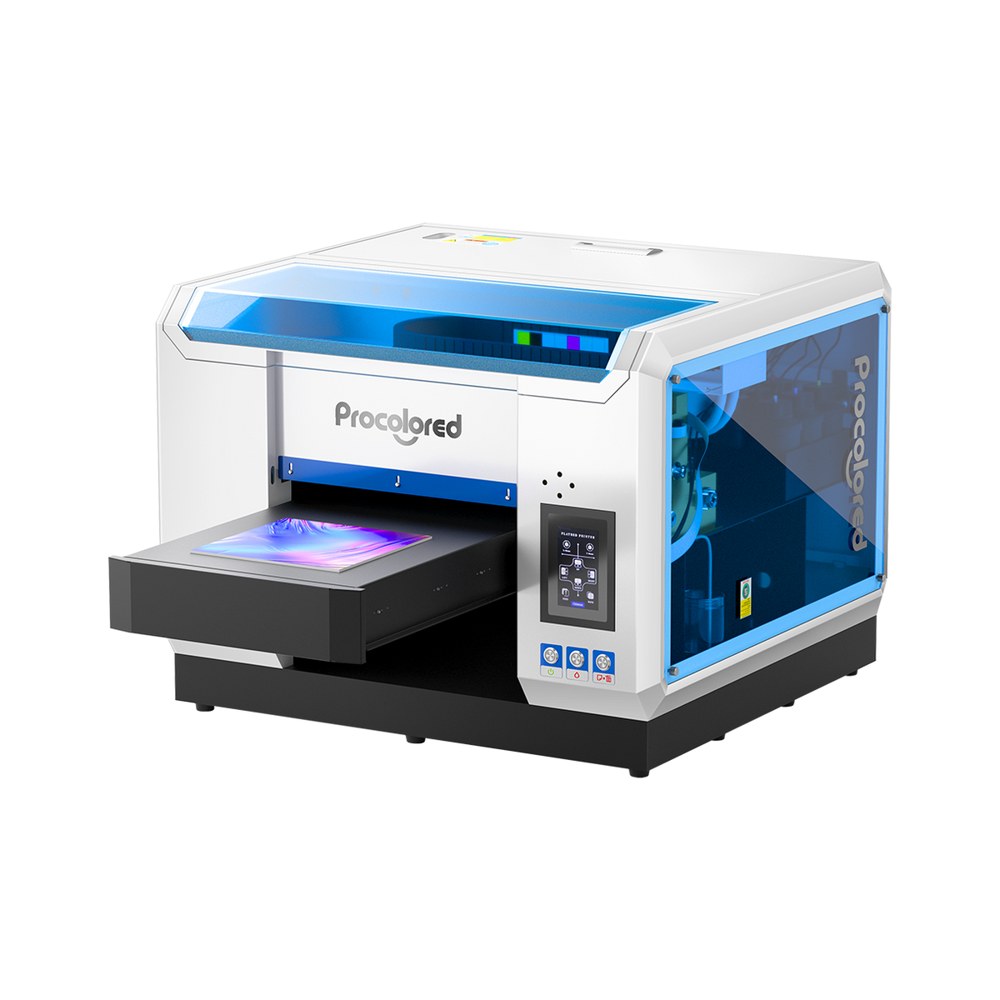
Jumping from A5 to A3 more than doubles what fits on the bed, which is what unlocks signage, plaques, and laptop-sized panels rather than just small accessories.
At $5,199 it sits roughly halfway between the budget desktops and the Epson, and it is the cheapest way here to get a genuinely useful A3 print area.
Pros
- A3 bed handles signage and panels
- Much cheaper than pro A3 machines
- Enclosed design keeps dust off the bed
Cons
- Single printhead limits speed
- Third-party parts and support
- Larger footprint than desktop units
Procolored V11: the value option when bed size is what is holding your product range back.
6. Procolored V11 Pro
Best for finish effects
The Pro splits the work across two heads: one prints colour, the other lays varnish. That is what turns a flat graphic into one with placed gloss, matte areas, and raised texture.
It also produces UV DTF transfer film, so the same machine covers flat items on the bed and curved ones as transfers — both halves of hard-surface decoration from one unit.
Pros
- Dedicated varnish head for finish effects
- Also outputs UV DTF transfer film
- Dual heads roughly halve print time
Cons
- Two ink systems to maintain
- Windows-only RIP software
Procolored V11 Pro: worth the step up from the standard V11 if finish quality is part of what you sell.
7. Procolored VF13 Pro Panda
Best for curved objects
This machine does not print on the object at all. It prints UV DTF transfers onto film, which you then peel and press onto a surface — including curves and edges no flatbed can reach.
If your catalogue is bottles, mugs, or oddly shaped items, that removes the constraint that limits every other printer on this list: the object no longer has to fit on a bed.
Pros
- Decorates curved and irregular objects
- Roll-fed, so it scales to volume
- A3+ width handles large designs
Cons
- Transfers rather than direct printing
- Film and varnish are ongoing costs
- Adds a pressing step to every product
Procolored VF13 Pro Panda: the machine to buy if wrapping curved objects matters more than printing directly onto them.
8. Epson SureColor V1070
Best build quality
The V1070 uses Epson's own PrecisionCore printheads and UltraChrome UV ink rather than the third-party components common lower down this list, and it shows in consistency rather than headline specs.
What you are buying is fewer clogs, a real service network, and color that holds steady across a run. That matters once a stalled printer means missed orders rather than a lost afternoon.
Pros
- Epson printheads, ink, and service backing
- Includes white and varnish channels
- Reliable enough for daily production
Cons
- Roughly four times a budget desktop
- Larger footprint
- Hard to justify for occasional printing
Epson SureColor V1070: the sensible upgrade once downtime starts costing you real money.
9. Mutoh XpertJet 661UF
Best for texture and thick stock
A benchtop commercial flatbed with a notably large bed for its class, and clearance for objects nearly six inches thick — awards, boxes, and blanks that will not fit a desktop machine.
Its Local Dimming UV-LED control is what enables Braille and matte or glossy texture in a single pass, and the vacuum table plus automatic height adjustment remove two manual setup steps per job.
Pros
- Large bed and 5.91″ object clearance
- Prints Braille and tactile textures
- Vacuum table and automatic height adjustment
- Design software included
Cons
- Priced and sized for a commercial shop
- Sold through dealers rather than direct
Mutoh XpertJet 661UF: the machine to look at when accessibility printing or tactile finishes are the business.
10. Mimaki UJF-3042 MkII e
Best for production runs
The UJF-3042 MkII e accepts objects up to six inches thick, far beyond any desktop machine, and is built to hold registration accuracy across long runs rather than single pieces.
It is aimed squarely at businesses printing the same item to a fixed standard, day after day, where repeatability is worth more than the purchase price spread over a few years.
Pros
- Accepts objects up to 6″ thick
- High registration accuracy
- Built for continuous production
Cons
- MSRP excludes ink, install, and training
- Needs dedicated floor space
- Far beyond hobbyist budgets
Mimaki UJF-3042 MkII e: worth quoting only when UV printing is already core to how your business makes money.
How to Choose a UV Printer
Three specs decide most purchases, and none of them is speed:
- Bed size — caps the largest product you can sell. Going from A5 to A3 changes your catalogue more than any other upgrade.
- Maximum object height — a 5mm limit rules out tumblers and thick blanks that a 6-inch clearance handles easily.
- White ink — without a white channel you can only print on light surfaces, since colors sink into whatever is underneath.
After that, weigh printhead count for speed and whether the brand supplies its own heads and ink. Third-party components keep the price down but make support slower when something clogs.
Our Buying Advice
Buy for the product you actually sell today, not the one you might sell later. A cheap machine that fits your current blanks earns money immediately; a large one bought speculatively mostly depreciates.
If your items are small and flat, the entry tier genuinely is enough. If they are curved, dark, or thick, that is what should push you up a tier — not the promise of faster printing.
Also budget past the machine. UV ink runs roughly $150–$300 per liter, and a replacement printhead can cost several hundred dollars, so the sticker price is not the whole cost of ownership.
Looking to mark glass or metal permanently instead of printing color onto it? That is a different tool — see our roundup of the best UV laser engravers.
Conclusion
Print area, object height, and white ink decide what a UV printer can make. Speed and brand matter far less than any of them, and none can be worked around after you buy.
For most people starting out, a desktop machine covers phone cases, coasters, and small signage. The step up to a larger bed and dual printheads only pays for itself once orders are steady.
Two capabilities are worth paying for beyond the basics: a varnish channel if finish is part of the product, and object clearance if you sell anything thicker than a phone case.
Frequently Asked Questions about UV Printers
What is a good UV printer for a beginner?
A desktop model in the $1,700–$2,300 range covers most beginner work: phone cases, keychains, coasters, and small signage. Spending more mainly buys bed size and speed, neither of which helps until orders are steady.
How long does a UV printer last?
The frame outlives the printhead. With regular cleaning and capping, heads typically last a few years of steady use; neglect them and UV ink can cure inside the nozzles within weeks, which is the most common cause of failure.
Can a UV printer print on tumblers?
Only with a rotary attachment, and only if the object clears the bed height limit. For heavily curved items, a UV DTF machine that prints transfer stickers is usually the more practical route.
Is a cheap UV printer worth it?
For small, flat products, yes. Budget machines print well; what you give up is bed size, speed, and support. The risk is buying one whose bed is too small for the products you actually want to sell.
Do I need a separate printer for shirts?
Usually yes. UV ink cures hard on top of the surface, so it stiffens fabric and cracks when it flexes. DTF or DTG printing gives a much softer, more durable result on apparel.
Got a design ready to print?
Create print-ready artwork for free with Atomm, or let AI turn your idea into a design.
