
Key Takeaways
- A UV laser engraver uses a short 355nm "cold" beam that marks with almost no heat.
- Because there's little burning, it captures the finest detail and won't crack glass or warp plastic.
- It excels on glass, plastic, ceramic, acrylic, and delicate or heat-sensitive materials — plus fine metal work.
- UV is the premium, precision option; it costs more than diode or standard fiber.
- For flawless glassware, electronics, and high-end product marks, UV is the specialist tool.
A UV laser engraver is a machine that uses an ultraviolet laser — around 355 nanometers — to mark a surface through a "cold" photochemical process rather than heat. Because it barely warms the material, it produces incredibly fine, clean detail on glass, plastic, and other delicate surfaces that would crack or scorch under other lasers.
What is a UV laser engraver?
A UV laser engraver produces light at a very short wavelength — 355nm, in the ultraviolet range. That short wavelength focuses to an extremely tiny spot and is absorbed by almost any material, so it marks things other lasers can't touch cleanly.
Most lasers work by heat: they burn or melt the surface. A UV laser mostly breaks molecular bonds directly, a "cold" process that leaves crisp edges with minimal heat spread. The result is high-contrast, ultra-fine marking with no charring, cracking, or warping.
How does a UV laser work?
Here's the idea:
- A UV source generates a 355nm beam. It focuses to a spot far smaller than a diode or CO2 beam.
- The beam is absorbed by the surface. Even clear glass and light plastics absorb UV well.
- Bonds break, not burn. The material changes at the surface with very little heat.
- A fine, permanent mark remains. Detail and contrast are exceptional.
This low-heat behavior is why UV is called a "cold laser," and why it's trusted for electronics, medical parts, and glassware.
What can a UV laser engrave?
UV shines where heat is the enemy:
- Glass and crystal — bottles, awards, glassware, with no cracking.
- Plastics — housings, cables, medical devices, control panels.
- Ceramic — mugs, tiles, tableware.
- Acrylic — crisp detail without melted edges.
- Metal — fine, high-contrast marks (fiber is faster for bulk metal).
- Leather, stone, coated surfaces — clean, detailed results.
The trade-off is speed and cutting: UV is about fine marking, not fast cutting of thick material.
UV vs. fiber vs. CO2
A fiber laser is faster and cheaper for bulk metal marking, and a CO2 laser is better for cutting wood and acrylic. UV wins on the widest material range and the finest detail — especially on glass, plastic, and heat-sensitive parts. Think of UV as the precision specialist rather than the everyday workhorse.
How to choose a UV laser engraver
UV machines are a premium category. Here are two xTool options depending on whether you want pure UV precision or UV plus high-speed metal. For a broader comparison across brands, see our roundup of the best UV laser engravers.
xTool F2 Ultra UV
Best pure UV
The xTool F2 Ultra UV is built around a 5W cold UV laser. It marks glass and plastic without cracking or scorching and captures the finest detail of any laser type.
For glassware, delicate plastics, and premium products where flawless detail matters, this is the specialist to reach for.
xTool F2 Ultra UV: the pure-UV pick for glass and heat-sensitive work.
xTool F2 Ultra
Best for metal too
If your work is mostly metal with some fine detail, the xTool F2 Ultra pairs a fast 60W MOPA fiber with a diode laser. MOPA control even unlocks color marking on steel.
It's the production-focused sibling — pick it when speed and metal volume matter more than glass.
xTool F2 Ultra: the metal-and-speed pick when glass isn't the priority.
UV laser project ideas to try
UV and fine-detail lasers make these delicate projects possible — each Atomm community design is free to download.
Engraved wine bottle
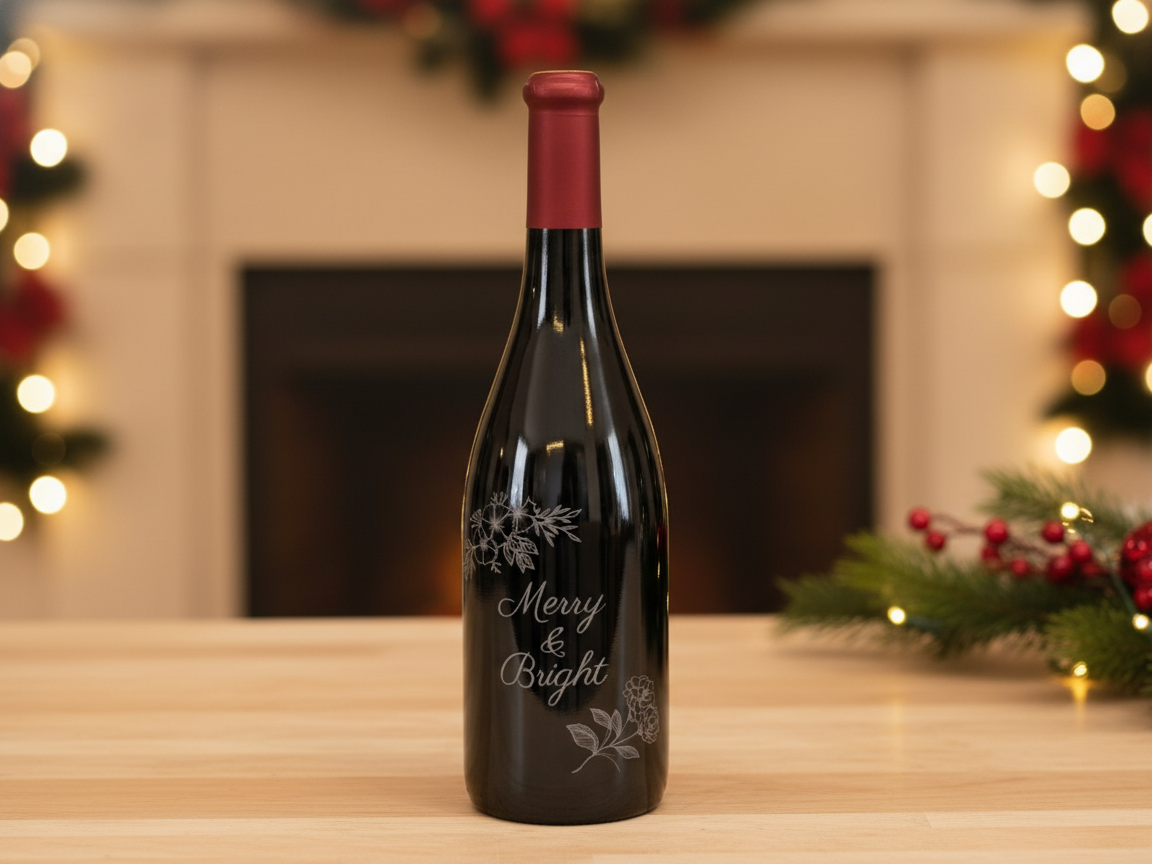
A "Merry & Bright" design engraved straight onto a glass wine bottle — no cracks, no coating. Glass is exactly where UV beats other lasers. Turn a plain bottle into a personalized gift or holiday centerpiece in one quick, cold-laser pass.
Get this design free →Acrylic openwork folding fan
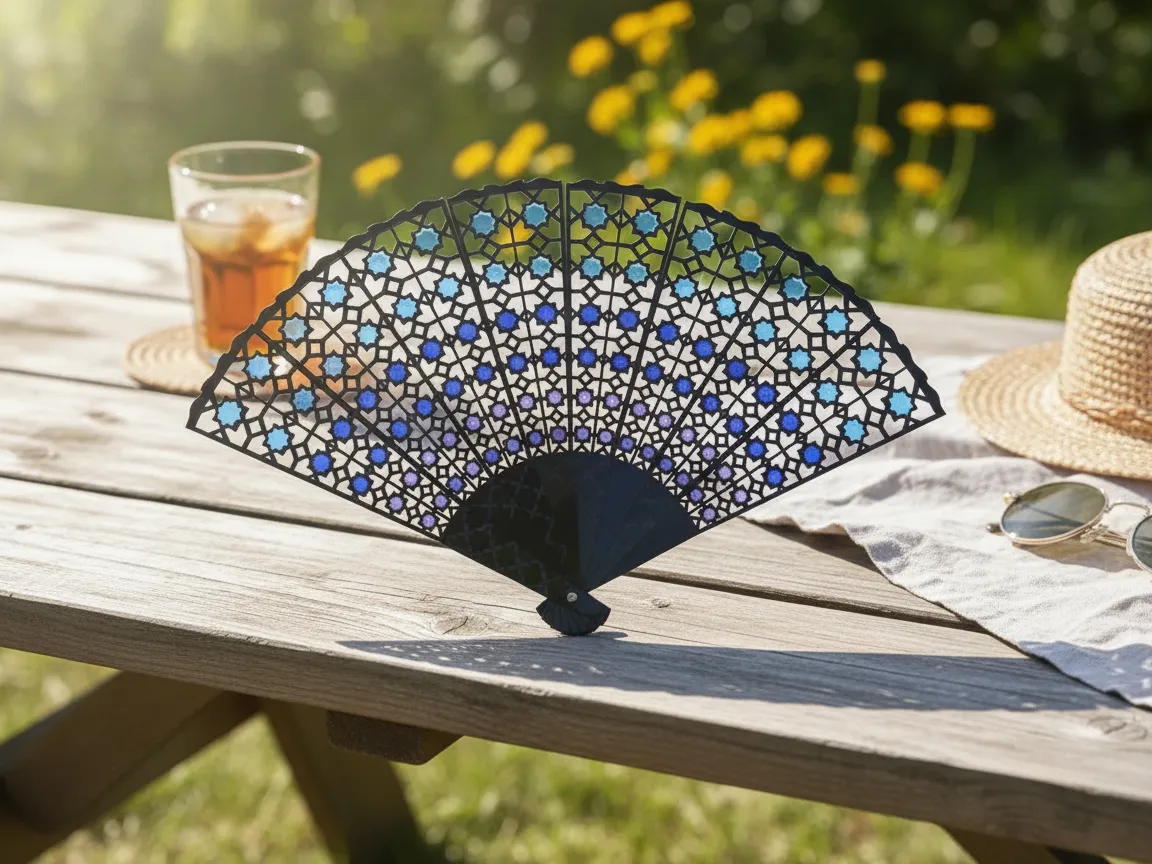
This stained-glass-inspired fan uses intricate openwork that demands crisp, melt-free edges. Fine acrylic detail like this is where a precise beam shines. Assemble the cut ribs into a working folding fan for a striking, colorful accessory.
Get this design free →Custom acrylic keychain
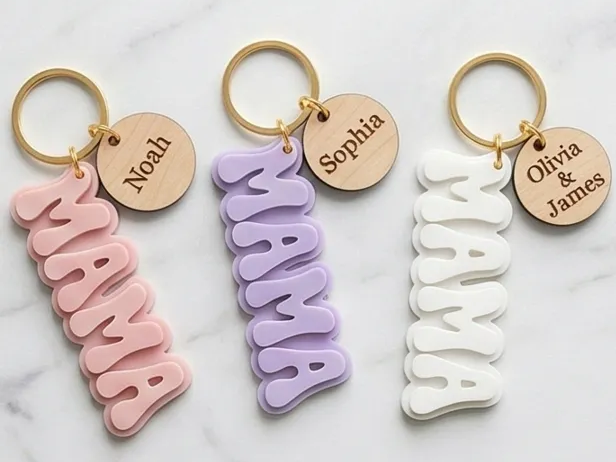
A clean "MAMA" acrylic keychain with sharp lettering and smooth edges. Small acrylic pieces need accurate detail and tidy finishing to look professional. Cut a batch in minutes and mix acrylic colors for a quick, sellable product line.
Get this design free →Floral dangle earrings
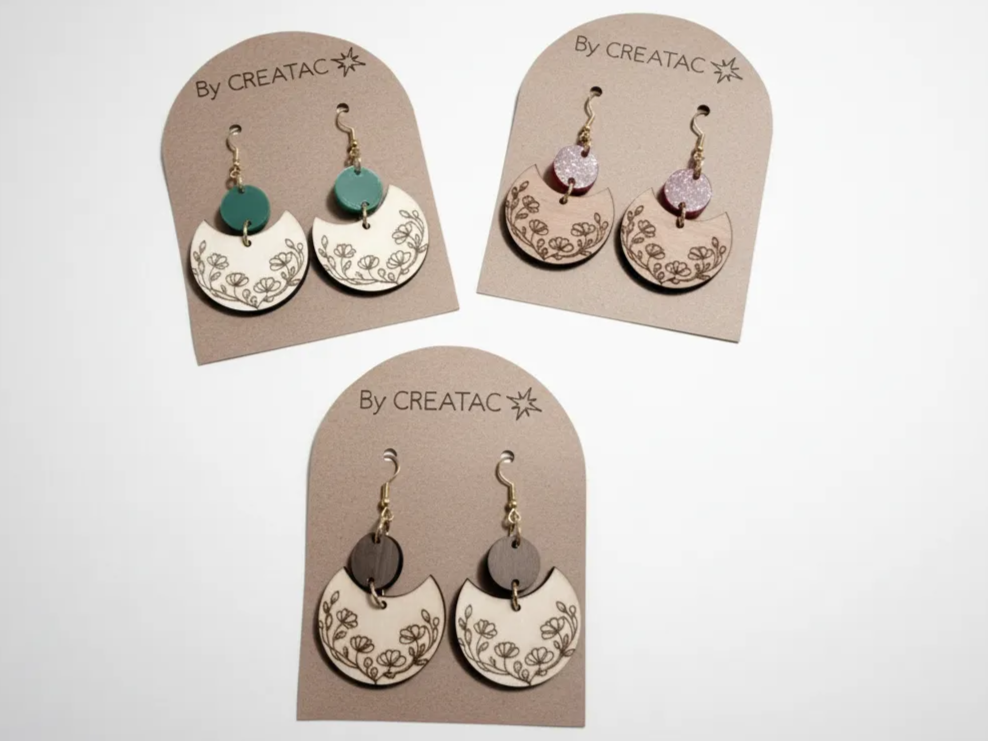
Delicate floral statement earrings that rely on fine, clean detail on small parts. Lightweight and intricate, they show how a precise laser turns thin material into wearable art. Pair wood and acrylic for contrast, then add findings to finish.
Get this design free →The bottom line
A UV laser engraver is the precision specialist of the laser world. Its cold, 355nm beam marks glass, plastic, ceramic, and fine metal with detail no other laser matches — and no cracking or scorching. If you're still deciding what a laser engraver can do overall, UV is the one to reach for when detail is everything. It costs more and isn't built for heavy cutting, but for premium, delicate, or heat-sensitive work it's unbeatable. Ready to try fine detail? Grab a free design and start creating.
Frequently asked questions about UV laser engravers
Why is a UV laser called a "cold" laser?
It marks mostly by breaking molecular bonds rather than burning, so very little heat spreads into the material. That's why it won't crack glass or warp thin plastic.
Can a UV laser engrave glass without cracking it?
Yes. The low heat of a UV beam makes it the safest laser for glass and crystal, producing a crisp frosted mark with minimal risk of cracking.
Is a UV laser better than a fiber laser?
For fine detail and material range — especially glass and plastic — yes. For fast, bulk metal marking and cutting, a fiber laser is faster and more affordable.
What can't a UV laser do?
It isn't built for fast cutting of thick wood or acrylic. Use a CO2 laser for cutting and a UV laser for fine surface marking.
Why are UV laser engravers more expensive?
The UV source and precision optics cost more to build than diode or standard fiber lasers, which is reflected in the machine price.
Ready to make something?
Design a stained-glass-style piece in seconds — or generate your own artwork to engrave.
