
![[Laser cut and engrave] Thanksgiving Turkey](https://image-res.atomm.com/ali-res/community/making/d0414d05-ef3b-4d6f-8fd3-a702a1157633/Turkey.png?x-oss-process=image/resize,w_1200,h_900,limit_0/interlace,1/format,webp/auto-orient,1)
![[Laser cut and engrave] Thanksgiving Turkey](data:image/png;base64,iVBORw0KGgoAAAANSUhEUgAAAAoAAAAKCAYAAACNMs+9AAAAAXNSR0IArs4c6QAAABdJREFUKFNjZCASMBKpjmFUId6QIjp4AAppAAuXjCs4AAAAAElFTkSuQmCC)
![[Laser cut and engrave] Thanksgiving Turkey](https://image-res.atomm.com/ali-res/community/making/d0414d05-ef3b-4d6f-8fd3-a702a1157633/Turkey.png?x-oss-process=image/resize,w_200,h_150,limit_0/interlace,1/format,webp/auto-orient,1)
![[Laser cut and engrave] Thanksgiving Turkey](https://image-res.atomm.com/ali-res/community/making/2ef64028-a243-462e-82d4-315c38204409/Untitled_Artwork%20(3).png?x-oss-process=image/resize,w_200,h_150,limit_0/interlace,1/format,webp/auto-orient,1)
![[Laser cut and engrave] Thanksgiving Turkey](https://image-res.atomm.com/ali-res/community/making/fe147421-5c65-40ed-b7d7-592139c20bd2/Untitled_Artwork.png?x-oss-process=image/resize,w_200,h_150,limit_0/interlace,1/format,webp/auto-orient,1)
![[Laser cut and engrave] Thanksgiving Turkey](https://image-res.atomm.com/ali-res/community/making/3e001342-8c55-4b88-8b53-613bf9ac95a9/Untitled_Artwork%20(2).png?x-oss-process=image/resize,w_200,h_150,limit_0/interlace,1/format,webp/auto-orient,1)
![[Laser cut and engrave] Thanksgiving Turkey](https://image-res.atomm.com/ali-res/community/making/1841cb4c-80ba-4a2c-9926-97f6a71d5d51/Screenshot%20(124).png?x-oss-process=image/resize,w_200,h_150,limit_0/interlace,1/format,webp/auto-orient,1)
Thanksgiving Turkey
 Instruction


Information
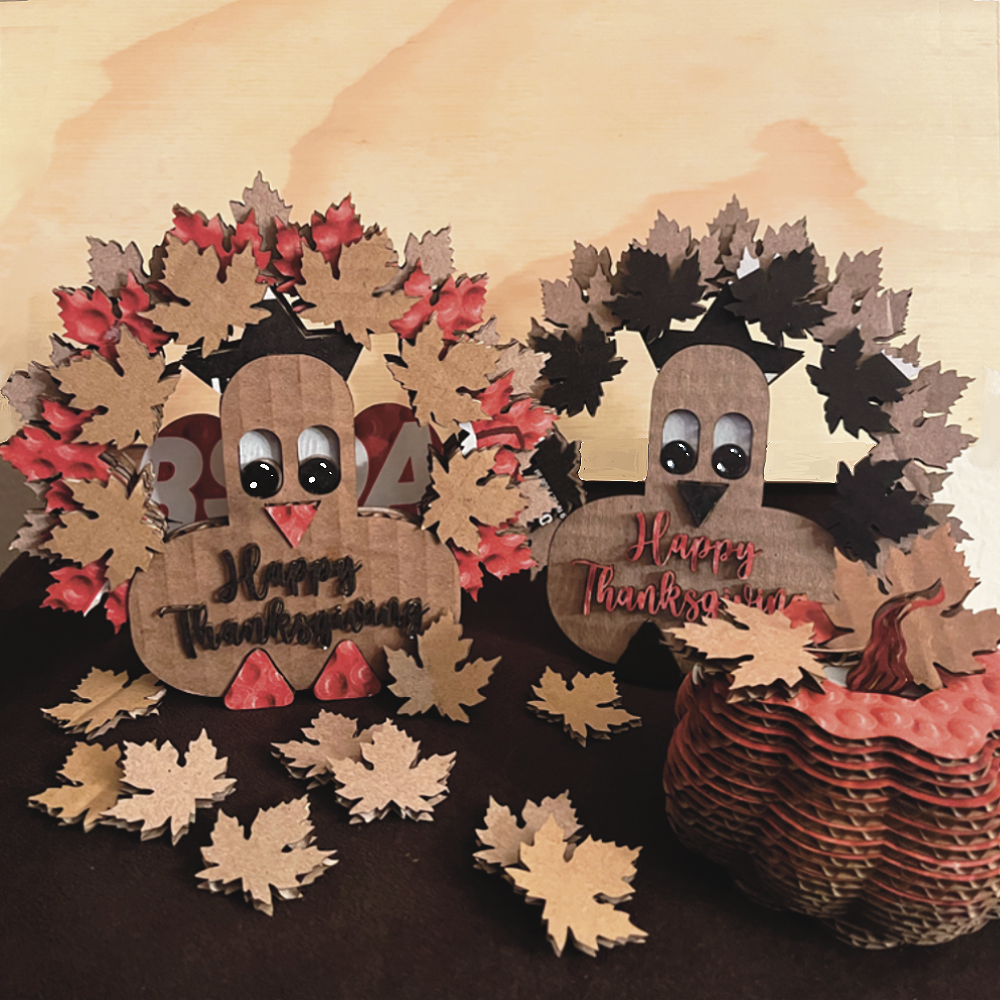
      "Maple Leaf" is one of XCS's built-in shapes, it is the very first shape I cut after I get my M1, and it is my favorite shape, not only it looks great, but I found the intricate design works really well testing the setting, I figure if this intricate leaf can be processed through without burning, and the setting should be good to go. This time I decide to use this maple leaf shape to create a Thanksgiving turkey.

My idea is to use the maple leaves to make the turkey's tail, together with a few XCS build-in shapes, and see whether I am able to put together a turkey, together, let's see whether my idea is going to work or not...
Instruction
Step1


Creating the TAIL - Step 1:
- Insert the maple leaf shape.
- Cut off the stem by drawing a shape with Vector Tool around the stem.
- Select both shapes, with "Subtract" under Combine, and cut off the stem.
- Rotate the leaf straight up, this will be the center feather of the tail.
Step2


Creating the TAIL- Step 2:
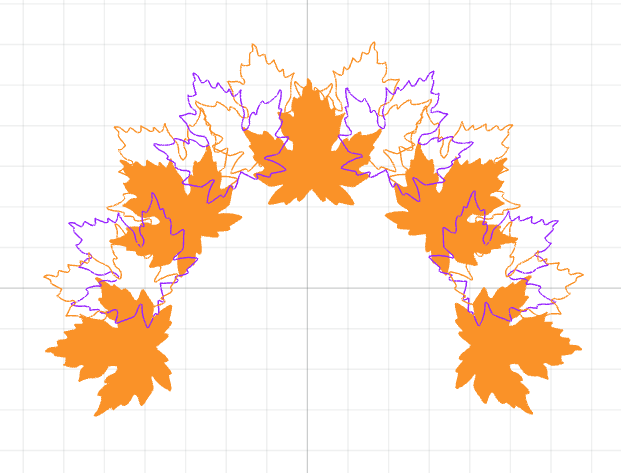
- With the "Circular Array" build a circle shape with the leaf. Took me a few tries to get the shape and the spacing to the way I like. I then delete a few of them to get the shape I prefer
- After that. l group them and make 2 extra copies and overlap them to create a layered effect of the feathers, since XCS, does not support the full spectrum of color yet, I utilized the scoring, engraving, and cutting to color the different layers, so you can get a better glimpse of the tail.
Step3
Creating:
Now, it's time to create the body of the turkey, I'm using the following few shapes,
the Oblong shape is good for the head, the body, and the eyes,
the Circle is for the eyeball,
the Sharp-tip Triangle is for the beak,
and Round-tip Triangles will be cute and good for the feet
and Star shape for the cockscomb

Step4
Building Eyes:

Step5
Building Head:
Step6
Building Body and Feet: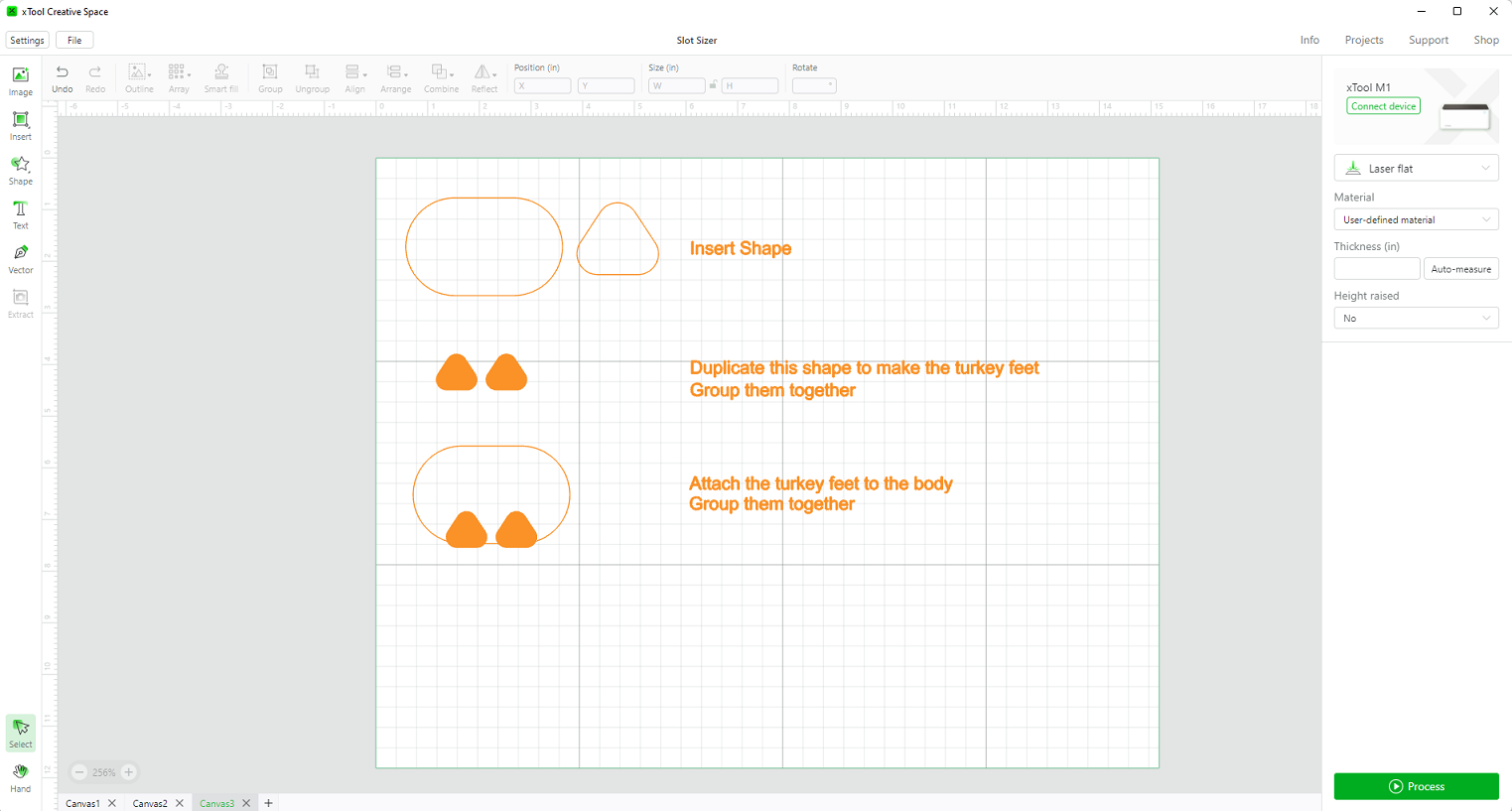
Step7
Finishing Up: XCS Thanksgiving Turkey
.png)
Step8
Processing
 With the design done, now we need to combine or subtract from each other to create the proper shape to cut out
- Slotted Body (1): This step is an afterthought, after my first trial assembly, I realize that I need to cut a slot in the body to hold the stand, so I add a thin rectangle shape (size depends on the thickness of the material), place it on the center bottom of the body, use subtract to cut a slot.
- Base (2): Combine all the shapes with the new slotted body to form a solid base piece
- Mid Layer Tails (3): Select your Mid layer of tails to perform a combine, it turns out that we ended up with two pieces
- Body (4): Make a copy of the None slotted body, cut out the holes for eyes, beak, and feet
- Eyeballs (5), feet (5), beaks (5), and cockscomb (5) need to have their own geometries
- Top layer Tail (6): Cut 6 extra single leaves for the Top layer tails
- Happy Thanksgiving (7): Use your favorite font to type out Happy Thanksgiving, preferably script font, or make sure all the letters are welted together, so you won't end up having a million pieces
- Extra Tails (8): This step is also an afterthought, after my first trial assembly, I felt the turkey is a little flat, so I create a few extra tailpieces with rounded petals flower, cut the slot, and a piece of a trapezoid shape with a few slots for the tail stand
So go ahead cut all the pieces, and be ready for the next step, which it is "Assembly"
Step9
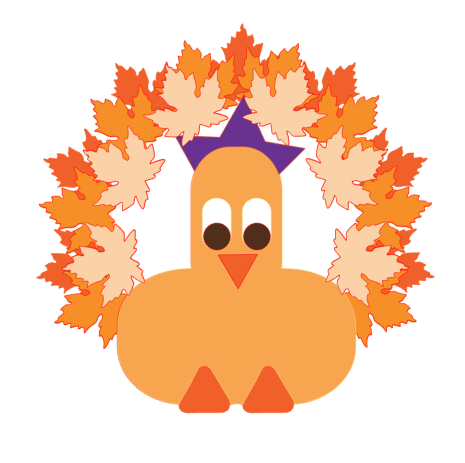
I put together a similar one in Silhouette Studio, with the different colors shown here, it better shows up my idea, hope that you like it and inspire you to put together your design with XCS. So a screenshot of my final design in Silhouette Studio.
.png)
.png)
Step10
Assembly:
Step 1: Glue the Body(4) onto the front of the Base(2), and glue the Slotted Body(1) to the back of the base
Step 2: color the eye socket white,
color the eyeball black or dark brown,
color the beak and feet bright orange,
and color the cockscomb with purple
I use Acrylic Pen
**Of course, these are suggested colors, you can create whatever color you wish**

Step11
Step 2: color the eye socket on the body white
color the eyeball black or dark brown
color the beak and feet bright orange
and color the cockscomb with purple
I use Acrylic Pen
**Of course, these are suggested colors, you can create whatever color you wish**


Step12
Assembly-Finishing up the details:
Glue eyeballs, beak, feet, and cockscomb onto the body

Step13
Assembly-Build the Tails:
Step 1: Glue Mid Layer Tail (3) onto the base
Step 2: Glue the Top Layer Tail (6) on top of the mid-layer leaves
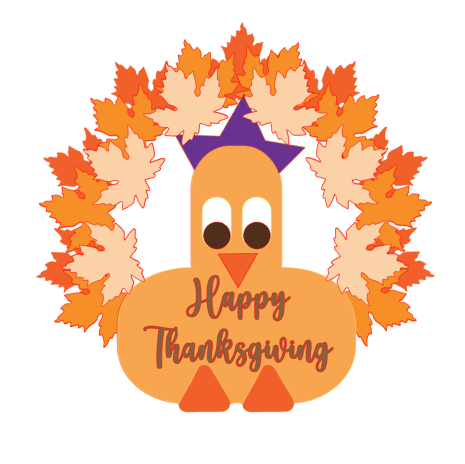
Step 3: Glue the “Happy Thanksgiving” on the body of the turkey
Assembly the Extra Tails (8) then attach them to the back of the turkey, using those slots

Step14
.png)

.png)
"HAPPY THANKSGIVING"
Remixes



You may also like

Thanksgiving Turkey Tabletop Figure


Hanging Thanksgiving Panda Turkey


Thanksgiving Turkey Wall Hanging Ornament


Thanksgiving table/plate decor


Vegan Wishbone for Thanksgiving


Laser Cut Personalized Turkey Friendsgiving Table Place Card


Wild Turkey on Circular Brass


AI Generated Turkey Cut out


Happy Thanksgiving Decor


Turkey arrowhead


Happy Thanksgiving decor- pumpkin and leaf for branch slices and easel /stand


Thanksgiving Meal Mat


Cutest Turkey at the Table


Happy Thanksgiving pumpkin decoration with autumn harvest design


Wooden Turkey

thanksgiving pumpkin truck


Set of 5 Napkin Rings for Thanksgiving Dinner


Pumpkin Pie Topper for Thankgsiving