
Gỗ đã thu hút các nhà sản xuất trong nhiều thế kỷ, nhưng công nghệ laser đã thay đổi những gì chúng ta có thể làm với vật liệu cổ điển này. Hãy tưởng tượng việc biến một mảnh plywood bạch dương đơn giản thành một chiếc hộp trang sức chi tiết với những thiết kế tinh xảo đến nỗi chúng giống như những món đồ điêu khắc bằng tay, tất cả chỉ trong một khoảng thời gian ngắn. Hãy hình dung việc khắc một chân dung chân thực trên gỗ óc chó thể hiện mọi sắc thái và kết cấu tinh tế. Đó là sức mạnh của việc cắt và khắc gỗ bằng laser. Những gì từng cần nhiều năm kỹ năng gia công gỗ giờ đây đã có sẵn cho bất kỳ ai có sự tò mò và sáng tạo. Độ chính xác của ánh sáng laser tập trung mở ra những lựa chọn mà cưa và đục truyền thống không thể đạt được, từ các mẫu ren gỗ mỏng như giấy đến nghệ thuật đa lớp dạng chiều. Dù bạn là một thợ thủ công dày dạn kinh nghiệm hay chỉ mới bắt đầu tham gia cộng đồng maker, việc làm gỗ bằng laser mang đến một hành trình thú vị của sự thử nghiệm và sáng tạo.
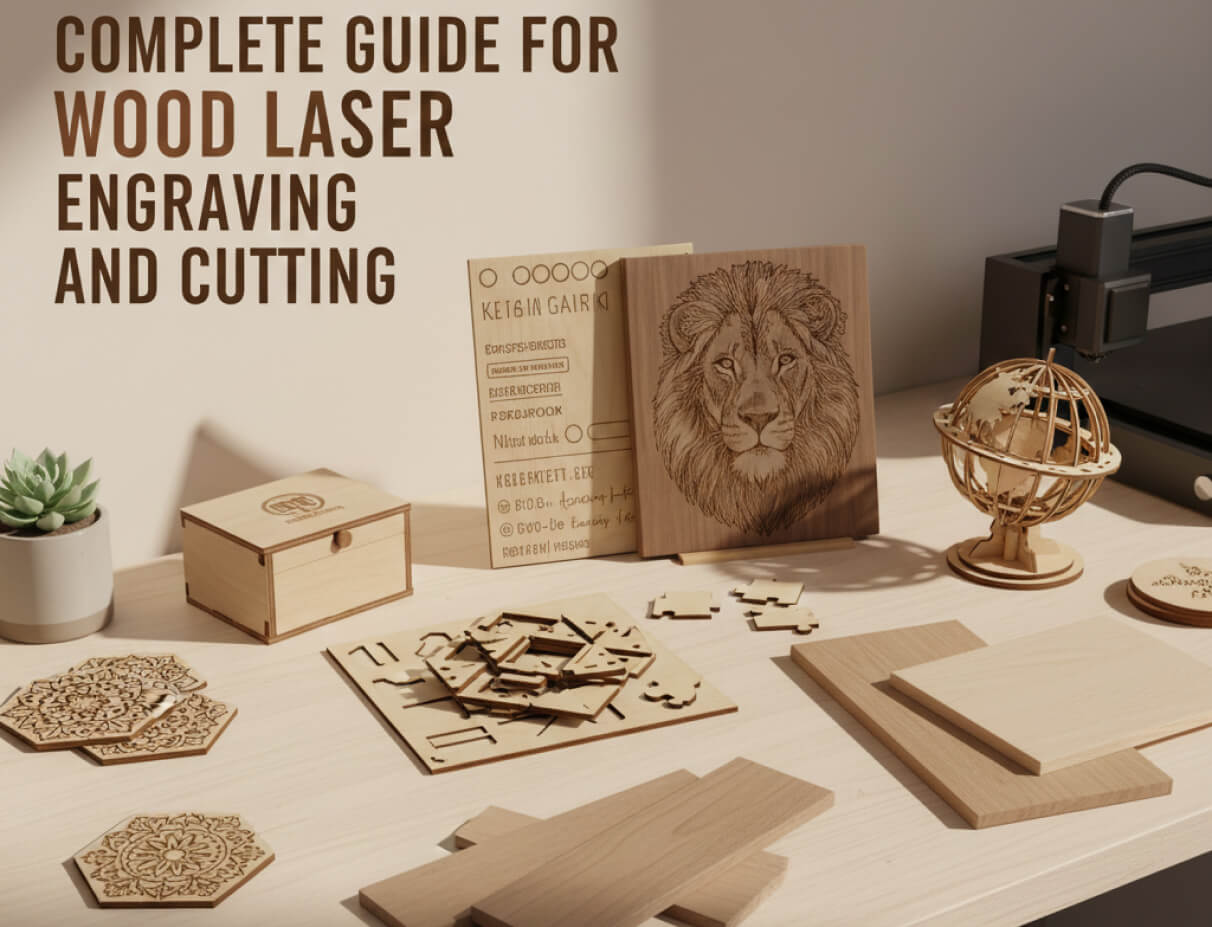
Cách mà cắt và khắc gỗ bằng laser hoạt động?
Mặc dù cả hai quy trình đều sử dụng chùm tia laser tập trung, nhưng chúng hoạt động theo những cách rất khác nhau. Cắt laser đi xuyên qua vật liệu của bạn. Chùm tia cắt hoàn toàn xuyên qua gỗ để tạo ra hình dạng, bộ phận hoặc những hình cắt tinh xảo. Hãy coi nó như một chiếc cưa rất chính xác mà không bao giờ bị cùn. Bạn đang tách các mảnh ra khỏi vật liệu gốc của mình. Khác với các cưa hoặc router truyền thống, bạn có thể cắt cong và góc cạnh với độ chính xác như cắt đường thẳng. Không có sự hao mòn công cụ nào phải lo lắng; lần cắt thứ trăm của bạn vẫn sạch như lần đầu tiên.
Khắc, mặt khác, chỉ loại bỏ lớp bề mặt. Laser đốt cháy đủ vật liệu để tạo ra độ tương phản và chiều sâu, nhưng gỗ của bạn vẫn nguyên vẹn. Nó giống như việc đốt có kiểm soát để tạo ra hình ảnh, chữ hoặc kết cấu. Bạn có thể khắc nông cho hiệu ứng tinh tế hoặc sâu hơn để có bóng đổ mạnh mẽ. Nơi mà khắc tay hoặc các công cụ quay sẽ cần hàng giờ và kỹ năng chuyên môn để đạt được chi tiết tinh xảo, laser có thể tái tạo hình ảnh chất lượng giống như ảnh với độ sâu đồng nhất trên toàn bộ tác phẩm.
Các thiết lập công suất có sự khác biệt lớn ở đây. Cắt cần công suất cao hơn và tốc độ chậm hơn để xuyên qua hoàn toàn, trong khi khắc sử dụng công suất thấp hơn với tốc độ nhanh hơn để kiểm soát độ sâu bạn đi tới. Hầu hết các dự án thực tế kết hợp cả hai kỹ thuật—khắc chi tiết lên những mảnh mà bạn đã cắt bằng laser.
Những loại gỗ nào mà máy laser có thể xử lý?
Tin tốt là hầu hết các loại gỗ hoạt động tốt với laser, nhưng một số loại hoạt động tốt hơn những loại khác. Kết quả của bạn phụ thuộc vào độ dày của gỗ, hàm lượng nhựa và cấu trúc vân gỗ.
Các loại gỗ hoạt động tốt nhất cho công việc laser:
- Plywood bạch dương và phong: Cắt sạch, ít cháy, kết quả nhất quán trên toàn bộ tấm.
- Gỗ anh đào và óc chó: Độ tương phản đẹp mắt khi khắc, biến thể màu sắc phong phú.
- Gỗ basswood: Mềm và dễ dàng, hoàn hảo cho người mới học cài đặt của họ.
- Bamboo: Về kỹ thuật là một loại cỏ, nhưng nó khắc đẹp với độ tương phản cao.
Các loại gỗ cần thận trọng bao gồm thông, vì các khoang nhựa có thể gây ra hiện tượng bùng cháy, gỗ sồi, có vân mở cần được làm sạch nhiều hơn, và MDF, nơi mà các chất kết dính tạo ra nhiều khói hơn. Tránh xa các loại gỗ được xử lý áp suất hoặc sơn hoàn toàn, vì các hóa chất sẽ phát ra khói độc hại khi bị đốt cháy.
Thậm chí các loại gỗ "khó" cũng có thể hoạt động khi bạn đã có cài đặt đúng. Bắt đầu với các vật liệu được khuyến nghị trong khi bạn tìm hiểu, sau đó thử nghiệm khi bạn hiểu cách mà máy của bạn hoạt động.
Máy cắt laser có thể cắt gỗ dày bao nhiêu?
Độ dày tối đa mà máy cắt laser có thể xử lý phụ thuộc vào loại laser và công suất của nó. Ví dụ, laser diode 40W của chúng tôi (xTool S1) có thể cắt gỗ lên đến 15mm trong một lần đi qua, trong khi laser CO2 55W của chúng tôi (xTool P2) có thể cắt gỗ lên đến 18mm.
Bạn có thể cắt các vật liệu dày hơn với nhiều lần đi qua, nhưng chất lượng của vết cắt quan trọng hơn độ dày tối đa. Ép máy đến giới hạn của nó thường dẫn đến các cạnh thô và nhiều cháy. Hầu hết các nhà sản xuất tìm thấy “điểm ngọt” của họ là khoảng 20 đến 30% dưới độ dày tối đa, nơi mà các vết cắt sạch và cần ít hoàn thiện.
Thực tế, việc sử dụng nhiều lần đi qua với công suất thấp hơn thường mang lại kết quả tốt hơn so với việc ép một vết cắt mạnh mẽ đơn lẻ. Tất cả đều là về việc cân bằng hiệu quả với độ chính xác để đạt được bề mặt hoàn thiện tốt nhất trên các dự án của bạn.
Các dự án cắt và khắc gỗ bằng laser
Số lượng ý tưởng dự án mở rộng khi bạn nghĩ về những gì laser có thể làm. Bạn sẽ thấy các nhà sản xuất làm việc trên những sản phẩm nhanh chóng trong vòng cuối tuần và những sản phẩm phức tạp kéo dài nhiều ngày.
Các loại dự án phổ biến mà nổi bật:
- Quà tặng cá nhân hóa: Thớt tùy chỉnh, khung ảnh khắc hộp trang sức được thêu tên

- Trang trí nhà: Nghệ thuật tường hình học mandala đa lớp biển báo trang trí với kiểu chữ tinh xảo
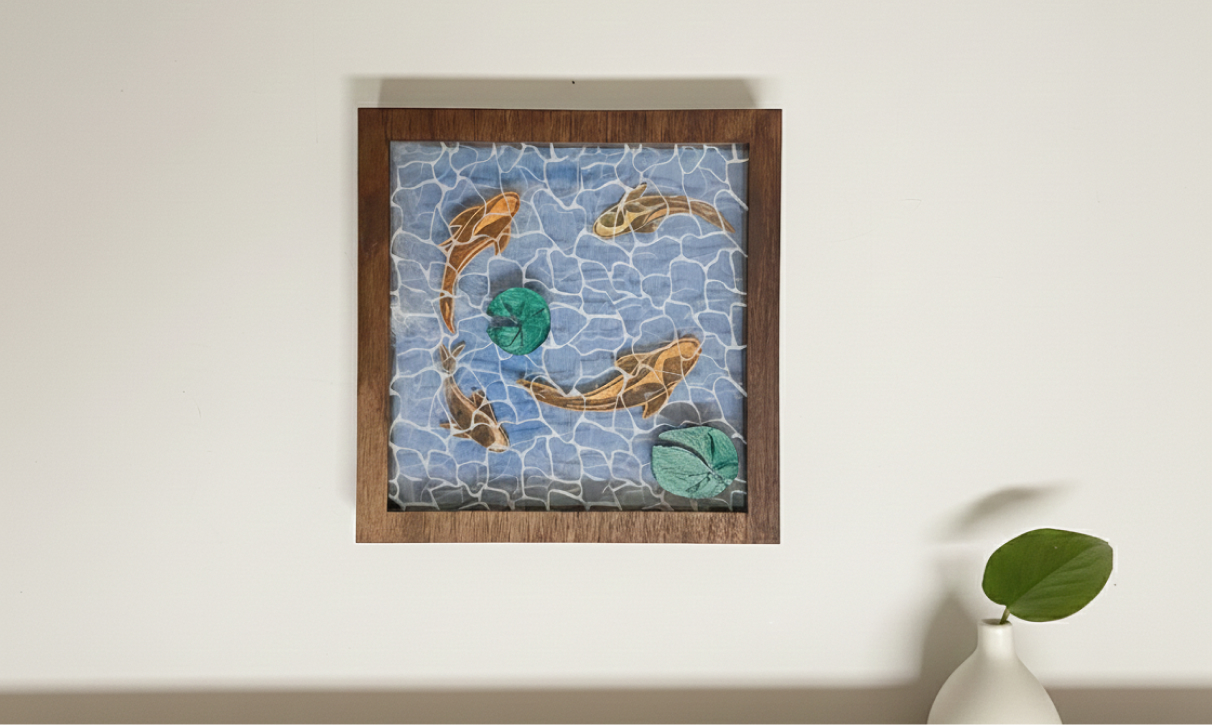
- Đồ vật chức năng: Lót ly, giá đỡ điện thoại, tổ chức bàn, câu đố tùy chỉnh

- Trang sức và phụ kiện: Bông tai gỗ, mặt dây chuyền, vòng tay với các mẫu chi tiết

- Sản phẩm kinh doanh: Thiệp mời đám cưới bao bì thương hiệu vật liệu quảng cáo
- Mô hình kiến trúc: Các tòa nhà quy mô, các phần đất đai, các bộ phận nguyên mẫu
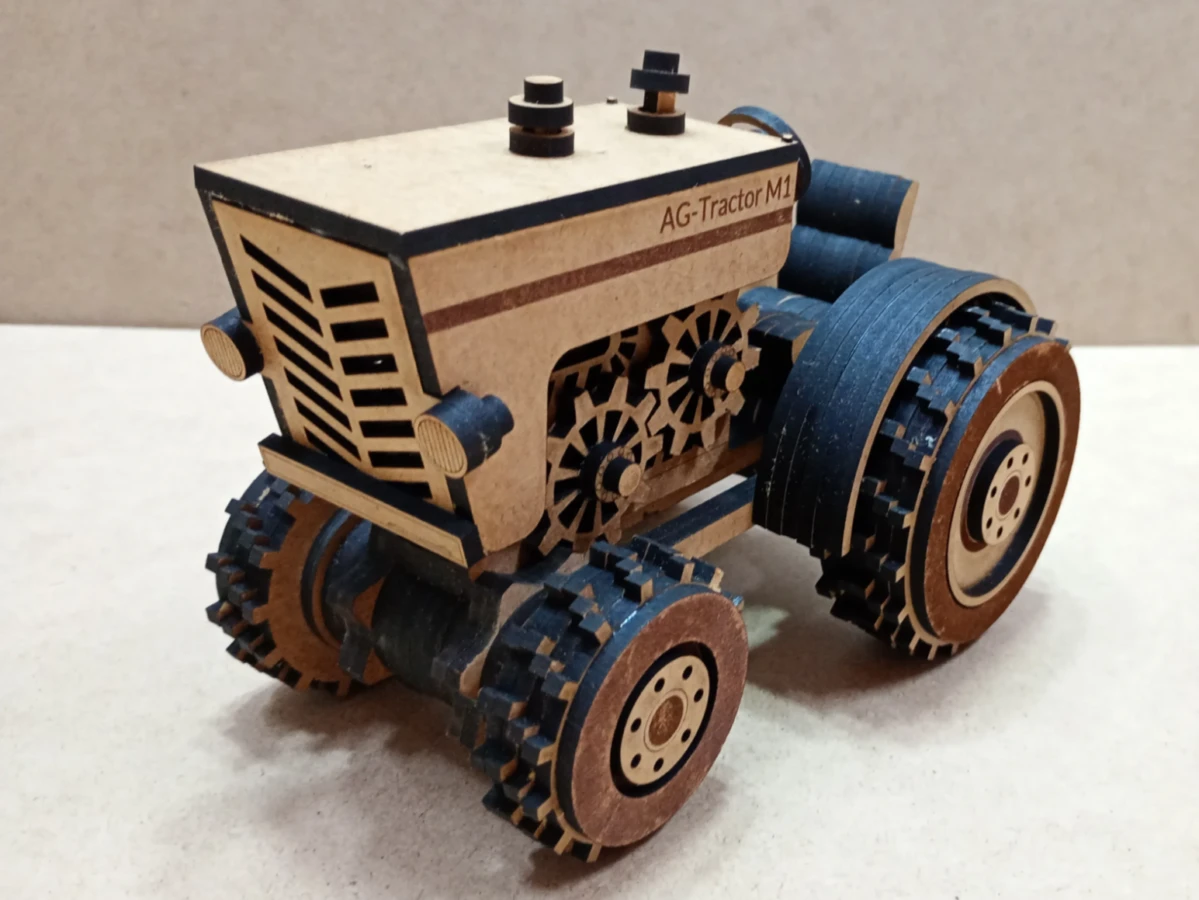
Điều thú vị là cách bạn có thể kết hợp các phương pháp khác nhau trong một dự án. Bạn có thể cắt ra hình dáng hộp cơ bản rồi khắc một bức tranh phong cảnh chi tiết ở trên cùng và tạo ra những thiết kế cắt xuyên qua ở các bên để cho phép không khí vào. Mỗi dự án cho bạn thấy điều gì đó mới về cách mà vật liệu hoạt động, những cài đặt nào phối hợp tốt với nhau, và điều gì xảy ra khi bạn cố gắng mở rộng sự sáng tạo của mình xa hơn. Tìm thêm các dự án nổi bật trên Atomm.
Loại máy khắc laser nào là tốt nhất cho gỗ?
Bạn có hai loại chính: laser diode và laser CO2. Cả hai đều hoạt động tốt trên gỗ, nhưng chúng nổi bật ở những lĩnh vực khác nhau.
Laser diode nhỏ, rẻ và mạnh mẽ. Chúng hoạt động tốt nhất nếu bạn cắt các vật liệu mỏng—như plywood 1/4" hoặc mỏng hơn. Ánh sáng xanh mà chúng tạo ra được hấp thụ tốt bởi các loại gỗ tối màu, dẫn đến độ tương phản khắc sắc nét. Bạn có thể thiết lập chúng, và hầu hết đều đủ nhẹ để di chuyển dễ dàng trong xưởng của bạn.
Laser CO2 mạnh mẽ hơn. Chúng cắt xuyên qua vật liệu dày hơn nhanh hơn và hoạt động với nhiều loại vật liệu hơn ngoài gỗ. Chùm tia hồng ngoại của chúng cắt tốt gỗ sáng và tối. Bạn sẽ có các cạnh sắc nét hơn trên các vết cắt và nhiều lựa chọn hơn để khắc.
Hầu hết những người làm gỗ bắt đầu sẽ thấy giá trị lớn trong một hệ thống diode tốt. Khi các dự án của bạn trở nên lớn hơn và bạn thường xuyên cắt các vật liệu dày hơn hoặc thực hiện công việc sản xuất, đó là lúc CO2 trở thành lựa chọn thông minh.
Cách cắt hoặc khắc gỗ bằng laser với máy laser xTool?
Bắt đầu trở nên đơn giản hơn nhiều khi bạn sử dụng kiến thức chia sẻ của cộng đồng. Dưới đây là cách mà những người sử dụng xTool có kinh nghiệm làm việc:
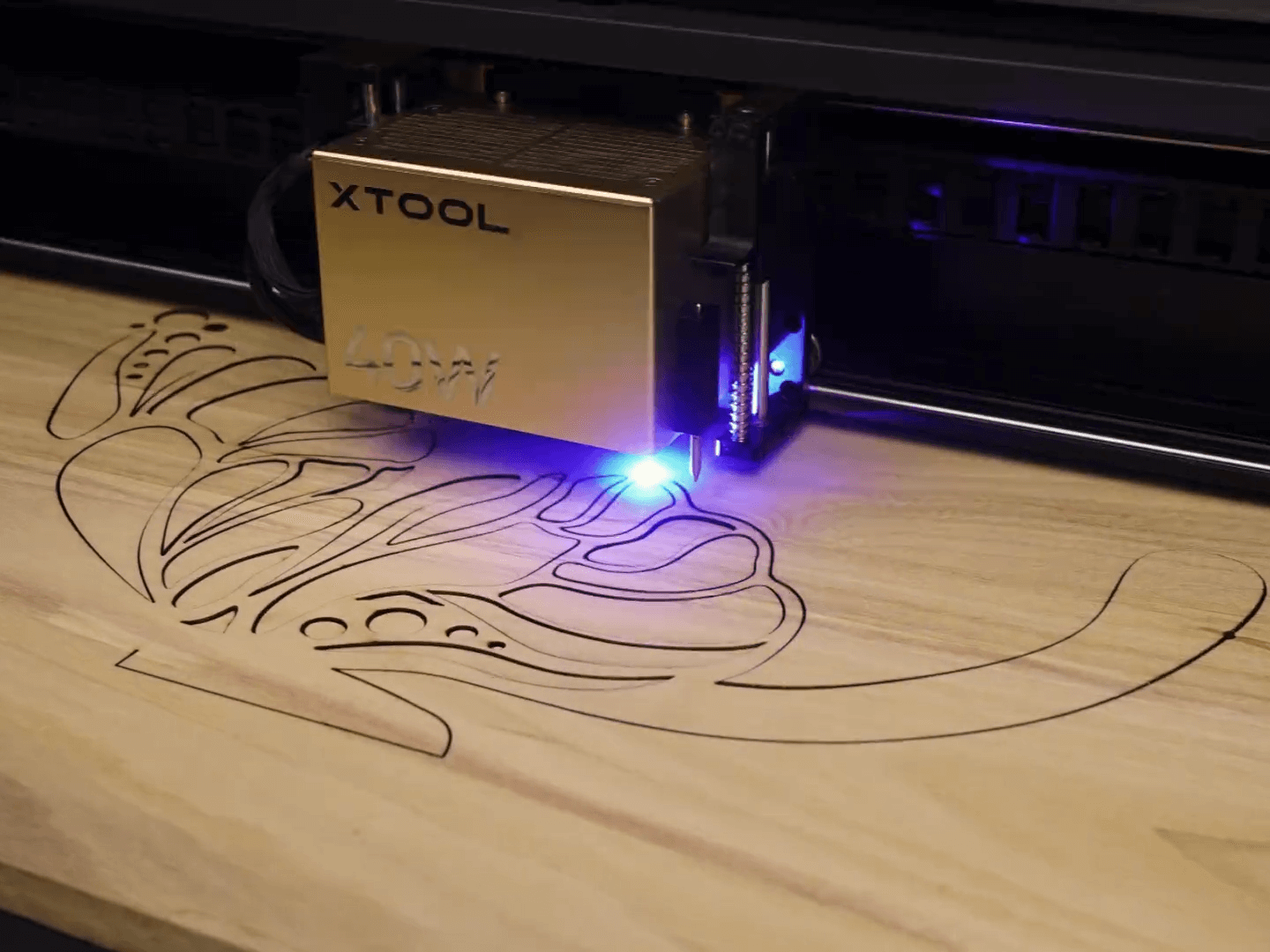
Bước 1: Khám phá thiết kế của bạn trên Atomm
Truy cập www.atomm.com và xem qua hàng ngàn dự án gỗ đã chuẩn bị. Trang web cung cấp mọi thứ từ các đường cắt đơn giản cho người mới bắt đầu tới các thiết kế đa lớp phức tạp. Nhận các tệp đi kèm với các cài đặt đã thử nghiệm - nhiều tệp là tệp XCS mở ngay trong phần mềm của bạn với tất cả các thông số đã được cài đặt sẵn. Ngay cả khi bạn đang tạo ra một thứ gì đó từ đầu, hãy kiểm tra cơ sở dữ liệu về các cài đặt vật liệu của Atomm trước để xem những gì đã hoạt động với người khác.
Bước 2: Nhập và sửa đổi trong XCS
Mở xTool Studio và tải tệp thiết kế của bạn. Nếu bạn nhận được nó từ Atomm, các lớp đã có mã màu sẵn: màu xanh có nghĩa là ghi dấu, màu xanh lá cây có nghĩa là khắc, và màu tím có nghĩa là cắt. Bạn có thể thay đổi thiết kế hoặc sử dụng nó như hiện tại. Đối với những thiết kế mà bạn tự tạo, hãy nhập các tệp SVG hoặc hình ảnh và XCS sẽ giúp bạn phân công nhiệm vụ cho chúng.
Bước 3: Chuẩn bị vật liệu của bạn
Đặt gỗ của bạn lên bàn làm việc và sử dụng camera tích hợp để xem nơi đặt nó. Sử dụng thước kẹp để đo độ dày của gỗ. Đo lường này là chìa khóa cho mọi thứ khác. Nhập nó vào XCS, và autofocus sẽ tự động điều chỉnh chiều cao.
Bước 4: Kiểm tra cài đặt của bạn
Nếu bạn đã sử dụng tệp Atomm, các cài đặt đã sẵn sàng. Đối với công việc tùy chỉnh, chọn loại gỗ của bạn từ thư viện vật liệu và XCS sẽ điền vào các cài đặt đã thử nghiệm. Cộng đồng đã thử nghiệm với những sự kết hợp này, vì vậy bạn đang xây dựng trên kiến thức chia sẻ thay vì đoán mò.
Bước 5: Đánh khung và kiểm tra
Chạy bản xem trước đánh khung để xem nơi mà laser sẽ cắt. Điều này phát hiện các vấn đề về vị trí trước khi bạn bắt đầu. Trên gỗ đắt tiền, thực hiện một bài kiểm tra cắt nhanh trên phế liệu sử dụng cùng các cài đặt.
Bước 6: Bắt đầu dự án của bạn
Nhấn bắt đầu và xem phút đầu tiên. Bạn nên thấy việc cắt hoặc khắc sạch sẽ với khói được loại bỏ ổn định. Bảng xử lý cho thấy tiến trình trực tiếp, và hầu hết các dự án kết thúc nhanh hơn bạn mong đợi.
Điều mang lại sức mạnh cho quy trình làm việc này là bạn luôn xây dựng trên các giải pháp hiện có. Atomm đã giải quyết hầu hết các vấn đề phổ biến và làm cho những phát hiện của họ có sẵn.
Mẹo cắt và khắc gỗ bằng laser
Kết quả chuyên nghiệp sạch sẽ phụ thuộc vào việc bạn hiểu cách laser tương tác với gỗ như thế nào. Cộng đồng đã phát hiện ra một số mẹo thông qua thử nghiệm có thể giúp bạn đạt được kết quả tốt hơn. Những phương pháp chính có ảnh hưởng lớn:
- Khai thác tối đa công suất không khí của bạn: Luồng không khí tốt ngăn ngừa ngọn lửa và làm sạch khói trước khi nó làm dấu trên gỗ của bạn. Di chuyển vòi phun gần vật liệu của bạn để làm cho nó hoạt động tốt nhất.
- Giữ cho lớp bảo vệ của bạn vững chắc: Dán băng keo màu xanh trên gỗ của bạn trước khi khắc để giảm bớt dấu cháy và giữ cho các cạnh sắc nét. Gỡ bỏ nó sau khi cắt để có một cái nhìn sạch hơn.
- Suy nghĩ về độ rộng vết cắt: Laser lấy đi vật liệu khi nó cắt (0.2-0.4mm). Hãy để các bộ phận của bạn lớn hơn một chút hoặc điều chỉnh chúng cho vừa khít.
- Căn chỉnh hướng vân gỗ của bạn: Cắt theo chiều vân cho bạn các cạnh sạch hơn so với cắt ngang. Đặt cấu hình của bạn với điều này trong đầu khi bạn cần chính xác.
- Giữ cho các dấu cháy của bạn trong tầm kiểm soát: Giảm công suất và thực hiện nhiều lần đi qua thường hoạt động tốt hơn so với một lần cắt công suất cao duy nhất. Bạn sẽ giảm tốc độ một chút, nhưng bạn sẽ có các cạnh sạch hơn nhiều.
Sự thay đổi thực sự bắt đầu khi bạn ngừng tìm kiếm các cấu hình "hoàn hảo" và bắt đầu ghi lại những gì hoạt động với các vật liệu và thiết lập thiết bị của bạn.
Câu hỏi thường gặp về cắt và khắc gỗ bằng laser
Có thể laser sợi khắc và cắt gỗ không?
Các laser sợi được chế tạo để cắt và khắc kim loại. Bạn có thể sử dụng chúng trên gỗ, nhưng chúng không phải là lựa chọn tốt nhất. Đây là lý do tại sao: các laser sợi hoạt động ở công suất cao và gỗ không hấp thụ bước sóng của chúng. Điều này thường dẫn đến kết quả không đồng đều, với các cạnh trông bị cháy hoặc không mịn. Nếu bạn muốn công việc gỗ sạch và chính xác, các loại laser khác như diode hoặc CO₂ là lựa chọn tốt hơn.
Máy cắt laser tốt nhất cho gia công gỗ là gì?
Chọn máy cắt laser phù hợp cho gia công gỗ phụ thuộc vào những gì bạn cần. xTool S1 hoạt động tốt cho những người mới bắt đầu. Nó có một laser diode 40W bên trong, thiết kế Class 1 cho an toàn, và có thể làm nhiều việc như khắc hàng loạt và làm việc trên bề mặt cong. Không gian làm việc của nó lớn hơn tờ A3. Tuy nhiên, xTool P2 phù hợp hơn cho những doanh nghiệp nhỏ. Nó có một laser CO₂ 55W mạnh mẽ hơn, một bàn làm việc lớn hơn, và hỗ trợ không khí tích hợp để cắt sạch hơn mà không bị cháy. Tóm lại, S1 rất tuyệt cho người mới bắt đầu sở thích, trong khi P2 có sức mạnh và kích thước cho các công việc gia công gỗ chuyên nghiệp.
Tôi có thể tìm thấy tệp cắt và khắc laser miễn phí ở đâu?
Atomm cung cấp một thư viện lớn các tệp laser miễn phí cho thấy cam kết của chúng tôi đối với sự sáng tạo mã nguồn mở. Sau khi đăng ký, bạn có thể tải xuống, chỉnh sửa và sử dụng các thiết kế mà cộng đồng của chúng tôi đã chia sẻ. Nền tảng của chúng tôi có hàng ngàn đóng góp, bao gồm các hướng dẫn cách làm, câu chuyện cá nhân và nguồn cảm hứng. Đây là nơi mà các nhà sản xuất làm việc cùng nhau để tìm ra ý tưởng mới và cải thiện các dự án của họ. Bạn có thể sử dụng hầu hết các thiết kế này ngay lập tức cho cắt laser. Chỉ cần đưa chúng vào xTool Studio, thiết lập sở thích của bạn và bạn đã sẵn sàng để tạo ra các sản phẩm cắt laser tuyệt vời mà không gặp rắc rối.
Kết luận
Gỗ và laser tạo thành một cặp đôi tuyệt vời - chúng cứ cho thấy những cách mới để tạo ra mọi thứ khi bạn đào sâu hơn. Những gì bắt đầu như sở thích cắt một chiếc hộp cơ bản lớn lên thành nghệ thuật đa lớp phức tạp hoặc những sản phẩm sản xuất nhỏ có thể trở thành việc làm thêm.
Không khó khăn như bạn có thể nghĩ. Cộng đồng Atomm chia sẻ các tệp đã thử nghiệm, thư viện vật liệu loại bỏ sự đoán định khỏi các cài đặt và diễn đàn đầy những nhà sản xuất đã giải quyết các vấn đề mà bạn sắp phải đối mặt, vì vậy bạn không bao giờ cô đơn trong việc tìm ra mọi thứ. Một vài dự án đầu tiên của bạn dạy bạn nhiều hơn bất kỳ hướng dẫn nào về cách gỗ phản ứng dưới laser, cách hiểu các mẫu cháy, và khi nào nên thuận theo dòng chảy hoặc khi nào nên thực hiện thay đổi.
Ma thuật thực sự bắt đầu khi bạn ngừng theo các hướng dẫn và bắt đầu đặt câu hỏi "điều gì sẽ xảy ra nếu?" Đó là thời điểm mà công việc laser chuyển từ việc tuân theo hướng dẫn thành sự biểu đạt sáng tạo thực sự. Hãy lấy một ít gỗ thừa, khởi động máy của bạn và khám phá xem việc thử nghiệm những điều mới sẽ dẫn bạn đến đâu.
