









































From “Looks Good” to “Ready to Engrave & Cut”
AImake V1.3 is officially live as of December 17, 2025 (Beijing Time).
👉 Try it now: https://www.atomm.com/aimake
This update focuses on one simple but important question:
“Can I simply describe what I want and get an image designed for engraving and cutting , rather than merely a good-looking image?”
What’s the biggest change in AImake V1.3?
Before:
- The image looked good
- But often wasn’t suitable for engraving or cutting
- Required extra adjustments, conversions, or repeated attempts
Now with AImake V1.3:
- You simply describe what you want
- AImake understands whether you’re engraving or cutting
- And generates an image that’s much closer to real machine use
It’s no longer just generating a visually appealing image, but generating one that’s truly ready for engraving and cutting—built for craft users.
2 Improvements You’ll Notice Right Away
Based on your description, AImake understands whether you’re engraving or cutting and generates an image optimized for that process
1. Engraving outputs that are made for machines, not just for viewing
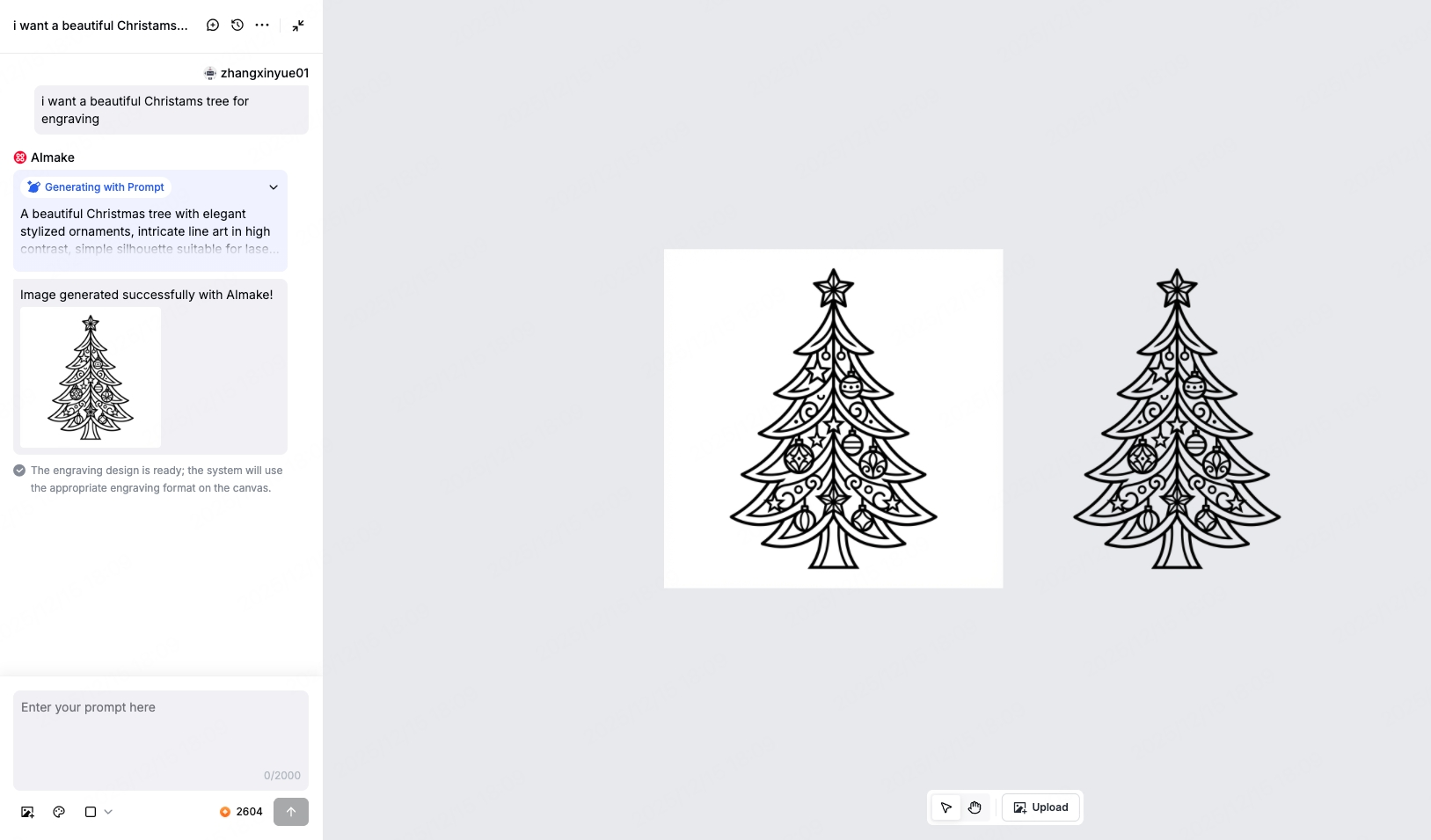
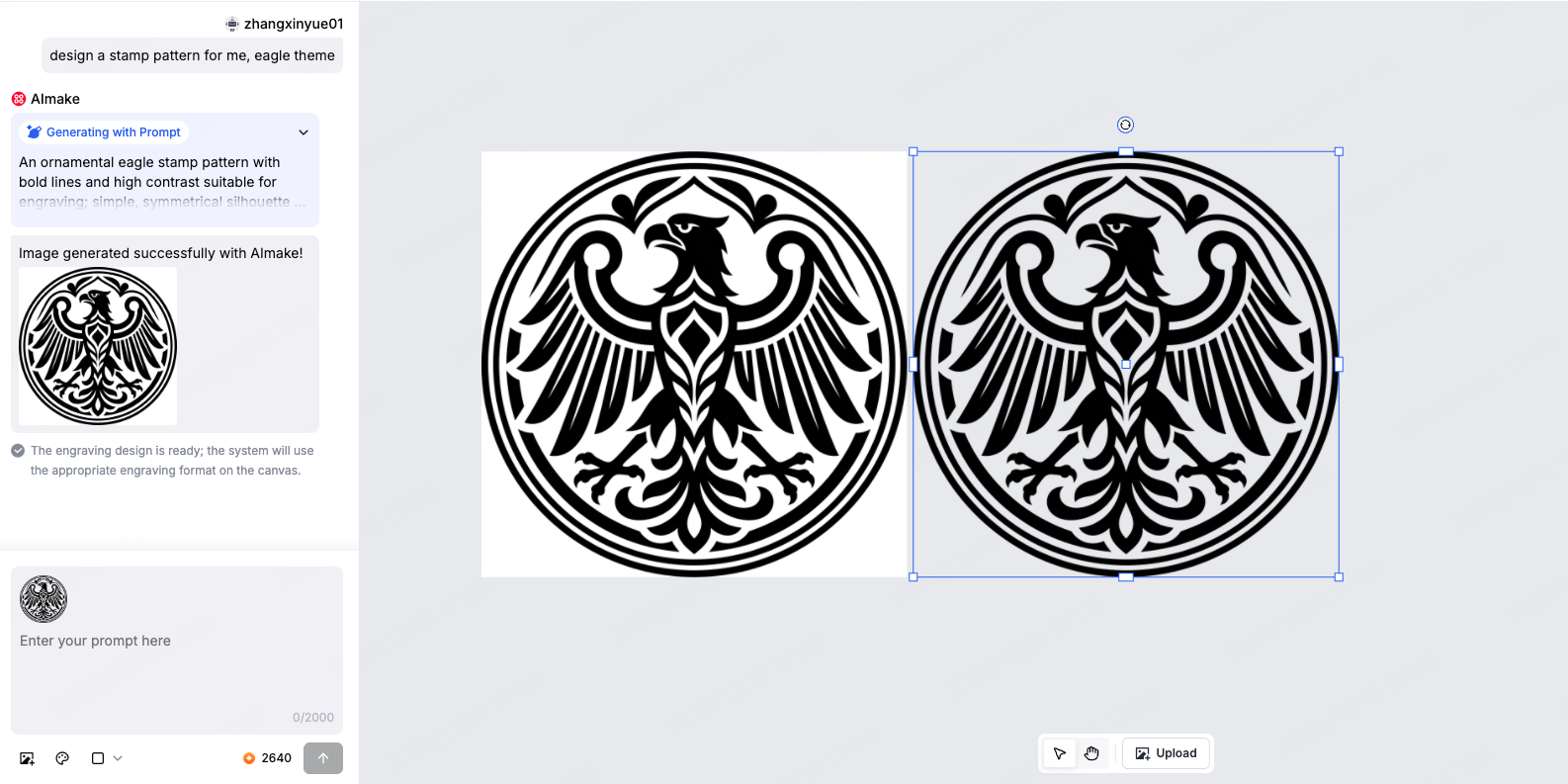
For engraving tasks, AImake understands the nature of your content and automatically generates images best suited for engraving, including transparent line art, black-and-white fills, or grayscale images.
- Line Art – Clean outlines for logos, icons, and small designs
- Black & White Fill – High-contrast results for stamps, badges, and symbols
- Grayscale Photos – Preserved light and shadow details for portraits, pets, and photos

You don’t need to decide any of this. AImake handles it for you.
2. Cutting results that behave like cutting shapes
When your request points toward cutting, AImake focuses on producing images that are:
- Vector-based with closed, complete contours
- Well-structured shapes optimized for cutting paths
- Ready to cut without manual vector conversion or cleanup
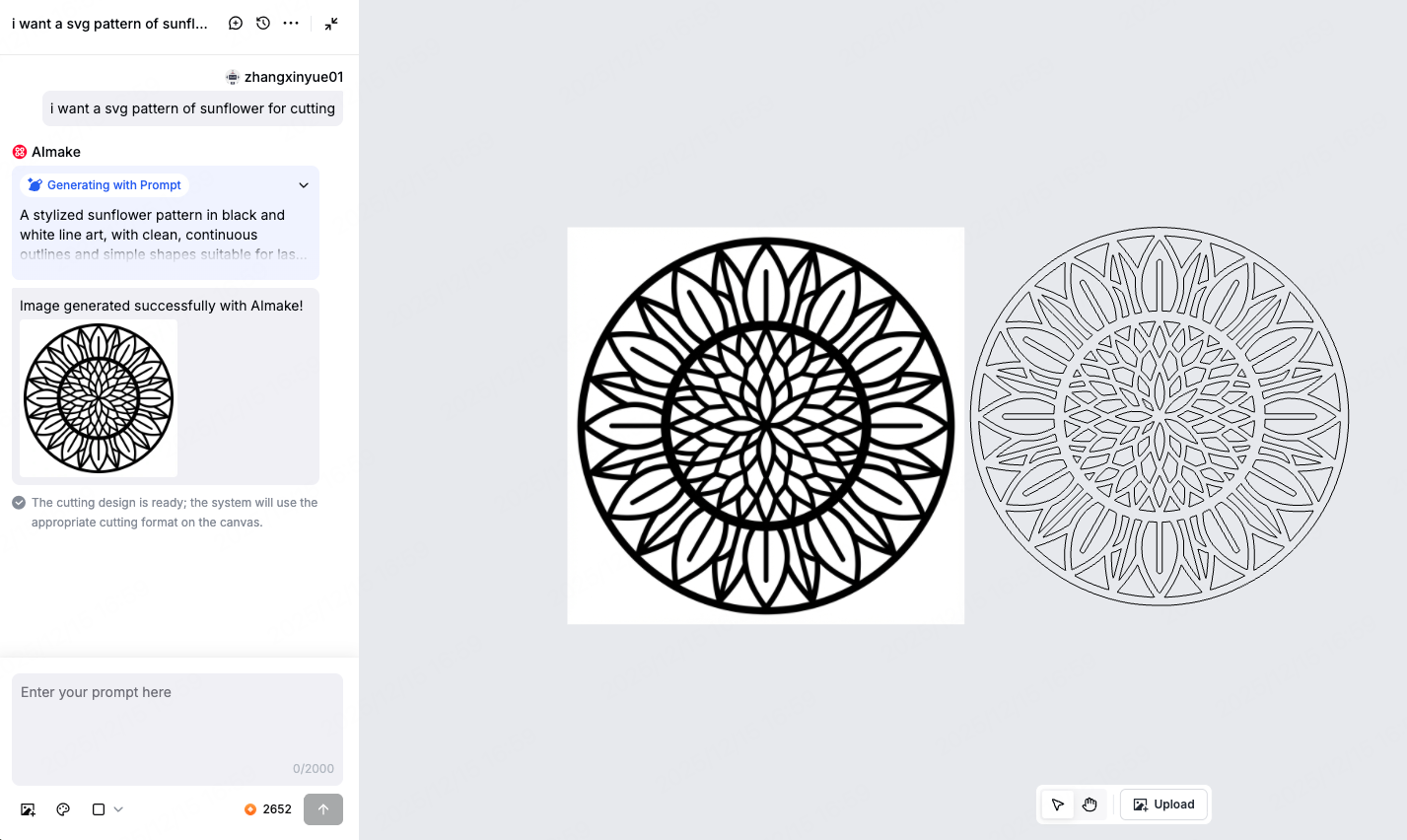
This reduces common issues like broken outlines or overly complex shapes, and makes the result much closer to something you can cut directly.
Why this update is more than “better-looking images”
Many AI tools focus on visual quality alone.
AImake V1.3 focuses on what happens after the image is generated.
It’s designed to:
- Understand what you’re trying to make
- Respect basic engraving and cutting constraints
- Produce images that behave more reliably in real processing workflows
If you only want a pretty picture, there are many tools out there.
But if what you want is:
A simple description → an image that actually engraves or cuts well
Then AImake V1.3 is built for that purpose.
In summary
AImake V1.3 is no longer about how good an image looks — it’s about whether that image works when you engrave or cut it.