









































We're excited to unveil Atomm's AI 3D Model Generator, an innovative solution that revolutionizes how designers, craftspeople, and manufacturing experts bring concepts to life as production-ready 3D assets. This new release enables users to seamlessly transform 2D images into refined, high-quality 3D models perfectly suited for laser engraving and 3D printing applications.
Why We Build This
Atomm AI 3D Model Generator was created to support craftspeople, engraving professionals, and makers specializing in 3D glass inner engraving. Converting 2D images into quality bas-relief or three-dimensional models has historically demanded sophisticated 3D expertise and labor-intensive processes. Our generator eliminates these barriers by transforming images into polished, engraving-ready 3D models in just minutes. It allows craftspeople to create personalized crystal portraits, ornamental pieces, and professional keepsakes with enhanced accuracy and speed, accelerating the creative process while preserving professional standards and reproducible quality.
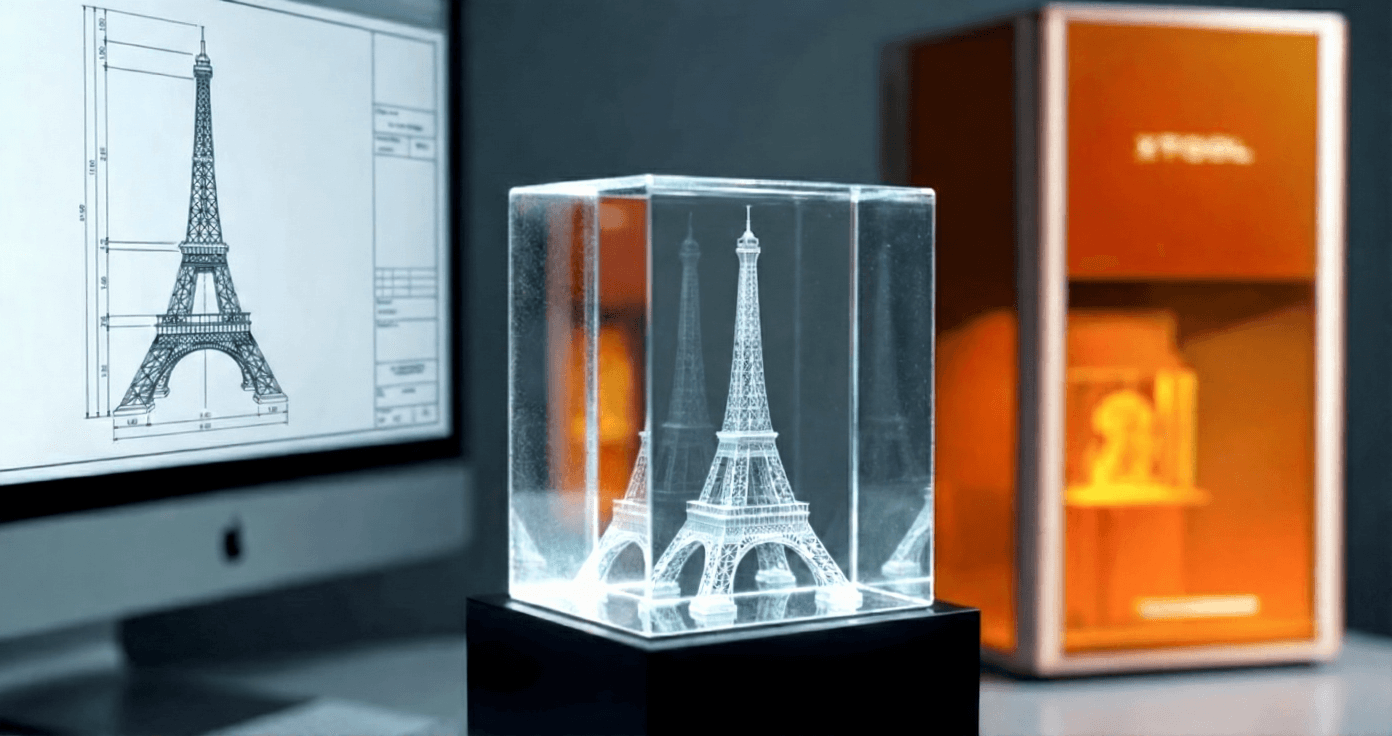
How Does 3D Model Generators Work?
Converting a two-dimensional picture into a physical, three-dimensional object might appear miraculous, but it relies on cutting-edge AI technology. When you convert 2D image to 3D model, the generator performs more than a simple elevation of the digital image. The process starts with analyzing a single photograph to comprehend its particular perspective. The Tripo or Hitem model subsequently calculates depth information and surface normals, effectively establishing the distance of each pixel and its orientation, reconstructing the three-dimensional structure. The system then creates textures and enhances details to deliver a polished, lifelike form.
This is where AI image to 3D capabilities set themselves apart from traditional, manual approaches. The AI performs more than simple replication: It employs generative intelligence to "envision" the portions of an object that aren't visible. When elements are concealed or facing away, the system forecasts these hidden areas to build a comprehensive mesh, simultaneously enhancing facial features and maintaining texture fidelity. This detail-refinement capability proves essential for craftspeople, guaranteeing the final product isn't merely a rough approximation, but a precision model ready for manufacturing.
Though this information commonly supports 3D printing applications, it proves particularly valuable for 3D Glass Inner Engraving. Unlike traditional surface printing, glass engraving depends on accurate volumetric information to direct lasers toward the interior of transparent materials, preserving complex details "suspended" within the crystal structure.
What Tripo and Hitem Large Model Bring?
Tripo represents an advanced AI platform engineered to accelerate and democratize 3D content development like never before. With expertise in transforming text prompts and images into 3D models within seconds, Tripo functions as a robust structural foundation. Its core strength lies in speed; it produces a reliable, stable 3D base immediately, enabling creators to bypass the labor-intensive preliminary modeling stages and proceed directly to perfecting their creative concepts.
Hitem is a precision-focused AI model built to produce 3D models with outstanding detail and photorealism, particularly excelling in portrait and character reconstruction. Through capturing accurate facial geometry, structural contours, and surface textures, Hitem guarantees faithful reproduction of every characteristic, delivering a natural, true-to-life representation.
For 3D glass inner engraving applications, Hitem's portrait-specialized models deliver refined contours and seamless surfaces, minimizing imperfections while maintaining delicate texture details. This produces a superior, engraving-ready 3D model that faithfully represents the source material, simplifying the achievement of professional, accurate, and visually compelling engraved creations.
How to Convert 2D Images to 3D Models for Crystal Inner Engraving?
Step 1: Selecting and Uploading Your Source Image
The caliber of your finished crystal engraving depends heavily on the photograph you begin with. To achieve the most impressive outcomes, select an image featuring a distinct, properly illuminated subject positioned centrally in the composition. Strong contrast assists the AI in separating the primary subject from its surroundings, which proves essential for accurate depth mapping. Prior to uploading, consider cropping your image closely around the main subject to enhance detail capture, and determine your preferred output format: 3D Photo or 3D Modeling.

Step 2: Configure Model Settings, Texture, and Background
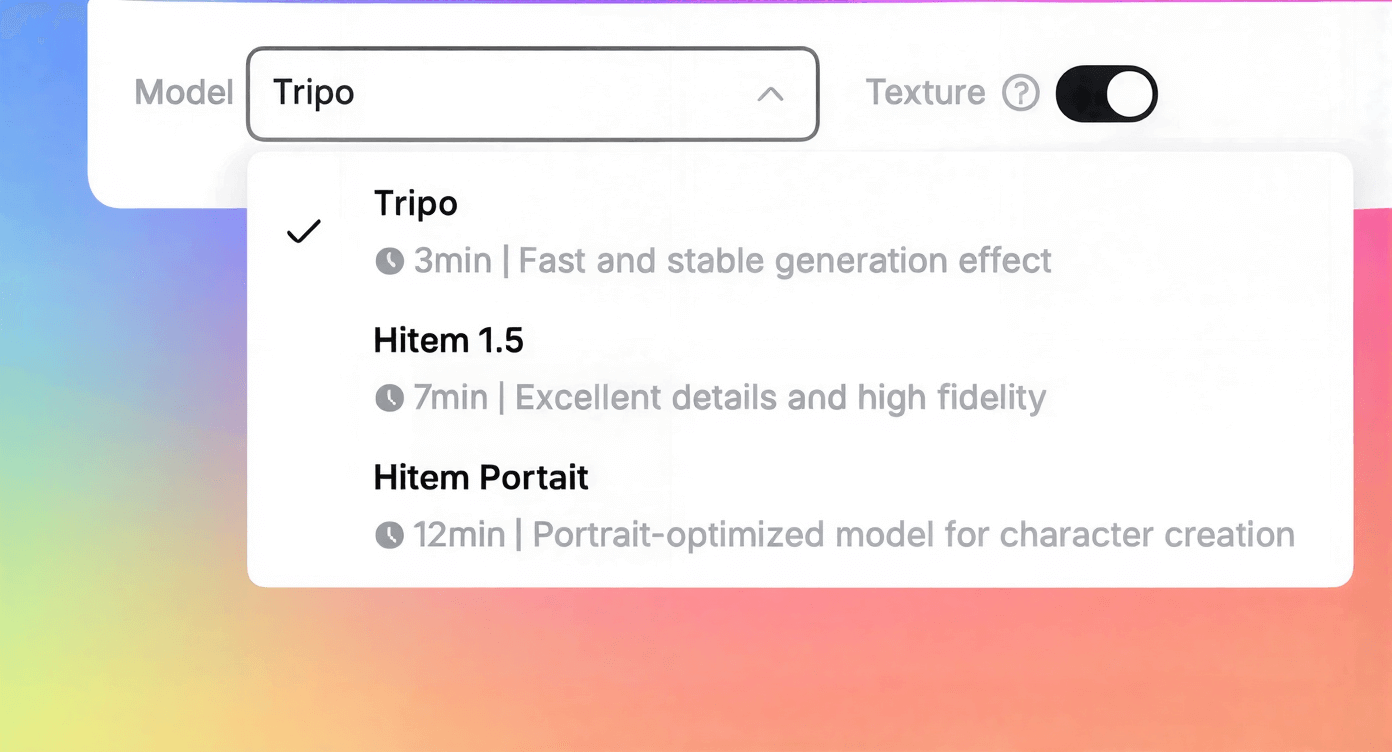
The system enables Texture and Background Removal options by default. Maintaining texture activation typically yields optimal results for crystal engraving, as it introduces surface realism and material clarity to your finished piece. Likewise, retaining background removal guarantees the laser concentrates exclusively on your subject, producing a pristine "suspended" appearance within the crystal. For those who selected 3D Modeling, you can now select the AI engine matching your project schedule. Tripo serves as the standard option for rapid, 3-minute generation. Hitem 1.5 provides an ideal blend of efficiency and precision in approximately 7 minutes, whereas Hitem Portrait produces remarkable realism for character work in 12 minutes. Alternatively, selecting 3D Photo activates a proprietary, custom-developed algorithm designed explicitly for portrait creation.
Step 3: Initiate the Image-to-3D Conversion
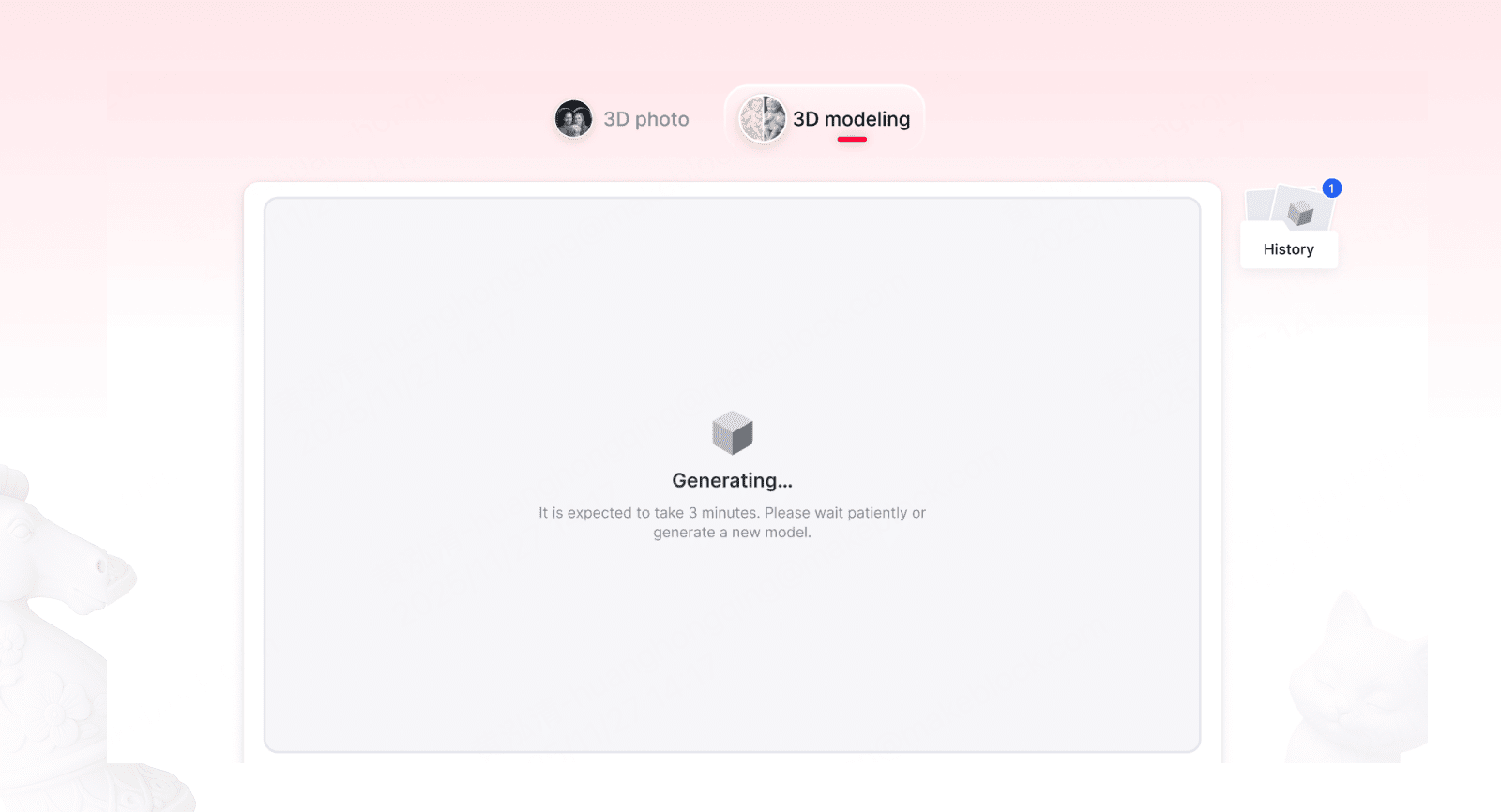
After finalizing your configuration, you can launch the conversion workflow. Since the AI handles the computational work server-side, maintaining an open browser window isn't necessary. Feel free to close the page or initiate another project right away; the platform will continue transforming your image into a 3D model behind the scenes.
Step 4: Review and Download the 3D Files
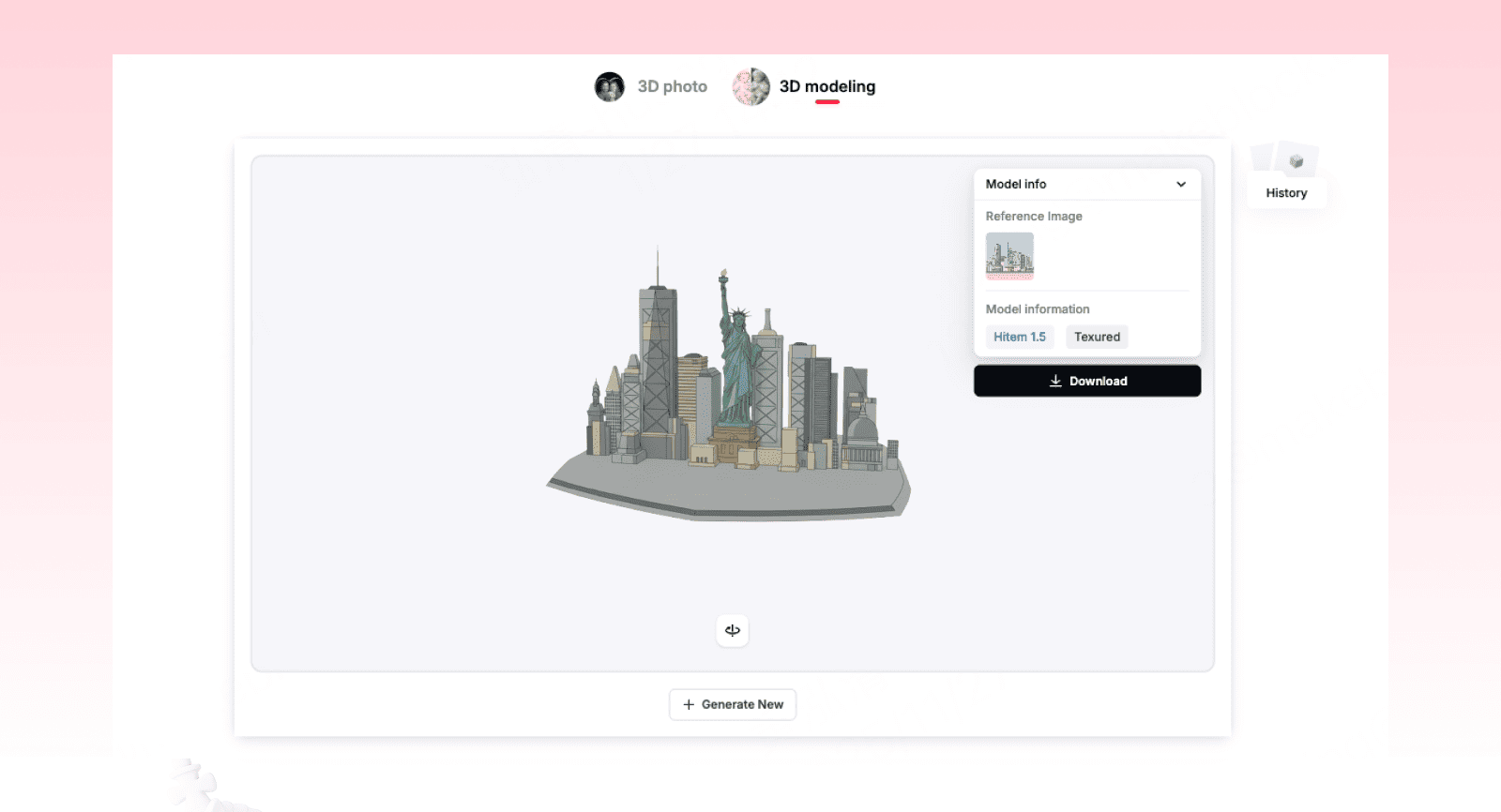
Once the AI completes the conversion of your 2D image, a 3D preview interface becomes available. This represents an essential verification phase. Spend time rotating and examining the model closely to evaluate depth precision and contour definition. Pay particular attention to critical zones including facial characteristics, text boundaries, or intricate patterns to confirm they appear sharp and well-defined, as these elements dictate the crispness of your final engraving. After confirming the relief proportions and detail quality meet your standards, download the file to your local system in preparation for manufacturing.
Step 5: Configuring Your Laser Engraving Equipment
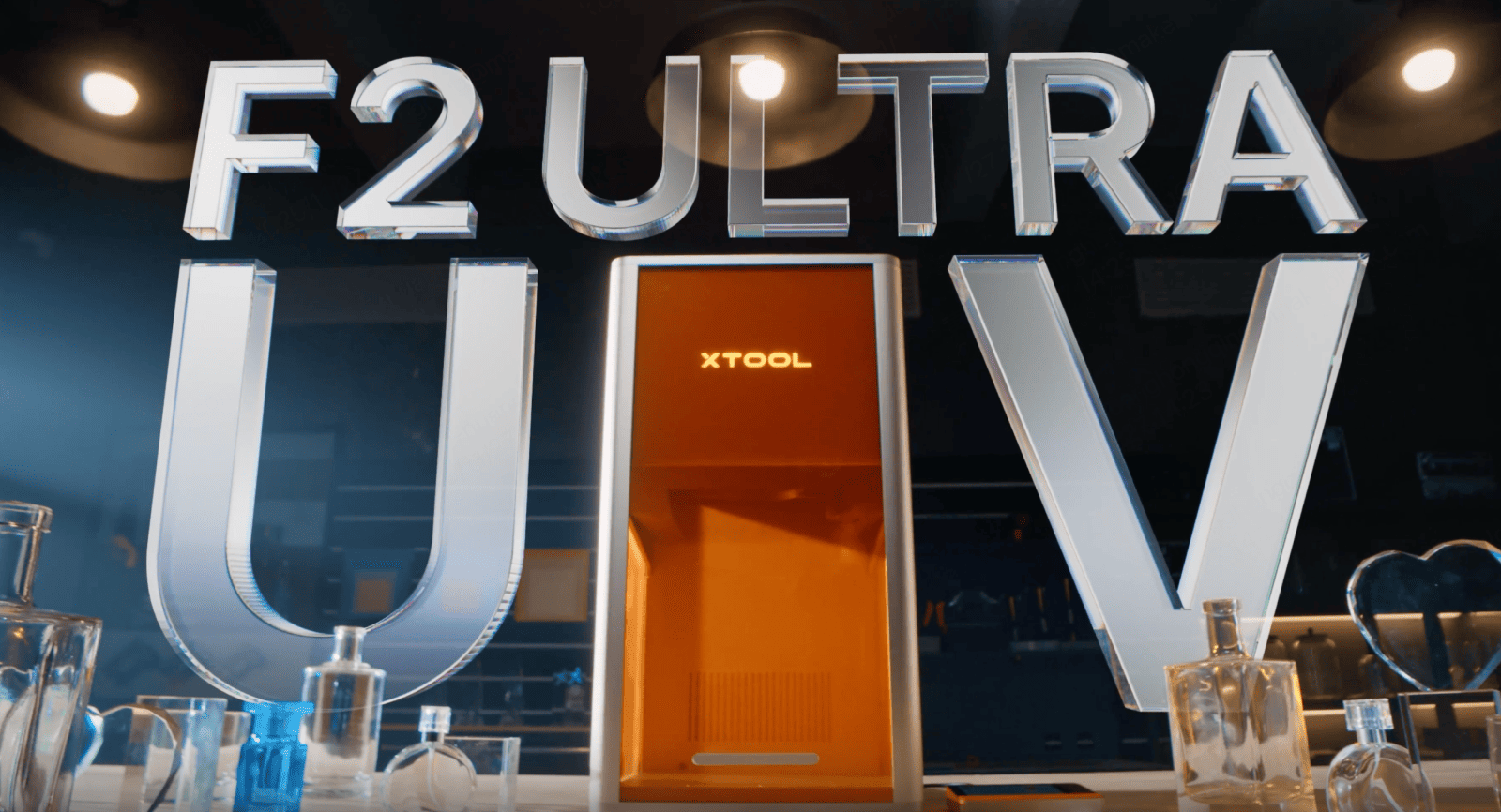
To transform your digital design into a tangible object, launch your engraving software xTool Studio. Load your recently downloaded 3D model, then start modifying the settings to match your material specifications and configure it for the xTool F2 Ultra UV. You'll need to resize the model to align precisely with your crystal block or glass substrate dimensions.
Subsequently, establish the depth layers designed for inner engraving. This configuration is crucial for achieving the characteristic 3D appearance where imagery seems frozen within the glass interior. Lastly, calibrate your laser's power output, movement speed, and focal point according to your crystal's density to guarantee clean, luminous fracturing without compromising material integrity.
Step 6: Finishing Touches and Product Assembly
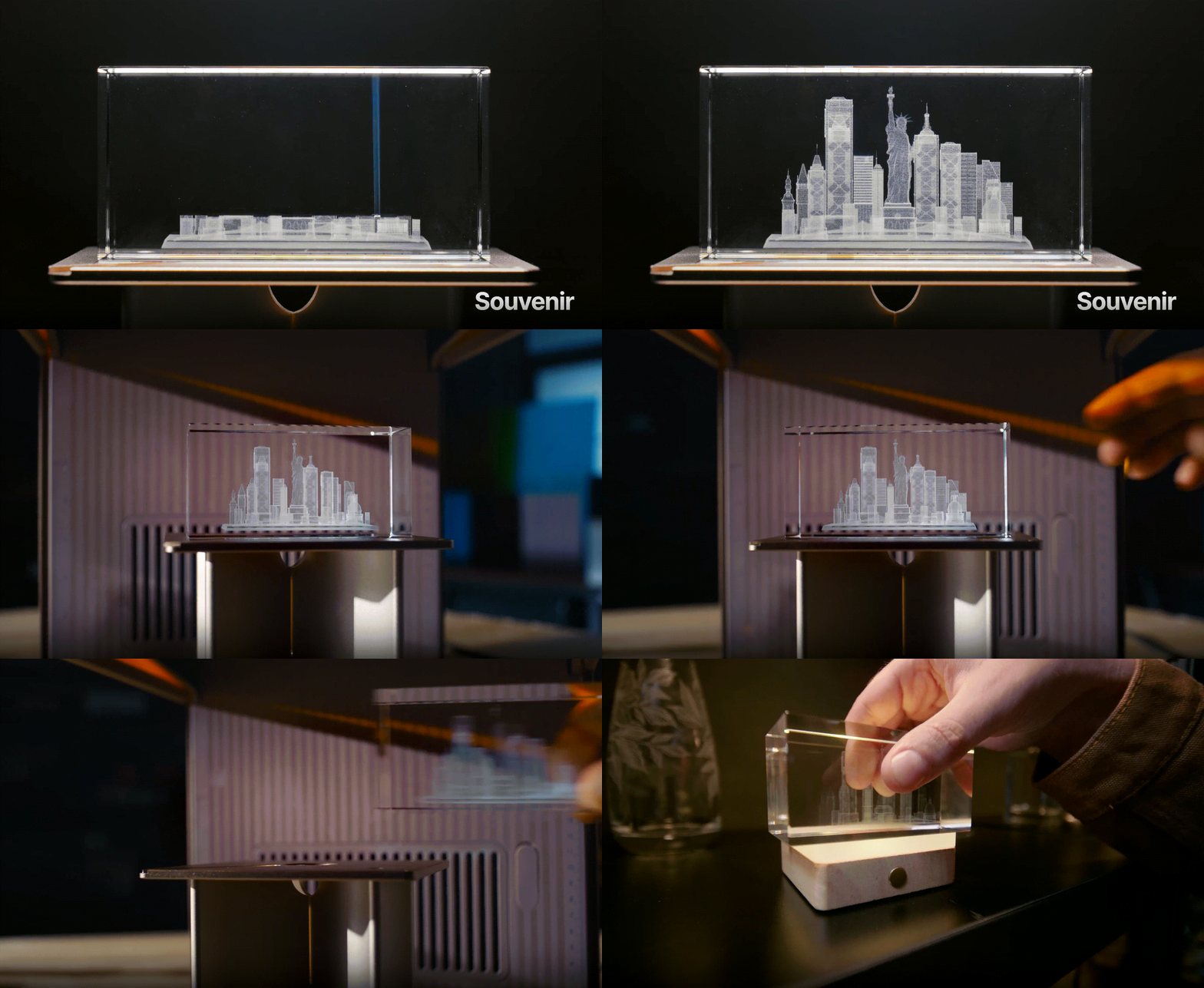
After the equipment completes its cycle, extract the crystal with care. The concluding phase includes buffing the exterior to eliminate any smudges or particles and integrating the crystal into its finished presentation, such as mounting it onto an LED illuminated base to showcase the detailed internal imagery.
Practical Tips for Mastering 3D Glass Engraving
Creating a professional "suspended" appearance demands accuracy in both software configuration and equipment operation. Apply these techniques to guarantee your 3D crystal engravings appear sharp and impeccable.
- Perform Z-Axis Calibration: Consistently execute a machine Z-axis reset prior to each project. This guarantees the laser focuses at the precise depth needed, avoiding unintended surface marking or positional errors.
- Opt for Compatible File Formats: Save your 3D mesh as OBJ or STL files. These file types offer optimal compatibility with engraving software and dependably maintain complex surface characteristics.
- Use K9 Crystal Material: Material selection is critical. Steer clear of glass producing bluish light refraction, as it typically yields poor engraving outcomes. Instead, opt for K9 crystal, which refracts clean white light. This keeps the laser points focused and precise, resembling a lightsaber effect, delivering a clear, high-resolution finish.
- Reduce Layer Line Visibility: Physical Z-axis motion can produce noticeable layer striations, comparable to 3D printing artifacts. To address this, position your model horizontally (facing upward) instead of vertically upright, and implement texture enhancement along the positive Z-axis direction.
- Design for Illumination: Verify the lower section of your model geometry remains free from visual "clutter." This permits light from the LED base to pass upward and effectively highlight the subject's defining features.
5 Inspiring 3D Crystal Inner Engraving Project Ideas
Seeking creative direction for your next glass art piece? These five exceptional examples demonstrate the artistry and accuracy achievable with inner laser engraving, spanning from celestial designs to personalized portraits. Whether your interests lie in wildlife, seasonal themes, or cherished mementos, each project illustrates how flat concepts can evolve into breathtaking 3D crystal creations. Discover more about xTool F2 Ultra UV and 3D inner engraving Projects.
🦌 Festive Deer 3D Inner Engraving
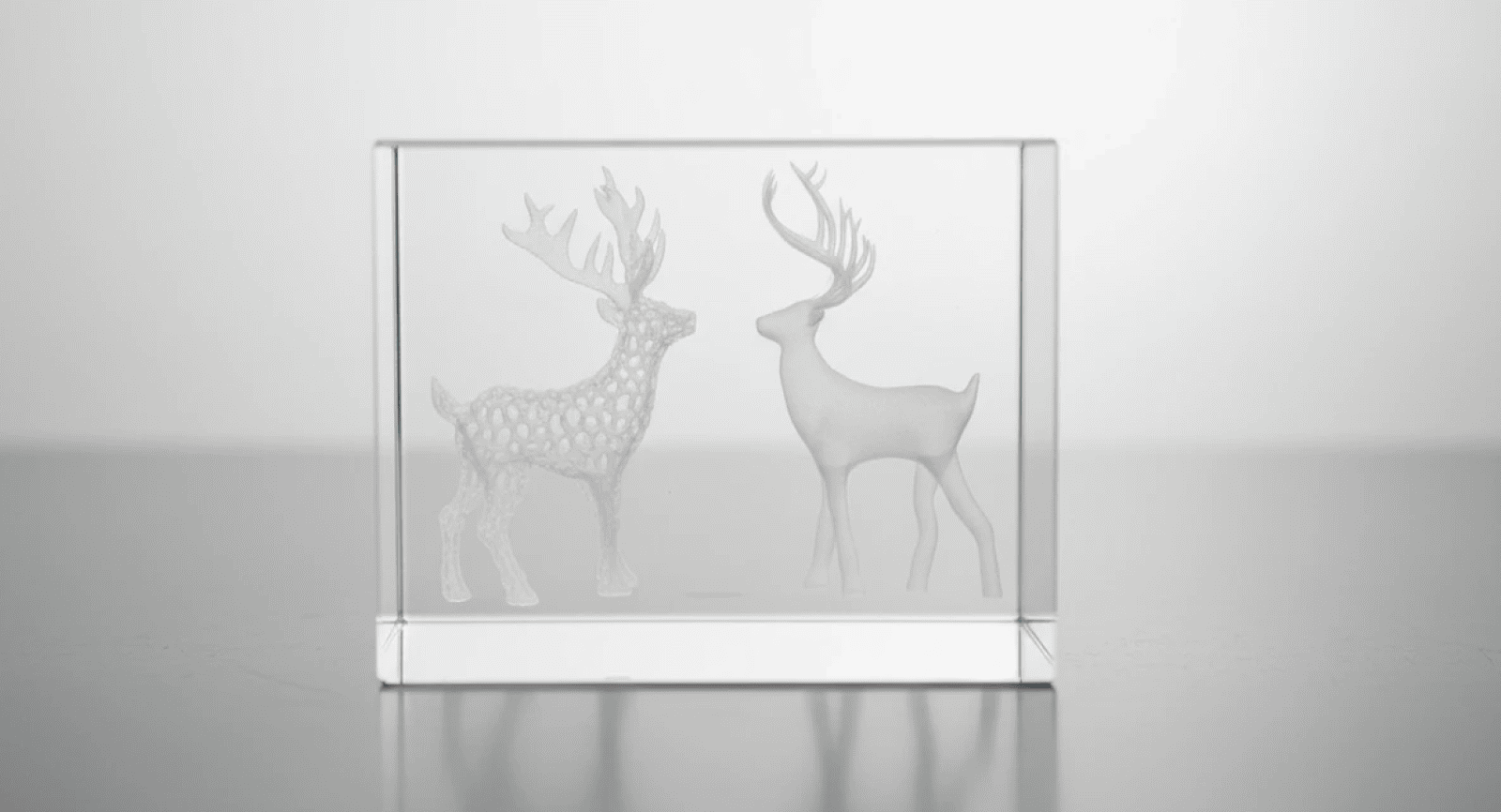
A pair of deer, one featuring honeycomb patterning, the other polished smooth, stand opposite each other within an elegant glass block. This wildlife-themed engraving combines textural contrast with sophistication, making it ideal for nature enthusiasts or contemporary country-style interiors. Experience 3D crystal inner engraving with beautifully etched deer imagery!
♘ Chess Knight 3D Subsurface Engraving
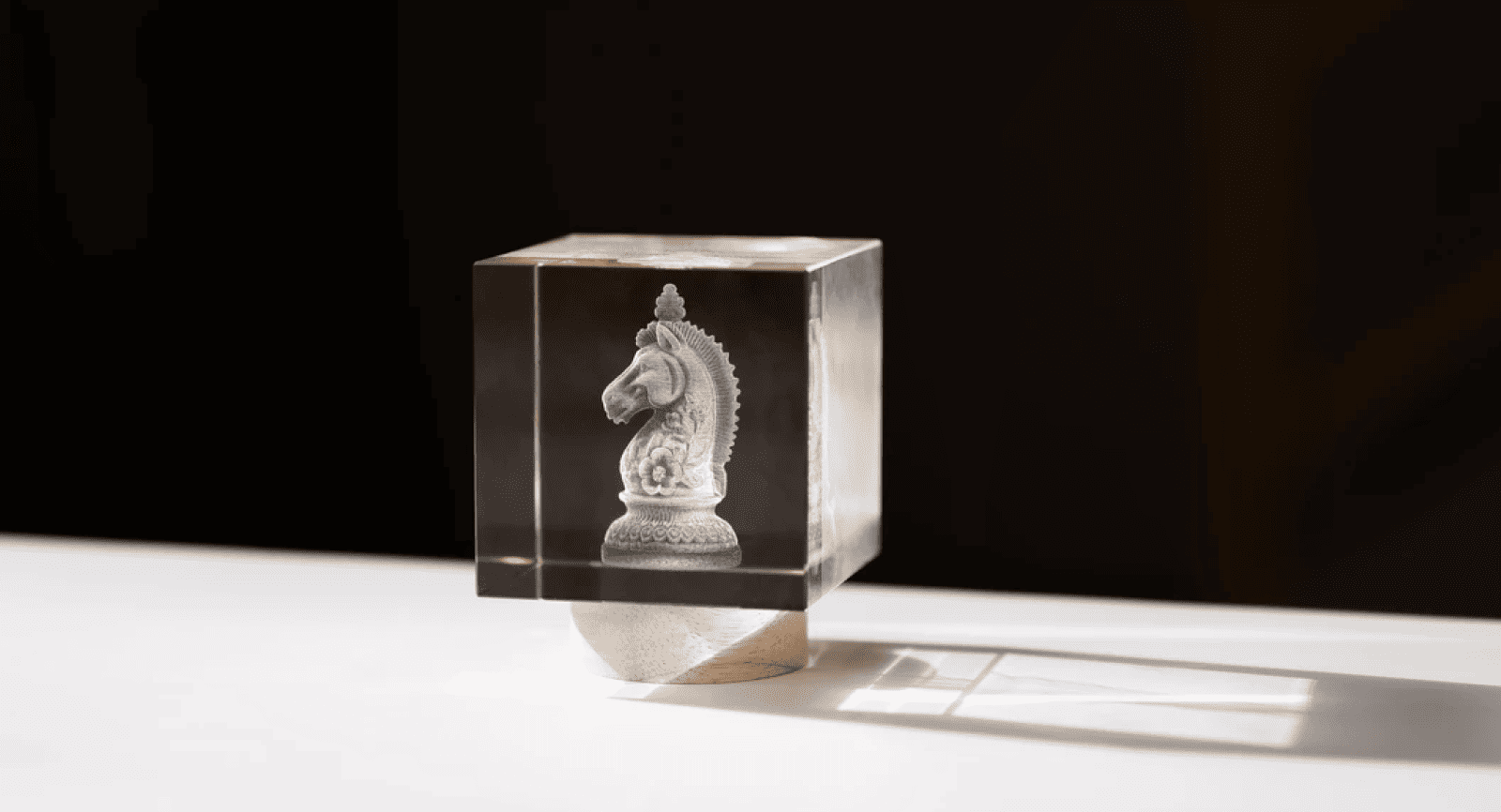
A striking knight chess piece is carved within a transparent acrylic block, emphasizing detailed textures and dimensional contours. This sophisticated design resonates with chess aficionados and serves as a polished gift or workspace decoration for those who appreciate strategic thinking. View knight chess piece in 3D crystal inner engraving!
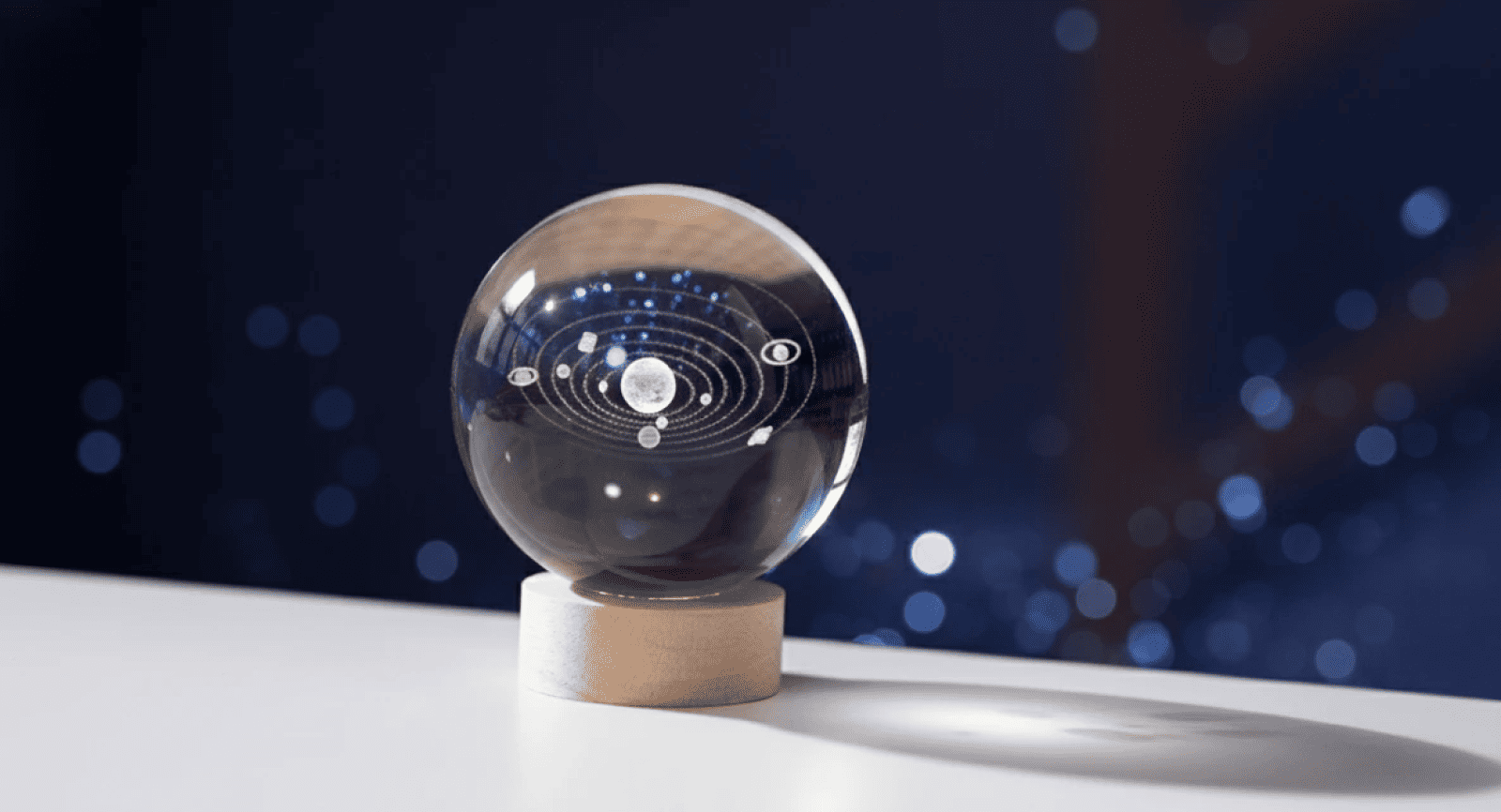
🪐 Crystal Globe Featuring Laser Engraved Solar System
This spherical glass piece presents a laser-engraved solar system displaying planets in harmonious orbital arrangement around the Sun. A mesmerizing fusion of scientific wonder and artistic expression, perfectly suited for space enthusiasts, learning-focused presents, or astronomy-inspired interior design. Discover 3D crystal sphere featuring the solar system!
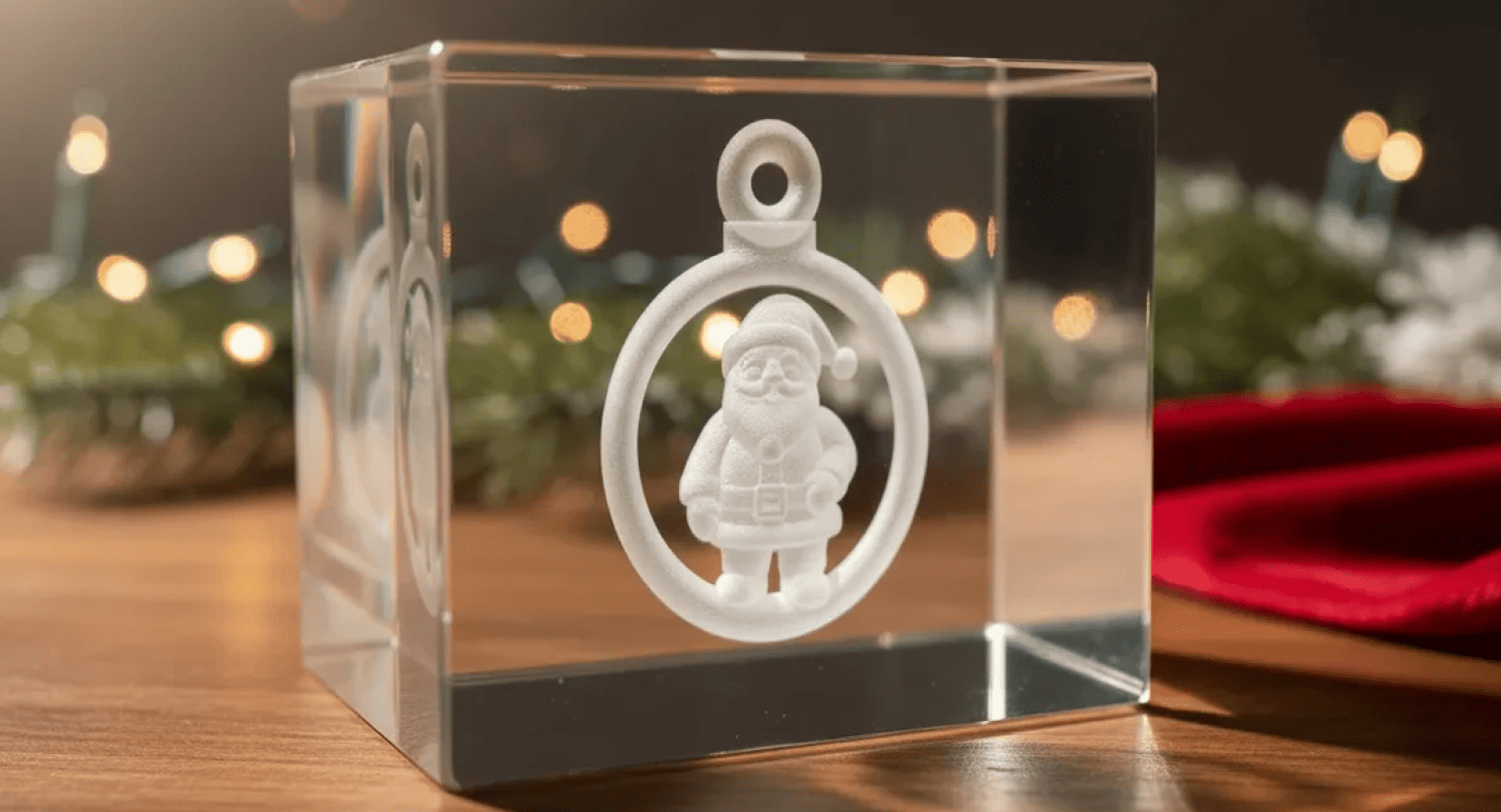
🎅 Santa Claus 3D Inner Engraving
A jovial Santa Claus figure appears within a round ornamental design, laser-engraved into a crystal block. This holiday-themed creation brings festive spirit to any environment and serves as a meaningful seasonal present for Christmas enthusiasts or decorative art collectors. Design your own festive 3D crystal ornament featuring santa claus!
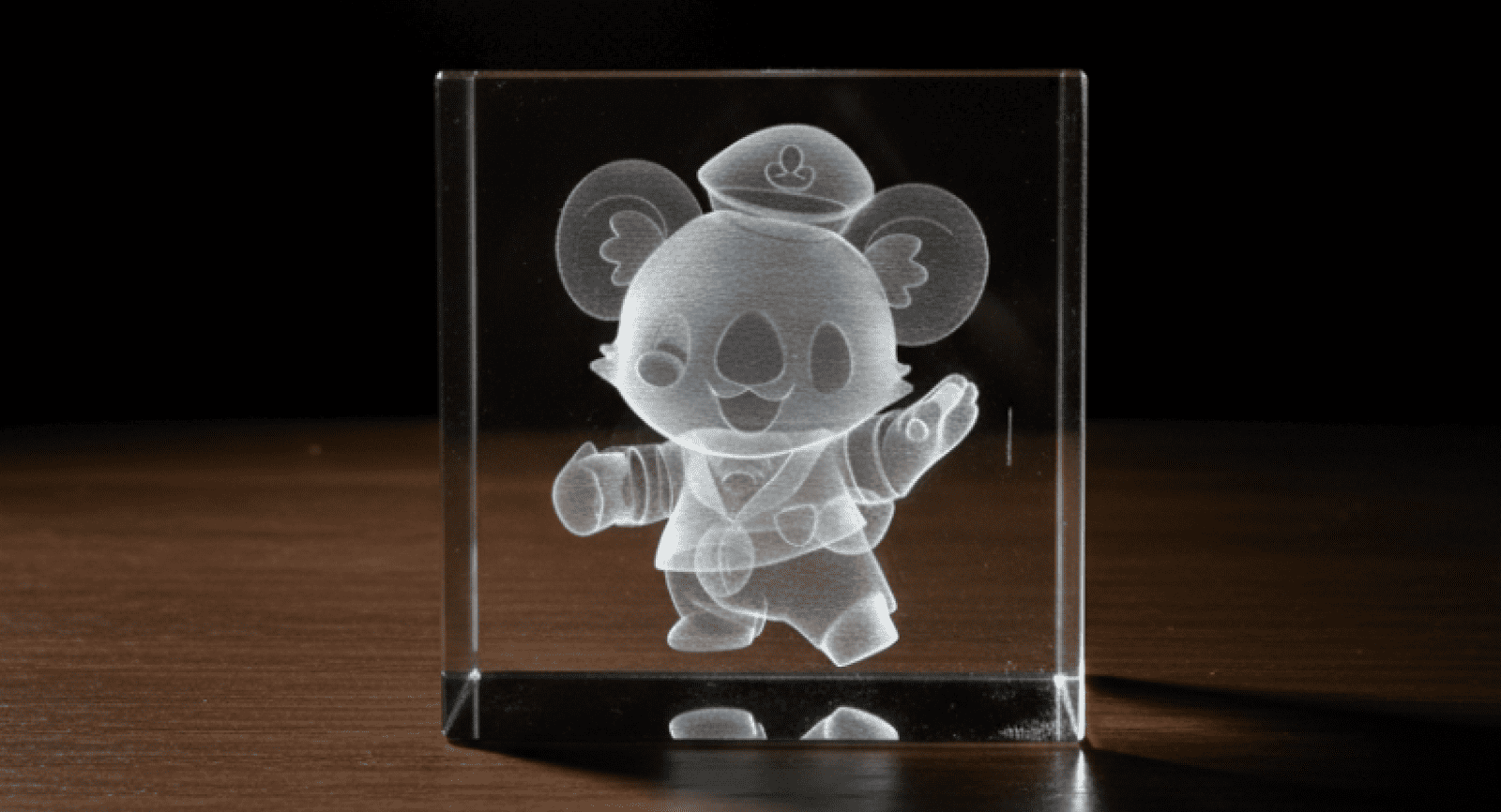
🖼️ Cartoon Koala Figure 3D Crystal Engraving
An adorable koala character is inscribed within a clear crystal block, showcasing costume details and an upbeat expression. Perfect for mascot-inspired engravings, children's presents, or introducing character and charm to personalized crystal artworks. Create your own cartoon koala figure 3D crystal engraving!
Begin Your Creative Journey
We understand the common concern that automation might diminish the value of handcrafted work, but it's essential to recognize that AI isn't designed to replace skilled artisans; rather, it equips them with superior capabilities. Consider it a cutting-edge addition to your creative toolkit, one that manages the complex technical calculations, freeing you to concentrate entirely on the artistic expression that defines your signature style.
Ready to discover how much dimensional richness you can bring to your upcoming creation? Experience the Atomm AI 3D Model Generator now and step into the next generation of 3D crystal inner engraving. Beyond being a powerful tool, Atomm functions as your creative companion—browse innovative concepts, examine stunning examples, and ignite fresh inspiration that will elevate every engraving project you undertake.