2 Your First Design
The core idea is simple: tell Graphic Design what you want to make, or upload an existing image, and it turns that into a design that fits a real craft workflow. The result lands on the canvas, where you can keep adjusting with AI or switch to the more precise canvas tools.
2.1 Three ways to start
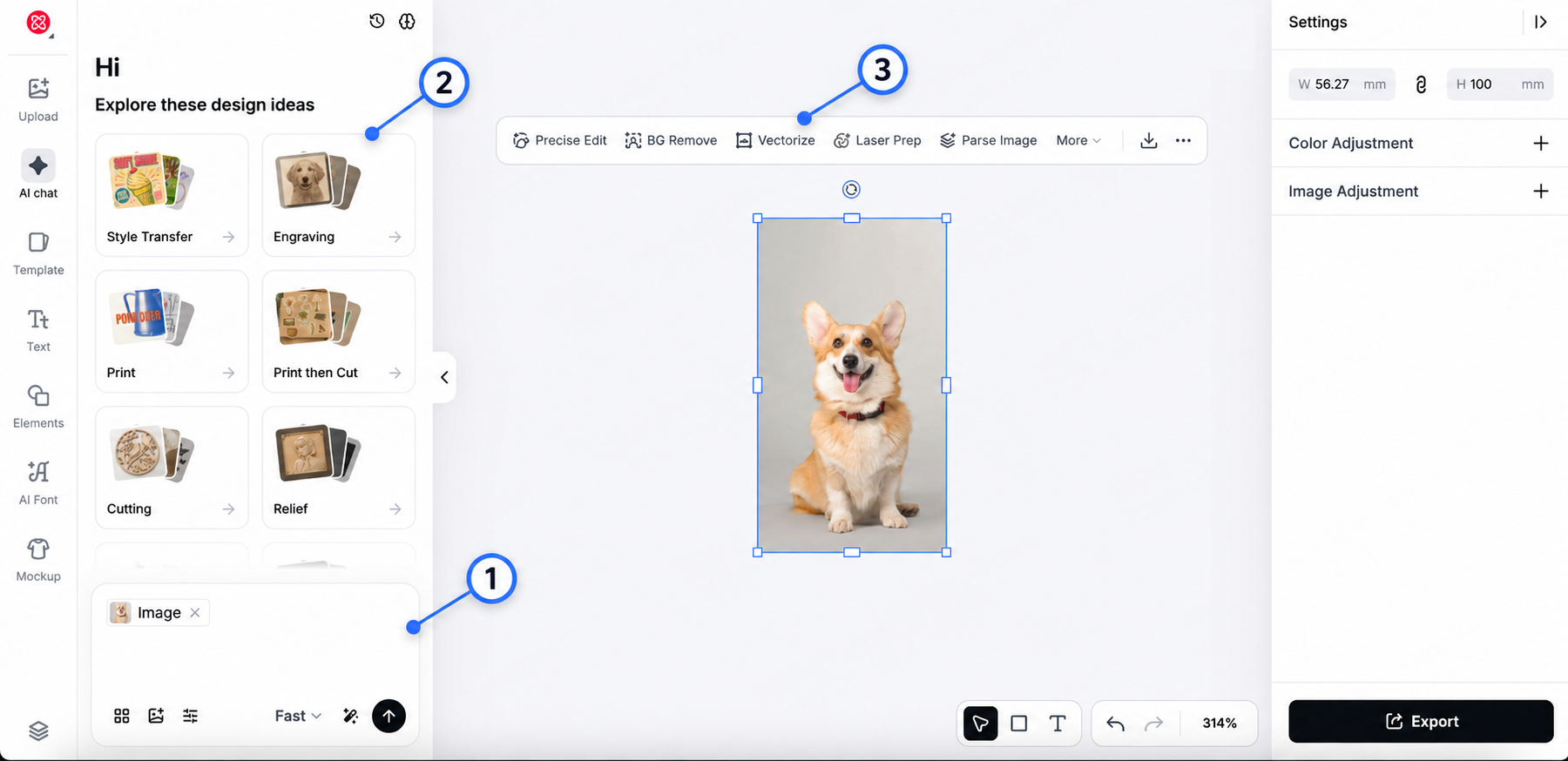
| Entry point | When to use it | How |
|---|---|---|
| ① Chat with the Agent | You have an idea or an image, or you need to keep revising the same design | Describe the result in plain language; attach reference images if you like, then keep refining in the same conversation |
| ② Start from a recipe | You already know the effect or product you want and would rather skip prompt-writing and trial and error | Pick a preset recipe, fill in the required photo, text, subject, or style, and send |
| ③ Edit on the canvas | You already have a result or a ready-made image and need to adjust a specific property or prepare the file for production | Use the image, vector, text, layer, and production tools directly |
2.2 Your first design in four steps
- Describe the result. Open AI Chat and type what you want to make. You can also attach one or more reference images with the image button in the input area.
- Send. The Agent generates the result and places it on the canvas.
- Keep revising in the same conversation. Don't start over each time. Ask it to simplify details, change the style, keep one part, remove the background, or prepare the image for a specific process.
- Prepare or export. When the design is done, use the canvas tools as needed, then export the file or move on to your production software.
A few prompts that work well for a first try:
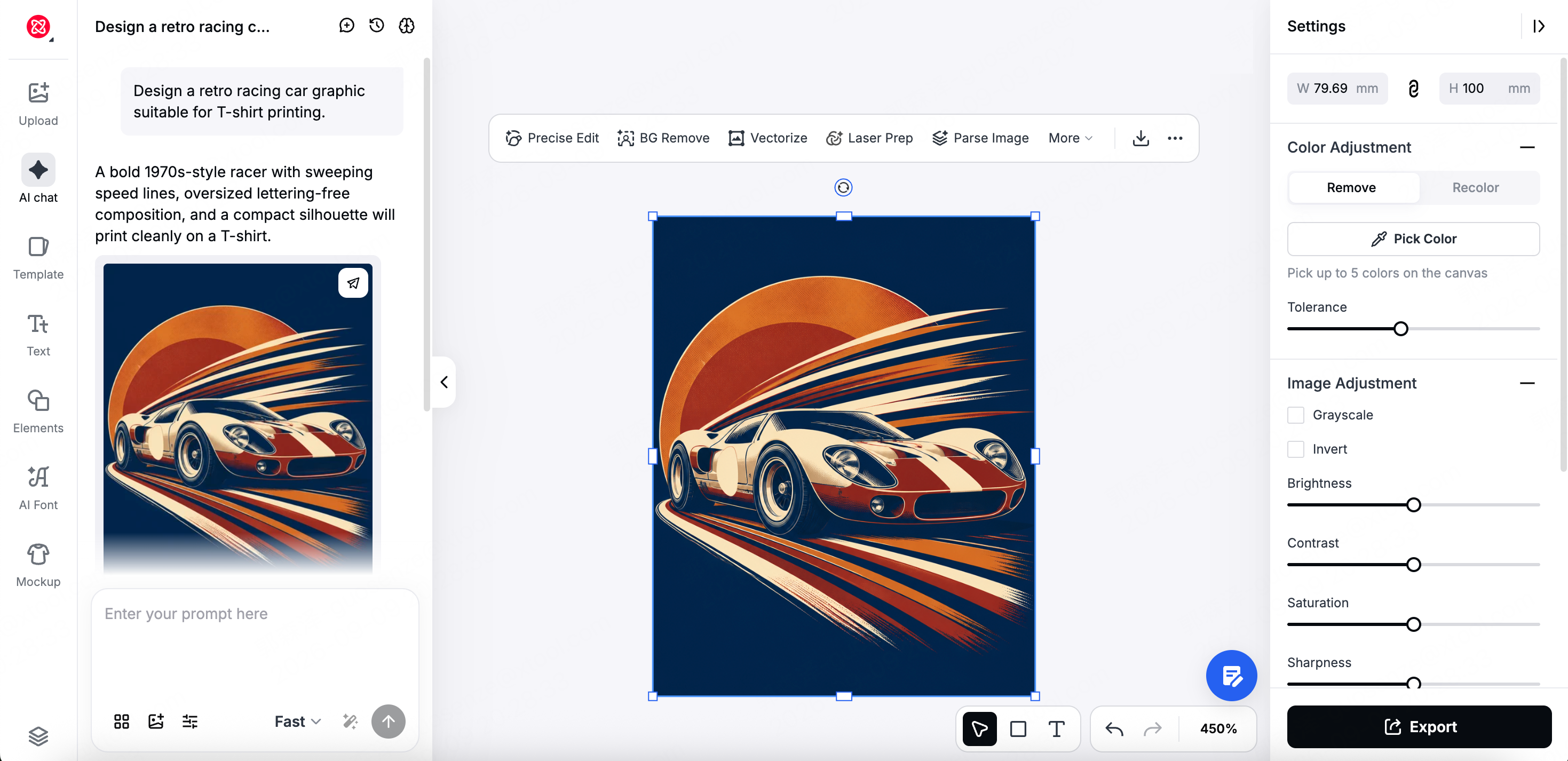
Design a minimalist cat line drawing for engraving on a cup.Design a retro racing car graphic suitable for T-shirt printing.Design a vintage coffee shop logo for engraving on wood.
2.3 Continue the conversation or start a new one?
If you're still working on the same piece, stay in the current conversation — for example to change colors, enlarge text, edit one area, or keep the subject and switch styles. Start a new creation only when the direction has completely changed.
Within one conversation, earlier tasks can keep influencing later results. If the Agent keeps carrying "the ghost of the previous image," it's time to start a new conversation.