


Description
Create Your Stack
What is it?
Create Your Stack is a tool that allows you to create a personalized tag, ornament, wall sign etc.
Just select a shape and enter text, each word on a new line, then choose your font, that's just how easy it is :)
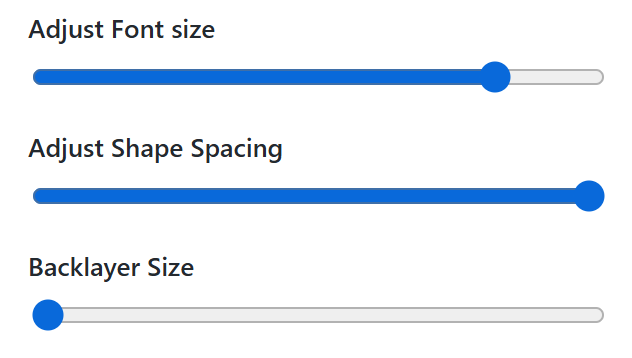
Play around with the fonts, spacing and back layer.
Key Features
Shape Selection: Choose from 20+ shapes
Automatic Text Scaling: Dynamic scaling logic adjusts text size for shorter or longer names.
Manual Size Adjustment: A slider allows manual fine-tuning of the font size.
Dual Modes: Switch between Visual and SVG's (2 vector shapes will appear, ready to engrave and cut)

Live preview: Changes you make are live in the preview window.
SVG Export: Export the final design as an SVG file, or open it directly in Xtool Studio.
How to process in xTool Studio
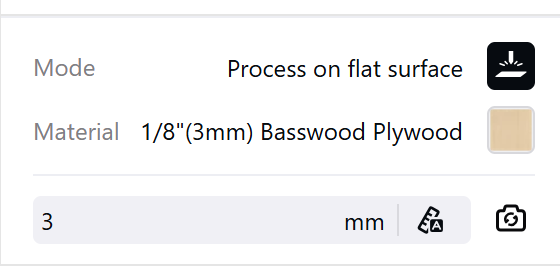
Select material: Choose your material and correct thickness (or auto-measure) in the top-right panel.
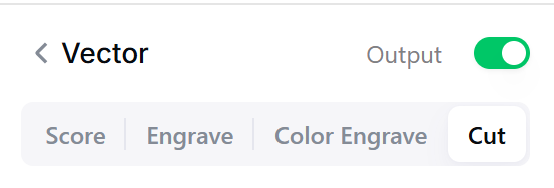
Assign laser operations by color:
Red lines (Cut): Select the red cut lines and set to Cut.
Black elements (Engrave): Select the black text and set to Engrave.
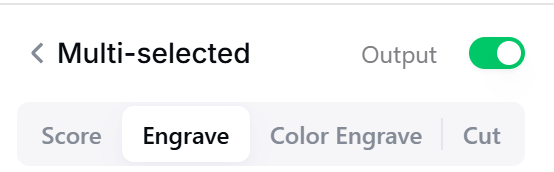
(Tip: you can easily select red and black via the component layers in the bottom-left panel instead).
Process: Frame (optional preview) and send the job to your xTool machine.

'/%3e%3c/g%3e%3cdefs%3e%3clinearGradient%20id='paint0_linear_1737_57170'%20x1='16.5097'%20y1='8.87061'%20x2='16.5097'%20y2='23.3945'%20gradientUnits='userSpaceOnUse'%3e%3cstop%20stop-color='%232E9AFF'/%3e%3cstop%20offset='1'%20stop-color='%233378FF'/%3e%3c/linearGradient%3e%3c/defs%3e%3c/svg%3e)
