
Key Takeaways
- A laser cutter uses a focused beam to slice cleanly through a material — no blade, no contact.
- Three factors decide the cut: power (wattage), kerf (the line width the beam removes), and air assist.
- It cuts wood, acrylic, leather, paper, and fabric; thin metal needs a fiber laser.
- Cut files are closed vector paths (SVG/DXF), not raster images.
- The three main types are diode, CO2, and fiber — CO2 is the go-to for thick wood and acrylic.
A laser cutter is a machine that focuses a laser beam onto a material and moves it along a path to cut all the way through. You load a design, the laser traces the outline, and the beam vaporizes a thin line so the piece drops out. It's how makers turn flat sheets of wood, acrylic, or leather into finished parts.
What is a laser cutter?
A laser cutter turns a digital outline into a physical part. Software sends your design to the machine. The laser head follows the lines and fires a concentrated beam that burns or melts straight through the sheet. The result is a clean, precise edge — no saw, no blade.
It helps to know two related terms:
- Cutting drives enough power into one line to slice the material apart.
- Engraving uses less power to mark the surface only.
Most desktop lasers do both. Change the power and speed and the same machine switches from cutting to marking. If surface detail is your main goal, read our guide to the laser engraver instead.
How does a laser cutter work?
The process is simpler than it looks. Here's the order:
- You create or import a design. Vector outlines cut best. Prep the file first with a tool like Atomm's Laser Prep so the paths are clean.
- Software sets the job. You assign which lines cut and which engrave, plus power and speed.
- The laser fires along the path. A lens focuses the beam to a fine, intense point.
- The beam cuts through. Heat vaporizes a narrow line, and air assist blows away debris.
Thicker material needs more power and slower speed, often over several passes. Thin material cuts in one quick pass. Getting a clean cut is mostly about matching power and speed to the sheet.
The core three: power, kerf, and air assist
Three factors decide whether a cut succeeds:
- Power (wattage). More watts cut thicker material in fewer passes. A small diode handles thin plywood; a 55W CO2 tube slices 20 mm acrylic. Match wattage to the thickest stock you plan to cut.
- Kerf. The beam vaporizes a thin line of material as it travels — that width is the kerf, usually 0.1–0.3 mm. It matters for parts that must fit together: widen slots or offset paths so joints aren't loose.
- Air assist. A jet of air at the nozzle blows away smoke and debris and cools the cut. It delivers cleaner edges, less charring, and full-depth cuts. For cutting, air assist is essential, not optional.
Types of laser cutters
Not all lasers cut the same things. The laser source decides what you can cut and how thick.
Diode laser
The most affordable, compact choice for home makers. Diodes cut thin wood, acrylic, leather, and cardboard, and engrave a wide range of materials. They're slower on thick stock and can't cut metal, but they're a great, low-cost start.

CO2 laser
The workhorse for cutting. A CO2 laser uses a gas tube to power through thick wood, acrylic, and more, with fast, glassy edges. It handles the widest range of non-metal materials, which is why most cutting-focused makers choose one.

Fiber laser
Fiber lasers are built for metal. They cut and mark thin steel, aluminum, and brass with fine detail, so a fiber laser is the pick for metal parts. They aren't suited to thick wood or acrylic.

What can you cut with a laser?
The material and thickness depend on the laser type and power. Common cuts include:
- Wood and plywood — signs, ornaments, model kits, layered art.
- Acrylic — keychains, earrings, edge-lit signs, boxes.
- Leather — wallets, patches, tags.
- Paper and cardstock — invitations, templates, stencils.
- Fabric and felt — appliqué, patches (CO2).
- Thin metal — steel and aluminum parts (fiber laser only).
As a rough thickness guide: a diode cuts up to ~5–10 mm wood, a 55W CO2 laser like the xTool P2 cuts around 20 mm acrylic and 18 mm wood, and a fiber laser cuts thin metal (about 1–2 mm). For material tips, see our guide to the best wood for laser cutting.
Preparing files for cutting
Laser cutters follow vector paths — lines defined by points, not pixels. For a clean cut, those paths must be closed: each outline has to connect end-to-end into a complete loop. An open path leaves a gap, so the part never fully separates from the sheet.
Design or export as SVG or DXF, keep cut lines as thin vector strokes, and put them on a color or layer your software reads as "cut." Raster images like JPG and PNG are for engraving, not cutting. Clean up stray or duplicate paths before you send the job.
How to choose a laser cutter
Match the machine to what you'll cut. Ask five questions:
- What material and thickness? Thin wood and acrylic? A diode works. Thick sheets? Choose CO2. Metal? Choose fiber.
- How big are your parts? Check the work area.
- How much power? More watts cut thicker in fewer passes.
- Is it enclosed? An enclosure and air filter make home use safer and cleaner.
- What's your budget? Diodes start low; CO2 and fiber cost more.
Here are three xTool machines that map to those needs. For a wider, multi-brand comparison, see our roundup of the best laser cutters.
xTool S1
Best for beginners
The xTool S1 is a fully enclosed diode laser, which makes it one of the safest ways to start cutting at home. The cover, class-1 safety rating, and auto-focus take the guesswork out of setup.
It cuts and engraves wood, acrylic, and leather, and the 40W module speeds up thicker cuts. Add the infrared module and it marks metal too.
xTool S1: the do-it-all diode cutter for a first machine.
xTool P2
Best for thick material
The xTool P2 is a 55W CO2 cutter built for power. It slices acrylic up to 20 mm and black walnut up to 18 mm, with fast, polished edges that need little cleanup.
A large bed and dual 16MP cameras make it easy to place designs and run big batches. For serious cutting of wood and acrylic, this is the desktop benchmark.
xTool P2: the CO2 workhorse for thick cuts and glassy edges.
xTool F1 Ultra
Best for metal
The xTool F1 Ultra pairs a 20W fiber laser with a 20W diode laser. The fiber side cuts and marks thin metal; the diode side handles wood and acrylic, so one machine covers both.
At speeds up to 10,000 mm/s, it's fast and compact — a favorite for jewelry, tags, and small metal parts.
xTool F1 Ultra: the dual-laser pick for thin metal plus wood and acrylic.
Laser cutting project ideas to try
Want to see what a laser cutter makes? These are real projects from the Atomm community — each comes with a free, ready-to-make design file.
Layered hummingbird wall art

This piece stacks several cut wood layers into a 3D hummingbird-and-hibiscus scene. Layered art is a perfect way to learn precise cutting — every layer has to line up. Cut the shapes, paint or stain them, then glue the stack for depth.
Get this design free →Deer forest shadow box lantern
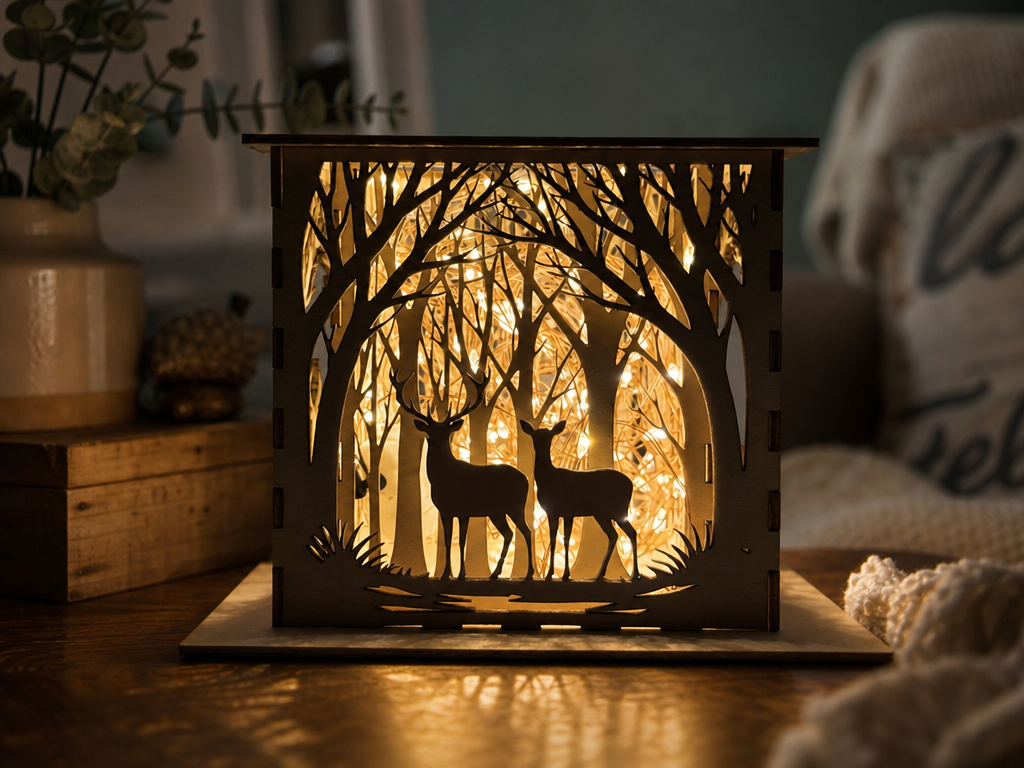
Nested cut panels build a glowing forest scene when lit from behind. Shadow boxes show off clean, repeatable cuts and simple slot-together assembly. Designed for 3 mm material, it's a rewarding evening build with a big visual payoff.
Get this design free →Electric guitar dangle earrings
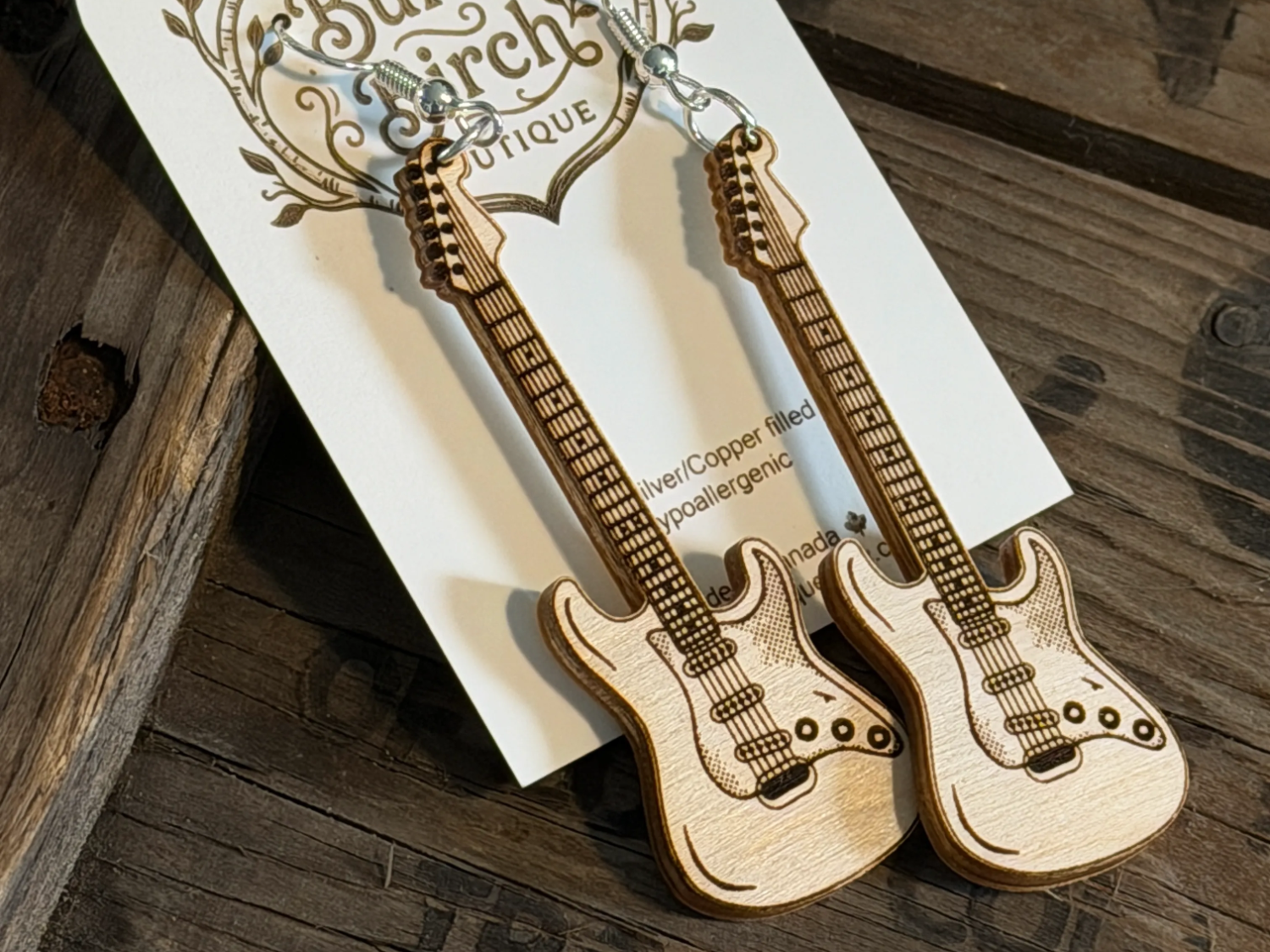
Tiny acrylic guitars prove how fine and detailed laser cutting gets. Small jewelry parts need crisp edges and accurate holes for the findings. Cut a whole set in minutes and mix colors for a quick, sellable product.
Get this design free →Miniature scale model
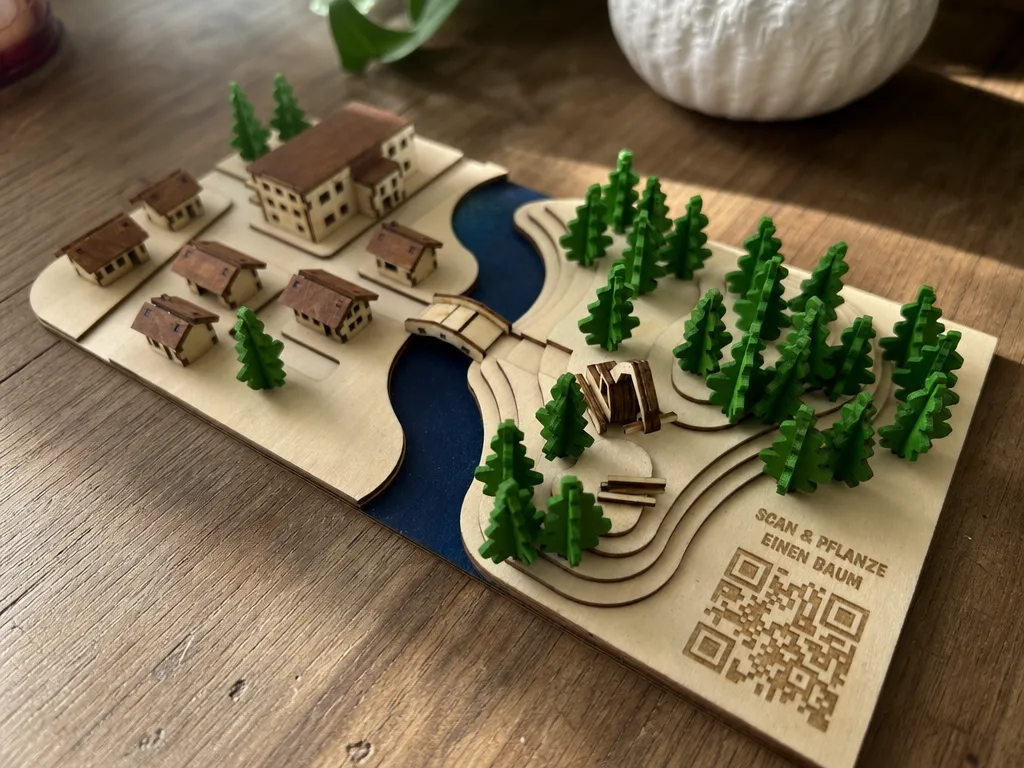
This flat-pack miniature cuts dozens of interlocking plywood parts that assemble into a detailed model. Kits like this rely on tight tolerances — the joints only work if the cuts are exact. It's a great test of a CO2 cutter's precision.
Get this design free →The bottom line
A laser cutter turns flat sheets into finished parts with clean, precise edges. Pick the laser type that matches your material — diode for thin wood and acrylic, CO2 for thick cuts, fiber for metal — start with a vector design, and you can make signs, jewelry, models, and more. If you also want automated, motion-controlled precision, it's worth learning how a CNC laser approaches the same job. Ready to try? Grab a free, ready-to-make design and start cutting.
Frequently asked questions about laser cutters
What is the difference between a laser cutter and a laser engraver?
They're usually the same machine. Cutting uses more power and slower speed to slice through; engraving uses less power to mark the surface. You switch between them in the software.
Can a laser cutter cut metal?
A fiber laser cuts thin metal like steel and aluminum. Diode and CO2 lasers cut wood, acrylic, and other non-metals, but not bare metal.
How thick can a laser cutter cut?
It depends on power and material. A 55W CO2 laser cuts acrylic up to about 20 mm and wood up to about 18 mm. Diode lasers handle thinner stock.
Is a laser cutter safe to use at home?
Yes, with the right setup. Choose an enclosed machine, wear the safety glasses provided, and vent or filter the fumes. Enclosed desktop models are made for home use.
What file types do laser cutters use?
Most use vector files like SVG or DXF for cut paths, plus images for engraving. The machine's software imports the file, then you assign cut and engrave settings.
Ready to make something?
Turn any idea into a ready-to-cut layered design — or generate your own artwork in seconds.