
Most printers only print on flat paper or fabric. A UV printer prints full color straight onto a phone case, a tumbler, a wooden sign, or a sheet of acrylic — and the ink is dry the instant it lands.
This guide explains what a UV printer is, how UV curing actually works, what you can print with one, what it costs to run, and which machines are worth looking at at each budget.
Design print-ready art for freeBrowse Atomm's free generators for print-ready artwork, from stickers to full graphics.Explore generatorsKey Takeaways
- A UV printer is an inkjet printer that cures its ink instantly with UV light instead of letting it soak in and dry.
- Because the ink hardens on contact, it prints on hard, non-absorbent surfaces — glass, metal, acrylic, wood, and plastic.
- Desktop models start around $1,700–$2,300; professional flatbeds run $9,000–$22,000+.
What Is a UV Printer?
A UV printer is a digital inkjet printer that uses ultraviolet-curable ink. Instead of drying by evaporation or soaking into paper, the ink is hit with UV light the moment it hits the surface and hardens immediately.
That single difference changes what you can print on. Ordinary ink needs a surface that absorbs it; UV ink does not, so it sits and cures on top of glass, metal, acrylic, wood, leather, and plastic.
Most desktop UV printers are flatbed machines: the object sits still on a bed and the printhead passes over it. That is why they are often called direct-to-object printers.
How Does a UV Printer Work?
The process is inkjet printing with one extra step bolted on:
- The object is placed on the bed. Height is set so the printhead clears the surface by a millimeter or two.
- The printhead jets ink. Tiny droplets of CMYK ink — plus white and often gloss varnish — are sprayed onto the surface.
- UV LEDs cure it instantly. Lamps mounted beside the printhead follow each pass, hardening the ink in a fraction of a second — the same ultraviolet light used for curing in other trades.
- The next layer goes down. Because each pass is already dry, layers can stack for texture, raised effects, or opaque white underneath.
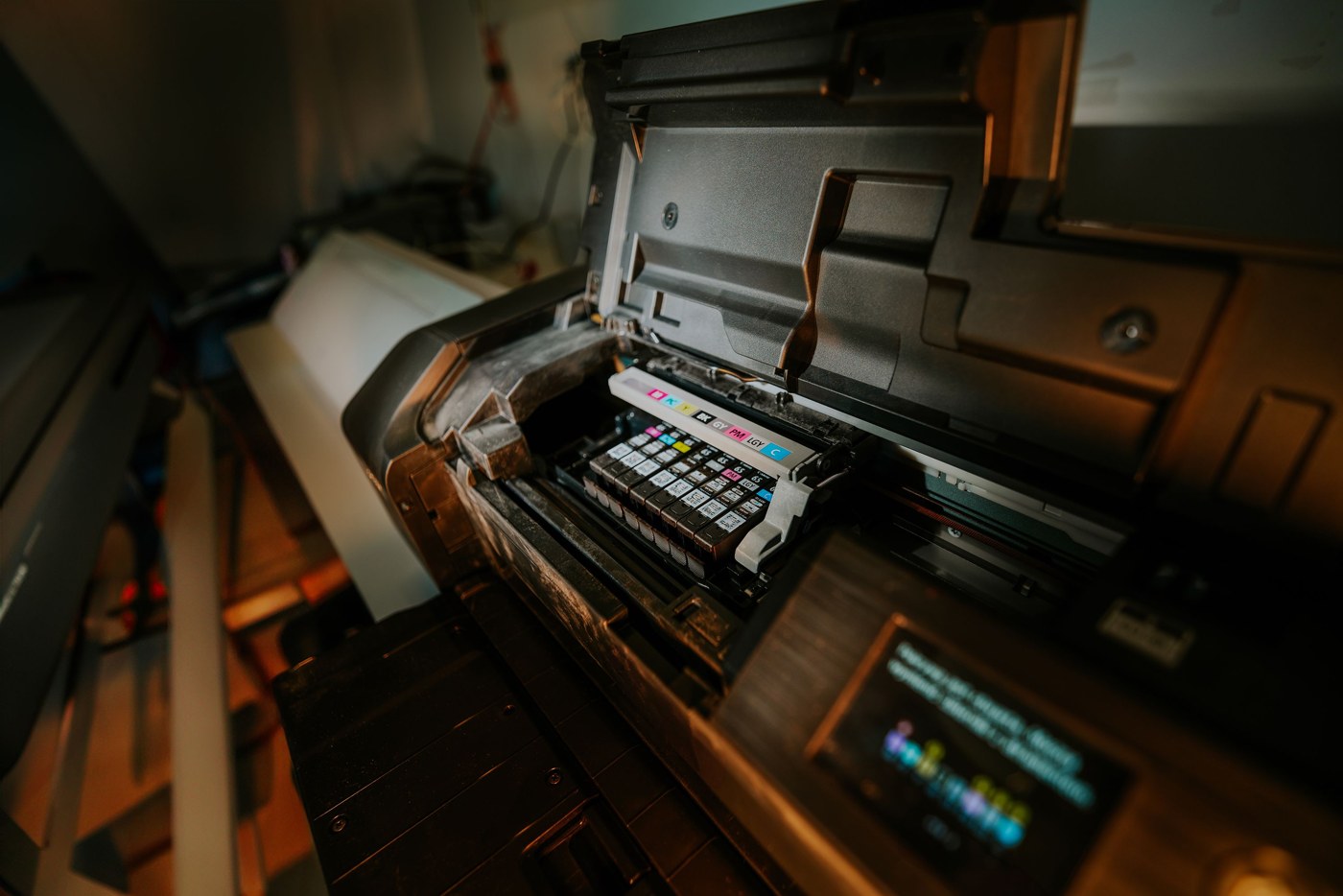
The white ink layer matters more than beginners expect. On a dark or clear object, a white base is printed first so the color on top stays accurate instead of turning muddy.
Because curing is instant, a finished piece comes off the bed ready to handle — no drying rack, no heat press, no waiting.
What Can You Print With a UV Printer?
- Phone cases and tech accessories — full-color art printed directly on the shell.
- Drinkware — tumblers and bottles, usually with a rotary attachment for the curve.
- Signs and plaques — acrylic, wood, and metal, including raised or textured effects.
- Promotional items — pens, keychains, USB drives, and packaging.
- UV DTF stickers — transfers that wrap onto curved items a flatbed cannot reach.
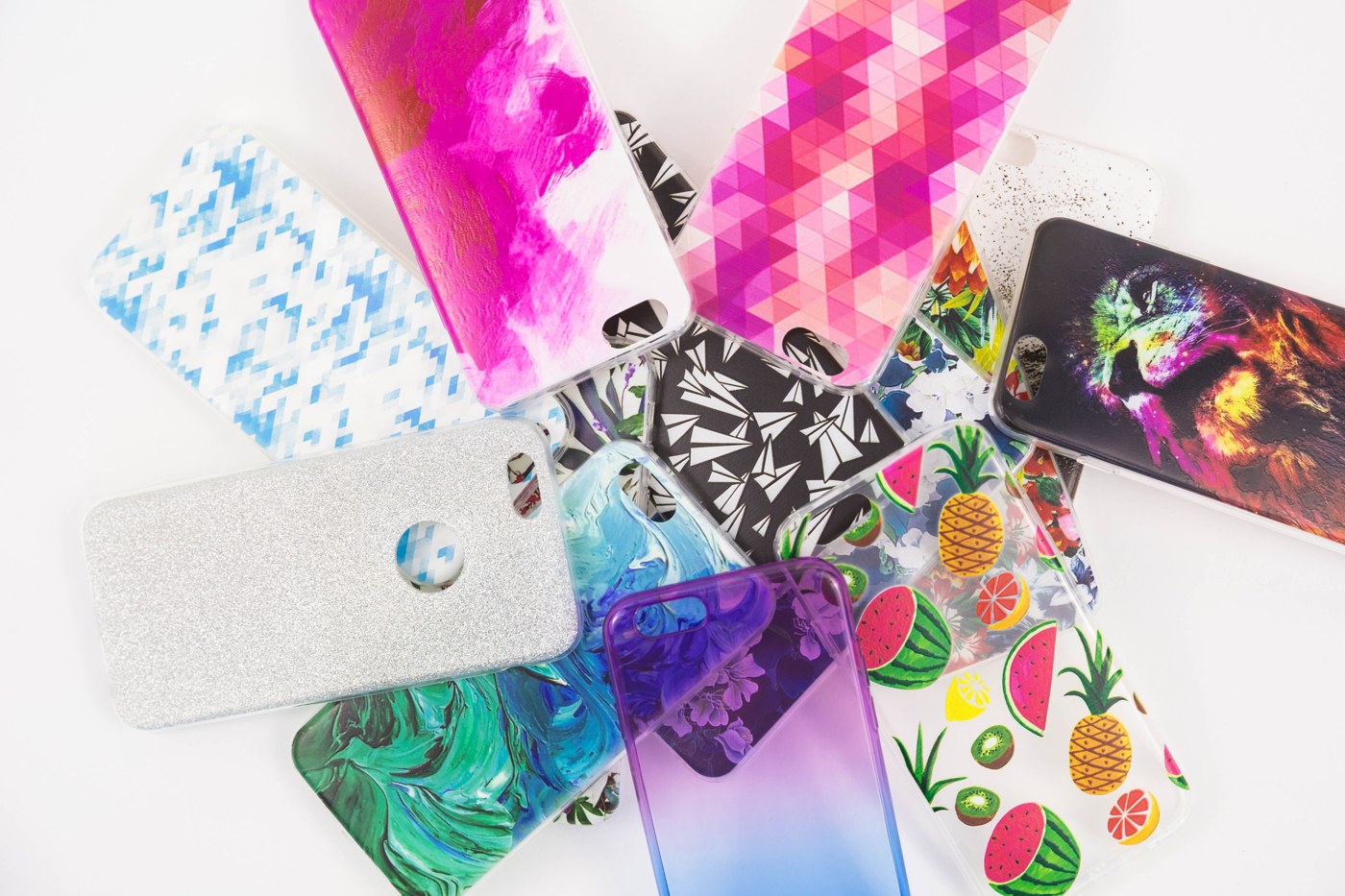
The main limit is thickness and shape. Most desktop models take objects up to roughly 2–6 inches tall, and a flat or gently curved face prints far more reliably than a sharply rounded one.
UV Printer vs. Sublimation, DTF, and UV Laser Engraving
| Method | Prints On | Full Color? | Best For |
|---|---|---|---|
| UV printer | Hard surfaces: glass, metal, acrylic, wood, plastic | Yes, plus white and gloss | Objects and signage |
| Sublimation | Polyester fabric and poly-coated blanks only | Yes, but no white ink | Mugs and polyester apparel |
| DTF transfer | Almost any fabric, including dark cotton | Yes, with white base | Apparel |
| UV laser engraving | Marks the material itself, no ink | No — single tone | Permanent marks on glass and metal |
The distinction that trips people up most is printing versus engraving. A UV printer lays colored ink on the surface; a UV laser engraver uses a cold laser beam to alter the material itself, leaving a permanent single-tone mark.
UV DTF is a hybrid worth knowing about: the design is printed onto film and applied as a sticker, so it wraps around curves a flatbed cannot print on directly. We cover it in our guide to DTF and UV DTF printing.
Pros and Cons of UV Printing
Pros
- Prints on materials no other desktop printer can handle.
- Ink cures instantly — no drying time, no transfer step.
- Full color including white and gloss varnish.
- Prints are scratch-resistant and hold up outdoors.
Cons
- Machines cost far more than a sublimation or inkjet printer.
- UV ink is expensive and printheads need regular maintenance.
- Object height and shape limit what fits on the bed.
- Ink sits on top, so it can chip on flexible or high-wear surfaces.
How Much Does a UV Printer Cost?
UV printers span a wide range, and the machine is only part of the cost. Here is roughly what each tier buys:
| Tier | Typical Price | Print Area | Who It Suits |
|---|---|---|---|
| Compact desktop | $1,700–$2,300 | A5 to small A4 | Side businesses and one-off custom work |
| A3 desktop flatbed | $3,500–$6,500 | A4 to A3 | Small shops running daily orders |
| Professional flatbed | $9,000–$15,000 | A3+ with higher build quality | Print shops needing reliability |
| Industrial flatbed | $20,000+ | Precision small-format | Production runs and tight tolerances |
Running costs
UV ink typically runs $150–$300 per liter, noticeably more than sublimation or DTF ink. A small item like a phone case usually uses only a few cents of ink, so ink cost per piece stays low.
The bigger ongoing cost is maintenance. UV ink cures on contact, so printheads must be cleaned and capped properly or they clog — and a replacement printhead can cost several hundred dollars.
1. xTool O1 Omni Printer
Best all-in-one starter
The O1 Omni is a desktop UV printer built around switching modes rather than committing to one. Depending on the edition you buy, the same machine handles UV, UV DTF stickers, and fabric transfers.
At $1,699 for the single-UV edition it is the cheapest entry on this list, which makes it the easiest way to find out whether direct-to-object printing actually fits your product range.
Pros
- Lowest entry price here
- Multiple editions, including fabric transfer
- Compact enough for a desk
Cons
- Max object height is not published, unlike rival flatbeds
- Newer machine with a smaller user community
- Bundles add up quickly
xTool O1 Omni Printer: the most flexible way to start, especially if you are not yet sure which printing type you need.
2. Procolored V4
Cheapest true flatbed
The V4 is a stripped-back A5 flatbed aimed squarely at small objects — phone cases, keychains, badges, and card-sized signage. The bed is small, but so is the price.
It is a single-printhead machine, so it is slower than dual-head models, which matters more when you are producing batches than when you are printing one-offs to order.
Pros
- Genuine flatbed at a low price
- Small footprint
- Well suited to phone cases and small blanks
Cons
- A5 bed limits product size
- Single printhead means slower output
- Needs regular head maintenance
Procolored V4: a sensible pick if your products are consistently small and you want a dedicated flatbed.
3. Procolored VF13 Pro Panda
Best for UV DTF stickers
This one does not print on the object at all. It prints onto film, producing UV DTF transfers you peel and press onto a surface — including curves and edges a flatbed cannot reach.
For anyone selling logo stickers, bottle wraps, or decals, that sidesteps the biggest limitation of flatbed UV printing: the object no longer has to fit on a bed.
Pros
- Decorates curved and irregular objects
- Roll-fed, so it scales to volume
- A3+ width handles large designs
Cons
- Transfers, not direct printing
- Higher price than desktop flatbeds
- Film and varnish are ongoing costs
Procolored VF13 Pro Panda: the right machine if wrapping curved objects matters more to you than printing directly.
4. Epson SureColor V1070
Best build quality
The V1070 is Epson's desktop UV flatbed, using its own PrecisionCore printheads and UltraChrome UV ink rather than the third-party components common at lower price points.
You are paying for consistency and support: fewer clogs, a proper service network, and color that holds steady across a production run rather than drifting between jobs.
Pros
- Epson printheads, ink, and service backing
- Includes white and varnish channels
- Reliable enough for daily production
Cons
- Roughly four times the price of a desktop model
- Larger footprint
- Overkill for occasional printing
Epson SureColor V1070: the sensible upgrade once downtime costs you real money.
5. Mimaki UJF-3042 MkII e
Best for precision production
The UJF-3042 MkII e is the industrial option: a compact but genuinely production-grade flatbed that accepts objects up to six inches thick — far beyond what desktop machines allow.
It is aimed at businesses printing the same item repeatedly to a fixed standard, where registration accuracy and repeatability justify the price several times over.
Pros
- Accepts objects up to 6″ thick
- High registration accuracy
- Built for continuous production
Cons
- MSRP excludes ink, install, and training
- Requires dedicated floor space
- Far beyond hobbyist budgets
Mimaki UJF-3042 MkII e: worth quoting only when UV printing is already a core part of your business.
How to Choose a UV Printer
Work backwards from the object you actually want to print:
| If you want… | Best fit |
|---|---|
| To test UV printing without a big outlay | xTool O1 Omni |
| A dedicated flatbed for small items | Procolored V4 |
| To decorate curved objects like bottles | Procolored VF13 Pro Panda |
| Reliability for daily shop production | Epson SureColor V1070 |
| Thick objects and repeatable production runs | Mimaki UJF-3042 MkII e |
Three specs decide most purchases: the bed size, the maximum object height, and whether it has a white ink channel. Skip white ink and you are limited to printing on light-colored surfaces.
If your products are mostly flat and light-colored, a cheaper machine will do. Curved, dark, or thick objects are what push you up a tier.
Want the models compared side by side on print area, object height, and ink channels? See our roundup of the best UV printers.
Conclusion
A UV printer is defined by one thing: ink that cures the instant it is lit rather than drying by soaking in. That is what lets it print on glass, metal, and plastic.
The same property creates its one real limitation. Because nothing is absorbed, adhesion depends entirely on the surface, and slick materials often need a primer first.
When comparing machines, check bed size, maximum object height, and whether white ink is included — those three specs decide what you can actually sell.
Frequently Asked Questions about UV Printers
Is UV printing waterproof?
Yes. Cured UV ink is water-resistant and holds up outdoors, which is why it is used for signage. It can still be scratched or chipped off with enough abrasion, especially on flexible surfaces.
Can a UV printer print on fabric?
Not well. UV ink cures on top of the surface, so on fabric it feels stiff and cracks when the material flexes. For apparel, DTF or DTG printing gives a much softer, more durable result.
Do I need white ink?
If you print on dark, clear, or colored objects, yes. White ink is laid down first as a base so the colors above it stay accurate. Without it, colors sink into whatever is underneath.
How much does UV ink cost to run?
UV ink typically runs $150–$300 per liter, but coverage per item is small, so a phone case costs only cents in ink. Printhead maintenance and replacement are the bigger long-term expense.
Is a UV printer the same as a UV laser engraver?
No. A UV printer sprays colored ink onto a surface and cures it. A UV laser engraver uses a laser beam to mark the material itself, producing a permanent single-tone result with no ink involved.
Got a design ready to print?
Create print-ready artwork for free with Atomm, or let AI turn your idea into a design.
