![[Laser cut and engrave] Clean Burn Marks on Wood with F2 Ultra UV](https://storage-us.atomm.com/resource/xtool/community/attachment/xtool-community/2a2e7ada-7a7f-4d2e-b19f-c273f7825f35.jpg?x-oss-process=image/resize,w_1200,h_900,limit_0/interlace,1/format,webp/auto-orient,1)
Clean Burn Marks on Wood with F2 Ultra UV
 Instruction


Information
I saw a post where the F2 Ultra UV was used to clean burn marks from wood that was already cut with a diode laser. It sounded like a great idea, so I decided to try it myself! 🤔
Instruction
Step1: Cutting the Wood with F1 Ultra


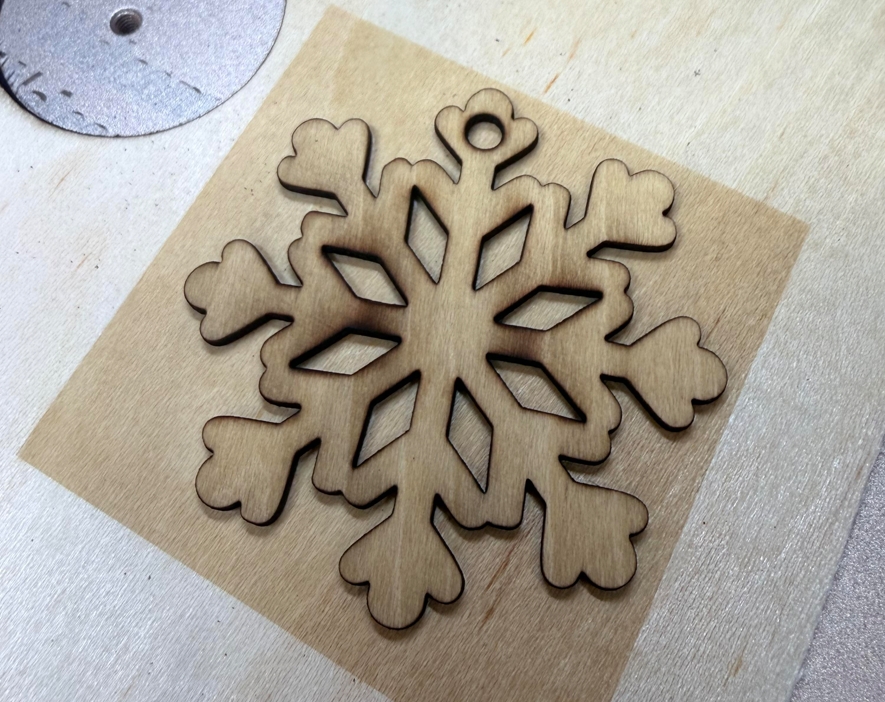
I started by cutting several woods using the F1 Ultra with the recommended cutting parameters in the software.
During the cut, I noticed clear burn marks and sparks, which are because of thermal scorching, I really hate this kind of charred black color!
Step2: Cleaning the Burn Marks with F2 Ultra UV
Next, I switched to the F2 Ultra UV to clean up the burn marks. I casually drew a cube over the snowflake and began the engraving process.
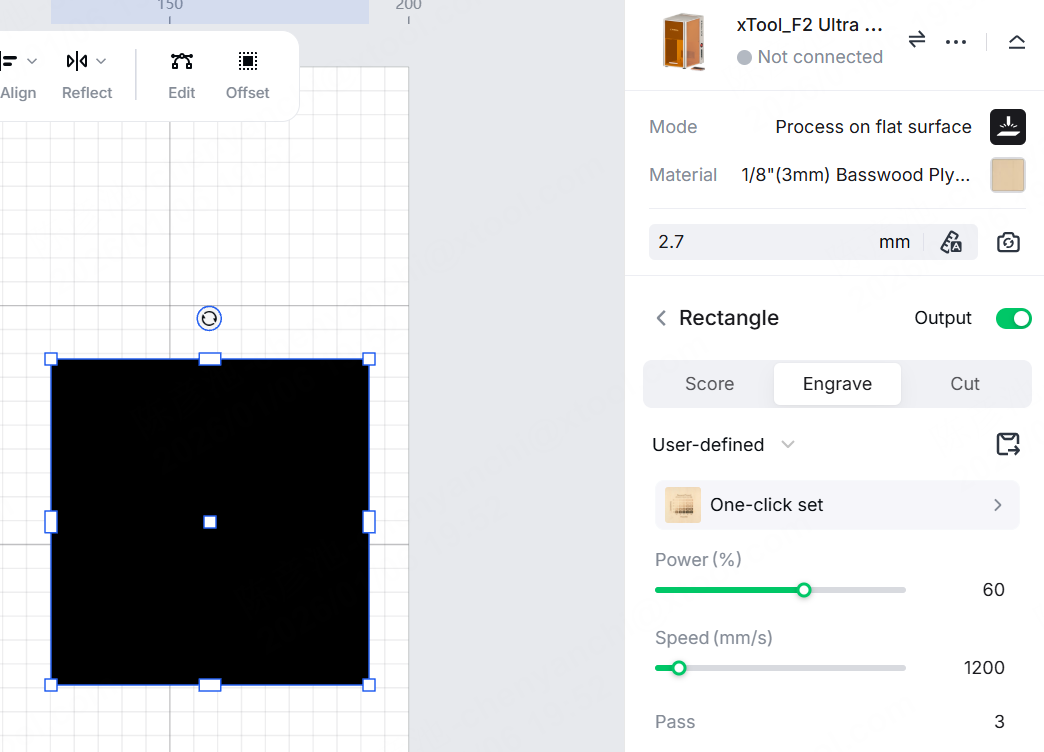
At first, I used someone else's repair settings. I processed the wood once, but there wasn't much change. After 3 more attempts, the wood seemed to be engraved, turning slightly yellow. So, I started experimenting with adjusting the settings.
After several attempts, I finally found the trick to avoid turning yellow: Lowered the power & Increased the speed. These changes helped a lot with reducing the yellowing effect.
Final parameters I used:
👉 Power: 60 👉 Speed: 1200 👉 Passes: 3
As you can see, the color of the cube engraving is much lighter compared to the previous one.
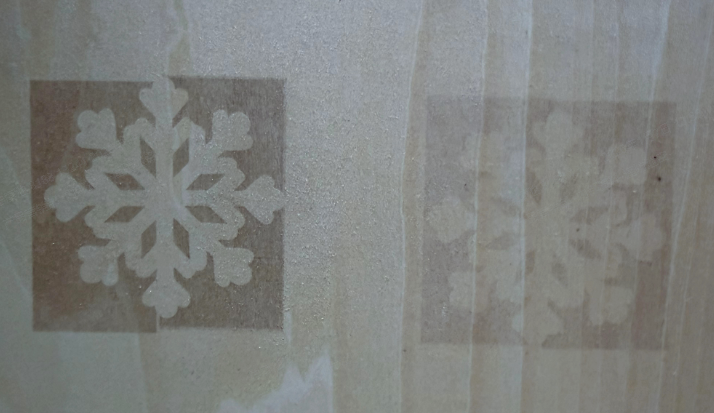
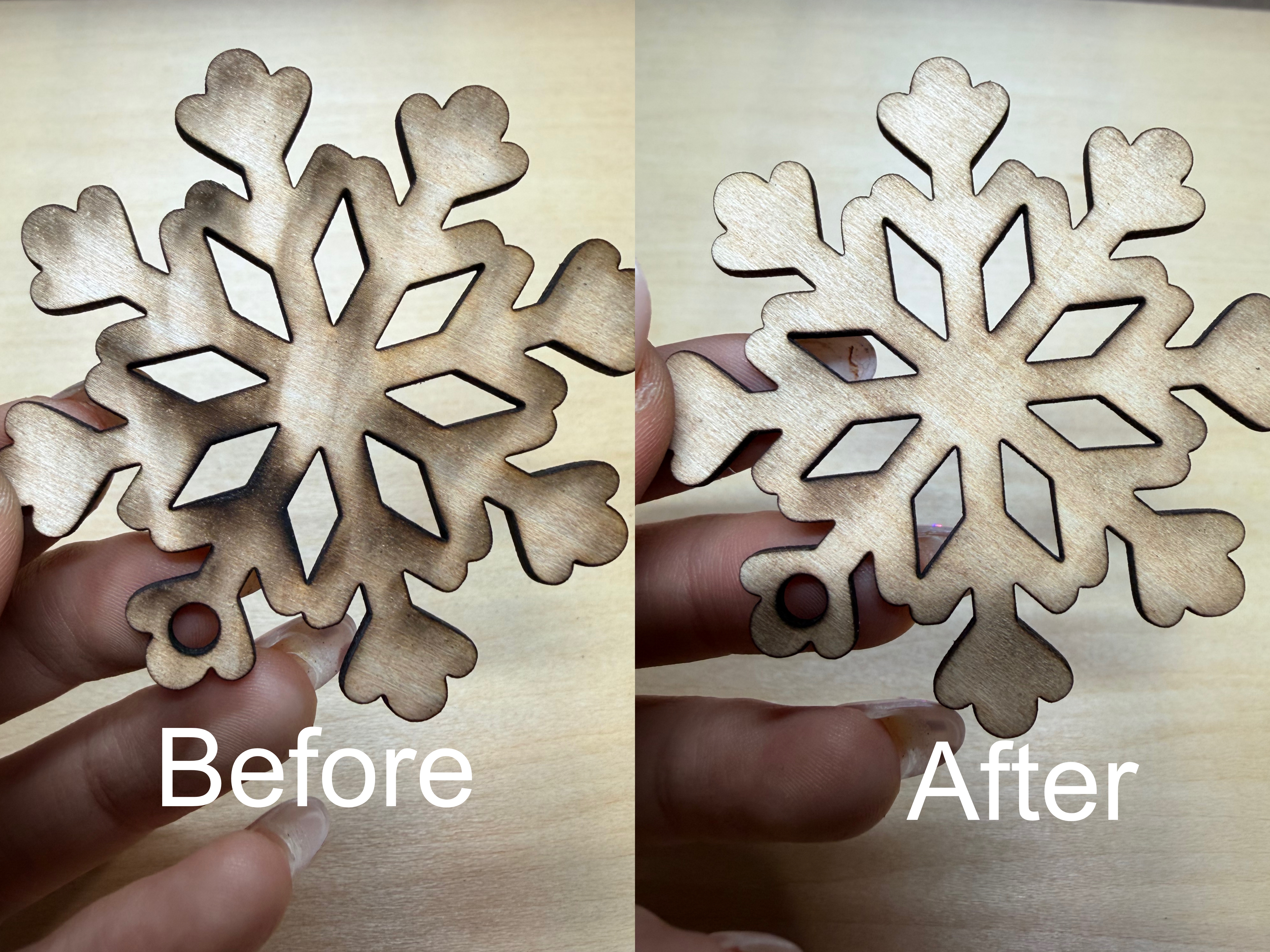
I'm excited to see the final results with my adjustments!! Below is a comparison before and after the clean.
Step3: Review and Reflection
This method saved a lot of sanding and cleaning time and gave me a more even color. I guess It’s especially useful for thin or delicate parts where polishing might damage edges or fine details.
However, a few things to note: There may still be a slight color change, and overly burned areas can’t be fully removed.
Step4: Bonus: Try Direct UV Cutting


I also cut a snowflake using only the F2 Ultra UV directly, and the results were incredibly clean. The cutting surface showed the natural wood texture without any burn marks, and the efficiency was much higher compared to any other method. I absolutely love how F2 Ultra UV handles wood!