











































![[Laser cut and engrave] Laser Cut Wooden Christmas Ornament with Cute Angry Sheep and Text](https://storage-us.atomm.com/resource/xtool/community/attachment/xtool-community/6f5a80b8-d2da-4dc8-8eb4-38b6968559fa.JPG?x-oss-process=image/resize,w_1200,h_900,limit_0/interlace,1/format,webp/auto-orient,1)
![[Laser cut and engrave] Laser Cut Wooden Christmas Ornament with Cute Angry Sheep and Text](data:image/png;base64,iVBORw0KGgoAAAANSUhEUgAAAAoAAAAKCAYAAACNMs+9AAAAAXNSR0IArs4c6QAAABdJREFUKFNjZCASMBKpjmFUId6QIjp4AAppAAuXjCs4AAAAAElFTkSuQmCC)
![[Laser cut and engrave] Laser Cut Wooden Christmas Ornament with Cute Angry Sheep and Text](https://storage-us.atomm.com/resource/xtool/community/attachment/xtool-community/6f5a80b8-d2da-4dc8-8eb4-38b6968559fa.JPG?x-oss-process=image/resize,w_200,h_150,limit_0/interlace,1/format,webp/auto-orient,1)
![[Laser cut and engrave] Laser Cut Wooden Christmas Ornament with Cute Angry Sheep and Text](https://storage-us.atomm.com/resource/xtool/community/attachment/xtool-community/0986900f-0d12-4187-a18e-0a00f114e24d.JPG?x-oss-process=image/resize,w_200,h_150,limit_0/interlace,1/format,webp/auto-orient,1)
Grumpy sheep Christmas ornament
 Instruction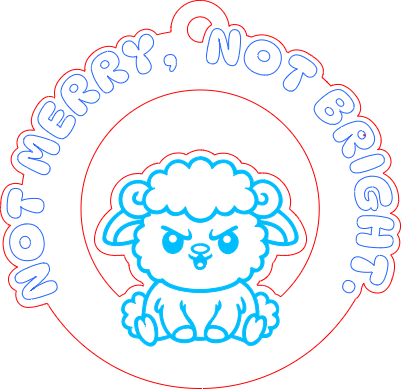


Information
A hand painted ornament with a funny grumpy sheep - Not merry, not bright.
Instruction
Step1: Score, engrave and cut

Use my settings to get the same results - score, engrave and cut the design. You can resize it, just make sure that the hole at the top is still enough.
The scoring can be higher a bit, I found it a bit hard to keep the lines when I painted, but I did not want to have harsh lines there. Up to you.
I am using M1 10W machine with riser base.
Step2: Sand it

If it get a bit blurry, its good to sand the edges, and even the front and back side a bit. I am leaving some parts natural for this design, so I wanted to make sure that it is clean.
Step3: Paint


I use Posca pens to paint the colors. You can use fine or medium tip ones, and choose your favorite colors.
I let the background as is, but you can paint that too.
Step4: Add hanger, and you are ready to use

I don't think we need to make it waterproof, but you can add a clear coat to it. I skipped that step, and added twine, and that's it.
Share the picture, if you made it too :)


