
The xTool O1 Omni is a desktop 4-in-1 printer that combines UV, UV DTF, DTG (direct-to-garment), and DTF (direct-to-film) printing in a single machine. Unlike xTool’s laser engravers, the O1 Omni lays down full-color CMYK ink — plus white and a 3-in-1 varnish for matte, gloss, and foil effects — so it can print vivid, photo-realistic designs directly onto acrylic, wood, metal, glass, ceramic, and fabric. It launched globally in July 2026. This guide covers what the O1 Omni is, what it costs, what it can print, and how to set it up and use it.
Key takeaways: The xTool O1 Omni is the brand’s first UV printer — a 4-in-1 system (UV / UV DTF / DTG / DTF) that prints full color on rigid goods and apparel. It uses Epson F1080 printheads at 720×1440 dpi, a built-in vision system for placement, and 3-in-1 varnish for matte, gloss, and foil. Pricing starts around $2,499 (Single UV Edition). See what owners make in the xTool O1 Omni project gallery.

What is the xTool O1 Omni?
The xTool O1 Omni is a desktop UV and fabric printer — not a laser engraver. Instead of burning a design into a surface, it jets full-color ink (CMYK plus white and varnish) onto almost any material, then cures it instantly with UV light. xTool calls it the world’s first 4-in-1 Omni printer because one machine natively handles four print methods: UV (direct print on hard surfaces), UV DTF (transfer stickers for curved and irregular items), DTG (direct print on cotton apparel), and DTF (film transfers for any fabric).
A built-in vision system (1440×1200 dpi) previews your material on screen for accurate placement, and depending on the edition it uses one or two Epson F1080 printheads. That combination lets a single desktop unit replace a shelf of dedicated machines — covering everything from acrylic signage and phone cases to custom T-shirts and tumblers.
| Spec | xTool O1 Omni |
|---|---|
| Launched | July 2026 |
| Type | 4-in-1 desktop printer: UV, UV DTF, DTG, DTF |
| Printhead | Epson F1080 (dual on UV+Fabric and Dual-Head UV editions) |
| Print resolution | 720×1440 dpi |
| Ink | CMYK + White + 3-in-1 Varnish (matte, gloss, foil); fabric editions add fluorescent colors |
| Print bed | Standard 330×122 mm; large bed up to 330×420 mm (A3) |
| Embossed print height | Up to 7 mm (0.28") |
| Vision system | Built-in, 1440×1200 dpi, ±0.2 mm positioning |
| Machine size / weight | 714×374×468.5 mm; approx. 40–41 kg |
| Certifications | GREENGUARD® Gold UV ink; OEKO-TEX® fabric ink (fabric edition) |
What is the pricing of the xTool O1 Omni?
The O1 Omni comes in three editions. Pricing moves with xTool’s promotions and launch offers, so treat these as a guide and confirm the live figure on the official xTool O1 Omni page. Prices are in USD as of July 2026 and shift with sales.
| Edition | Best for | Price (approx., USD) |
|---|---|---|
| Single UV Edition | Rigid goods only — acrylic, wood, metal, glass, ceramic | ~$2,499 MSRP (launch/early-bird seen near $1,699) |
| Dual-Head UV Edition | Faster UV output plus fluorescent colors on rigid goods | ~$3,299 MSRP (early-bird seen near $2,699) |
| UV + DT Fabric Edition | Both hard goods and apparel (DTG/DTF fabric printing) | ~$3,499 MSRP (early-bird seen near $2,799) |
Ink and consumables are ongoing costs: standard ink cartridges are 125 ml and high-capacity white ink is 290 ml. xTool runs frequent seasonal sales, so check the official page for current bundle and edition pricing.
What can the xTool O1 Omni print?
Because it is an ink printer rather than a laser, the O1 Omni prints full-color designs — photos, gradients, logos, artwork — onto a huge range of surfaces. Its four print modes each cover a different job:
- UV printing — hard goods: prints ink directly onto flat rigid surfaces such as acrylic, wood, metal, glass, ceramic, and phone cases, then cures it instantly. White ink and 3-in-1 varnish add opacity and matte, gloss, or foil finishes.
- UV DTF — curved & irregular items: prints a design onto transfer film, which you then wrap onto tumblers, bottles, mugs, and other curved or oddly shaped objects.
- DTG — apparel: prints directly onto cotton garments like T-shirts and hoodies (UV + DT Fabric Edition).
- DTF — any fabric: prints onto film to heat-transfer vibrant designs onto any fabric, shoe, or cap — xTool rates the transfers to survive 50+ washes.
It can also produce raised, textured, and embossed prints up to 7 mm tall, so designs can have real dimensional feel. Browse real results in the O1 Omni project gallery.
Where can you buy the xTool O1 Omni?
- xTool official store (xtool.com) — all three editions, newest bundles, warranty, and launch/sale pricing.
- Amazon — xTool machines are commonly listed under Arts, Crafts & Sewing for fast shipping.
- Authorized resellers — specialty makerspace and print-supply retailers (such as GPI Supplies and Swing Design) carry the O1 Omni.
Real projects people make with the xTool O1 Omni
Here are a few community projects made on the O1 Omni — they show off its full-color UV printing across ceramic, acrylic, crystal, and more — from the xTool O1 Omni project gallery:
1. Custom Glazed Ceramic Mug (UV Color Print)
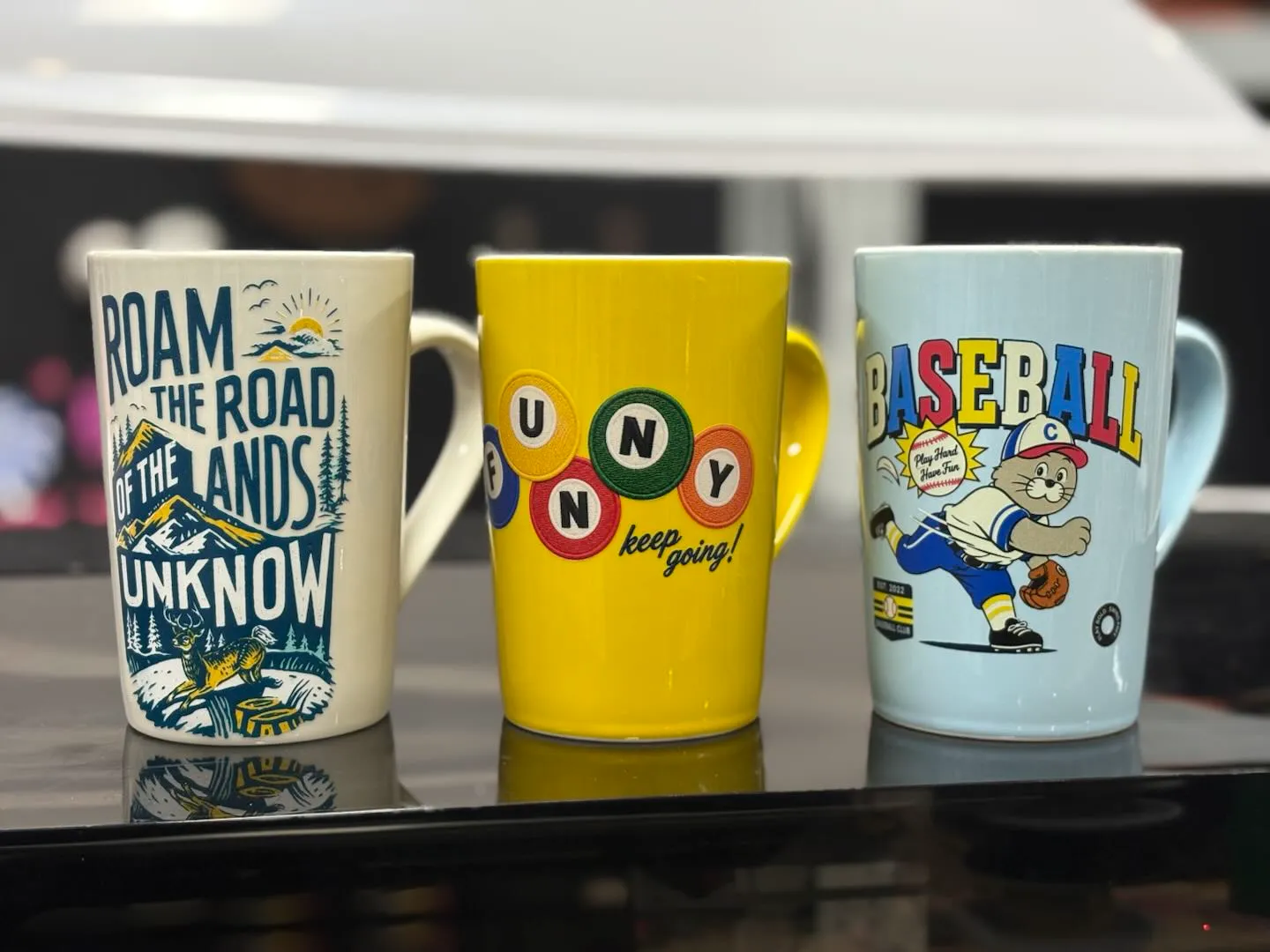
A glazed ceramic mug wrapped in a bright, full-color design using UV DTF transfer. Curved drinkware like this is hard to decorate with a laser, but the O1 Omni prints the artwork on film first and wraps it cleanly around the cup — a repeatable, giftable product.
Get this design →2. Jeweled Leopard Wall Art
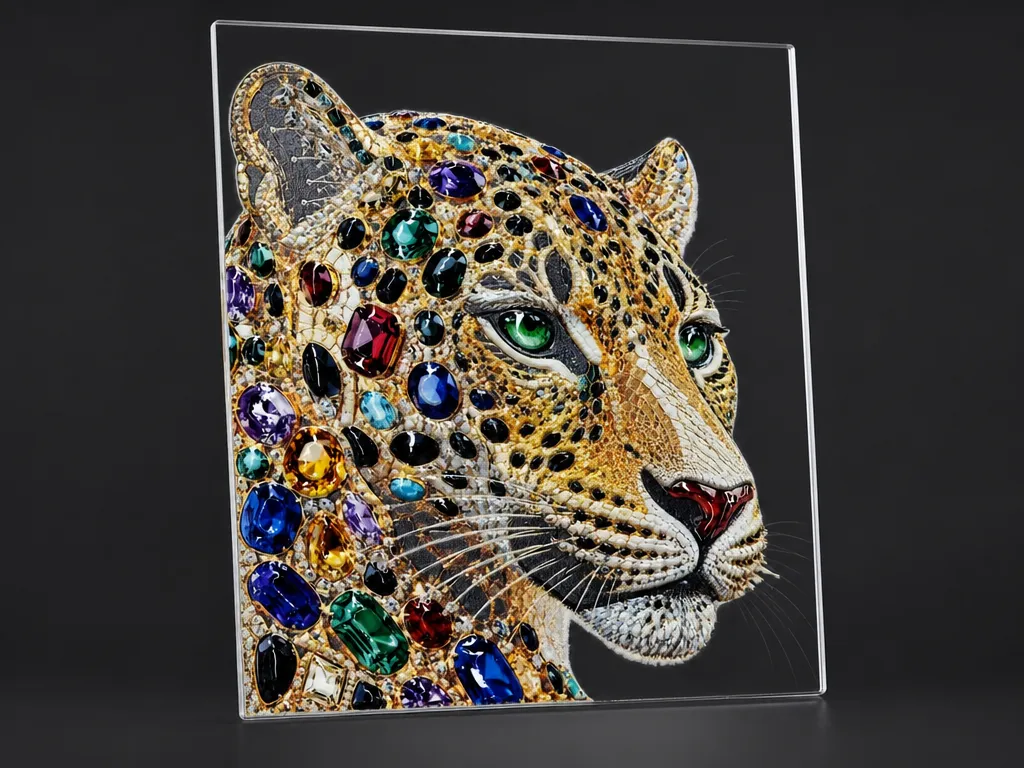
A vivid leopard portrait printed on a rigid panel with colorful gemstone-style accents. The full-color CMYK ink plus varnish gives the piece depth and a glossy, gallery-ready finish that flat laser engraving simply cannot reproduce.
Get this design →3. Photo Acrylic Standee Night Light
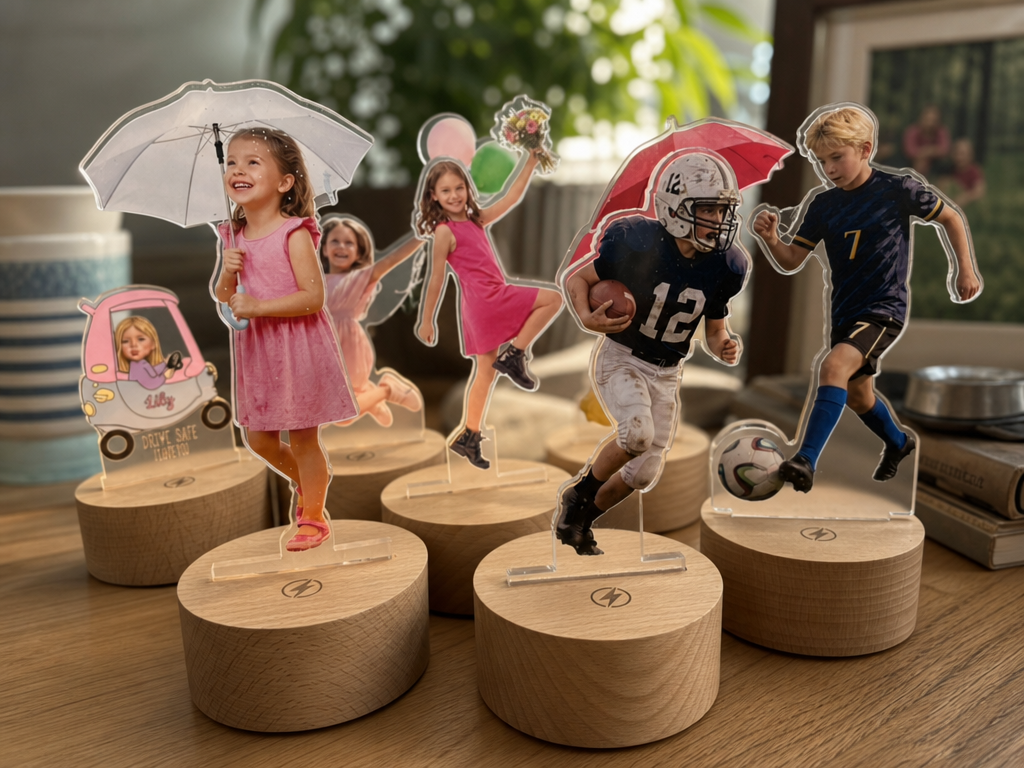
A personalized photo printed directly onto a clear acrylic standee set in a wooden base that lights up. Printing full-color photos onto acrylic is a signature UV-printer job, and it turns a single image into a keepsake lamp.
Get this design →4. Talavera-Style Ceramic Tiles
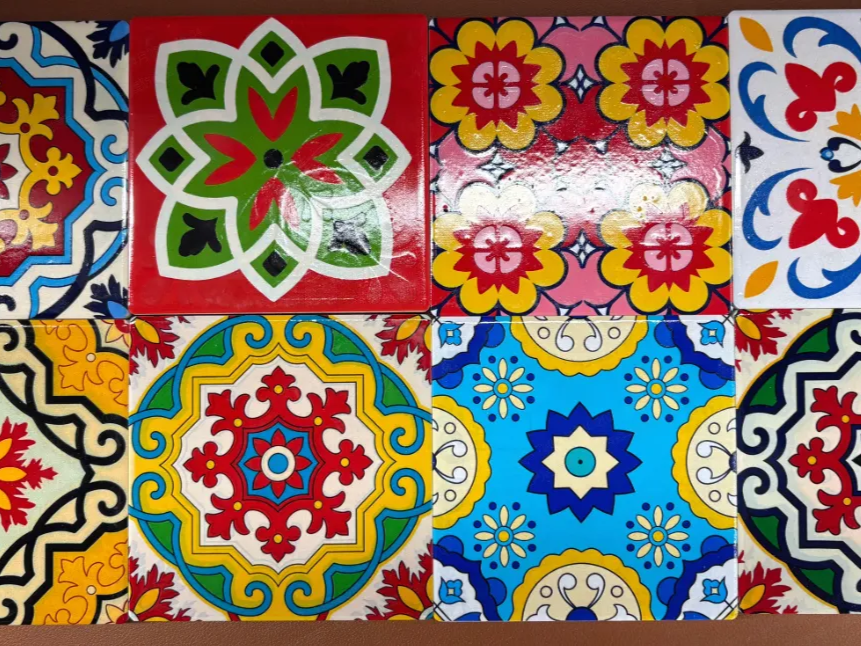
A set of decorative ceramic tiles printed with colorful Mexican Talavera-style patterns. The O1 Omni lays intricate, saturated color straight onto glazed tile, making custom backsplash and coaster sets fast to produce in batches.
Get this design →5. Crystal Award Trophy
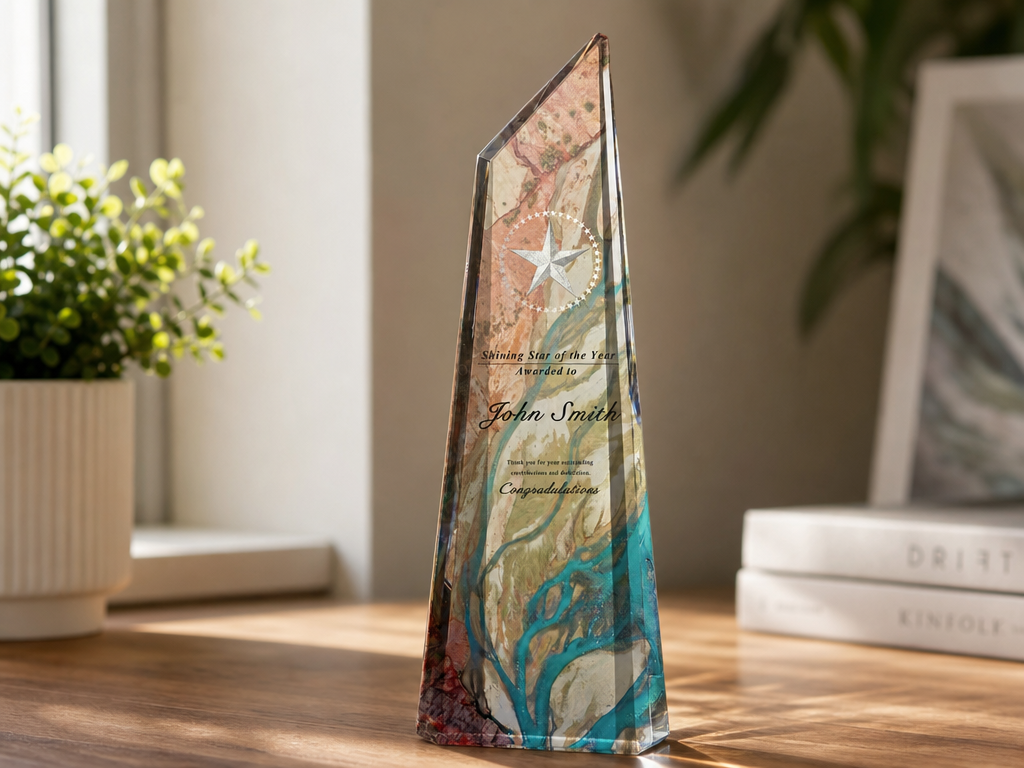
A "Star of the Year" crystal award printed in full color. UV printing on clear crystal and glass lets makers add logos, names, and artwork to premium awards and corporate gifts without sending them out for expensive sublimation.
Get this design →6. UV-Printed Acrylic Wedding Invitation
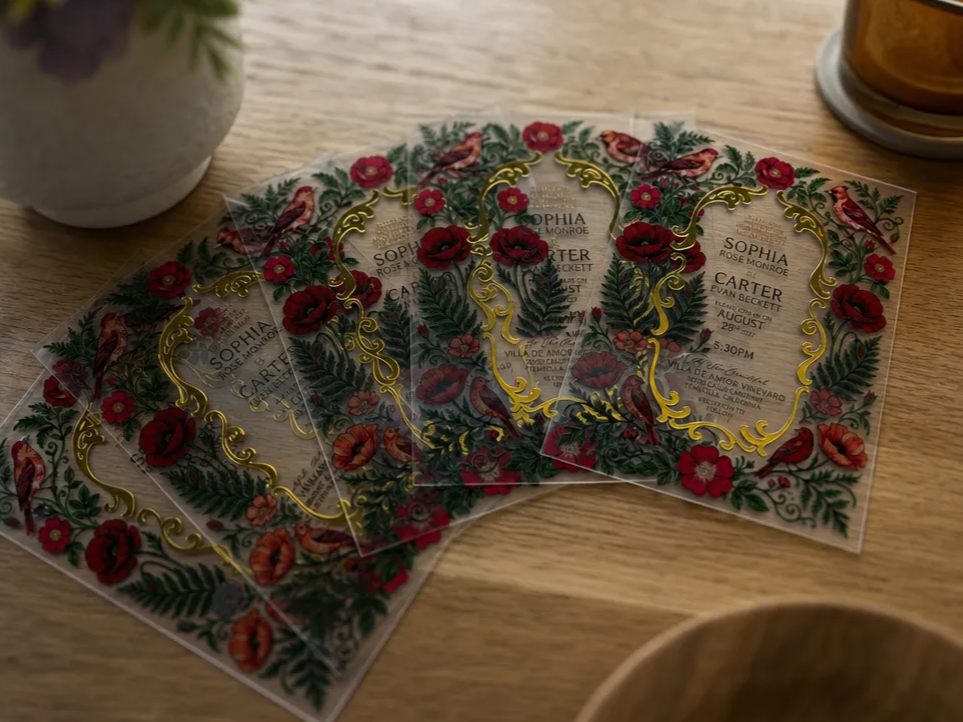
An elegant wedding invitation printed on frosted acrylic with layered color and varnish detail. Acrylic invites are a high-margin wedding-season product, and the O1 Omni prints the florals, text, and gloss accents in a single pass.
Get this design →How to set up the xTool O1 Omni
- Unbox and check the printer, ink cartridges (CMYK, white, varnish), power cable, and included accessories against the packing list.
- Place it on a sturdy, level surface — it weighs around 40 kg — with ventilation and clearance for the sliding print bed.
- Install the ink cartridges and run the initial ink-charging cycle so the Epson printheads prime fully.
- Connect the printer to power and to your computer or network, then install xTool’s printing software.
- Run printhead alignment and a nozzle check so colors register cleanly, and let white-ink circulation (Smart Cycle) settle.
- Calibrate the vision system so the on-screen preview matches the real print bed for accurate placement.
How to use the xTool O1 Omni
- Import or design your artwork in xTool’s software — photo, logo, or vector — and set the color, white-ink, and varnish layers.
- Choose the print mode: UV for flat rigid items, UV DTF for curved objects, or DTG/DTF for apparel.
- Load the material on the print bed (or film for transfers) and use the vision system to position the design exactly where you want it.
- Set height and profile: confirm material thickness and pick the right ink/finish profile (matte, gloss, or foil varnish).
- Print and cure: UV light cures the ink instantly on hard goods. For transfers, laminate and apply the film; for DTF/DTG apparel, heat-press to finish.
What materials does the xTool O1 Omni print on?
The O1 Omni prints across rigid, curved, and fabric substrates. A quick reference:
| Category | Examples | Print mode |
|---|---|---|
| Rigid flat goods | Acrylic, wood, metal, glass, ceramic tile, slate, phone cases | UV (direct) |
| Curved & irregular | Tumblers, bottles, mugs, helmets, rounded hard goods | UV DTF transfer |
| Cotton apparel | T-shirts, hoodies, tote bags | DTG (direct) |
| Any fabric | Polyester, blends, caps, shoes, canvas | DTF transfer |
| Finishes | Matte, gloss, foil, embossed texture up to 7 mm | 3-in-1 varnish |
Always follow xTool’s material profiles and test on scrap first; some surfaces need a primer or coating for maximum ink adhesion.
Frequently asked questions about the xTool O1 Omni
Is the xTool O1 Omni a laser engraver or a printer?
It is a printer, not a laser. The O1 Omni is xTool’s first UV printer — it jets full-color ink onto surfaces and cures it with UV light, rather than burning a design like xTool’s laser machines.
What does "4-in-1" mean on the O1 Omni?
It natively supports four print methods in one machine: UV (direct print on hard goods), UV DTF (transfers for curved items), DTG (direct print on cotton apparel), and DTF (film transfers for any fabric).
Can the xTool O1 Omni print on mugs and tumblers?
Yes — curved items like mugs, tumblers, and bottles are handled with UV DTF, where the design is printed on film and then wrapped onto the object.
Which edition should I buy?
Choose the Single UV Edition for hard goods only, the Dual-Head UV Edition for faster UV output and fluorescent colors, or the UV + DT Fabric Edition if you also want to print T-shirts and other apparel.
What surfaces can the O1 Omni print on?
Acrylic, wood, metal, glass, ceramic, and phone cases directly; curved hard goods via UV DTF; and cotton or any fabric via DTG and DTF.
Final thoughts
The xTool O1 Omni marks xTool’s move beyond lasers into full-color UV and fabric printing. By packing UV, UV DTF, DTG, and DTF into one desktop machine — with Epson F1080 printheads, a built-in vision system, and 3-in-1 varnish — it lets a single unit print on acrylic, wood, metal, glass, cups, and apparel alike. For makers and small businesses selling personalized hard goods and custom merch, it collapses several machines into one. See real builds in the O1 Omni project gallery, then check current pricing on the official xTool O1 Omni page. For a hybrid print-and-laser craft machine, compare the xTool M2.
