
Key Takeaways
- xTool makes a range of laser cutters, engravers, and maker machines — the right one depends on your materials, budget, and space.
- For an all-round mix of metal and non-metal, the F1 Ultra leads; for large non-metal cutting, the P2S CO2; for affordable enclosed diode work, the S1.
- For crafts, the M2 Color Craft prints and cuts in color; the portable F1 is fastest for small metal jobs.
- The M1 and D1 series are discontinued — the M2 is the M1's successor.
- All xTool machines run the free XCS software.
xTool has grown from a single diode engraver into a full lineup — diode, CO2, fiber, and even printers — which is great for choice but confusing if you're trying to pick one. This guide compares the current xTool machines by what they actually do best, so you can match a machine to your materials and budget instead of guessing from model names. Every machine here runs xTool's free XCS software.
Note on pricing & availability
Prices below are approximate and for guidance only — xTool runs frequent sales and bundles, and specs can change. Always check the current price and specification on xTool's official product page before buying.
Which xTool should you buy?
Here's the quick version before the details: choose by your main material. Metal → a fiber machine (F1 Ultra or F2 Ultra). Thick wood and all-color acrylic → the P2S CO2. Everyday wood/acrylic on a budget → the S1. Full-color crafts → the M2. Portability → the F1. Printed products → the O1 Omni. Metal welding/cutting → the MetalFab.
xTool Laser Engravers & Cutters
These are xTool's core machines — diode, CO2, and fiber lasers that engrave and cut wood, acrylic, leather, metal, and more. If you're buying your first xTool, you almost certainly start here. They range from affordable enclosed diodes to professional fiber systems.
xTool F1 Ultra
Best all-rounder (metal + non-metal)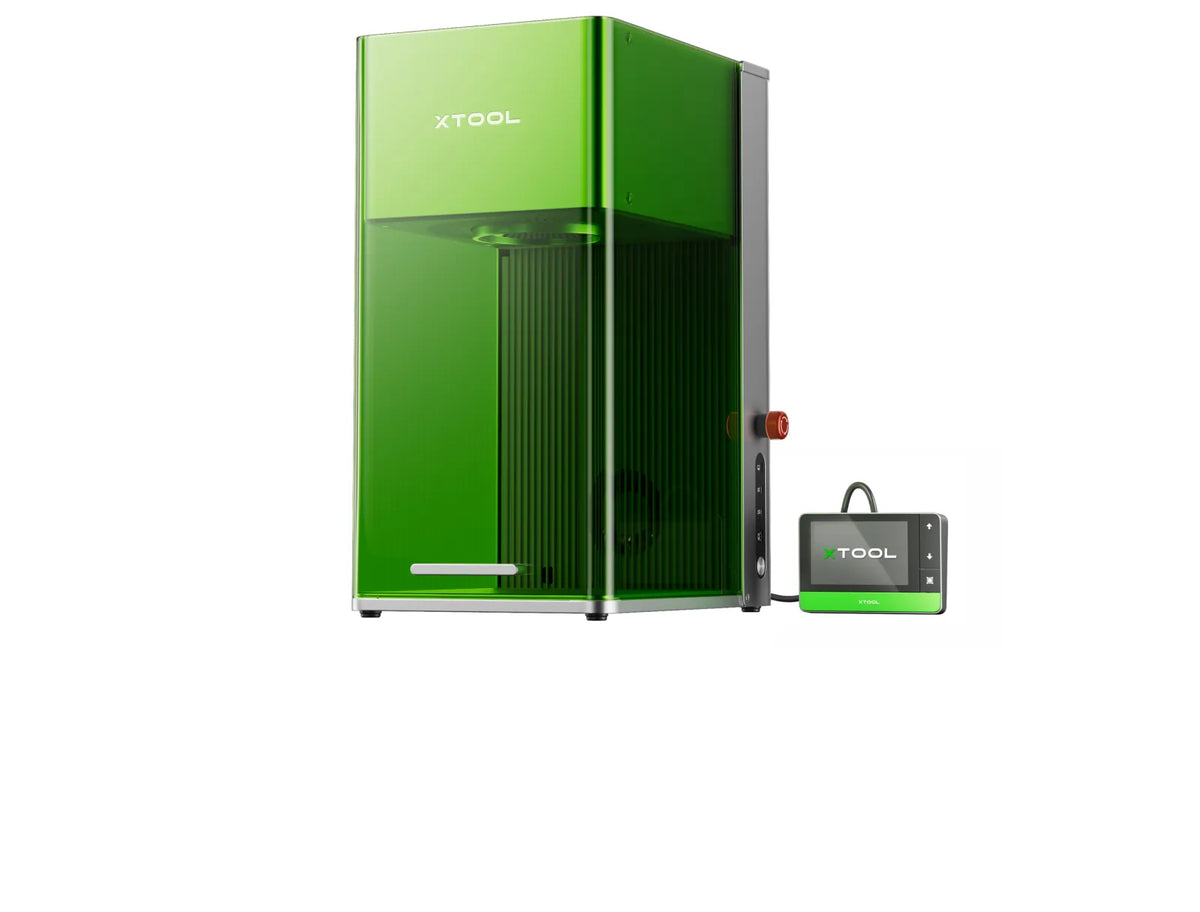
The F1 Ultra is xTool's do-it-all flagship: a fast galvo machine that pairs a 20W fiber laser (for marking and engraving metals like stainless, aluminum, brass, and titanium) with a 20W diode (for cutting and engraving wood, acrylic, and leather). A smart camera enables batch production, making it a favorite for jewelry, custom metal goods, and mixed-material shops.
xTool F1 Ultra: the best-value all-rounder if you want both metal and non-metal work in one machine.
xTool F2 Ultra
Best for pro metal color marking
The F2 Ultra steps up to a 60W MOPA fiber source, which unlocks color marking on metals (100+ shades on stainless) plus deep engraving and cutting, with an optional 40W diode for non-metals. With dual high-res cameras and very high speeds, it's aimed at production and businesses that need pro-grade metal results.
xTool F2 Ultra: the pick for professionals doing high-volume or full-color metal marking.
xTool F2 Ultra UV
Best for glass & delicate materials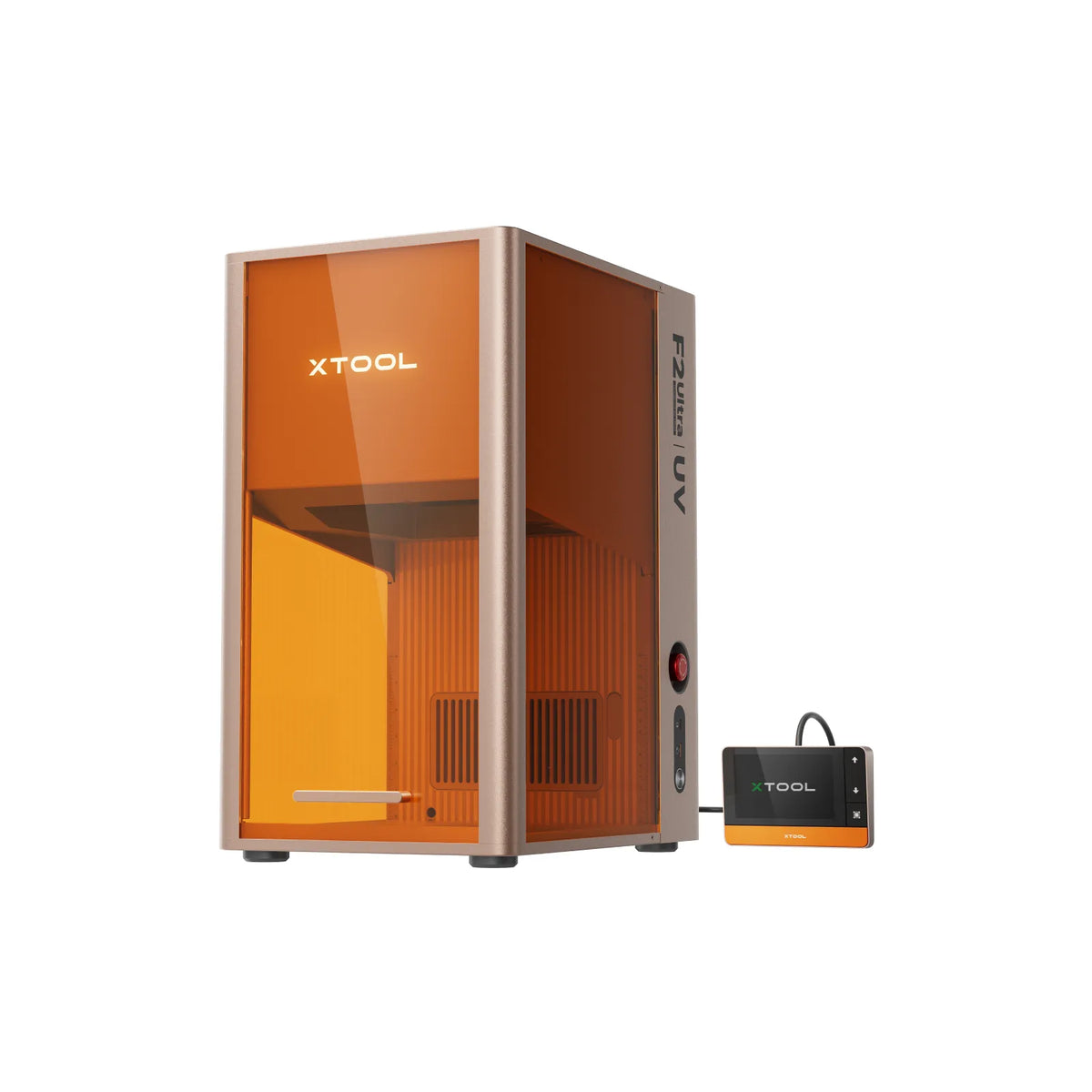
The F2 Ultra UV uses a 5W UV laser to mark and cut materials other lasers struggle with — especially glass, with 3D inner engraving and embossing at micron precision. It's a specialist for high-end, delicate work and unusual materials.
xTool F2 Ultra UV: the choice for glass, fine detail, and hard-to-mark materials.
xTool P2S
Best CO2 for large-format cutting
The P2S is xTool's serious desktop CO2 machine: a large bed, dual cameras, and enough power to cut thick wood and all-color acrylic that diode lasers struggle with. Auto-passthrough lets you run material longer than the bed. It's the go-to for sign makers, acrylic work, and anyone cutting big sheets.
xTool P2S: the best choice for large-format CO2 cutting and engraving of non-metals.
xTool P3
Best large-format CO2 flagship
The P3 is xTool's flagship CO2 cutter: 80W of power and a huge 36 x 18 in bed — about 2.3× the P2S — with four cameras and the ACS smart workflow (auto-positioning and autofocus) for hands-off, large-batch cutting and engraving.
xTool P3: the pick for large-format, high-volume CO2 production.
xTool S1
Best enclosed diode value
The S1 is a fully enclosed, large-format diode laser that balances safety, size, and price. The 40W version cuts surprisingly thick wood, and the enclosure with a class-1 safety design makes it living-room friendly. It's a strong mid-priced pick for hobbyists and small businesses working mainly in wood, acrylic, and leather.
xTool S1: the best-value enclosed diode laser for everyday wood and acrylic work.
xTool M2 (Color Craft)
Best for print-and-cut crafts
The M2 Color Craft is xTool's clever crafting machine and the successor to the discontinued M1. It combines a diode laser with a CMYK inkjet module, so it can print a full-color design onto a blank and then cut or engrave it — ideal for stickers, custom crafts, and personalized gifts in one enclosed unit.
xTool M2 (Color Craft): the most versatile affordable machine for full-color, print-then-cut personalized crafts.
xTool F1
Portable engraver (now refurbished)
The original F1 is a compact, portable galvo engraver that's extremely fast and marks both organics (with its diode) and bare metal (with its infrared laser). It's popular for on-the-go personalization and small-batch jewelry and tags. A lower-cost F1 Lite (diode-only, no metal marking) offers the same speedy platform for non-metal crafters. xTool now sells the F1 refurbished, with the new portable F2 (below) as its successor.
xTool F1: the best grab-and-go engraver for fast, small-batch metal and craft marking.
xTool F2 (Portable)
Best new portable dual laser
The F2 is a portable dual-laser engraver pairing a 5W infrared laser — for vivid color and deep-black marking on metals and plastics — with a 15W diode for cutting and engraving wood, acrylic, and leather. A capable step up from the original F1 for makers who want both on the go.
xTool F2 (Portable): a portable dual-laser upgrade for color metal marking plus everyday cutting.
xTool Printers
xTool's printer line makes personalized printed products rather than engraved ones — UV printing for hard goods plus DTG and DTF for apparel. Choose this side of the lineup if you want to sell custom mugs, cases, shirts, and signage.
xTool O1 Omni
Best all-in-one product printer
Not a laser, the O1 Omni is xTool's compact 4-in-1 printer — it does UV printing for hard goods (mugs, cases) plus DTG and DTF for apparel. If you want to sell personalized printed products alongside (or instead of) engraved ones, it covers a whole catalog from a single desktop machine.
xTool O1 Omni: the pick for makers who want to print custom products, not just engrave them.
xTool Apparel Printer
Best for apparel & DTF at scale
The xTool Apparel Printer is a dedicated DTF system for printing on all colored fabrics with a one-click automated workflow — print, apply powder, and shake-to-bake with the shaker oven — plus 24/7 self-maintenance. It's built for apparel businesses scaling custom prints.
xTool Apparel Printer: the pick for running a custom-apparel or DTF printing business.
xTool Screen Printer
Best laser-assisted screen printing
The xTool Screen Printer is the first screen-printing solution to use laser technology to burn the screens, making home screen printing far faster and more precise. It prints on almost any material and is a low-cost entry into batch apparel and merch.
xTool Screen Printer: an affordable, laser-assisted way into screen printing.
xTool Heat Presses & Finishing
These aren't engravers or printers themselves — they're the finishing tools — heat presses — that press HTV, sublimation, and DTF transfers onto your products. Pair one with a printer or cutter to complete an apparel or merch workflow.
xTool Heat Press Tool
Best budget heat press
The xTool Heat Press Tool is a Smart Press + Mini Press combo for applying HTV, sublimation, and DTF transfers — from large T-shirts to small, curved items — with even, consistent pressure. The companion finisher for any apparel workflow.
xTool Heat Press Tool: the affordable finisher for HTV, sublimation, and DTF transfers.
xTool WonderPress
Best modular 3D heat press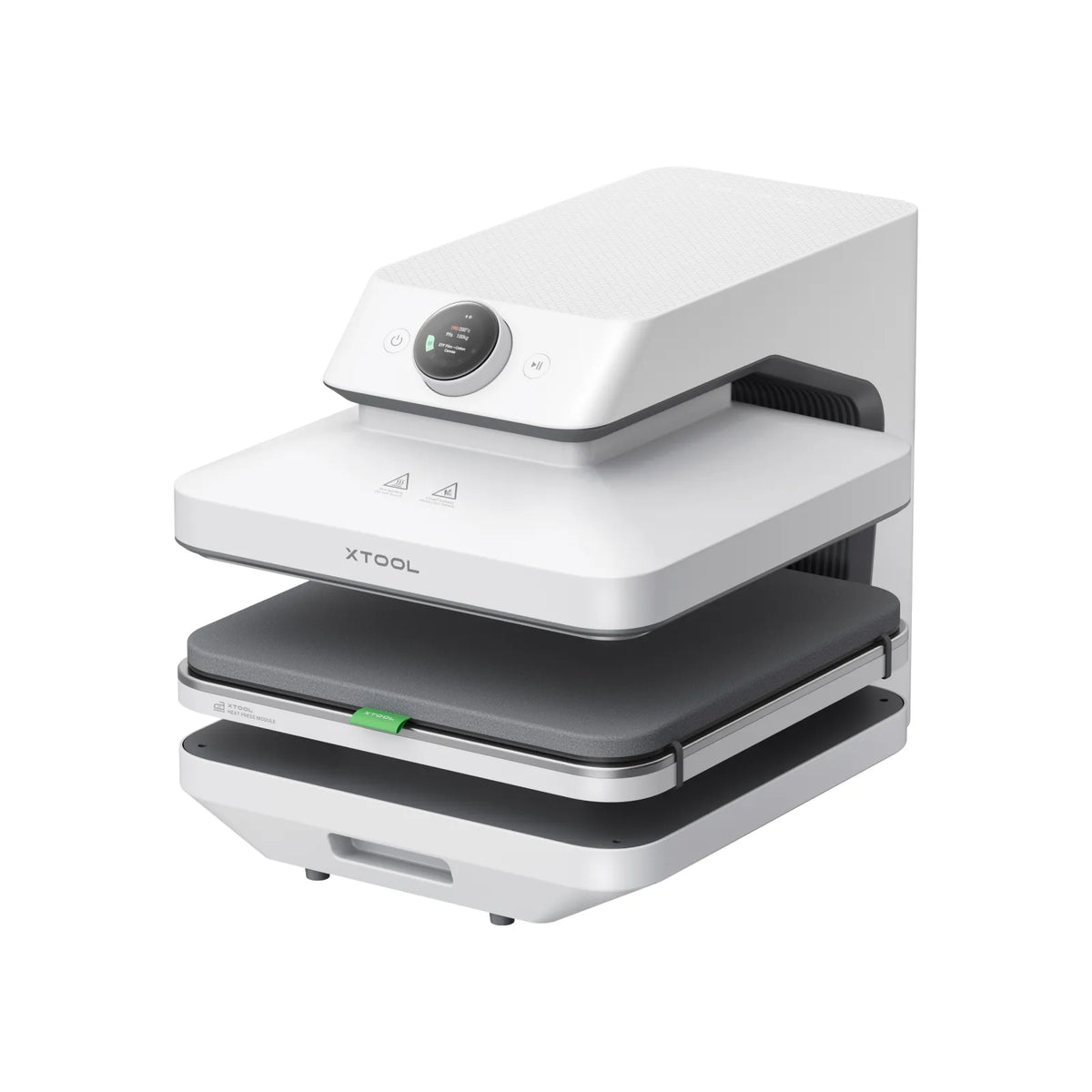
The xTool WonderPress is a 3-in-1 modular press: swap between an automatic heat press, a 3D vacuum former, and a craft oven. With 100 kg of auto-pressure and 7.5 cm clearance for the thickest hoodies, it covers flat transfers and 3D sublimation in a single machine.
xTool WonderPress: the do-it-all press for flat transfers and 3D sublimation projects.
xTool MetalFab (Metal Fabrication)
A separate, industrial-tier class of machine for working structural metal — laser welding, cutting, and cleaning rather than desktop engraving. It's aimed at small metal shops and serious fabricators.
xTool MetalFab
Best for metal fabrication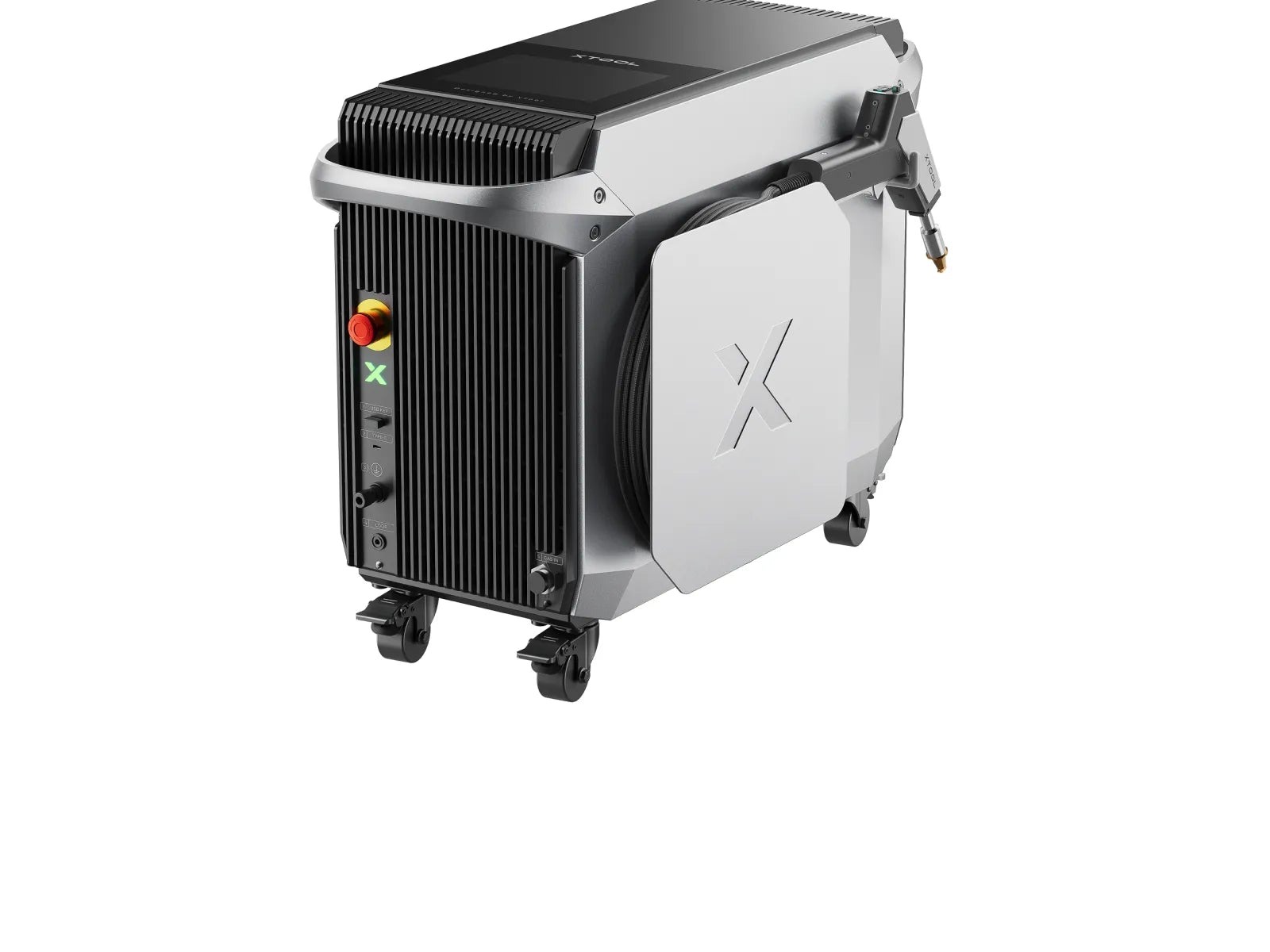
The MetalFab is xTool's pro metal-fabrication system: a handheld fiber laser that welds, cuts, and cleans steel and other metals. It needs a 200–240V supply and is aimed at businesses and serious fabricators rather than hobbyists — a different class of tool from the engravers above.
xTool MetalFab: the choice for actual metal fabrication — welding and heavy cutting, not just engraving.
xTool machines compared
The full current lineup at a glance:
| Machine | Type | Best for | Approx price |
|---|---|---|---|
| xTool F1 Ultra | Fiber + diode dual laser | All-rounder (metal + non-metal) | ~$3,799–4,799 |
| xTool F2 Ultra | MOPA fiber + diode dual | Pro metal color marking | from ~$5,299 |
| xTool F2 Ultra UV | 5W UV laser | Glass & delicate materials | from ~$4,299 |
| xTool P2S | 55W CO2 laser | Large-format non-metal cutting | ~$3,999 |
| xTool P3 | 80W CO2 laser | Largest-format CO2 flagship | ~$6,999 |
| xTool S1 | Enclosed diode laser | Enclosed diode value | ~$1,699–1,899 |
| xTool M2 (Color Craft) | Diode laser + CMYK inkjet | Print-and-cut crafts | from ~$599 |
| xTool F1 | Diode + infrared (dual) | Portable engraver | ~$999–1,199 |
| xTool F2 (Portable) | IR + diode dual (portable) | Portable metal + everyday | ~$1,499 |
| xTool O1 Omni | 4-in-1 printer | All-in-one product printer | from ~$1,699 |
| xTool Apparel Printer | DTF apparel printer | Custom apparel at scale | see xTool |
| xTool Screen Printer | Laser-assisted screen printer | Affordable screen printing | ~$399 |
| xTool Heat Press Tool | Heat press (Smart + Mini) | Pressing transfers | ~$159 |
| xTool WonderPress | 3-in-1 modular press | Flat + 3D sublimation | ~$399 |
| xTool MetalFab | Fiber laser welder + CNC | Metal fabrication | from ~$7,499 |
How to choose the right xTool
Start with what you want to make, then narrow by material, budget, and space. Here's the fast way to land on the right machine.
By what you want to make
- Cut & engrave wood, acrylic, leather → the enclosed S1 for value, or the P2S / flagship P3 CO2 cutters for thick material and large sheets.
- Mark or engrave metal → a fiber machine: the all-round F1 Ultra, the pro F2 Ultra for color marking, or the portable F2. For glass and delicate materials, the F2 Ultra UV.
- Full-color print-then-cut crafts → the M2 Color Craft.
- Sell printed products (apparel, mugs, cases, signs) → the 4-in-1 O1 Omni, the Apparel Printer for DTF at scale, or the Screen Printer for low-cost batches.
- Finish transfers (HTV, sublimation, DTF) → the Heat Press Tool, or the modular WonderPress for flat and 3D pressing.
- Weld & cut structural metal → the industrial MetalFab.
By budget & experience
- Just starting, lowest cost → the M2 or Screen Printer (from ~$399–599).
- Hobbyist all-rounder → the enclosed S1.
- On the go → the portable F2.
- Small business / production → P2S or P3 for CO2, F1 Ultra or F2 Ultra for metal, plus a printer for merch.
- Industrial metal fabrication → the MetalFab.
Whatever you choose, most xTool machines run the same free XCS software — so the workflow carries over if you add a second machine later.
What about the xTool M1 and D1?
If you're researching older models, note that the xTool M1 (and M1 Ultra) and the D1 / D1 Pro series have been discontinued. The M2 Color Craft is the M1's successor and is the machine to look at instead. You may still find D1 and M1 units and accessories for a while, but for a new purchase, choose from the current lineup above so you get ongoing support and software updates.
Frequently asked questions
Which xTool machine is best for beginners?
For most beginners working in wood, acrylic, and leather, the enclosed S1 offers a great balance of safety, size, and price, while the M2 is a lower-cost, versatile pick that even prints in color. All xTool machines use the free, beginner-friendly XCS software, so the main decision is your material and budget.
Which xTool can engrave metal?
For bare metal, you need a fiber laser: the F1 Ultra (20W fiber + diode) handles both metal and non-metal, while the F2 Ultra (60W MOPA fiber) adds color marking and deep engraving for professional and production use. The portable F1 also marks metal thanks to its infrared laser.
What's the difference between the F1 and F1 Ultra?
The original F1 is a compact, portable engraver with a 10W diode and a 2W infrared laser for fast small-batch work. The F1 Ultra is a much larger, more powerful desktop machine with a 20W fiber and 20W diode, a bigger work area, and batch-production features — a serious step up in capability and price.
Is the xTool M1 still available?
The xTool M1 has been discontinued, and its successor is the M2 Color Craft, which adds full-color print-and-cut capability. You may still find remaining M1 stock or accessories for a limited time, but for a new purchase the M2 is the recommended replacement.
Do all xTool machines use the same software?
Most xTool machines run the free XCS (xTool Creative Space) software, which handles design and machine control in one app. Some of the newest professional machines use updated or companion builds under the xTool Studio name, but the workflow is the same. Check a machine's product page to confirm its software.
In short: there's an xTool for almost every maker, but the right one comes down to your materials and budget. Pick a fiber machine for metal, CO2 for large non-metal cutting, an enclosed diode for value, or a craft or printer model for personalized products — and know that whichever you choose runs the same free XCS software.
