
Image to 3D Model
Create a complete textured 360° model from one reference image.
Turn one clear product, prop, toy, or collectible image into a complete textured 3D object. Isolate the subject, choose a generation model that suits its form, inspect the predicted sides, and export the finished object as GLB.
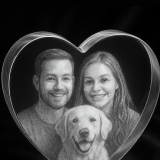
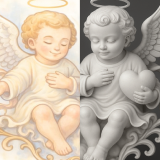
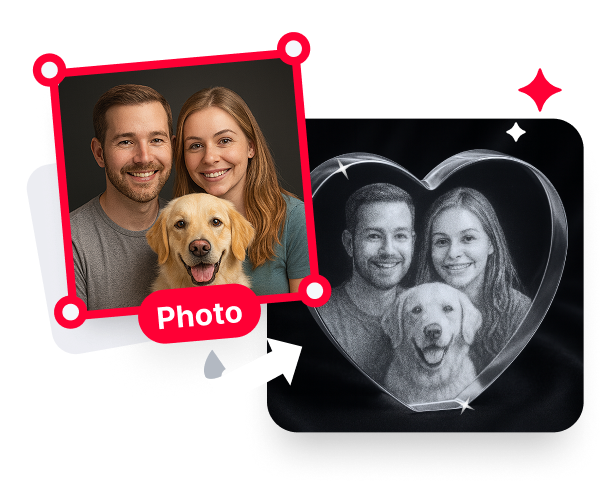
Convert your photo into a 3D-like relief with depth effects
Supported formats: JPG/JPEG/PNG/WEBP, Maximum size: 10M.
Focus the reconstruction on a single subject rather than a portrait relief or an entire room.

Use one well-framed reference to isolate, reconstruct, and review a complete object.
The generator uses the visible silhouette, proportions, and surface cues to reconstruct full geometry around a single object. Because the source shows only one view, hidden sides are predicted rather than scanned. A clean front or three-quarter reference with the entire object inside the frame gives the model more useful information to work from.

Remove the background when shelves, furniture, hands, or nearby products compete with the subject. A clean cutout helps the generation focus on the object that should become three-dimensional. This is valuable for product photos and collectibles that were not photographed against a controlled studio backdrop.

Meshy 7.1 is the recommended all-rounder for portraits and complex forms. Tripo emphasizes fast, stable generation, Hi3D 3.0 focuses on high detail and fidelity, and Hunyuan is well suited to pets and anime-style subjects. Match the model choice to the object instead of forcing every reference through one approach.

Use Texture when the original color and surface appearance should carry into the object, and use Image Optimization when the source needs preparation for the reconstruction. Review the textured result from the side and back before exporting, because those surfaces were inferred from the single input image. The complete object downloads as GLB.

Choose a single subject with a readable silhouette and enough visible form to support reconstruction.
Build a general 3D model, export GLB, or return to the complete 3D generation workspace.
Learn how model outputs connect to carving, visualization, and different forms of 3D engraving.
3D laser engraving start to finish: turn a photo into a 3D model with AI, then carve relief across 256 gray levels or engrave inside crystal. 2026 guide.
3D laser engraving means three different processes: inside crystal, carved relief, or around a curved object. Which machine each needs, and which one you actually want.
Isolate the subject, choose the right model, inspect every side, and export GLB.

