
Key Takeaways
- A DXF (Drawing Exchange Format) is a 2D vector file created by Autodesk to share CAD drawings between different programs.
- It stores designs as lines, arcs, and curves on layers — the exact geometry a machine needs to cut or engrave.
- DXF is a standard file type for laser cutters, CNC routers, and plasma cutters, alongside SVG.
- You can export DXF from CAD/vector software, or download ready-made DXF files for cutting.
If you've downloaded files for a laser or CNC machine, you've almost certainly run into DXF. It's a workhorse format in the maker and manufacturing worlds, but it's less familiar than JPG or PDF. This guide explains what a DXF file is, what's inside it, how it compares to SVG, and when you'll use it.
What is a DXF file?
A DXF (Drawing Exchange Format) is a 2D vector file format developed by Autodesk (the makers of AutoCAD) so that CAD drawings could be shared between different design programs. Like an SVG, it describes a drawing as vector geometry — lines, arcs, circles, and curves — rather than pixels, and it organizes those shapes on layers.
Because it captures precise geometry, a DXF is exactly what a cutting machine needs: it can follow the paths to cut or engrave with accuracy. That's why DXF became a lingua franca for CAD, CNC, and laser software.

What is a DXF file used for?
DXF shows up wherever precise 2D geometry needs to drive a machine or move between programs:
- Laser cutting & engraving — a clean DXF gives a laser cutter exact paths to follow.
- CNC routing & plasma cutting — the standard exchange format for cut files in CNC software.
- CAD collaboration — sharing 2D drawings between AutoCAD, Fusion, and other tools.
- Sign making & fabrication — exchanging shapes and templates between design and machine software.
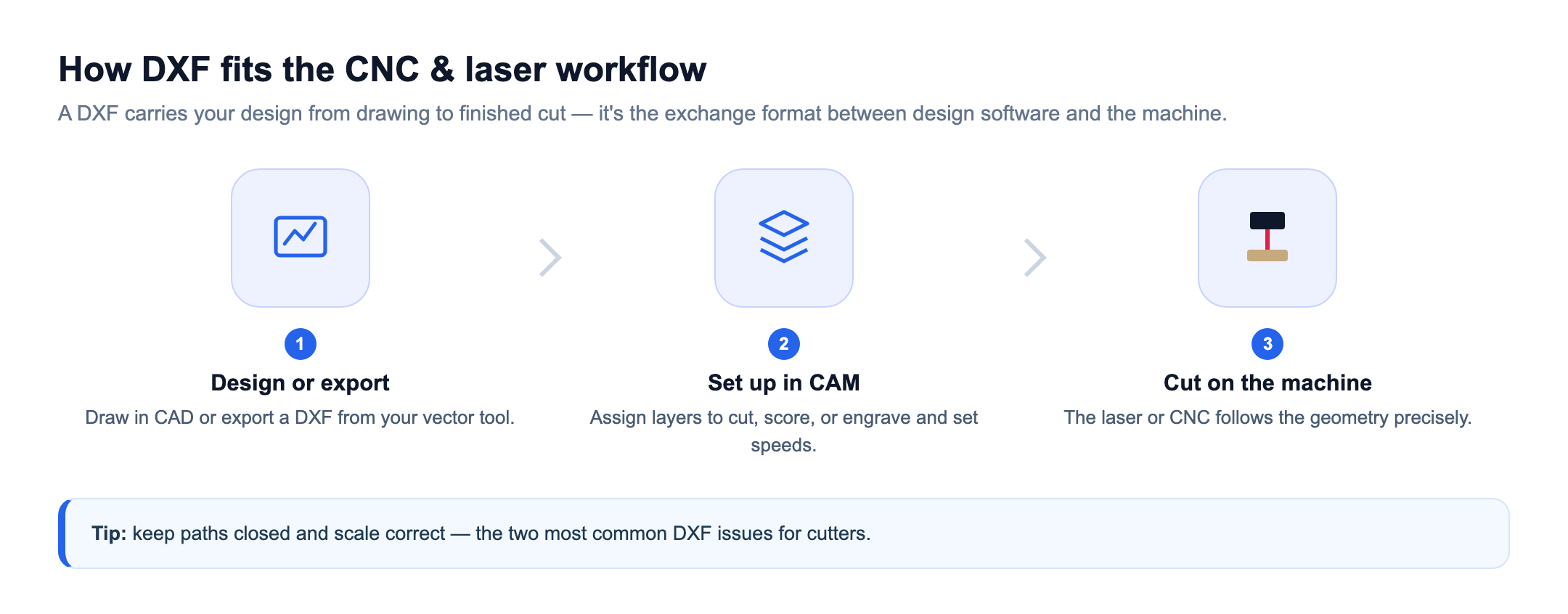
DXF vs. SVG: which should you use?
Both are 2D vector formats that work for laser cutting — the difference is mostly heritage. Here's how they compare:
| DXF | SVG | |
|---|---|---|
| Origin | CAD/engineering (AutoCAD) | Web & design |
| Units | Real-world units + layers | Unitless, style-focused |
| Native to | CNC & industrial software | Craft & design tools, the web |
| Strength | Exact dimensions & layers | Scales freely, easy to style |
| Use it when | CNC/CAD, or your machine prefers DXF | Craft/design or web, or your tool prefers SVG |
Many modern laser programs accept both, and a good vectorizer or CAD tool can convert between them — so pick whichever your machine and software prefer.
How to open a DXF file
Open a DXF in CAD software (AutoCAD, Fusion 360, or the free LibreCAD) or in vector editors that support it — Inkscape can import and export DXF, for example. Most laser and CNC programs, including your machine's own software, open DXF directly for cutting. If a file won't open, re-export it as an older version (see the tips below).
How to create a DXF file
There are three routes to a cut-ready DXF:

- Design in CAD or vector software and export as DXF.
- Convert artwork — a vectorizer that exports DXF turns a raster image into cut-ready geometry.
- Download ready-made files from free DXF and SVG sites.
How to edit a DXF file
Edit a DXF in CAD or vector tools: move and join lines, close any open paths, set real-world dimensions, and organize geometry onto layers for cut, score, and engrave. Cleaning up paths and units before you cut is what makes a DXF run smoothly the first time — see the common issues below.
DXF pros and cons
DXF is the workhorse of CAD and CNC, but it has trade-offs worth knowing:
Pros
- Precise real-world geometry & units
- Native to CAD, CNC, and laser software
- Layers for cut, score & engrave
- Widely accepted exchange format
Cons
- Many versions — compatibility quirks
- Units not always embedded (scale issues)
- 2D only — no color or photos
- Less web-friendly than SVG
DXF tips and common issues
DXF has been around since the 1980s, and a few quirks trip people up. Keep these in mind:
- Versions matter. DXF has many format versions over the years; if a file won't open, re-export it as an older, more widely supported version (for example, R12 or 2007).
- Units aren't always embedded. DXF doesn't always carry a unit, so a design can import at the wrong scale — check the size after importing and set your units.
- Open paths and gaps. Lines that don't quite meet can stop a laser from cutting a clean closed shape; joining open paths in your software fixes it.
- Layers carry meaning. Many laser workflows use layers or colors to separate cut, score, and engrave — keep them tidy so the machine treats each correctly.
None of these are dealbreakers — they're just the small checks that make a DXF cut cleanly the first time.
Turn an image into a cut-ready fileVectorize a logo or sketch into a clean SVG with Atomm's free AI Image Vectorizer, then export to DXF for your machine.Try the AI VectorizerFrequently asked questions
What is a DXF file used for?
DXF is used to share 2D vector drawings between programs and to drive cutting machines. It's a standard format for laser cutters, CNC routers, and plasma cutters, and for exchanging CAD drawings between design tools, because it stores precise geometry as lines, arcs, and curves on layers.
What is the difference between DXF and SVG?
Both are 2D vector formats suitable for laser cutting. DXF originates in CAD/engineering and is the default in CNC and industrial software, with real units and layers; SVG originates in web/design and is common in craft tools. Many laser programs accept both, so the right choice depends on your software.
How do I open a DXF file?
Open DXF files in CAD software such as AutoCAD, Fusion 360, or the free LibreCAD, or in vector editors like Inkscape that support DXF import. Many laser and CNC programs open DXF directly. Some online viewers also let you preview a DXF without installing anything.
Can a laser cutter use a DXF file?
Yes. DXF is one of the most common file types for laser cutting because it stores exact vector paths the laser can follow to cut or engrave. You import the DXF into your laser software, set your cut and engrave settings, and run the job.
How do I convert an image to DXF?
You need to vectorize the image first, since DXF is a vector format. Use a vectorizer that exports DXF (some, like Vectorizer.AI, do), or convert to SVG and then export DXF from vector software such as Inkscape. Clean line art converts far better than photos.
In short: a DXF is a 2D vector file built for precise geometry, and it's one of the most important formats in laser cutting, CNC, and CAD. Whenever you're moving cut-ready designs between software or into a machine, DXF — like SVG — is a format you'll rely on.
