
Designing a shirt is easier than it looks — you just need a clear idea, the right font, and a design that prints well. This guide walks you through the whole process, from concept to print-ready art. No design degree required.

Key Takeaways
- Design first, then produce — nail the concept, fonts, and art before you pick a print method.
- High contrast between the art and the shirt color is the biggest legibility factor.
- Bold, legible fonts (two at most) beat fancy ones on fabric.
- Atomm's AI Font Generator gets you custom lettering with no design software.
What do you need to design a shirt?
You need three things: an idea, artwork, and a way to print it. The opportunity is real. The global print-on-demand market reached about $10.8 billion in 2025 and is projected to hit $57.5 billion by 2033, according to Grand View Research. Apparel is the largest slice of it.
You don't need expensive gear to start. A free design tool will get your first artwork ready.
How to design a shirt, step by step
The design process is the same whether you print at home or use a service. In 2025, the custom apparel market was on track to grow by $2.45 billion through 2029, per Technavio — much of it built on steps like these.
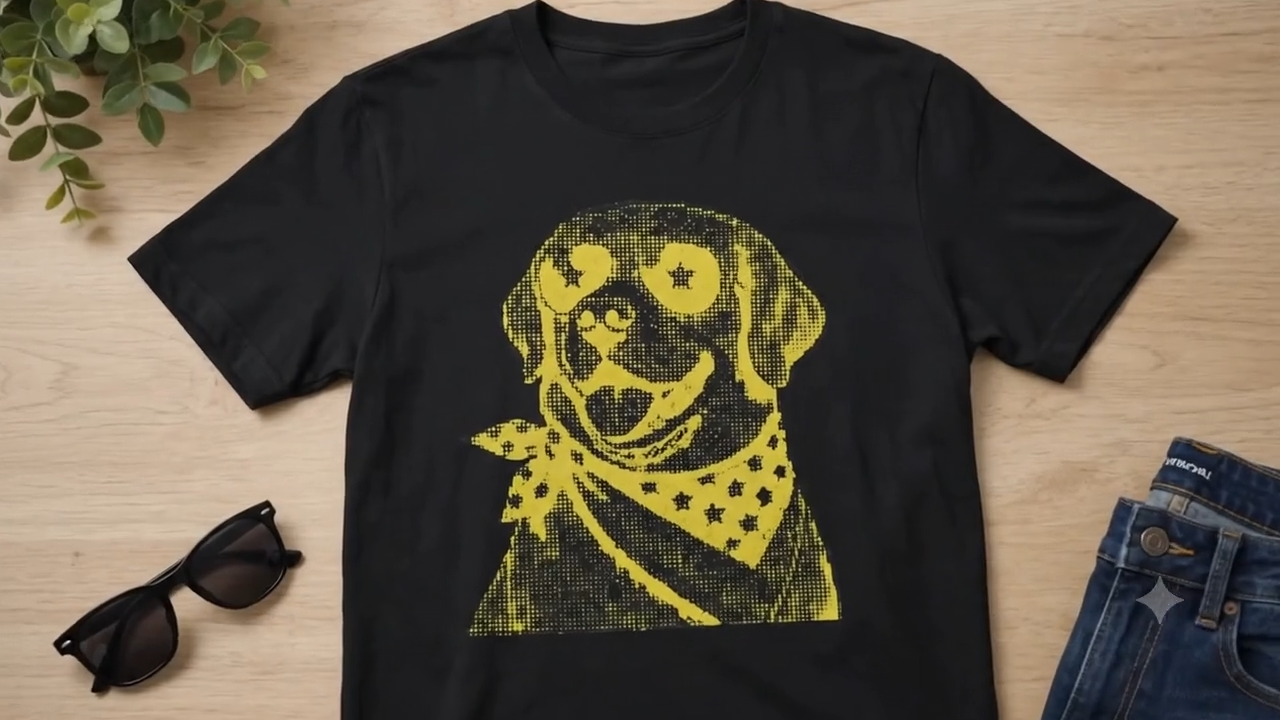
- Pick your concept and niche. A focused idea (dog lovers, teachers, a local team) sells better than a generic one.
- Choose the shirt type and color. This drives everything, because your art must contrast with the fabric.
- Create the design. Combine a graphic with a short slogan or wordmark. Templates are fine to start.
- Pick your fonts. Use one bold hero font and, at most, one support font — see the best fonts for t-shirts.
- Prep the artwork. Aim for a transparent, high-resolution file so it's ready for any print method.
Design tips for a shirt that sells
Keep it simple and high-contrast. One clear idea reads better than a busy design, and light-on-dark (or dark-on-light) is what makes it pop from across a room.
- Fonts. Bold and legible beats fancy. Limit yourself to two.
- Placement. A standard front print is about 11–12 inches wide, a few inches below the collar.
- File type. Use vector art for text and vinyl cutting; use a 300 DPI PNG for DTG and DTF.
How to design and add fonts to your shirt?
Your shirt's text is only as strong as its lettering. Atomm's AI Font Generator lets you create custom type with no design software — here's how to make it and get it onto your shirt.
Create your lettering. Open the AI Font Generator, then upload a style reference or describe the look you want.

Generate your text. Type your slogan or name, and the AI creates matching lettering in that style.

Refine it on the canvas. Adjust the weight, spacing, and flourishes until it reads cleanly, then download it.

Add it to your shirt. Clean up the edges with the Background Remover, then drop the lettering into your design and place it on the shirt.
Design a font nowFree to generate & exportOpen Font GeneratorWhich printing method should you use?
Now your design is ready — it's time to put it into production. Pick a method that fits your budget, quantity, and fabric. Each one has a sweet spot.
| Method | Best for | Quantity | Durability |
|---|---|---|---|
| DTG | Detailed, full-color art on cotton | 1 to small batches | Good |
| Screen printing | Bold, few-color designs in bulk | Medium to large | Excellent |
| HTV / Cricut | DIY one-offs, names and numbers | 1 to a few | Good |
| Sublimation | All-over prints on polyester | 1 to medium | Excellent |
| DTF | Full-color art on any fabric | 1 to medium | Very good |
Beginner rule: HTV for hobby one-offs, DTG or DTF for small online orders, screen printing once you buy in bulk. Always order one sample before a full run.
Good t-shirt ideas to get you started
Stuck on what to make? Here are 10 real designs from the Atomm community to spark ideas across styles, niches, and print methods.
1. Independence Day Hat + Tee Set

A coordinated Independence Day set with matching patriotic artwork on both a tee and a trucker hat. It shows (Making the matching hat too? our hat design guide covers headwear-specific sizing, placement, and decoration methods.).
Get this design →2. Vintage Halftone Fourth of July Tee

A retro Fourth of July tee with dot-style halftone artwork. The vintage treatment gives a flat graphic real depth and a screen-printed feel — ideal for bold, patriotic summer designs.
Get this design →3. Coastal Surfer Tee
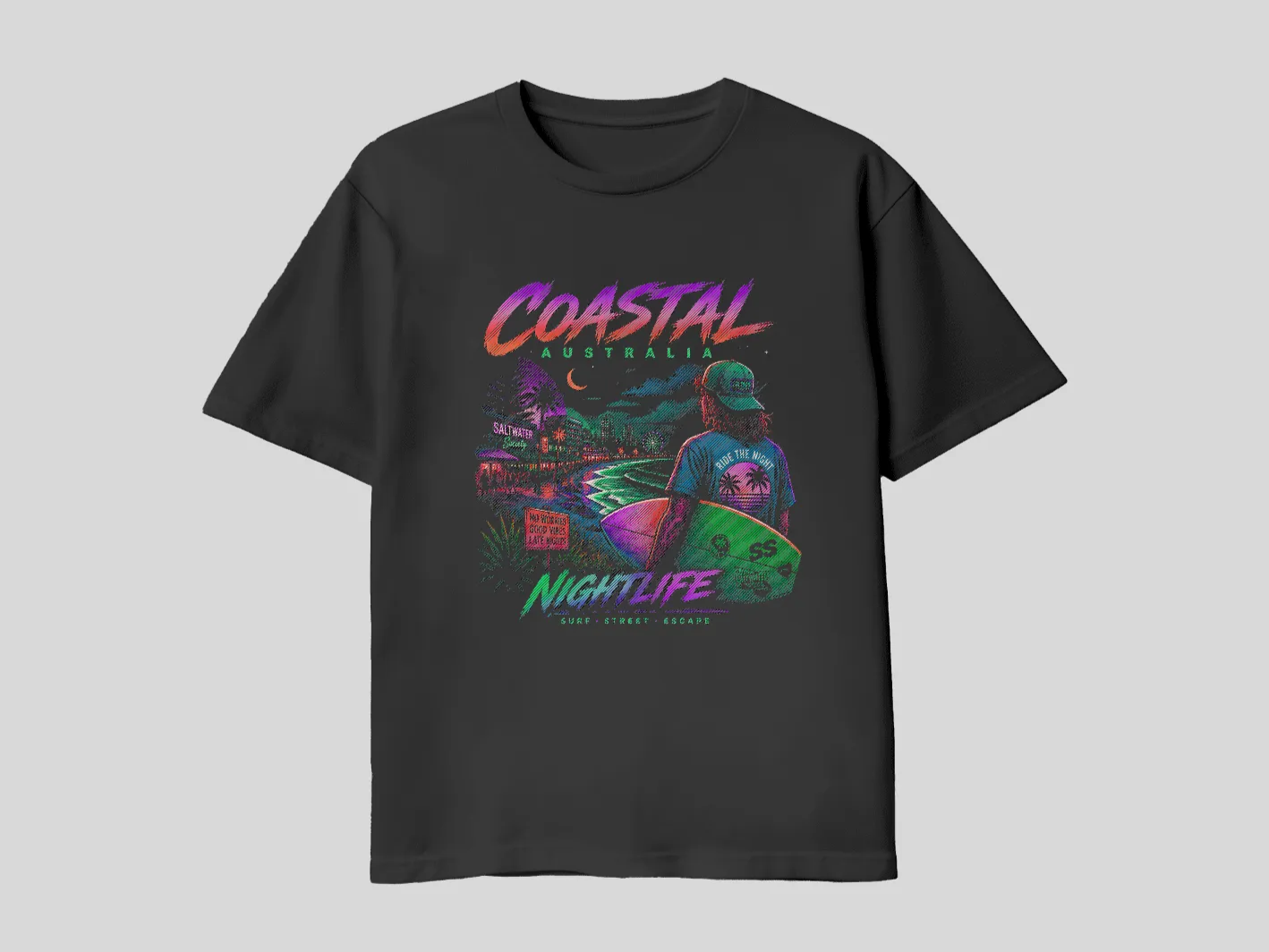
A bold neon surf graphic with a halftone effect on a black tee. Location- and lifestyle-themed designs like this Australian beach tribute sell well to both travelers and locals.
Get this design →4. Couple Sunset Tee
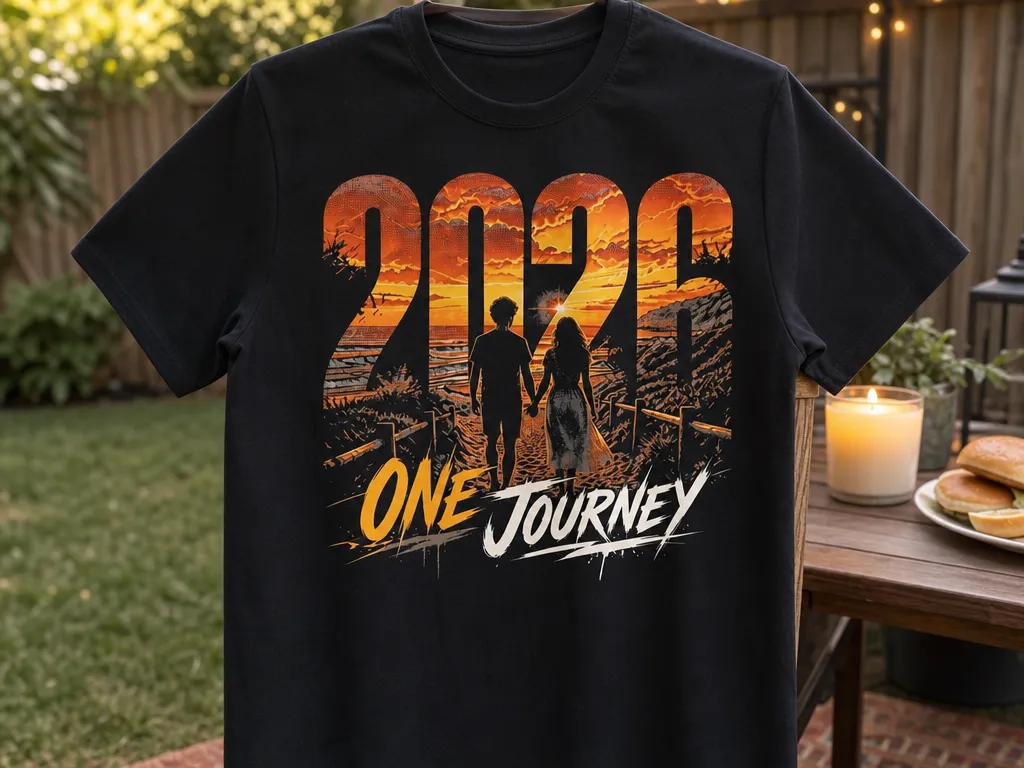
A couples tee featuring a halftone sunset scene on black. Personalized, sentiment-driven designs — anniversaries, trips, relationships — turn a plain shirt into a keepsake people actually want to buy.
Get this design →5. Western Cowboy Humor Tee
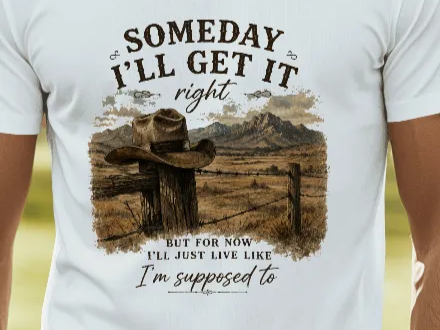
A western humor tee pairing a cowboy-hat graphic with the line "Someday I'll Get It Right." Niche humor plus a strong visual is a proven print-on-demand formula.
Get this design →6. Golf Humor Tee
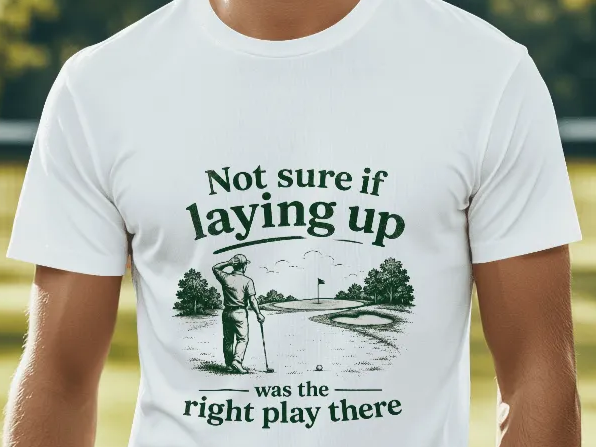
A golf-humor tee built on witty typography about second-guessing a layup. Sport-specific inside jokes spread fast in tight communities, and text-led designs are among the easiest to produce.
Get this design →7. Faith-Based Typography Tee
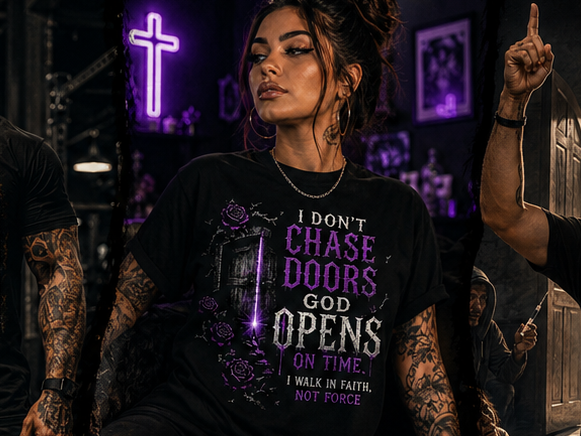
A faith-based tee reading "I Don't Chase, Doors God Opens On Time." Message-driven lettering shirts live or die by the typeface, so a bold, legible font is essentially the whole design.
Get this design →8. Bold Gorilla Graphic Tee
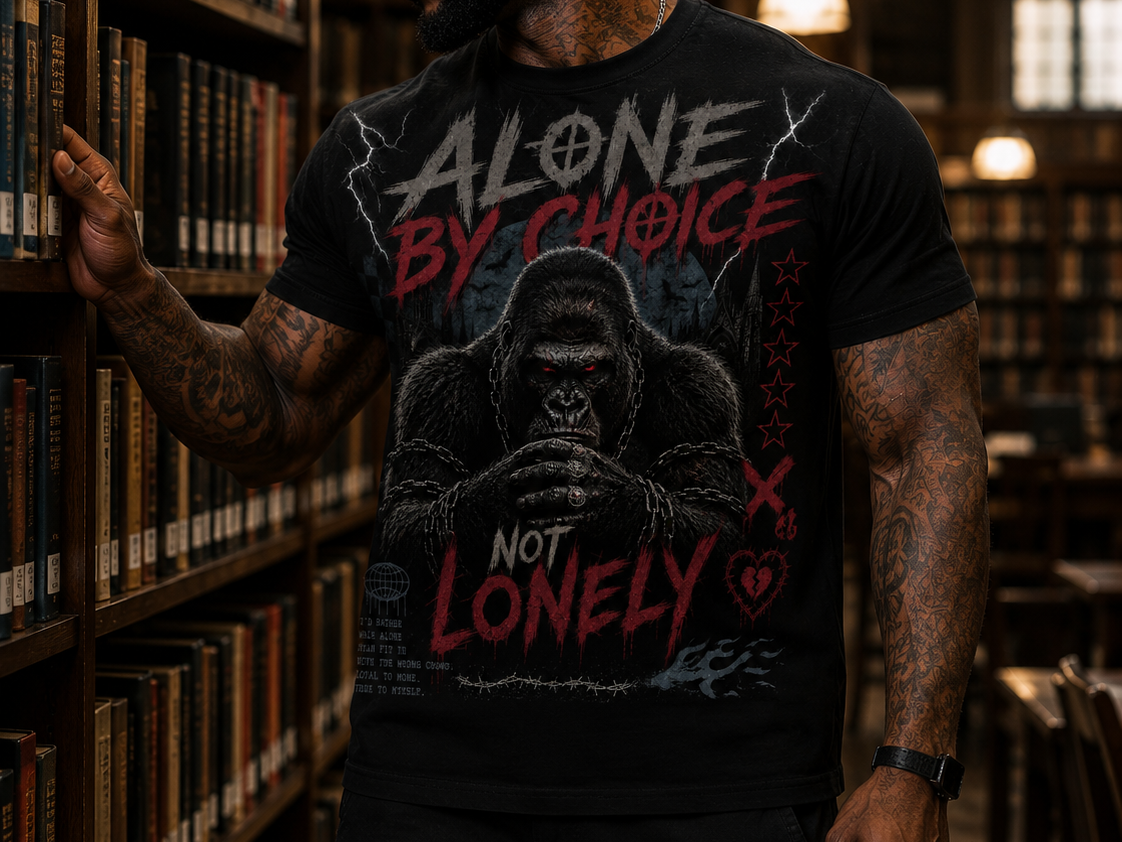
A black tee with a bold gorilla graphic and "Alone By Choice Not Lonely." Strong single-graphic designs read instantly and hold up beautifully in a single color.
Get this design →9. Patriotic Raccoon Tee
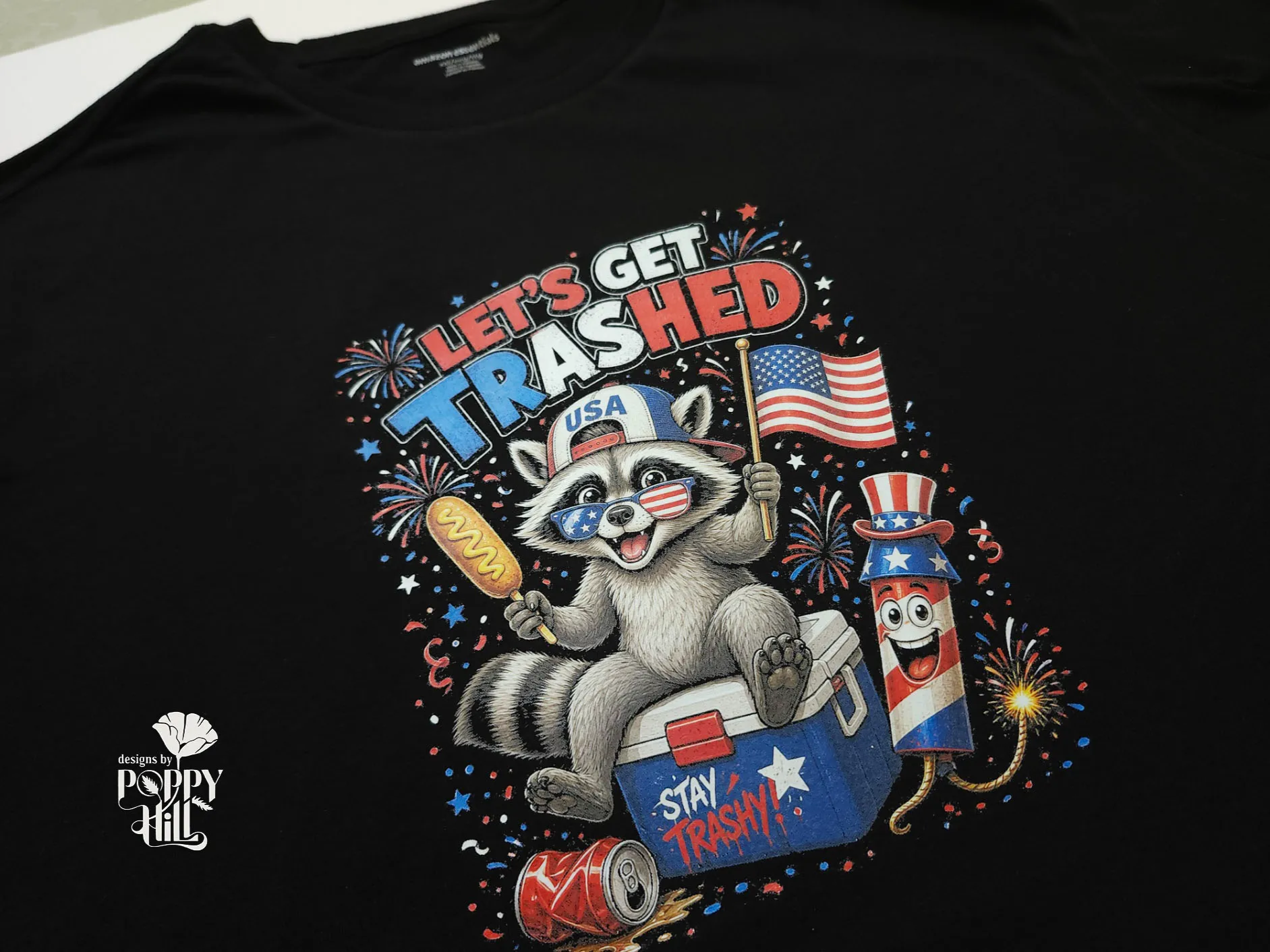
A funny Fourth of July design — a raccoon on a cooler amid fireworks and confetti, built with AI and halftone effects. Cheeky animal mascots blend humor with a strong seasonal hook.
Get this design →10. Halftone Labrador Transfer Tee
A halftone Labrador design turned into a raised, 3D-printed transfer and heat-pressed onto a tee. It shows how makers push past flat prints into textured, tactile shirt designs.
Get this design →Turning any of these into a wearable shirt needs the right consumable behind it. Vinyl, DTF film, ink and printing supplies are stocked by process.
Ready to design your first shirt?
Pick a niche, choose a bold font, and mock up one design. Order a single sample to check color and placement. Then adjust and print your run with confidence.
Frequently Asked Questions about Shirt Design
How do I design a shirt for beginners?
Start with a clear concept, pick a shirt color, and build a simple design with one bold font. Prep a high-res file, mock it up, and order a sample. Free tools like Canva and Atomm's AI Font Generator make the whole process approachable with no experience.
What program should I use to design a t-shirt?
Canva is good for beginners, Adobe Illustrator for scalable vector art, and Cricut Design Space for cutting vinyl at home. For custom lettering, Atomm's AI Font Generator creates ready-to-use text art without extra software.
What file format do I need for t-shirt printing?
It depends on the method. Use a cut-ready vector (SVG) for HTV and Cricut, and a transparent 300 DPI PNG for DTG and DTF. Never enlarge a small image — it prints blurry. When in doubt, design in vector so it scales cleanly.
How much does it cost to start designing shirts?
You can start for free. A free design tool plus a print-on-demand service means no upfront inventory. Print-on-demand hit about $10.8 billion in 2025 (Grand View Research) precisely because it's low-risk — you only pay when a shirt sells.
What's the best print method for a beginner?
Heat transfer vinyl (HTV) with a Cricut is the easiest for one-off DIY shirts. For selling online without equipment, direct-to-garment (DTG) or DTF through a print-on-demand service is simplest. Screen printing only pays off once you order in bulk.
Conclusion
Designing a shirt comes down to a clear idea, a bold font, and a design that prints cleanly. Nail the design first — concept, fonts, and art — then choose a print method and test a sample. With Atomm's AI Font Generator, you can go from lettering to print-ready art in minutes.
Ready to make your shirt?
Generate the artwork free and export it sized for DTF, vinyl, or screen print.
