









































Dear Atomm Creators,
To make it easier for you to turn your ideas into reality, AImake v1.5 brings a series of practical updates. From finding inspiration to the final vector output, we've optimized every step to help you solve common frustrations like “not knowing how to write prompts”, "unable to edit text in static images" or “losing details when converting complex images to vectors”.
Here are the core updates:
1. AImake Gallery: Your Inspiration Library & Prompt Tutor
Scenario: You want to create but lack inspiration, or you see a great image but don't know how to write the prompt.
Update: The all-new "Discover AImake Creations" section is now live, gathering excellent AI creation examples from the community.
- Learn Prompts: View the prompt behind each work to learn how to describe your ideas precisely.
- One-Click Remix: Click "Remix" to reuse the prompt of an excellent work and jumpstart your creation.
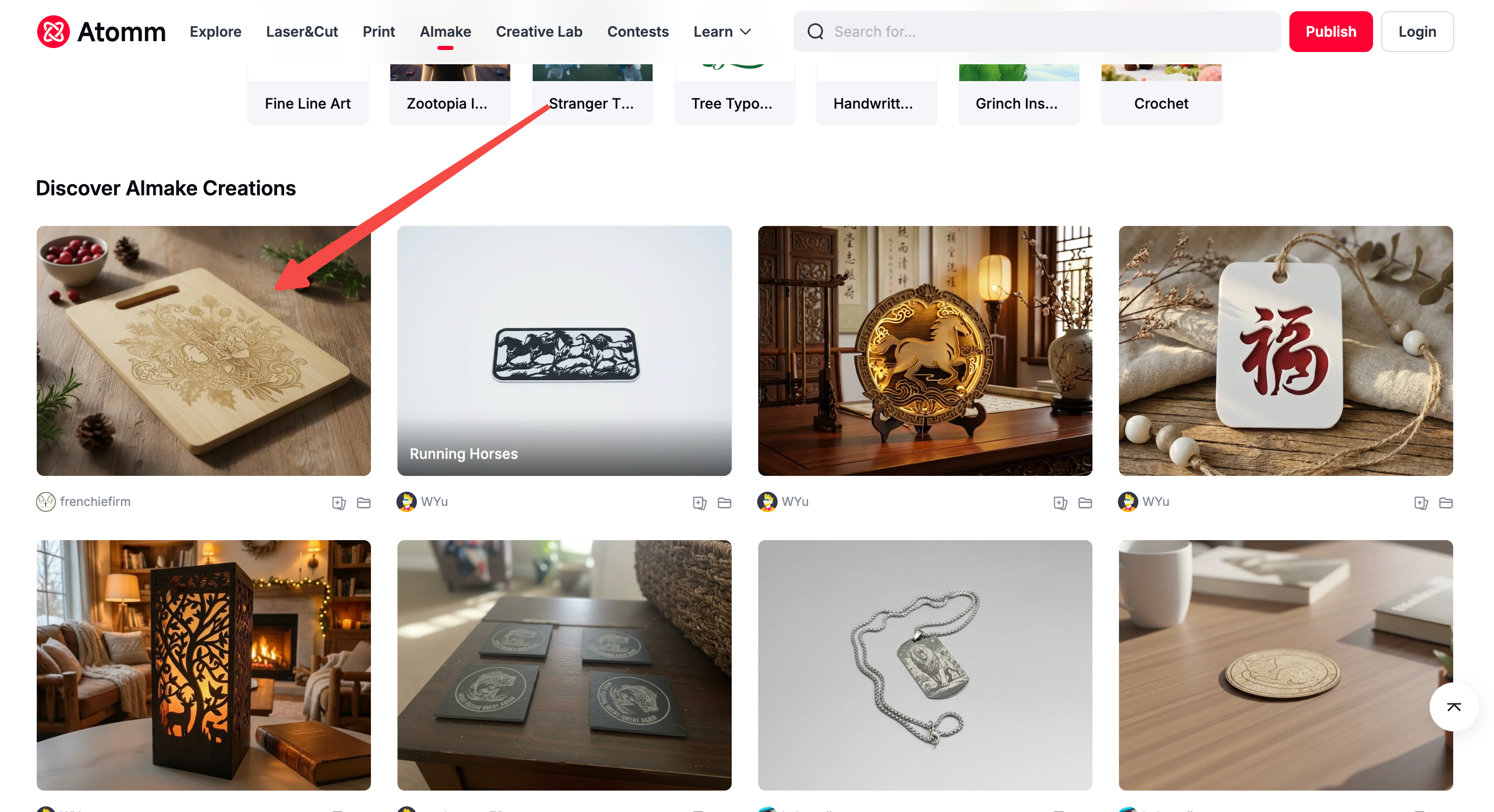
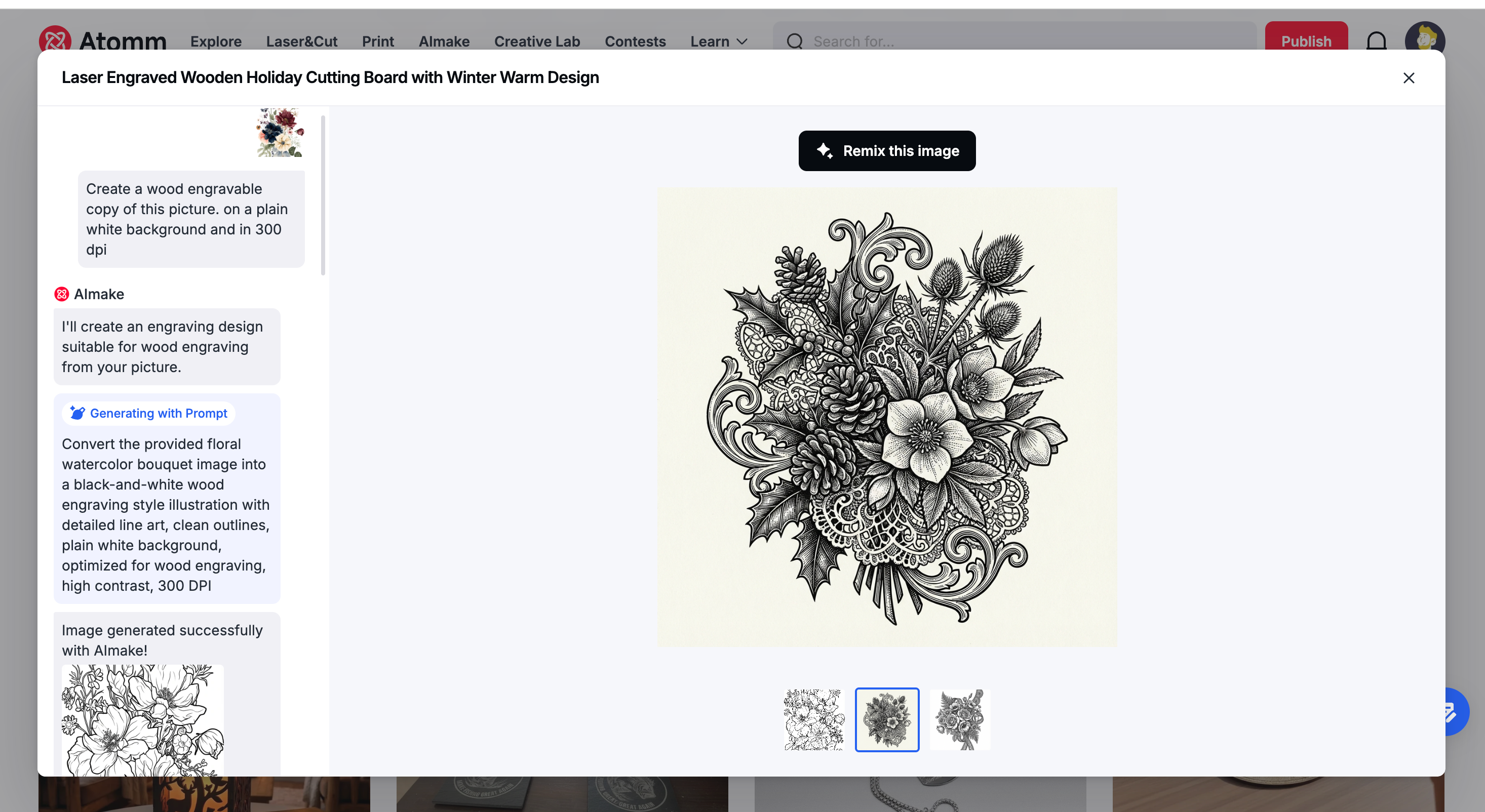
Try it now: Enter AImake and check the "Discover AImake Creations" area at the bottom.
2. Smart Prompt Optimization: Write "Craft-Ready" Prompts Like a Pro
Scenario: You have a vague idea but don't know the professional terms to make AI understand, resulting in unsatisfactory images.
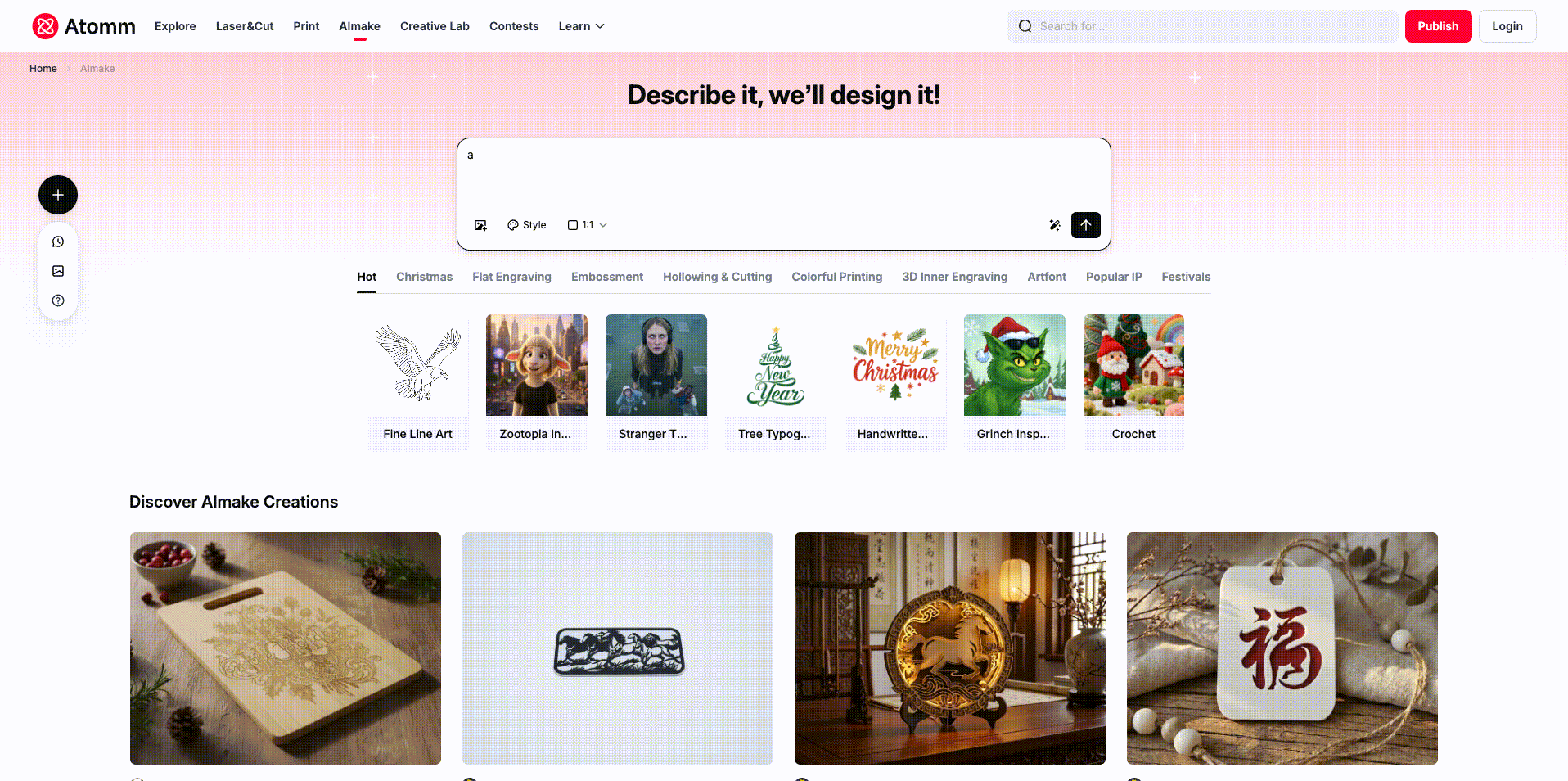
Update: The new "Prompt Optimization" feature helps you add style descriptions and craft details, translating your "brainstorm" into "craft-ready" language that AI understands.
- Auto-Polish: Just input a simple idea (e.g., "a cute cat"), and the system automatically adds details, style, and craft requirements.
- Quality Boost: Significantly improves the quality and aesthetics of the first generated image, reducing the need for repeated "rerolling".
3. Image Text Editor: Edit Text Directly on Images
Scenario: You see a great image but want to change the text, for example, changing "Happy Birthday" to "Happy New Year".
Update: Introducing the Image Text Editor tool.
- WYSIWYG: Accurately identifies text areas in the image for direct modification.
- Style Preservation: The modified text automatically matches the original font and style, perfect for creating cards, badges, and other works requiring custom text.
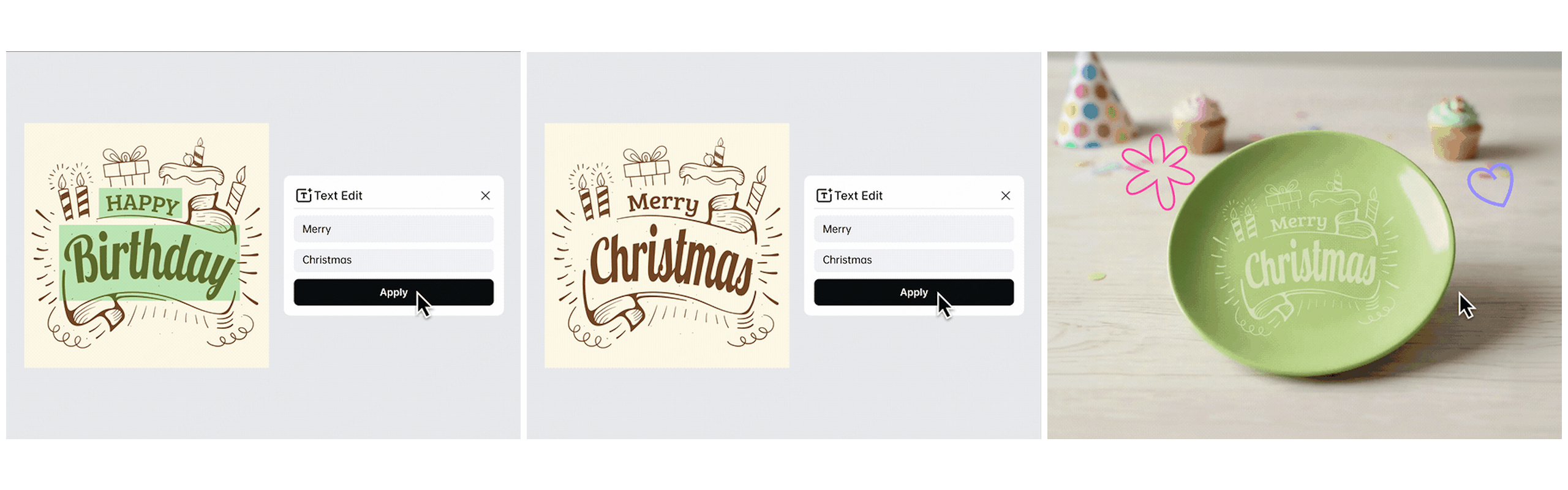
Try it now: AImake image text editor
4. Advanced Vectorizer: Significantly Improved Detail Restoration
Scenario: When converting images to vectors, complex lines often blur together, leading to poor laser processing results.
Update: Added an Advanced Mode powered by a dual-engine (LLM Pre-processing + Potrace).
- Flexible Use: Upload an image and select the vectorizer tool, or simply ask AImake to "convert to vector".
- Clearer Details: Captures more minute details compared to the previous version.Perfect Processing: Generates cleaner, more accurate vector paths to ensure perfect laser processing results.
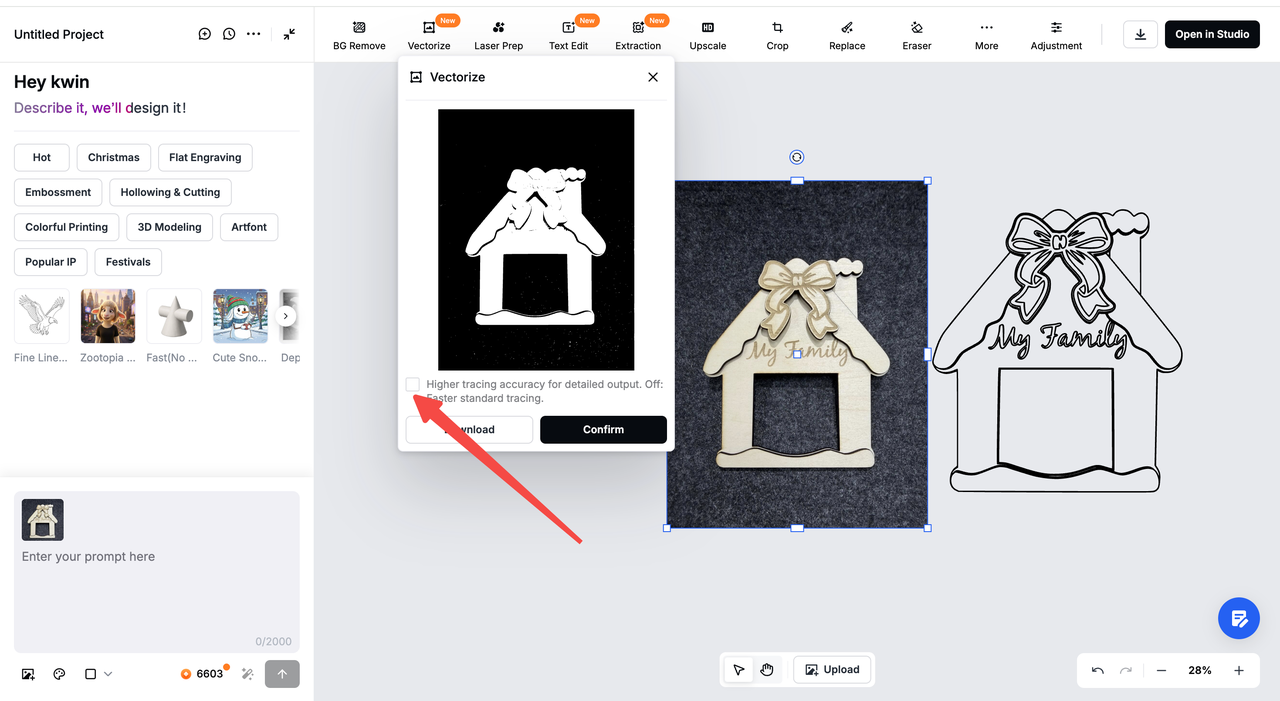
Try it now: AImake image vectorizer
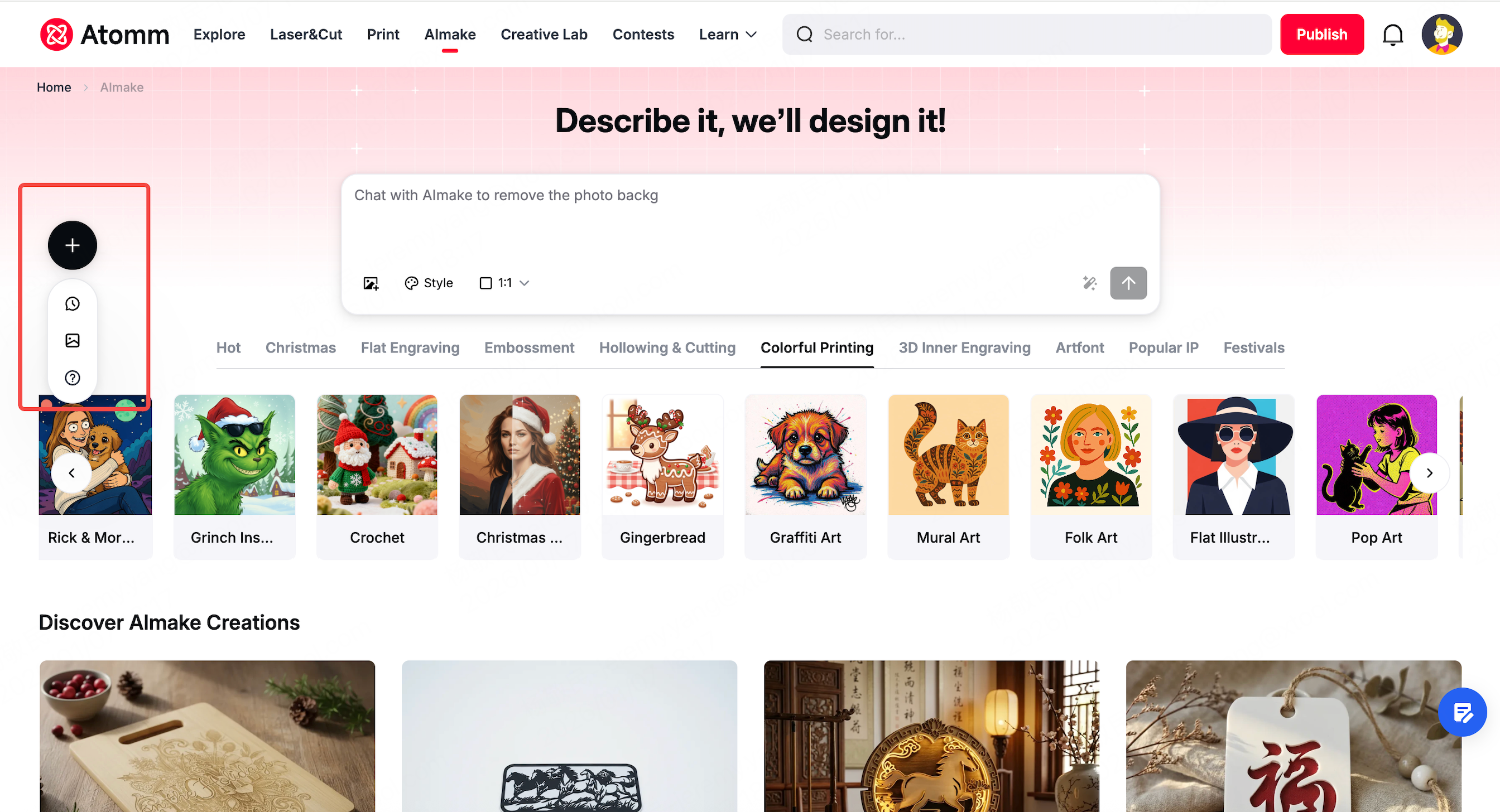
5. New Left Sidebar: Smoother Asset Management
Scenario: You want to go directly to the AImake canvas or check all your historical AI-generated image assets.
Update: Added a new left sidebar.
- Unified Management: Historical chats and image/model assets are all consolidated on the left.
- Direct Access: Added a "New Project" entry to enter the canvas directly without chatting, improving efficiency.
We hope these improvements make your creative process smoother. We look forward to hearing your feedback and suggestions.
🚀 Try AImake v1.5 Now: Atomm AImake