
Almost every disappointing acrylic purchase comes from the same mistake: buying a diode laser and then trying to cut clear acrylic with it.
It does not work, and it is not a power problem. Clear acrylic is transparent to a blue diode beam — the light passes straight through instead of being absorbed. That one fact sorts every machine below into two groups.
Key Takeaways
- Clear, white or blue acrylic needs a CO2 laser. No diode machine cuts it, at any wattage.
- Coloured and opaque acrylic cuts fine on a diode laser, which is why a $599 machine is a real answer for some people.
- Wattage buys thickness, bed size buys sheet size. They are separate decisions and both are priced separately.
- Entry to clear acrylic starts around $600; a 20 mm-in-one-pass machine is around $3,000.
CO2 vs Diode: the Two Types of Acrylic Laser Cutter
Only two kinds of laser cut acrylic, and they are not interchangeable. The difference is the wavelength, and it decides what you can cut before it decides anything about price.
| CO2 laser | Diode laser | |
|---|---|---|
| Clear, white or blue acrylic | Cuts it | Cannot cut it at any power |
| Coloured and opaque acrylic | Cuts it | Cuts it cleanly |
| Engraving, including clear | Yes | Yes |
| Typical thickness | To 20 mm at 55W, more above | Thin sheet, roughly 5 mm |
| Edge finish | Flame-polished in one pass | Rougher, often needs sanding |
| Entry price | $600 | $599 |
| Why | 10.6 µm is absorbed by acrylic | A blue beam passes straight through clear stock |
Price is not the deciding factor. The two entry machines cost almost the same; what separates them is that one of them physically cannot cut a clear sheet.
This is not our claim to defend. xTool recommends dark, opaque acrylic for its diode machines, and Glowforge’s own craft-laser guidance tells buyers to avoid white, clear and blue acrylic.

Left is the CO2 case, right is the diode case. The test is absorption rather than transparency: a tinted see-through sheet still cuts on a diode, while clear, white and blue do not, whatever the wattage.
Engraving is the easy case
Both laser types engrave acrylic, clear included, because engraving only marks the surface rather than passing through the sheet. If you only want an acrylic engraving machine, the wavelength argument above does not apply to you and the cheapest diode will do. The full material behaviour, including cast versus extruded, is in how to cut acrylic.
The Best Acrylic Laser Cutters at a Glance
Prices checked on 15 September 2026 and quoted for the base configuration. Bed sizes are as published by each maker.
| Machine | Laser | Power | Bed | Cuts clear acrylic | Price from |
|---|---|---|---|---|---|
| OMTech K40+ | CO2 | 45W | 8″ × 12″ | Yes | $600 |
| Monport Reno45 | CO2 | 45W | 16″ class | Yes | $1,150 |
| Monport 60W | CO2 | 60W | 24″ × 16″ | Yes | $1,596 |
| Gweike Cloud Pro II | CO2 | 50W class | Desktop | Yes | $1,659 |
| OMTech Polar Lite | CO2 | 55W | Desktop | Yes | $2,200 |
| Glowforge Plus / Pro | CO2 | 40–45W | 12″ × 20″ | Yes, to about ½″ | $2,249 |
| OMTech Maker AF2028-60 | CO2 | 60W | 20″ × 28″ | Yes | $2,900 |
| xTool P2S | CO2 | 55W | 23.6″ × 12″ | Yes, 20 mm in one pass | $2,999 |
| xTool P3 | CO2 | 80W | 36″ × 18″ | Yes, thickest here | $6,999 |
| xTool M2 Color Craft | Diode | 10W | Desktop | No — coloured only | $599 |
| Glowforge Aura / Spark | Diode | 6W | 12″ × 12″ | No — coloured only | $899 |
| xTool S1 | Diode | 20–40W | 23.9″ × 15.2″ | No — coloured only | $1,299 |
CO2 Acrylic Laser Cutters
Seven machines, ordered by price. The differences that matter are wattage, which buys thickness, and bed size, which buys sheet capacity.
1. OMTech K40+
Cheapest route to clear acrylic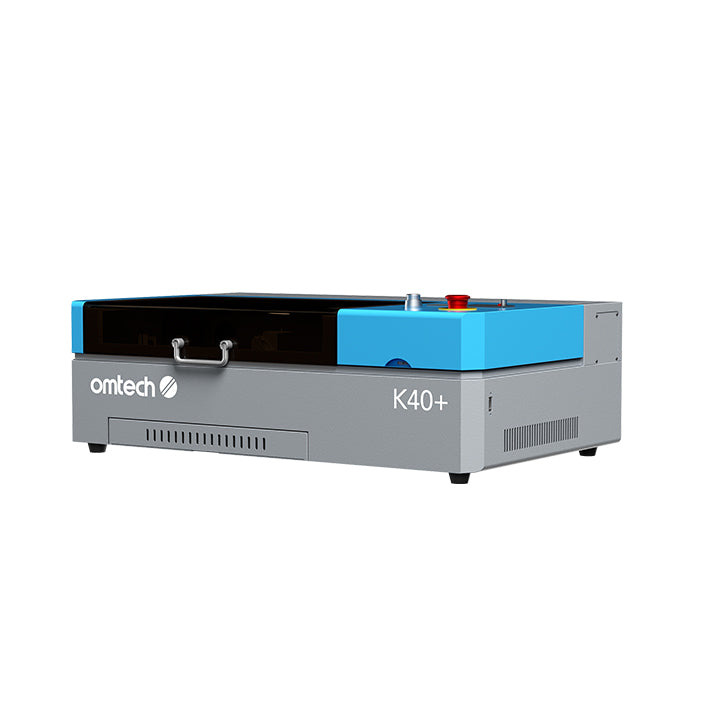
The cheapest machine here that can cut clear acrylic at all. The bed is small and the build is basic, but the physics are on your side in a way no diode machine can match at any price.
The catch is everything around the tube. There is no air assist worth the name, the bed is a flat sheet rather than a honeycomb, and alignment is a manual job. People who keep one usually upgrade those parts within a year, which quietly doubles the price.
Buy it to learn on. The bed becomes the limit long before the wattage does.
2. Monport Reno45
Budget desktop CO2
A step up from the K40 class in build and usability rather than in raw power. At 45W it cuts clear acrylic in the thin and medium range, which covers most signage, coasters and edge-lit work.
What the extra $550 over a K40 buys is not wattage, it is usability: a proper enclosure, working extraction and a bed that holds material flat. On acrylic that shows up as fewer ruined sheets rather than faster cutting.
The sensible floor if you want clear acrylic and expect to keep the machine.
3. Monport 60W
Large bed at a low price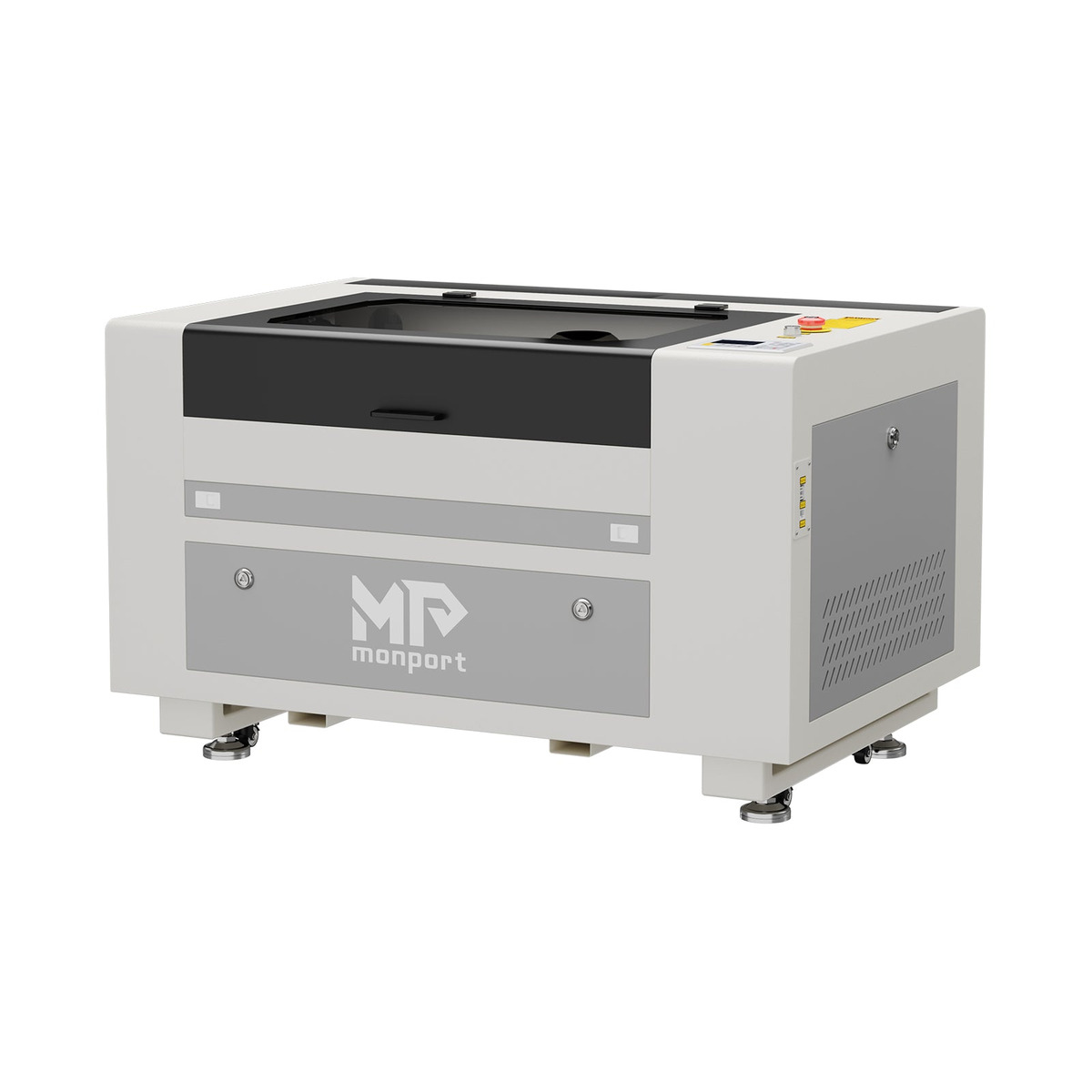
The cheapest way here to get both real wattage and a bed that takes a large sheet. It is a floor-standing class of machine rather than a desktop one, so plan for the space and the extraction before you buy.
The trade for that bed is footprint and noise. This is a floor-standing machine with a water chiller, so it wants a garage or a workshop rather than a spare room, and the extraction has to be ducted outside rather than filtered.
Strong value if you have the room. Not a machine for a spare desk.
4. Gweike Cloud Pro II
Enclosed and desktop-friendly
Sits in the same band as the Monport machines but leans towards an enclosed, appliance-like setup rather than an open industrial frame. That matters more than it sounds if the machine lives where you also live.
The appeal here is that it behaves like an appliance: lid closed, camera preview, job runs. For acrylic specifically that matters because the fumes are unpleasant enough that an open frame in a living space is not a real option.
Worth the look if enclosure and noise are decision factors rather than afterthoughts.
5. OMTech Polar Lite 55W
Desktop 55W
The wattage step that takes you from thin acrylic to genuinely thick stock, in a desktop footprint. This is the band where one-pass cutting of chunky acrylic becomes routine rather than a fight.
At 55W the useful change is one-pass cutting on thick sheet. A 45W machine will get through 10 mm acrylic in two passes and leave a visible step where the passes meet; this one does it in a single cut and the edge comes out clear.
A fair middle: more power than the budget tier, less commitment than a production machine.
6. OMTech Maker AF2028-60
Biggest bed for the money
The largest working area in this comparison for under three thousand dollars. If your limit has been fitting the sheet rather than cutting through it, this is the machine that removes that limit most cheaply.
The compromise is refinement rather than capability. Alignment, software and fume handling are all a tier below the desktop machines, so plan on spending time dialling it in before it is producing saleable work.
Choose it for area, not for finesse. Space and ventilation are the real cost.
7. xTool P2S
20 mm acrylic in one pass
xTool publishes a specific figure rather than a category: 20 mm acrylic and 18 mm wood in one pass. One-pass matters for acrylic because a second pass into a part-cut kerf is where the edge stops being flame-polished and starts looking sanded.
The dual cameras matter more on acrylic than on wood, because acrylic is usually cut from offcuts rather than full sheets. Being able to see the bed and place the job on a scrap is what stops an expensive material becoming an expensive mistake.
The pick if edge quality on thick acrylic is the point of the purchase. Passthrough handles material far longer than the bed.
See the xTool P2S on xTool8. xTool P3
Production scale
Eighty watts across a 36 by 18 inch bed, which is roughly 2.3 times the working area of the P2S. This is the point where an acrylic habit becomes an acrylic business and machine time, not machine capability, is the constraint.
The 36 by 18 inch bed changes what you can quote for rather than what you can make. Full-sheet signage and batches of twenty coasters stop being multi-session jobs, which is the only thing that justifies the step up from the P2S.
Only worth it if you are selling what you cut. For everything else it is more machine than the work needs.
See the xTool P3 on xToolDiode Acrylic Laser Cutters
Cheaper, smaller and safer to live with — and unable to cut clear acrylic no matter how long you leave them running. For coloured stock they are genuinely good.
Glowforge’s craft machines, the Aura and Spark, belong in this group too. They are 6W diode units from $899, and Glowforge’s own material guidance tells buyers to avoid white, clear and blue acrylic on them — the clearest confirmation of the rule that opens this article, from a maker with no reason to volunteer it.
9. xTool M2 Color Craft
Cheapest entry, coloured acrylic only
The cheapest machine in this article and a capable one for coloured acrylic keychains, earrings and tags. It engraves clear acrylic perfectly well; it simply cannot cut through it.
Worth being clear about what the limit is. It is not power and it is not the bed; it is the wavelength. A 40W diode has exactly the same problem with clear acrylic that this 10W one has, so spending more within the diode range does not solve it.
Right for coloured craft work at small sizes. Wrong if clear acrylic is anywhere in your plans.
See the xTool M2 Color Craft on xTool10. xTool S1
Larger diode, still coloured only
A big enclosed bed with switchable modules and Class 1 safety, which makes it the diode machine most likely to replace a CO2 in someone’s head. On coloured acrylic it will. On clear acrylic the wavelength still decides.
The switchable modules are the reason to look at it over a cheaper diode. Swapping in the infrared module adds metal marking, so the same machine covers acrylic keychains and the metal hardware that goes on them.
The best diode here for acrylic, provided you have accepted the colour limit going in.
See the xTool S1 on xToolHow to Choose an Acrylic Laser Cutter
Once the laser type is settled, four things separate the machines above. They are worth ranking in this order.
Match wattage to the thickness you actually cut
Wattage buys thickness per pass, and thickness per pass is what protects the edge. The published anchors across these brands line up consistently.
- 40 to 45W — Glowforge quotes material up to about ½ inch. Comfortable for thin and medium acrylic.
- 55W — xTool quotes 20 mm acrylic in a single pass on the P2S.
- 80W and up — thick stock at speed, which is a production concern rather than a capability one.
Bed size is a separate purchase from power
A 45W machine with a large bed cuts big thin things. A 55W machine with a small bed cuts small thick things. Decide which limit you hit first, because paying to remove the other one is wasted money.
Passthrough changes this calculation: the P2S handles material up to 118 inches long despite a 23.6 inch bed, which covers long signage without a larger machine.
Budget for extraction before you budget for the machine
Cutting acrylic produces fumes that have to leave the room. An open-frame machine in a garage needs ducting; an enclosed machine indoors needs a filter unit, and a good one costs several hundred dollars on top of the price above.
This is the single most common budget surprise, and it is larger on the cheap machines because they rarely include anything.
Buy cast acrylic, not extruded
Cast acrylic laser-cuts with a clean, flame-polished edge and engraves to a frosted white. Extruded acrylic cuts more roughly and engraves to a dull grey.
The difference is bigger than any difference between the machines on this page. Full detail is in how to laser cut acrylic.
What an Acrylic Laser Cutter Cannot Do
Worth knowing before the machine arrives rather than after.
- It cannot cut clear acrylic on a diode, and no setting, coating trick or slow pass reliably changes that.
- It cannot cut polycarbonate cleanly. Lexan looks like acrylic, absorbs differently, and leaves a scorched brown edge.
- It cannot cut PVC safely at all. PVC releases chlorine gas that damages both you and the machine. Check the sheet before it goes on the bed.
- It cannot hide a bad edge on thick stock if the cut needs several passes. One-pass capability is what buys the polished edge.
- It cannot run unattended. Acrylic flames more readily than wood, and a flare-up is a two-minute problem only if someone is in the room.
Which Acrylic Laser Cutter Should You Buy?
Answer the colour question first and the shortlist collapses to two or three machines.
- Coloured acrylic only, smallest budget — xTool M2 at $599.
- Coloured acrylic, larger work — xTool S1 at $1,299.
- Clear acrylic, cheapest possible — OMTech K40+ at $600, accepting a small bed and a basic machine.
- Clear acrylic, sensible first machine — Monport Reno45 at $1,150 or the Gweike Cloud Pro II at $1,659.
- Clear acrylic, large sheets, low budget — OMTech Maker AF2028-60 at $2,900.
- Thick acrylic with the best edge — xTool P2S at $2,999.
- Selling what you cut — xTool P3 at $6,999.
If the budget only reaches a diode machine and clear acrylic is essential, the honest advice is to wait rather than to buy the diode and hope. It is the one limit on this page that money spent in the wrong place cannot fix.
Frequently Asked Questions about Acrylic Laser Cutters
Can a diode laser cut clear acrylic?
No. Clear acrylic is transparent to a blue diode beam, so the light passes through instead of being absorbed. Both xTool and Glowforge tell buyers to use dark or opaque acrylic on diode machines. Cutting clear acrylic needs a CO2 laser.
What is the best laser cutter for acrylic?
For clear acrylic with the best edge, a 55W CO2 machine such as the xTool P2S at $2,999, which cuts 20 mm in one pass. For coloured acrylic only, the xTool M2 at $599 does the job for a fraction of that.
What wattage do I need to cut acrylic?
About 40 to 45W handles material up to roughly half an inch. 55W cuts 20 mm in a single pass. 80W and above is about speed and volume rather than new capability. One-pass cutting is what keeps the edge polished.
Is a plexiglass laser cutter different from an acrylic laser cutter?
No. Plexiglass, Perspex and acrylic are the same material under different brand names, so the same machines and the same rules apply. Only the colour and the cast-versus-extruded question change the result.
Can you engrave clear acrylic with a diode laser?
Yes. Engraving only marks the surface, so it works on clear acrylic even on machines that cannot cut it. This is why a cheap diode machine can still be a useful acrylic engraving machine.
How much does an acrylic laser cutter cost?
Coloured acrylic starts at $599. Clear acrylic starts around $600 for a basic CO2 machine and about $1,150 for one you would keep. Thick acrylic with a clean edge is around $3,000, and production machines run to $7,000.
Start with the acrylic, not the machine
Browse free acrylic projects, then buy the laser that cuts them.
