
Key Takeaways
- Fiber lasers are the only desktop type that cuts and marks bare metal — steel, aluminum, brass, and precious metals.
- Dedicated fiber machines are metal-only; xTool's dual-laser models also cut wood and acrylic.
- Desktop fiber machines cut thin sheet (roughly 0.5–2 mm) and mark thicker metal; they're not plate cutters.
- MOPA fiber adds color and finer control; standard fiber marks and cuts in monochrome for less.
- Most desktop fiber cutters are open-frame galvo units — budget for a safety enclosure and rated glasses.
If you make jewelry, tags, tools, or small metal parts, a fiber laser cutter is the machine that turns thin sheet metal into finished pieces — and marks any metal permanently along the way. It's the tool of choice for jewelers, sign makers, knife and EDC builders, and small manufacturers who need clean, repeatable metal work that a diode or CO2 machine simply can't do. Below we compare five top machines across power, color capability, and price, with specs, pros and cons, and clear advice.
The best fiber laser cutters at a glance
We ranked these on metal cutting and marking quality, color capability, value, and reviews. Prices are approximate and shift with promotions.
xTool F1 Ultra
Best overall
The xTool F1 Ultra is the most versatile fiber machine you can buy because it isn't only a fiber machine — a second 20W diode laser handles wood and acrylic, while the fiber side cuts and marks thin metal. That dual nature makes it a one-machine shop for mixed-material makers.
A galvo head reaches 10,000 mm/s, and an optional conveyor extends the small bed for longer runs. It's premium, but nothing else covers metal and everyday materials this completely.
Pros
- Cuts and marks thin metal
- Diode side does wood and acrylic
- Very fast; conveyor option
Cons
- Small native bed
- Premium price
- Thin metal only (not plate)
xTool F1 Ultra: the most versatile fiber-and-diode laser cutter for metal.
xTool F2 Ultra
Best power & color
The xTool F2 Ultra steps up to a 60W MOPA fiber, cutting thin metal faster and deeper than 20W machines and unlocking true color marking on stainless steel. A 40W diode covers everyday materials.
Dual 48MP cameras keep production batches precise. It's the priciest here, but for a metal business that wants speed, depth, and color, it's the workhorse.
Pros
- 60W — fastest, deepest metal work
- True MOPA color on steel
- Dual cameras for batches
Cons
- Premium price
- Small native bed
- Overkill for light hobby use
xTool F2 Ultra: the top MOPA fiber cutter for power and color metal.
ComMarker B6 MOPA
Best value MOPA
The ComMarker B6 delivers genuine MOPA color marking and thin-metal cutting for hundreds less than the big-name MOPA machines. Power tiers up to 60W give room to grow, and it runs both LightBurn and EZCAD.
It's open-frame, so the safety enclosure is a separate buy and the 150 mm field needs an upgrade lens for larger parts. For color-capable fiber per dollar, it's the value pick.
Pros
- True MOPA color marking
- Power tiers to 60W
- LightBurn + EZCAD
Cons
- Open frame — enclosure extra
- Small base field
- MOPA color learning curve
ComMarker B6 MOPA: the best-value MOPA fiber cutter for metal.
ComMarker B4
Best budget fiber
The ComMarker B4 is the lowest-cost route to a credible JPT fiber. It marks and cuts thin metal in monochrome, and higher-wattage options (up to 100W) push real cutting depth for the price.
It's standard (non-MOPA), so no color, and it's open-frame. But for makers who just need permanent metal marks and thin-metal cuts on a tight budget, it delivers.
Pros
- Very low fiber entry price
- Up to 100W option
- Dual lenses + red-dot
Cons
- No color (not MOPA)
- Open frame — safety gear extra
- Small field without long lens
ComMarker B4: the cheapest credible fiber cutter for metal.
OMTech Galvo 30W
Cheapest galvo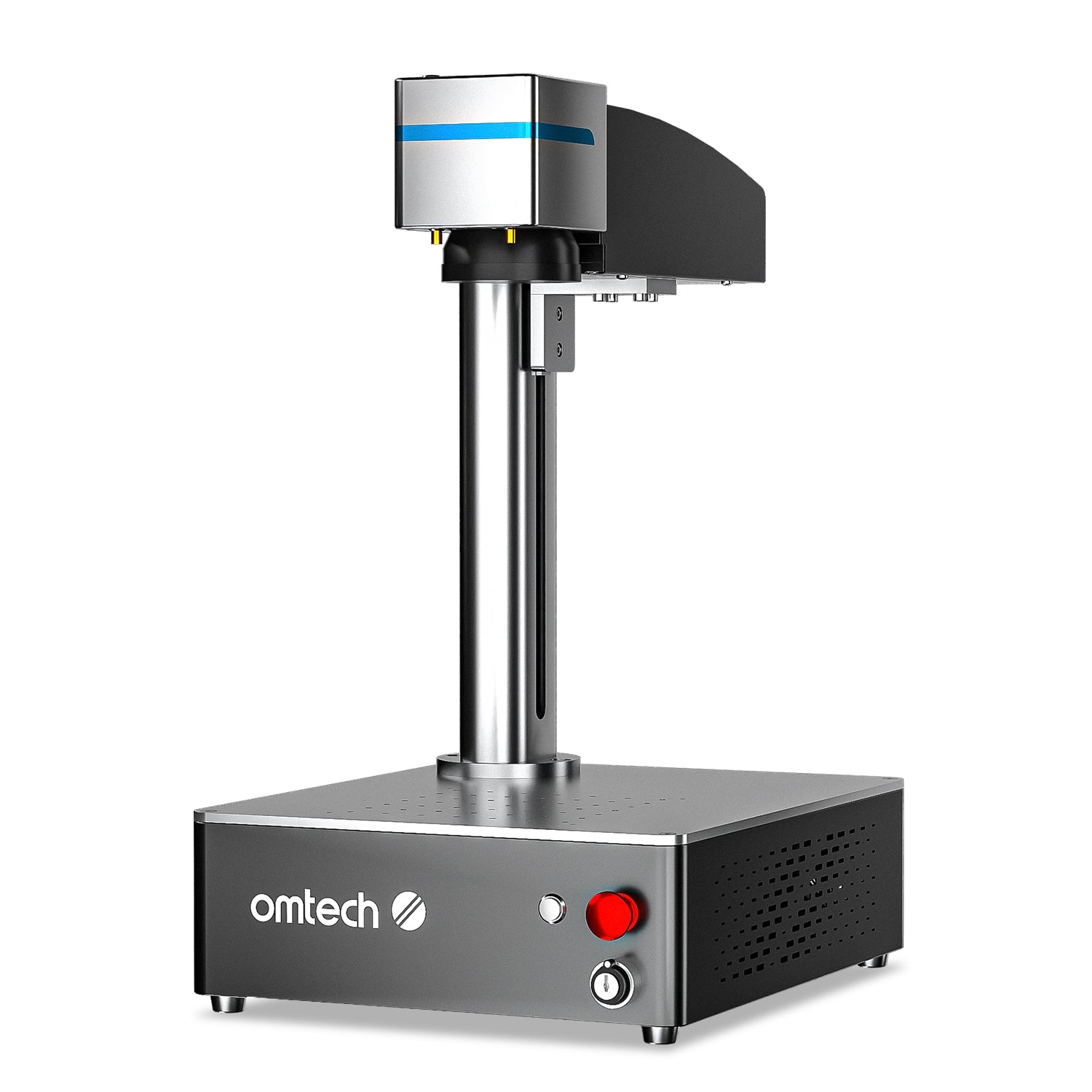
The OMTech Galvo 30W is a compact, no-frills fiber marker that hits 10,000 mm/s and marks bare metal cleanly. Its 30W output handles marking well and light thin-metal cutting.
There's no MOPA (so no color) and the fixed 150 mm field is small, but for a shop that mainly needs fast, permanent metal marks it's a bargain.
Pros
- Sub-$1,700 fiber
- Fast 10,000 mm/s
- Compact and LightBurn-ready
Cons
- No color marking
- Small fixed field
- Better at marking than cutting
OMTech Galvo 30W: the budget galvo fiber for monochrome metal marks.
How to choose a fiber laser cutter
We compared every machine in this guide on the same factors — cutting versus marking, MOPA or standard fiber, power and field size, enclosure and safety, and mixed-material support — and here's what each means. Fiber is a metal specialist, so weigh these:
- Cutting vs marking. Desktop fiber cuts thin sheet (about 0.5–2 mm) and marks thicker metal — if you're new to what is fiber laser cutting, start there. For thick plate you need an industrial fiber system, not a desktop unit.
- MOPA or standard? MOPA adds color marking and finer control (xTool F2 Ultra, ComMarker B6); standard fiber marks and cuts monochrome for less (ComMarker B4, OMTech Galvo).
- Power and field. More watts cut thicker/faster; check the lens field size and whether it expands.
- Enclosure and safety. Most are open-frame galvo units — plan for rated glasses and ideally a safety enclosure.
- Mixed materials? Only the xTool dual-laser machines also handle wood and acrylic; dedicated fiber units are metal-only.
Here's how the picks compare:
| Model | Laser | Power | Color? | Approx. price | Best for |
|---|---|---|---|---|---|
| xTool F1 Ultra | Fiber + diode | 20W + 20W | No | From $2,999 | Best overall |
| xTool F2 Ultra | MOPA + diode | 60W + 40W | Yes | From $4,299 | Power & color |
| ComMarker B6 MOPA | MOPA fiber | 20–60W | Yes | From $2,599 | Value MOPA |
| ComMarker B4 | JPT fiber | 20–100W | No | From $1,399 | Budget fiber |
| OMTech Galvo 30W | Fiber | 30W | No | ~$1,699 | Cheapest galvo |
Our buying advice
- Most people: the xTool F1 Ultra — cuts and marks metal, plus wood and acrylic via its diode.
- Power, speed, and color: the xTool F2 Ultra, or the cheaper ComMarker B6 MOPA for color on a budget.
- Tightest budget: the ComMarker B4 or OMTech Galvo 30W (both monochrome).
- Need thick plate cutting? No desktop fiber does that — look to an industrial fiber system, or see our wider best laser cutter for metal guide for CO2 and diode options.
Decide MOPA-or-not first (color vs monochrome), then match power and field to your parts.
What real makers create on metal with a fiber laser
From marked brass coins to color-etched steel tumblers and fine acrylic jewelry, here's the range a fiber-class machine covers — each comes with a free file.
Brass commemorative coin
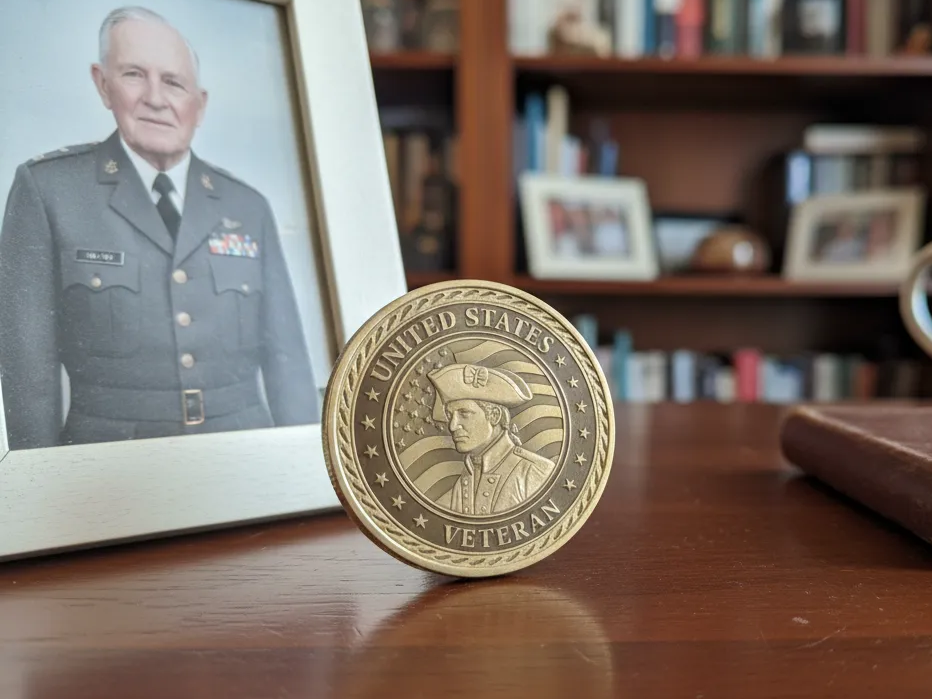
This challenge coin shows exactly what fiber does best — deep, permanent marks on bare brass with crisp relief and no ink. It's the kind of repeatable metal detail a diode or CO2 laser can't touch.
Get this design free →Stainless steel tumbler set

A matching tumbler and keyring marked on stainless proves how MOPA fiber turns bare steel into finished product-grade goods. Curved and flat metal both take a clean, wash-proof mark.
Get this design free →Acoustic guitar earrings
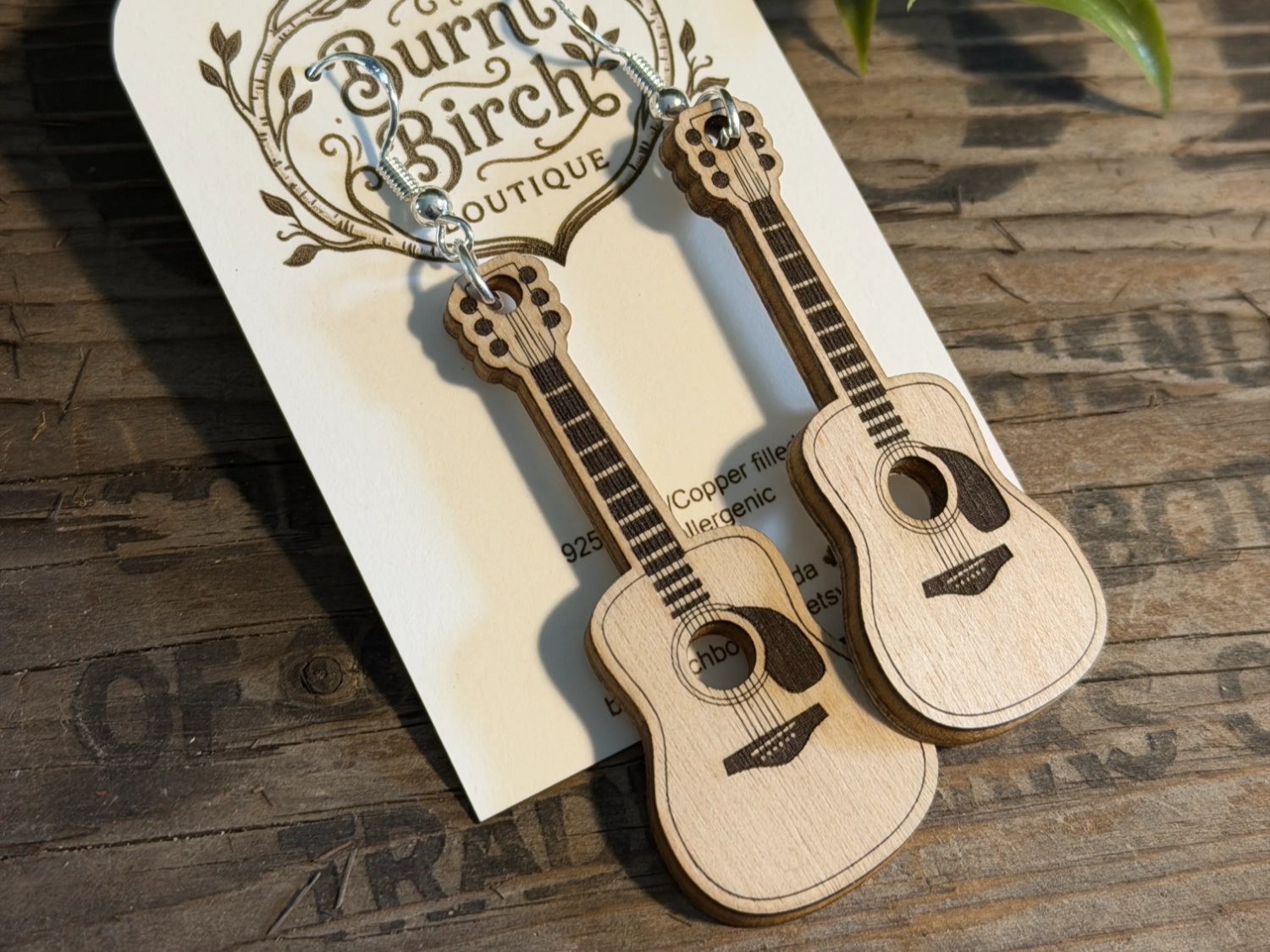
These dangle earrings show the flip side of a dual-laser fiber machine — the same shop that cuts metal can also cut fine acrylic jewelry. That mixed-material reach is why the xTool units top this guide.
Get this design free →Frequently asked questions about fiber laser cutters
What can a fiber laser cutter cut?
Thin sheet metal — steel, stainless, aluminum, brass, and precious metals — typically around 0.5–2 mm on desktop machines. It also marks and engraves thicker metal, which is where a best laser engraver for metal pick overlaps with these cutters. It's not for wood, acrylic, or thick plate.
What is the difference between fiber and CO2 for cutting?
Fiber's 1064 nm beam is absorbed by metal, so it cuts and marks metal; a CO2 laser cuts wood, acrylic, and glass but can't cut bare metal. Many shops run both.
What is MOPA and do I need it?
MOPA is a fiber laser with adjustable pulses. It enables color marking on stainless and finer control. If you want color or the highest detail, choose MOPA; otherwise standard fiber is cheaper.
How thick can a desktop fiber laser cut?
Roughly 0.5–2 mm of metal depending on wattage and material, often in multiple passes. Thick plate requires a high-power industrial fiber cutter, not a desktop galvo.
Do fiber laser cutters need an enclosure?
Most desktop fiber machines are open-frame, so rated laser glasses are mandatory and a safety enclosure is strongly recommended. Never run an open fiber laser unprotected.
Ready to cut metal?
Explore free, ready-to-cut metal designs — or generate your own artwork in seconds.