
Key Takeaways
- Only a fiber laser cuts bare metal — diode and CO2 machines can't. Desktop fiber cuts thin sheet, not plate.
- Desktop fiber cutters handle roughly 0.5–2 mm of steel, aluminum, and brass; thicker plate needs industrial power.
- Higher wattage (30W, 60W, 100W) cuts thicker metal in fewer passes.
- MOPA fiber adds color marking on top of cutting; standard fiber is monochrome and cheaper.
- Most desktop fiber cutters are open-frame — plan for rated glasses and a safety enclosure.
To cut metal — thin brackets, jewelry blanks, tags, stencils, and small parts — you need a fiber laser, and the term you'll search is often "laser cutter for metal." Jewelers, sign shops, knife and EDC makers, and small fabricators use these to turn sheet metal into finished pieces with clean, repeatable edges.
One thing to set straight up front: a desktop machine cuts thin sheet (about 0.5–2 mm), not thick plate. If you need to cut metal heavier than that, you're into industrial territory. Below we compare five desktop machines that cut thin metal, with specs, pros and cons, and clear advice.
The best metal laser cutters at a glance
We ranked these on metal cutting depth, speed, value, and reviews. Prices are approximate and shift with promotions.
xTool F1 Ultra
Best overall
The F1 Ultra cuts thin sheet metal with its fiber laser and handles wood and acrylic with its diode — a genuine two-in-one for makers who cut metal but also work other materials.
A galvo head reaches 10,000 mm/s for fast, clean small parts. The bed is small and it's thin-metal only, but it's the most versatile metal cutter at the price.
Pros
- Cuts thin metal and marks it
- Diode does wood and acrylic
- Very fast galvo
Cons
- Thin sheet only, not plate
- Small work area
- Premium price
xTool F1 Ultra: the most versatile desktop cutter for thin metal.
xTool F2 Ultra
Best power & color
The F2 Ultra's 60W MOPA fiber cuts thin metal faster and deeper than 20W machines, and adds true color marking on stainless steel — useful for branded parts.
Dual 48MP cameras keep production batches aligned. It's the priciest here, but for a metal shop that wants speed and color, it's the workhorse.
Pros
- 60W cuts thicker/faster
- True color marking too
- Dual cameras for batches
Cons
- Premium price
- Small bed
- Still thin sheet, not plate
xTool F2 Ultra: the fastest desktop MOPA cutter for metal.
ComMarker B4 (100W)
Best value cutting
The ComMarker B4 offers high-wattage options up to 100W, which push real thin-metal cutting depth for far less than premium machines. It marks and cuts in monochrome with dual lenses for framing.
It's open-frame, so budget for a safety enclosure. For makers who want maximum metal-cutting power on a budget, it's the value pick.
Pros
- Up to 100W for deeper cuts
- Low entry price
- LightBurn + EZCAD
Cons
- No color (not MOPA)
- Open frame — safety gear extra
- Small field without long lens
ComMarker B4 (100W): the value fiber for the most metal-cutting power.
ComMarker B6 MOPA
Best value color
The ComMarker B6 pairs thin-metal cutting with true MOPA color marking, so you can cut parts and brand them in color on one machine, for less than premium MOPA units.
Open-frame with a small base field, but for cutting-plus-color per dollar it's the value choice.
Pros
- Cuts and color-marks metal
- Power tiers to 60W
- LightBurn + EZCAD
Cons
- Open frame — enclosure extra
- Small base field
- MOPA learning curve
ComMarker B6 MOPA: the value fiber that cuts and color-marks metal.
OMTech Galvo 30W
Cheapest fiber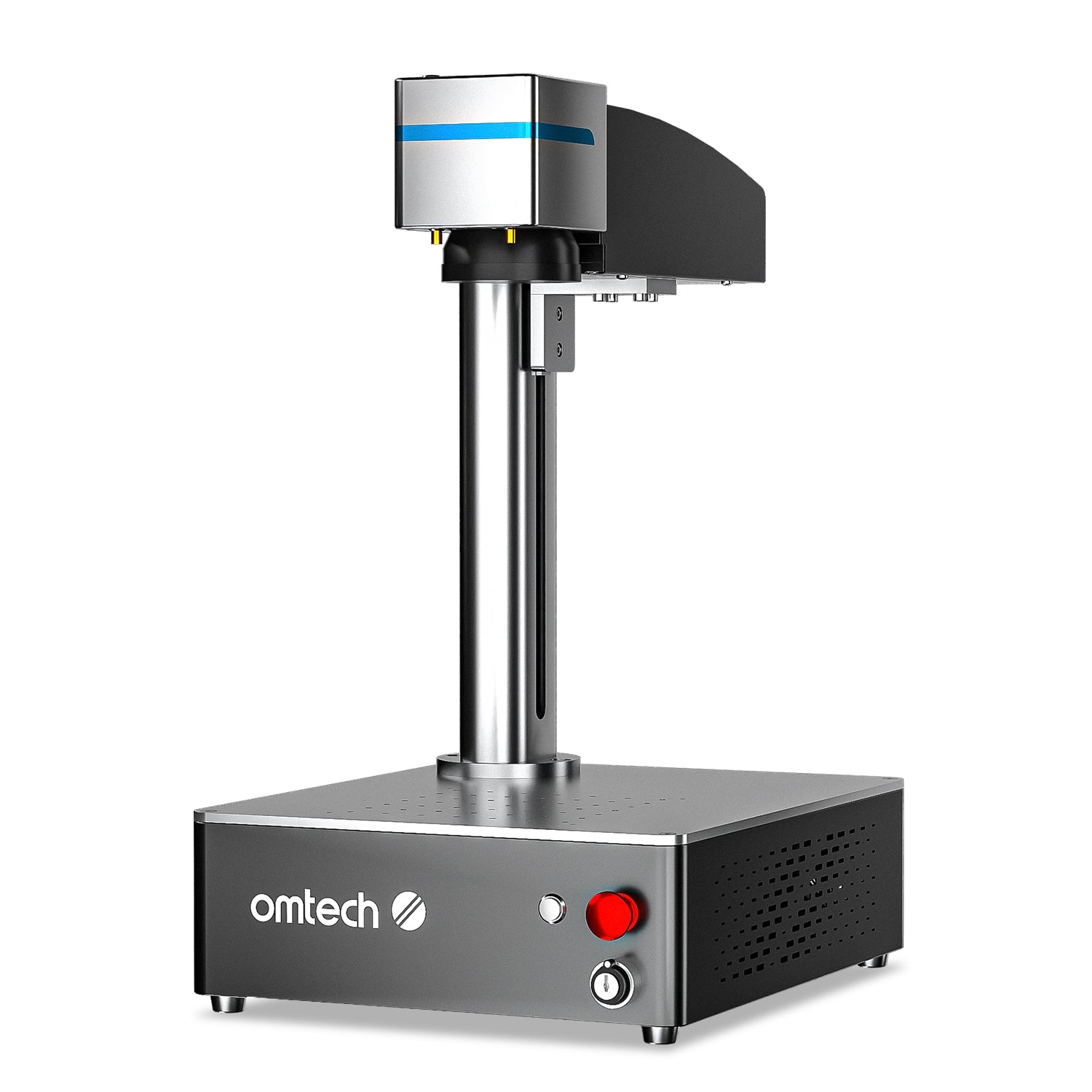
The OMTech Galvo 30W is a compact, sub-$1,700 fiber that marks metal cleanly and cuts very thin sheet. It's a low-cost entry for shops that mostly mark but occasionally cut thin stock.
No MOPA (no color) and a small fixed field, and 30W limits cutting depth, but for the price it's a capable starter.
Pros
- Sub-$1,700 fiber
- Fast marking, light cutting
- Compact, LightBurn-ready
Cons
- 30W limits cut depth
- No color marking
- Small fixed field
OMTech Galvo 30W: the budget fiber for marking and light metal cutting.
How to choose a laser cutter for metal
We compared every machine in this guide on the same factors — laser type and power, work area, enclosure and safety, software, and value — and here's what each means. Metal cutting is fiber-only, so weigh these:
- Wattage. Cutting depth scales with power — 20–30W cuts very thin sheet; 50–100W cuts thicker in fewer passes. For any real cutting, favor higher wattage.
- Cutting vs marking. All these mark metal easily; cutting thin sheet is the harder job that needs power and multiple passes.
- MOPA or standard? MOPA adds color marking; if you only cut and mark monochrome, standard fiber is cheaper.
- Enclosure and safety. Most are open-frame galvo units — rated glasses and a safety enclosure are essential.
- Thick plate? No desktop machine cuts it — that's an industrial fiber cutter.
If you want a broader roundup across power tiers and price points, see our best fiber laser cutter picks. Here's how the picks compare:
| Model | Laser | Max power | Color? | Approx. price | Best for |
|---|---|---|---|---|---|
| xTool F1 Ultra | Fiber + diode | 20W | No | From $2,999 | Best overall |
| xTool F2 Ultra | MOPA + diode | 60W | Yes | From $4,299 | Power & color |
| ComMarker B4 | JPT fiber | 100W | No | From $1,399 | Value cutting power |
| ComMarker B6 MOPA | MOPA fiber | 60W | Yes | From $2,599 | Cut + color value |
| OMTech Galvo 30W | Fiber | 30W | No | ~$1,699 | Cheapest entry |
Our buying advice
- Most people: the xTool F1 Ultra — cuts thin metal and also does wood and acrylic.
- Most cutting power for the money: the ComMarker B4 with a higher-wattage option.
- Cutting plus color: the xTool F2 Ultra, or the cheaper ComMarker B6 MOPA.
- Entry budget: the OMTech Galvo 30W (mostly marking, light cutting).
- Thick plate: step up to an industrial fiber system — no desktop cuts it.
If your work is mostly marking rather than cutting through, our best laser engraver for metal guide covers marking-focused machines in more depth. Choose wattage for how thick you cut, then decide whether you need color marking too.
What real makers create with a laser
From brass coins to steel drinkware and fine acrylic jewelry, here's the range these machines cut and mark — each with a free file to try.
Brass commemorative coin
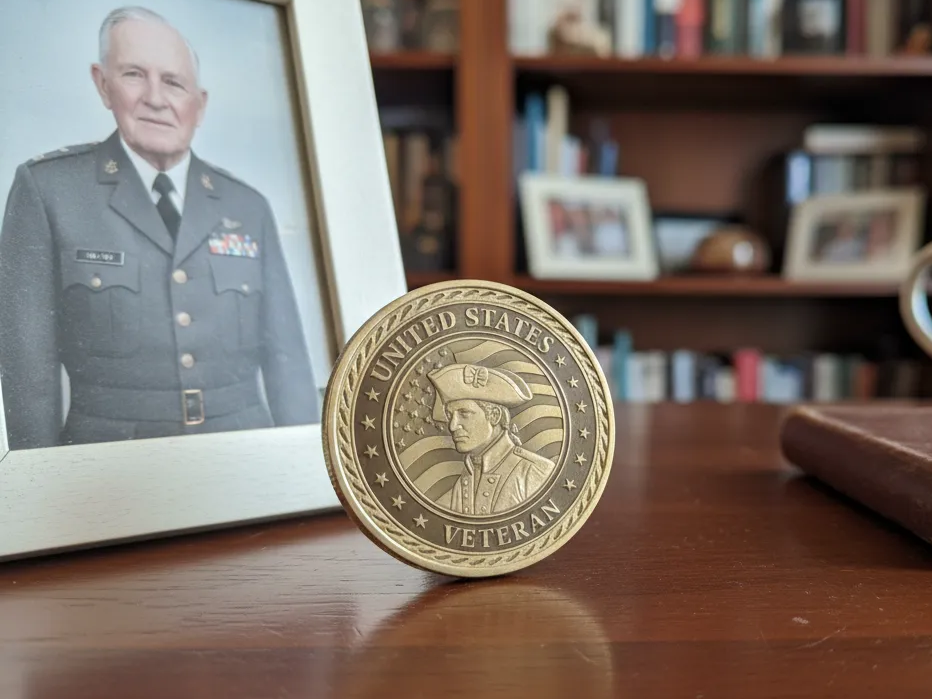
This brass challenge coin shows the crisp relief a fiber laser leaves on solid metal, cutting and marking in one setup. It's the kind of small, repeatable part that proves a desktop fiber's precision.
Get this design free →Stainless steel tumbler set

A matching tumbler and keyring engraved on stainless show how fiber marking wraps curved metal without fading. It's a popular product line for makers who sell branded drinkware.
Get this design free →Acoustic guitar earrings
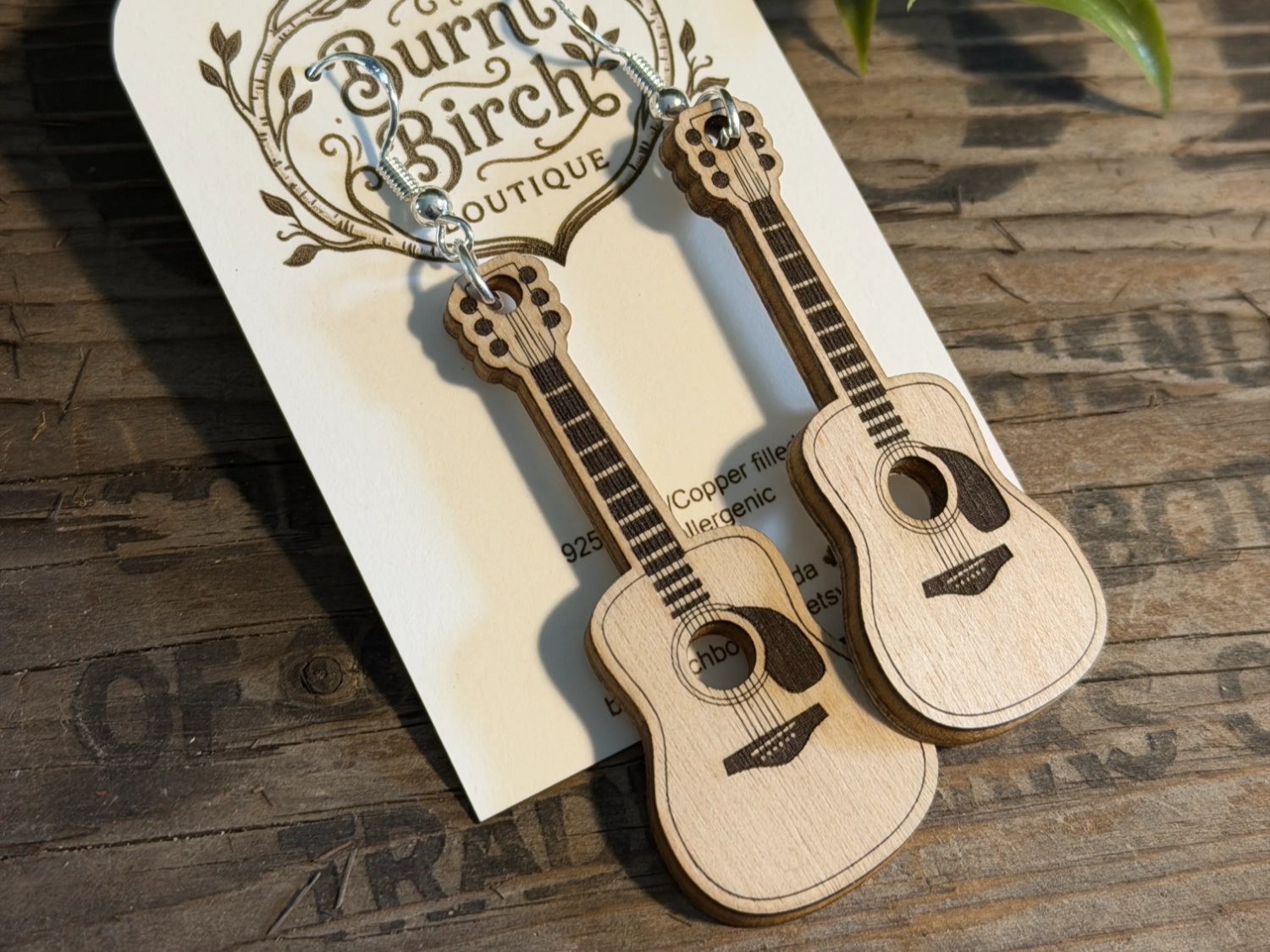
These delicate guitar earrings show the same machines cut fine non-metal jewelry too, not just sheet metal. It's a reminder that a versatile fiber-and-diode setup earns its keep across materials.
Get this design free →Frequently asked questions about metal laser cutters
Can a laser cutter cut metal?
Only a fiber laser cuts bare metal. Diode and CO2 machines can't. Desktop fiber cutters handle thin sheet (about 0.5–2 mm); thicker plate needs an industrial fiber cutter.
How thick of metal can a desktop laser cut?
Roughly 0.5–2 mm of steel, aluminum, or brass depending on wattage, often in multiple passes. Higher-power machines (50–100W) cut thicker and faster.
What is the difference between cutting and marking metal?
Marking changes the surface (a permanent mark) without cutting through; cutting removes material to separate a part. Marking is easy for any fiber laser; cutting needs more power and passes.
Do I need MOPA to cut metal?
No. Standard fiber cuts metal fine in monochrome. MOPA adds color marking, so choose it only if you also want color on stainless steel.
Can a CO2 laser cut metal?
No. CO2 lasers cut wood, acrylic, and glass but can't cut bare metal. Use a fiber laser for metal, or a CO2 machine for non-metals.
Ready to cut metal?
Explore free, ready-to-cut metal designs — or generate your own artwork in seconds.