
![[Laser cut and engrave] The Barista’s Secret Box – A Luxury Coffee Ritual Organizer (7 in 1)](https://image-res.atomm.com/resource/xtool/community/attachment/xtool-community/e838b843-a11b-4dcf-a394-8bc3dad8bf80.png?x-oss-process=image/resize,m_fill,w_1280,h_960,limit_0/interlace,1/format,webp/auto-orient,1)

![[Laser cut and engrave] The Barista’s Secret Box – A Luxury Coffee Ritual Organizer (7 in 1)](data:image/png;base64,iVBORw0KGgoAAAANSUhEUgAAAAoAAAAKCAYAAACNMs+9AAAAAXNSR0IArs4c6QAAABdJREFUKFNjZCASMBKpjmFUId6QIjp4AAppAAuXjCs4AAAAAElFTkSuQmCC)
![[Laser cut and engrave] The Barista’s Secret Box – A Luxury Coffee Ritual Organizer (7 in 1)](https://image-res.atomm.com/resource/xtool/community/attachment/xtool-community/e838b843-a11b-4dcf-a394-8bc3dad8bf80.png?x-oss-process=image/resize,m_fill,w_160,h_120,limit_0/interlace,1/format,webp/auto-orient,1)
![[Laser cut and engrave] The Barista’s Secret Box – A Luxury Coffee Ritual Organizer (7 in 1)](https://storage-us.atomm.com/resource/xtool/community/attachment/xtool-community/32cb44fb-15d3-4e10-90e3-dbbd37f57682.png)
![[Laser cut and engrave] The Barista’s Secret Box – A Luxury Coffee Ritual Organizer (7 in 1)](https://image-res.atomm.com/resource/xtool/community/attachment/xtool-community/683af2a2-e287-4a1a-9c29-ed98c0fef341.jpg?x-oss-process=image/resize,m_fill,w_160,h_120,limit_0/interlace,1/format,webp/auto-orient,1)
![[Laser cut and engrave] The Barista’s Secret Box – A Luxury Coffee Ritual Organizer (7 in 1)](https://image-res.atomm.com/resource/xtool/community/attachment/xtool-community/a93fb264-e266-4c48-b23e-87b18d05ece7.jpg?x-oss-process=image/resize,m_fill,w_160,h_120,limit_0/interlace,1/format,webp/auto-orient,1)
![[Laser cut and engrave] The Barista’s Secret Box – A Luxury Coffee Ritual Organizer (7 in 1)](https://image-res.atomm.com/resource/xtool/community/attachment/xtool-community/deaf93c3-e921-4411-b4ce-17ab14e38cf6.jpg?x-oss-process=image/resize,m_fill,w_160,h_120,limit_0/interlace,1/format,webp/auto-orient,1)
![[Laser cut and engrave] The Barista’s Secret Box – A Luxury Coffee Ritual Organizer (7 in 1)](https://image-res.atomm.com/resource/xtool/community/attachment/xtool-community/a0ca9047-75f1-4694-a34f-880caaa35100.jpg?x-oss-process=image/resize,m_fill,w_160,h_120,limit_0/interlace,1/format,webp/auto-orient,1)
![[Laser cut and engrave] The Barista’s Secret Box – A Luxury Coffee Ritual Organizer (7 in 1)](https://image-res.atomm.com/resource/xtool/community/attachment/xtool-community/dfb2adf5-3e79-4d48-8d5a-cfe53b55c547.webp?x-oss-process=image/resize,m_fill,w_160,h_120,limit_0/interlace,1/format,webp/auto-orient,1)
The Barista’s Secret Box – A Luxury Coffee Ritual Organizer (7 in 1)
 Instruction


Information
      Transform your daily coffee routine into a refined ritual with The Barista’s Secret Box, a handcrafted luxury coffee organizer designed for true coffee lovers and home baristas ☕✨

This laser-cut wooden storage box is more than an organizer — it’s a statement piece for your coffee corner. Designed using precision finger joints and crafted from 3mm basswood, each panel is carefully assembled, wood-filled, sanded smooth, varnished multiple times, and finished with a subtle torch-burn technique to achieve a rich, vintage aesthetic 🔥🌿

At the center of the design is a custom depth-map engraved “Cafe Helpers” tag. The tag is laser engraved on basswood and hand-painted to enhance contrast and dimension 🎨🪵 The layered depth engraving creates a 3D effect, giving the piece a premium handcrafted appearance.

✨ Designed for Functionality & Elegance

This vertical coffee organizer is thoughtfully built to store:

☕ Coffee filters
☕ Portafilters and handles
☕ Coffee scoops
☕ Coffee machine cleaning accessories
☕ Sugar packets and stirrers
☕ Small brewing accessories

It keeps your coffee station organized while adding warmth and luxury to your kitchen décor.

🛠 Craftsmanship Highlights

🪵 Precision tray layout generated using Boxes.py
🔥 Laser cut finger joints for strong assembly
🧱 Wood filler smoothing for seamless edges
🪄 Multi-coat varnish for durability and shine
🔥 Torch finish for a rustic luxury feel
🖼 Depth-map laser engraving for dimensional signage

Every detail blends modern laser cutting technology with handcrafted finishing techniques to create a piece that feels both premium and personal.

💎 Why It Stands Out

Unlike ordinary storage boxes, The Barista’s Secret Box combines laser engraving precision with artistic finishing. It’s not just storage — it’s a centerpiece for your coffee ritual and a conversation starter in any kitchen.

🎁 Perfect For

☕ Coffee enthusiasts
🎁 Handmade gift lovers
🏡 Kitchen décor upgrades
🛠 DIY laser cutting inspiration
🏆 Atomm laser cutting contest entries

This project demonstrates advanced laser cutting, depth engraving on 3mm basswood, wood finishing techniques, and custom coffee station design — making it both functional and contest-worthy.
Instruction
Step1: Generate the Tray Layout Using Boxes.py
To begin this laser cutting project, open the Boxes.py TrayLayout generator here:
https://boxes.hackerspace-bamberg.de/TrayLayout?language=en
You can either:
Create the tray layout manually as shown in the design preview below, or
Download and directly use the pre-generated SVG files provided with this tutorial.
This tool automatically generates precise finger-joint box layouts, making it perfect for laser cutting storage trays and organizer builds.
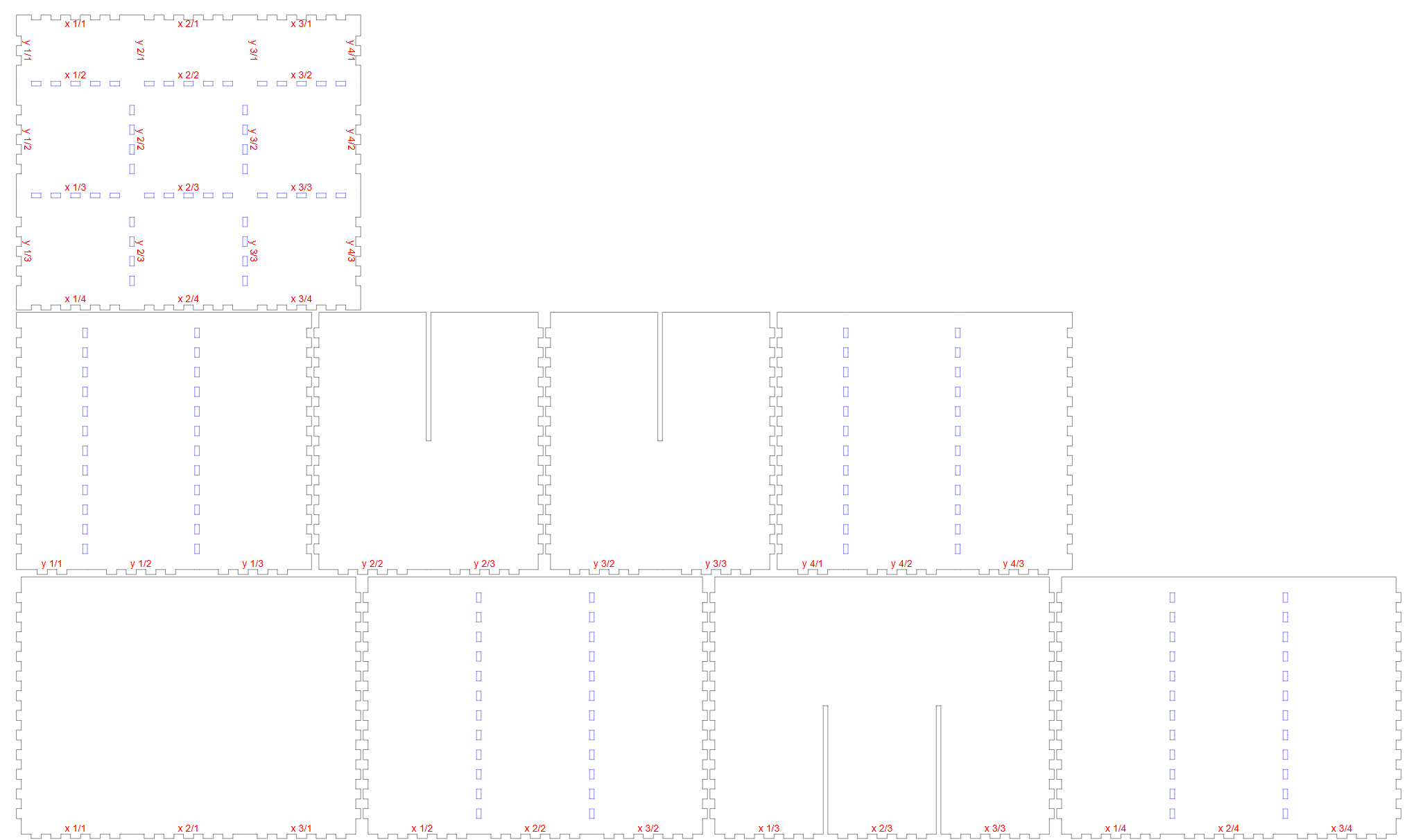
Use 3mm basswood sheets for this project.
Basswood is ideal for:
- Clean laser cuts
- Minimal charring
- Smooth engraving finish
It works especially well with machines like the xTool M1 Ultra and other diode laser cutters.
Important: No Kerf Adjustment RequiredFor this specific tray layout generated from Boxes.py:
👉 Do NOT apply any kerf compensation settings.
The design fits correctly without additional kerf adjustments when cutting 3mm basswood. Adding kerf may loosen the joints and affect the tight press-fit structure.
Step2: Assemble the Laser-Cut Tray Pieces
Once all the parts have been successfully laser cut from the 3mm basswood sheets, it’s time to assemble the tray.
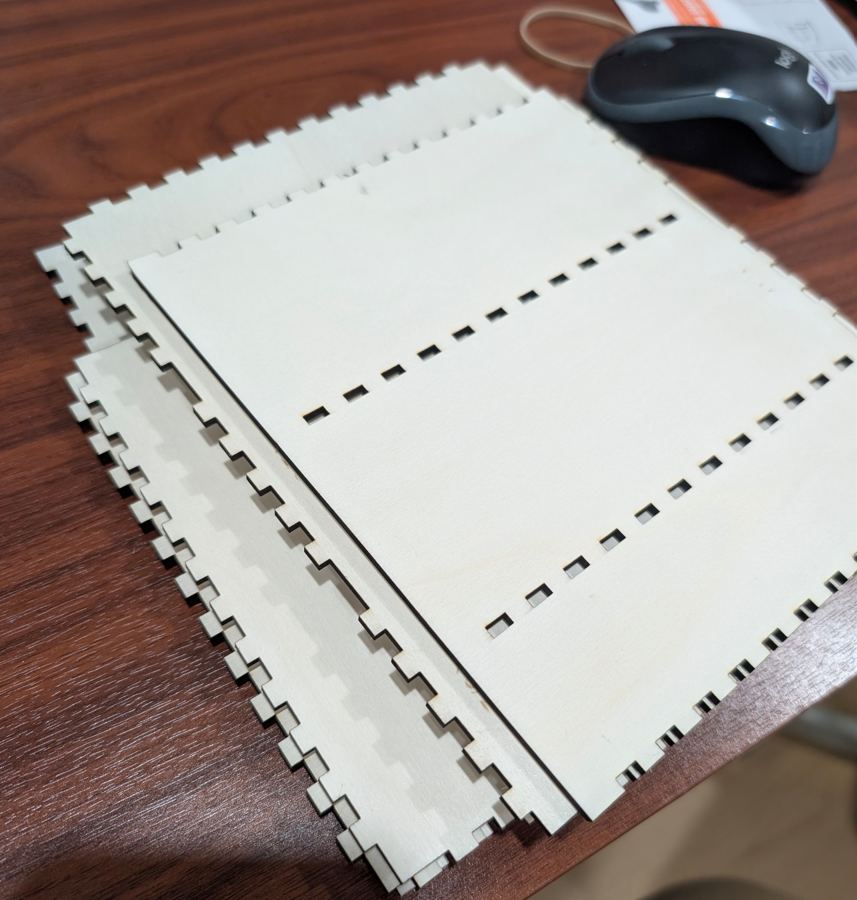
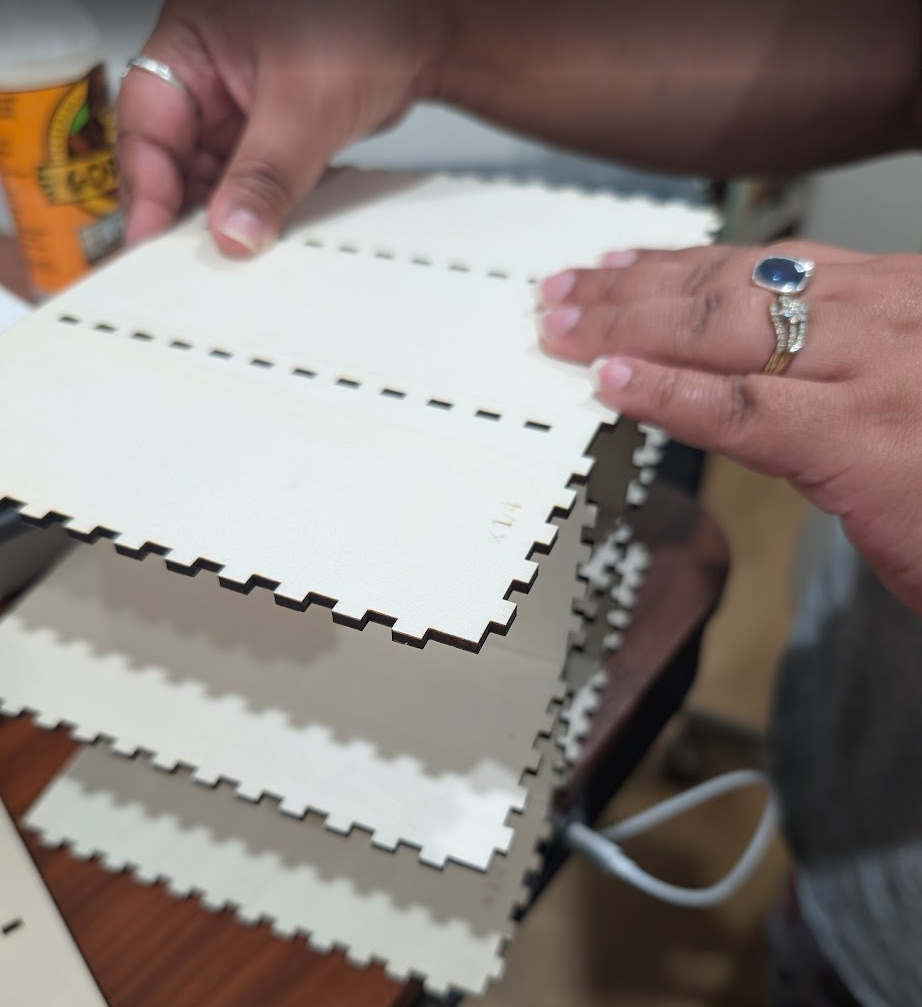
Carefully align the finger joints according to the layout. The interlocking design generated from Boxes.py ensures a precise press-fit connection.
Assembly Instructions:
- Match the engraved markings on each panel to identify correct placement.
- Align the joints as illustrated in the reference image.
- Gently press the pieces together by hand first.
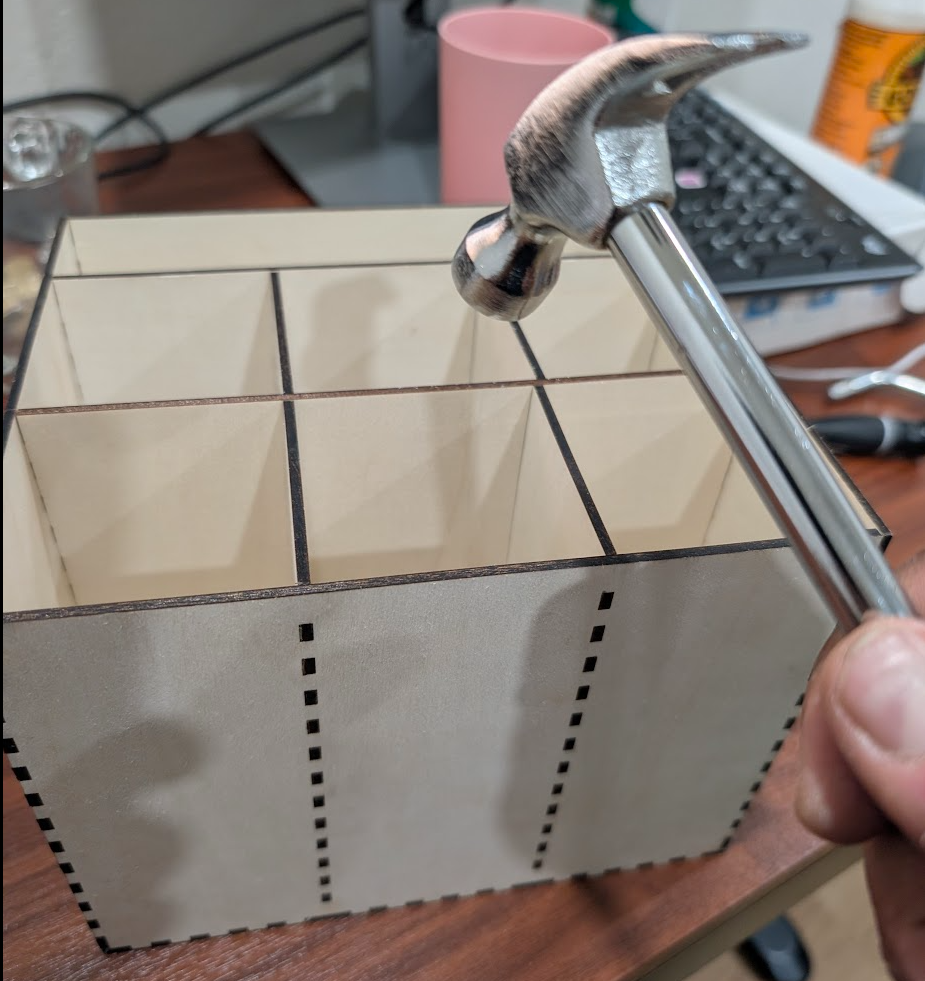
If needed, use a small hammer or rubber mallet to tap the joints into place for a tight, secure fit.
⚠️ Tip: Tap lightly and evenly to avoid damaging the wood or splitting the finger joints.
The reference image clearly shows how each panel connects. You can follow the directional markings in the image to ensure proper alignment and accurate assembly.
Once assembled, the tray should feel sturdy and stable without requiring glue (unless you prefer a permanent bond).
Once the box is assembled we proceed with adding wood filler for some texture.
Step3: Apply Wood Filler for a Smooth, Professional Finish
After assembling your laser-cut tray, you may notice slight burn marks or uneven patterns along the cut edges. These darker lines — sometimes resembling a “zebra pattern” — are common when laser cutting basswood.
To achieve a cleaner, premium finish, apply wood filler as shown in the reference image.
How to Apply Wood Filler:
- Use a putty knife or small scraper to spread a thin layer of wood filler over:
- Finger joints
- Burned laser-cut edges
- Any visible gaps or uneven areas
- Press the filler gently into seams to ensure proper coverage.
- Allow it to dry completely as per the manufacturer’s instructions.
- Once dry, sand lightly with fine-grit sandpaper (220–320 grit) for a smooth surface.
This step not only improves the appearance but also adds subtle texture and strengthens the joints visually. It transforms a raw laser-cut piece into a polished, professional-looking wooden organizer.
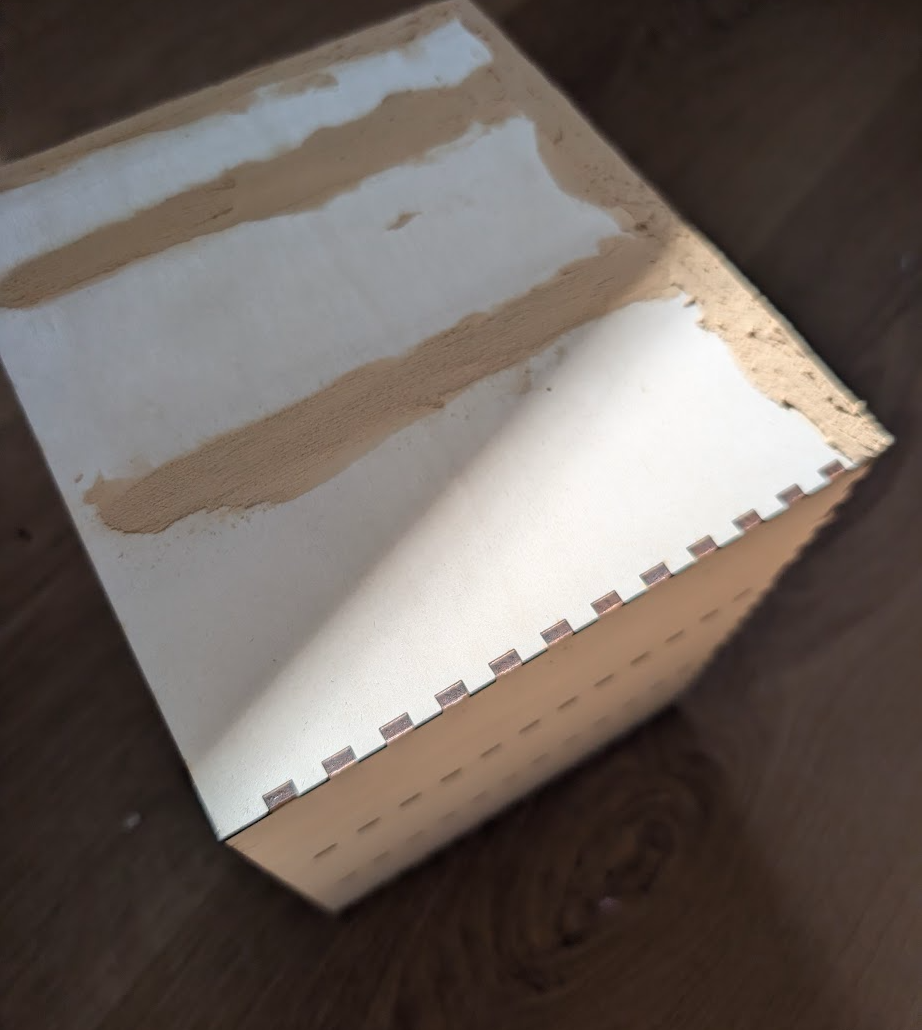
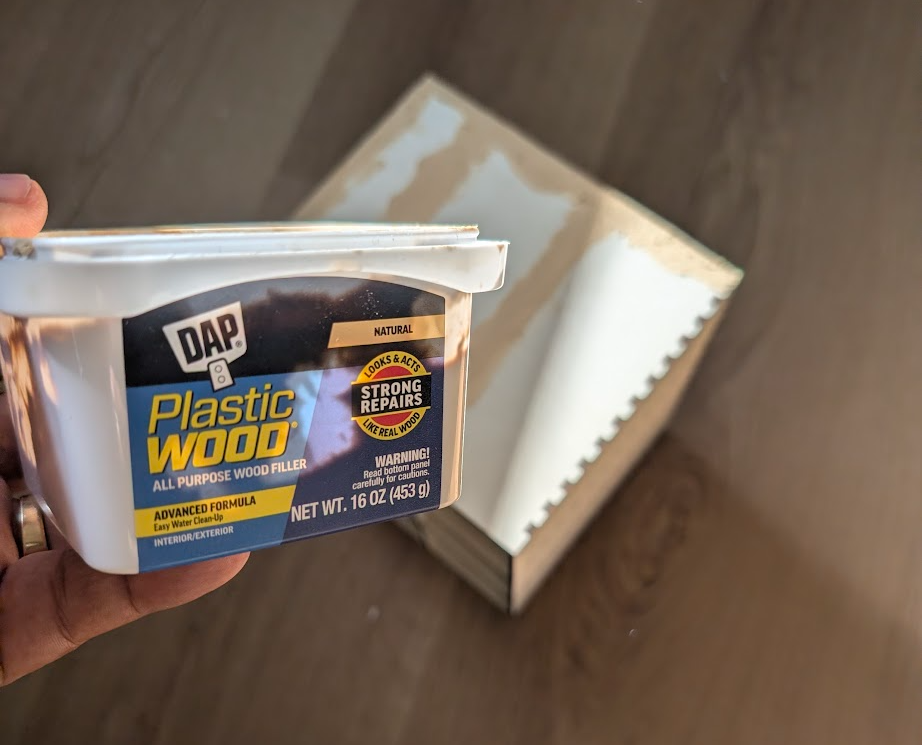
I used the product called DAP Plastic wood to cover it. Let it dry for some time before sanding it.
Step4: Sand Smooth and Apply Varnish for a Premium Finish
Once the wood filler has completely dried, the next step is surface finishing. This is where your laser-cut tray transforms from a raw DIY build into a polished, professional piece.
Smooth the Surface
- Using fine-grit sandpaper (220–320 grit):
- Gently sand the entire surface.
- Focus on areas where wood filler was applied.
- Smooth out any rough laser-cut edges or minor imperfections.
- Wipe away all sanding dust with a clean, dry cloth.
Sanding ensures an even texture and prepares the wood for proper varnish absorption.
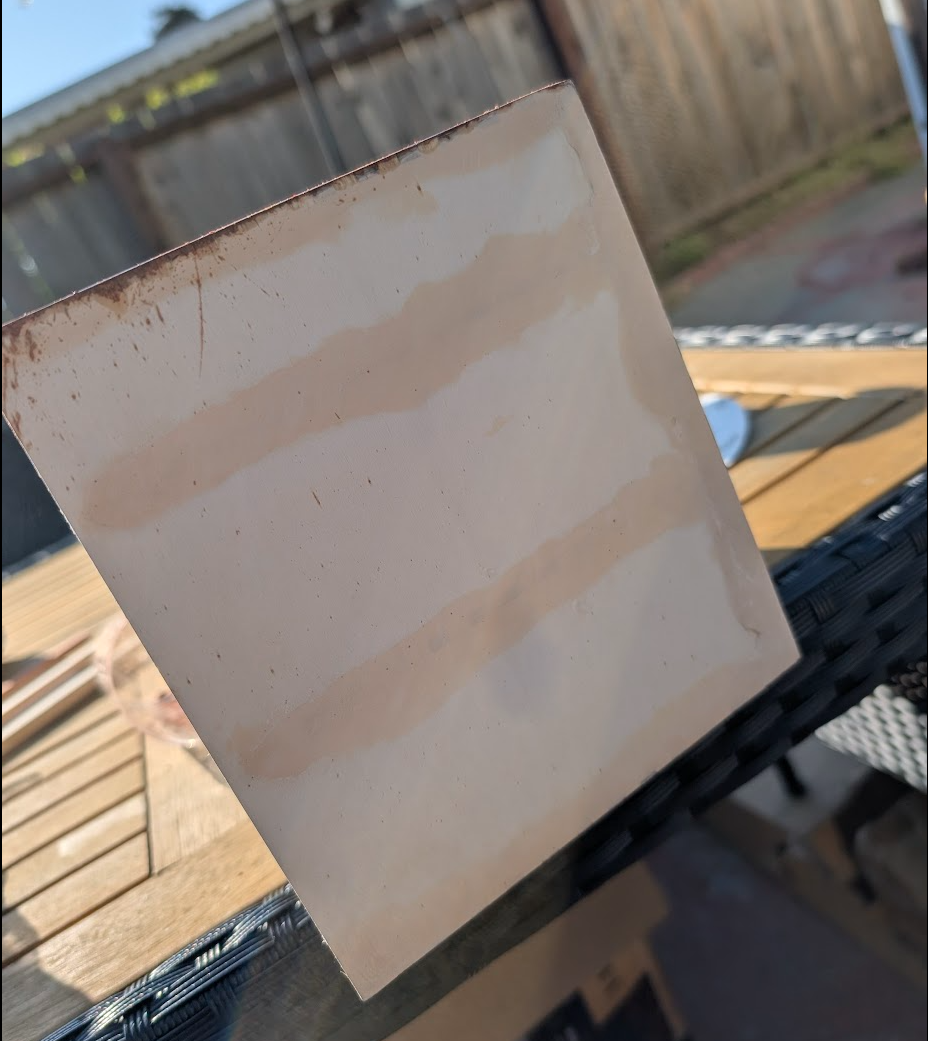
Apply Varnish for Protection and Shine
Now apply a thin, even coat of wood varnish across the entire tray — including joints and filled areas.
- Use a soft brush or foam applicator.
- Apply in the direction of the wood grain.
- Allow each coat to dry completely.
- Lightly sand between coats for a smoother finish.
For best results, apply 2–3 coats to achieve:
- Even surface coverage
- Enhanced durability
- A smooth, professional wood finish
- Complete blending of wood filler with the natural wood
The illustration below demonstrates both the sanding process and the varnish application technique.
Pro Tip:
Multiple thin coats are better than one thick coat. This prevents streaking and creates a clean, glossy or satin finish depending on your varnish type.
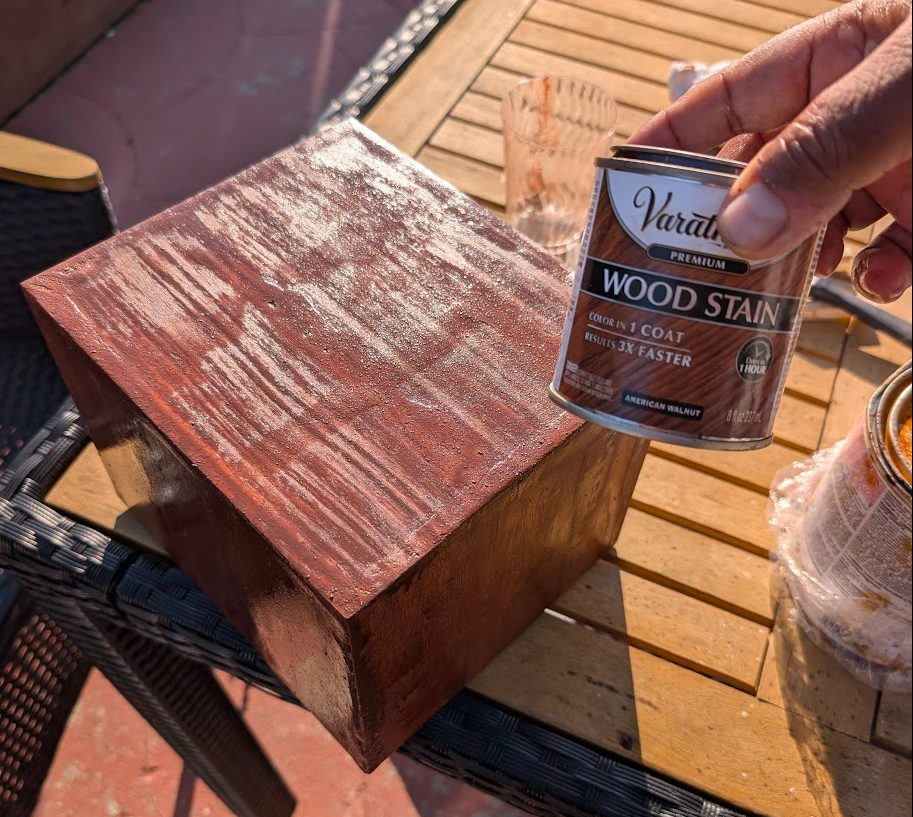
Step5: Create a Vintage Burn Finish Using a Torch
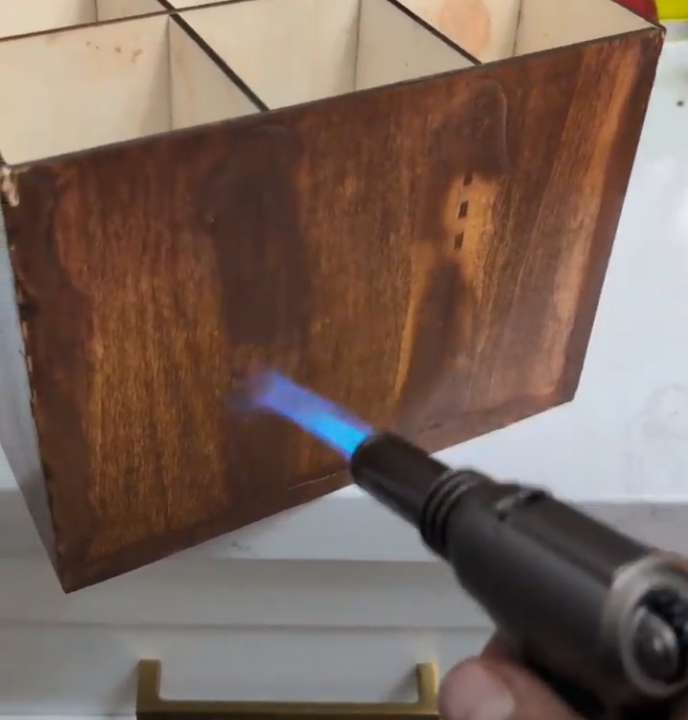
Once the varnish has fully dried and the surface is smooth, you can enhance the character of the tray by adding controlled scorch marks. This technique gives the piece a bold, rustic, vintage aesthetic that complements laser-cut wooden projects beautifully.
How to Add a Burnt Wood Effect:
- Use a handheld butane torch or wood-burning torch.
- Lightly pass the flame over selected areas of the wood surface.
- Keep the torch moving continuously to avoid deep burns.
- Focus on edges, corners, and grain patterns for a natural aged effect.
- Allow the wood to cool before handling.
This technique enhances the grain, adds depth, and creates a handcrafted, distressed finish that pairs perfectly with laser engraving and finger-joint tray designs.
⚠️ Safety Tip: Always work in a well-ventilated area and keep a fire extinguisher nearby. Avoid holding the flame in one spot for too long.
Optional Finish Enhancement:
After achieving the desired scorch effect, you can lightly seal the surface with a clear coat to preserve the burnt texture and protect the finish.
Step6: Create and Attach a Custom “Coffee Helpers” Depth Engraved Tag
To enhance the vertical coffee box storage, we will create a custom engraved tag labeled “Coffee Helpers.” This decorative element adds a personalized and premium touch to the entire laser-cut coffee organizer.
Convert the Image into a Depth Map
- Select your desired image or graphic.
- Convert it into a grayscale depth map (white = raised areas, black = deeper engraving).
- Ensure the image contrast is clear for accurate laser depth engraving.
Depth maps are ideal for achieving a 3D-style engraving effect using diode laser machines like the xTool M1 Ultra.

Laser Engrave on 3mm Basswood
- Import the depth map into your laser software.
- Adjust engraving power and speed settings suitable for basswood.
- Use 3mm basswood for a clean, detailed engraving result.
- Run a test pass if needed to verify depth accuracy.
The depth engraving process creates dimension and texture, making the “Coffee Helpers” tag visually striking.
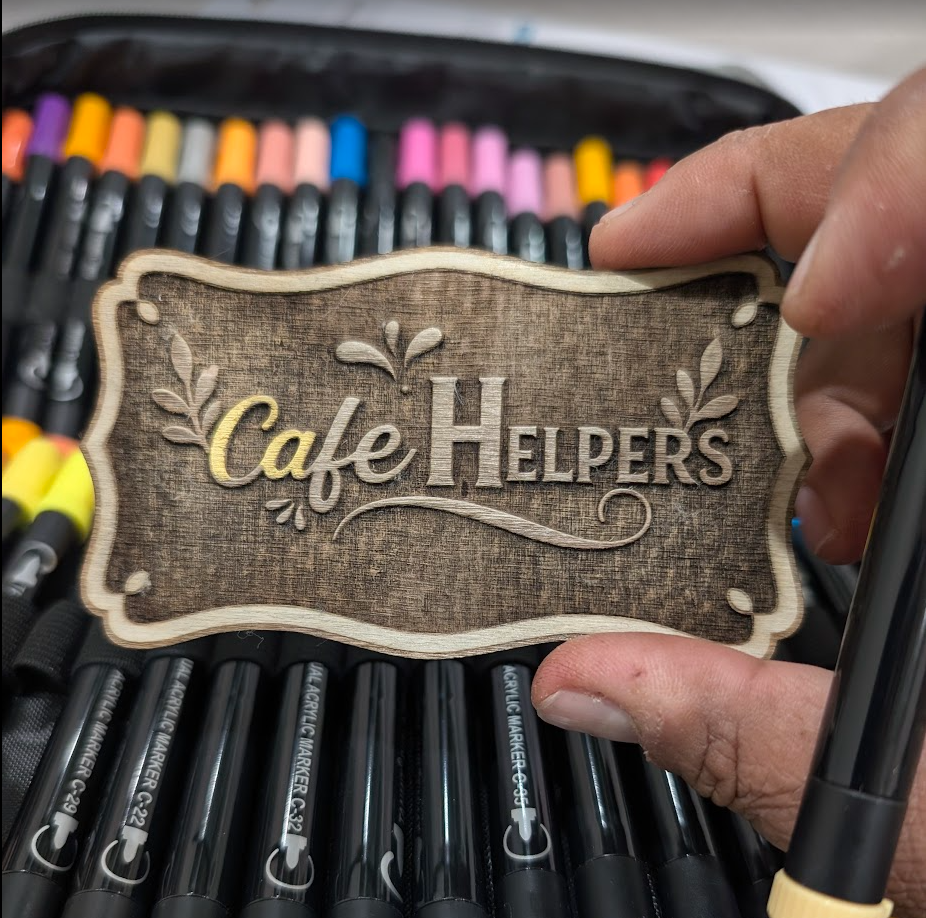
Once the depth map engraving and painting process is fully complete and dry, the final step is to mount the engraved piece onto the vertical coffee storage box.
How to Attach the Engraved Tag:
- Ensure the back surface of the engraved 3mm basswood piece is clean and dust-free.
- Apply a thin, even layer of wood glue or strong adhesive to the back.
- Carefully position the depth-engraved “Coffee Helpers” tag on the designated area of the box.
- Press firmly for proper adhesion.
- Allow sufficient drying time as recommended by the adhesive manufacturer.
For a stronger hold, you may also use:
- Double-sided industrial adhesive tape
- Small finishing nails (for a rustic DIY aesthetic)
Make sure the tag is aligned straight and centered before the glue sets to achieve a clean, professional look.
This final step completes the laser-cut coffee organizer project, adding dimension, personalization, and a handcrafted finish.
Remixes



You may also like

'/%3e%3cdefs%3e%3clinearGradient%20id='paint0_linear_1433_15726'%20x1='12'%20y1='5.25'%20x2='12'%20y2='18.75'%20gradientUnits='userSpaceOnUse'%3e%3cstop%20stop-color='%23FFC654'/%3e%3cstop%20offset='1'%20stop-color='%23FF8D12'/%3e%3c/linearGradient%3e%3c/defs%3e%3c/svg%3e)
Smart 3-Lid Coffee Storage System – Organize Tea, Sugar & Capsules in One Elegant Box


Coffee Mug, Coaster and Pod Organizer


Laser Engraved Wooden Coffee Storage Box with Vintage Design


Laser Engraved Wooden Coffee Storage Box Set with Coffee Bean and Spoon Icons


Laser Engraved Wooden Coffee Filter Holder with Coffee Cup Motif


Wooden Coffee Bar Organizer with Compartments for Pods and Accessories


Coffee station Organizer

Laser Engraved Wooden Box with Coffee Quote and Illustration


Triptych of Laser Engraved Coffee Bean Storage Boxes for Kitchen


Laser Engraved Wooden Coffee Sign with Coffee Beans Design


Laser Engraved Coffee Box for Coffee Pods with Wooden Floral Decor

Wooden Guest WiFi Network and Password Sign


Laser Engraved Wooden Kitchen Shelf with Just Coffee Lettering


Laser Engraved Wooden Box for Sugar Pouches


BAR NAPKIN HOLDER


Laser Cut Wooden Coffee Capsule Holder in Moka Pot Shape
.jpg?x-oss-process=image/resize,m_fill,w_80,h_80,limit_0/interlace,1/format,webp/auto-orient,1)

The BrewStation Mini: A Compact Organizer for Your Grinder & OutIn Nano


Laser Engraved Wooden Coffee Station Organizer Box
