![[Laser cut and engrave] Coffee bean dispenser](https://storage-us.atomm.com/resource/xtool/community/attachment/xtool-community/75111731-eb3f-4fb6-8243-f426733a8c0d.png?x-oss-process=image/resize,w_1200,h_900,limit_0/interlace,1/format,webp/auto-orient,1)
![[Laser cut and engrave] Coffee bean dispenser](data:image/png;base64,iVBORw0KGgoAAAANSUhEUgAAAAoAAAAKCAYAAACNMs+9AAAAAXNSR0IArs4c6QAAABdJREFUKFNjZCASMBKpjmFUId6QIjp4AAppAAuXjCs4AAAAAElFTkSuQmCC)
![[Laser cut and engrave] Coffee bean dispenser](https://storage-us.atomm.com/resource/xtool/community/attachment/xtool-community/75111731-eb3f-4fb6-8243-f426733a8c0d.png?x-oss-process=image/resize,w_200,h_150,limit_0/interlace,1/format,webp/auto-orient,1)
![[Laser cut and engrave] Coffee bean dispenser](https://storage-us.atomm.com/resource/xtool/community/attachment/xtool-community/9c1dc7e1-12de-47c3-bb18-c77fc8357797.jpeg?x-oss-process=image/resize,w_200,h_150,limit_0/interlace,1/format,webp/auto-orient,1)
Coffee bean dispenser
 Instruction


Information
I wanted to create something useful while incorporating the design of OutIn products. The result was this cute coffee bean dispenser with an acrylic cup!
Instruction
Step1: Functional Dispenser!
As a first impression: Here you can see how cool the dispenser looks in action!
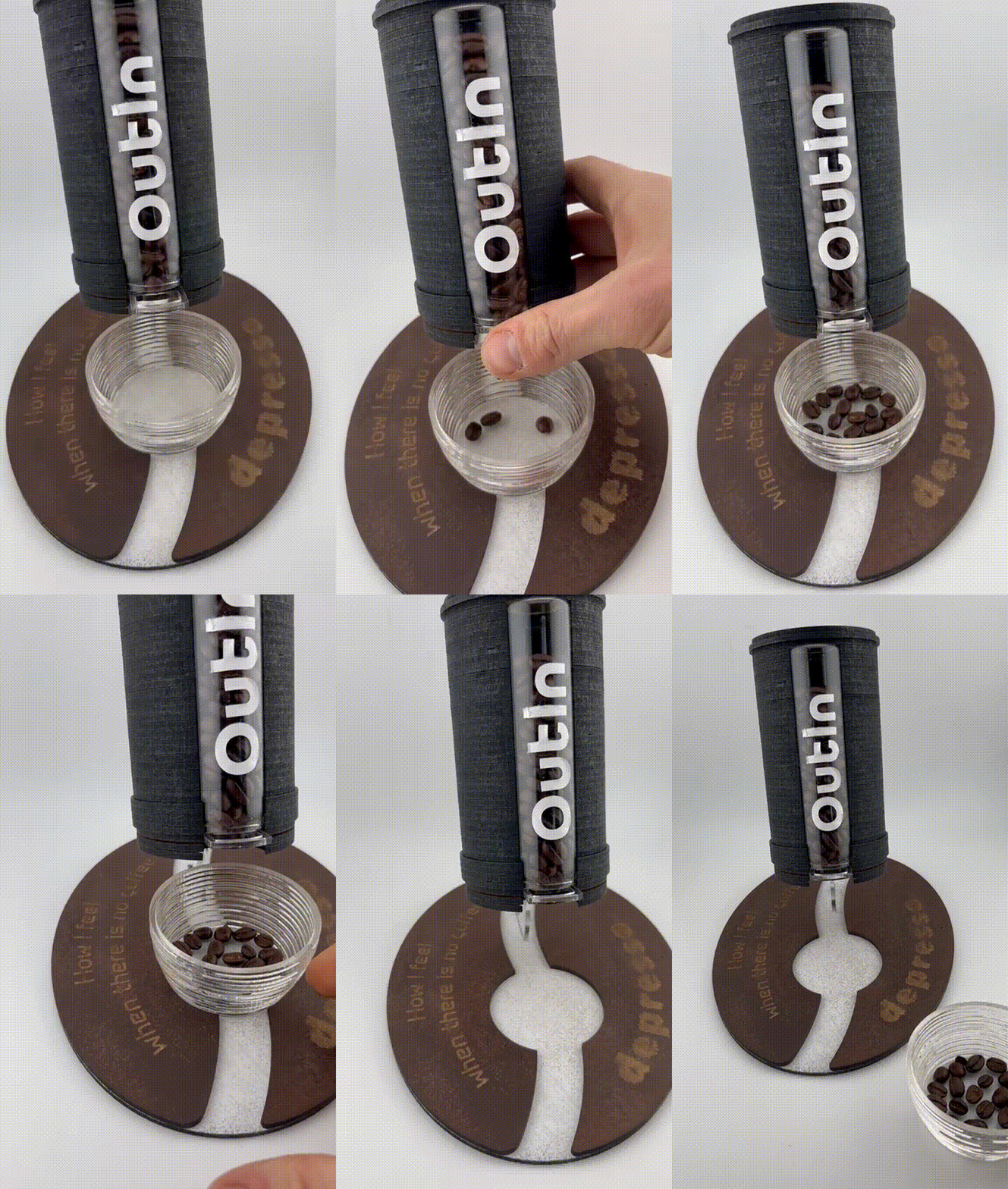
Step2


First of all, I had the idea of designing a coffee bean dispenser using Sketchup and then building it out of MDF layers. I also wanted to give it an actual function, so I used a glass vase with a diameter of 30 mm as a bean container.
Once I was satisfied with the construction and appearance, which I tried to match to the design of Outin coffee grinders and machines, I exported the DXF files for cutting.
Step3: Cup assembly


First, I cut the acrylic and the MDF construction aid and assembled the circular parts to form a cup.
Here you can see how to assemble the cup so that the parts are nicely centered.
Step4: Dispenser Assembly

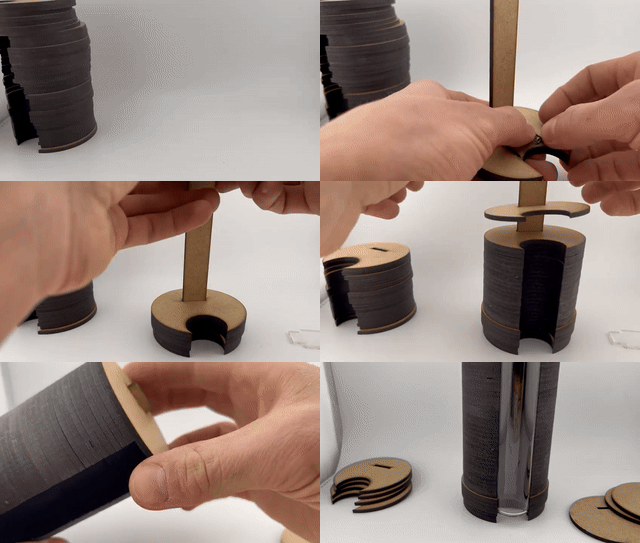
Next, I cut the remaining acrylic and MDF parts and sorted them for assembly. All you need for the mechanism is a spring from a ballpoint pen. The following GIF shows how the dispenser is assembled. First, place parts X on the long rod, then Y and Z, followed by the four parts marked with a W, then the rest of the standard layers, and finally C, B, and A on top.
Step5: Bottom assembly and Painting
Finally, you can assemble the base on which the object stands. You will also find instructions for this here.
The parts can then be painted as desired.
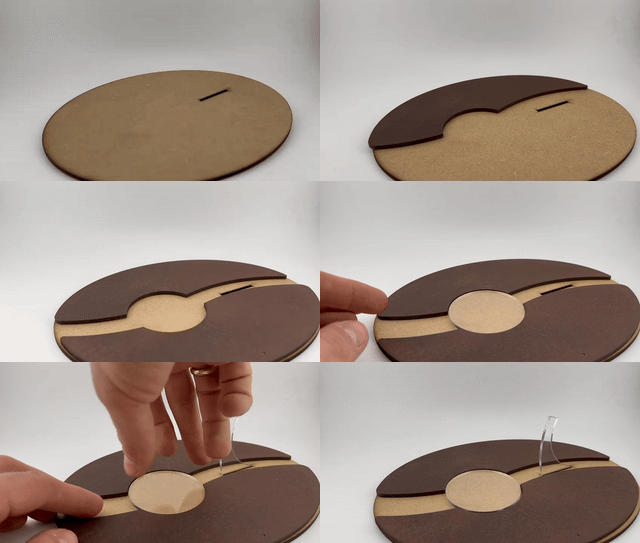
Step6: Final assembly and function


Finally, place the dispenser on the acrylic holder and the cup in the recess. Optionally, you can add a text engraving to the brown-sprayed base, as I did. To do this, simply place the layers back into the laser and add any engraving you like.
If you have a plotter, you can also cut out text and apply it to the glass tube like I did. The white text stands out beautifully against the dark background!