Report
![[Laser cut and engrave] Square Slate Coaster Featuring a Fox in a Snowy Forest](https://storage-public.atomm.com/xtool/community/attachment/xtool-community/52ad2024-a40d-4072-9537-c336d293e037.jpeg?x-oss-process=image/resize,m_fill,w_1280,h_960,limit_0/interlace,1/format,webp/auto-orient,1)
![[Laser cut and engrave] Square Slate Coaster Featuring a Fox in a Snowy Forest](data:image/png;base64,iVBORw0KGgoAAAANSUhEUgAAAAoAAAAKCAYAAACNMs+9AAAAAXNSR0IArs4c6QAAABdJREFUKFNjZCASMBKpjmFUId6QIjp4AAppAAuXjCs4AAAAAElFTkSuQmCC)
![[Laser cut and engrave] Square Slate Coaster Featuring a Fox in a Snowy Forest](https://storage-public.atomm.com/xtool/community/attachment/xtool-community/52ad2024-a40d-4072-9537-c336d293e037.jpeg?x-oss-process=image/resize,m_fill,w_160,h_120,limit_0/interlace,1/format,webp/auto-orient,1)
![[Laser cut and engrave] Square Slate Coaster Featuring a Fox in a Snowy Forest](https://storage-public.atomm.com/xtool/community/attachment/xtool-community/c36a08e7-b313-4b7e-9bda-9b9ab658f169.jpeg?x-oss-process=image/resize,m_fill,w_160,h_120,limit_0/interlace,1/format,webp/auto-orient,1)
![[Laser cut and engrave] Square Slate Coaster Featuring a Fox in a Snowy Forest](https://storage-public.atomm.com/xtool/community/attachment/xtool-community/0c112bf3-2702-4389-9a4f-dded5dad30f6.jpeg?x-oss-process=image/resize,m_fill,w_160,h_120,limit_0/interlace,1/format,webp/auto-orient,1)
![[Laser cut and engrave] Square Slate Coaster Featuring a Fox in a Snowy Forest](https://storage-public.atomm.com/xtool/community/attachment/xtool-community/b528689c-0b21-444c-bacc-5d729c21a2df.jpeg?x-oss-process=image/resize,m_fill,w_160,h_120,limit_0/interlace,1/format,webp/auto-orient,1)
Winter Fox in the snow
 Instruction
Untitled
.xs
Application scenario
Laser processing
Machine & module

xTool M2
20WCompatible xTool Machine
P3
F2
F2 Ultra UV
F2 Ultra(Single)
F2 Ultra
F1 Ultra
F1
F1 Lite
S1
P2S
P2
M1 Ultra
M1
D1 Pro 2.0
D1 Pro
D1
Laserbox
Material used

Square Rock Coaster

8
282
Information
Getting ready for the holidays
Instruction
1
Step1

Preview

Preview
- Place your slate coaster on the laser bed
- Auto measure for proper laser processing height
- Import the image and size to the desired dimension on the coaster
- Invert Image if desired. Example, for the “moon” to engrave white it should show black on your screen
- Process the image with the Engrave mode
- Dust off finished coaster with lent free cloth
- Spray or brush with clear sealer
Image is vector based and can be scaled to the size you need. I used Rustoleum clear gloss coat spray on the finished product.
Time was approximately 9 minutes using 20W module
This design can also be engraved on wood and acrylic. Check your settings when changing materials.
Comments
Remixes



You may also like

Detailed Fox Illustration on Circular Slate Coaster

9
139

Square Slate Coaster Featuring a Detailed Cat Portrait and Countryside Landscape
1
1
$20.00
$20.00
Credits2000
Set of Four Wildlife Mountain Landscape Coasters

0

Set of Four Square Slate Coasters Featuring Mythical and Wild Animal Motifs

2
10

Square Slate Coaster Featuring Intricate Wolf and Forest Illustration

1
17

Wolf Portrait Slate Coaster

1
4
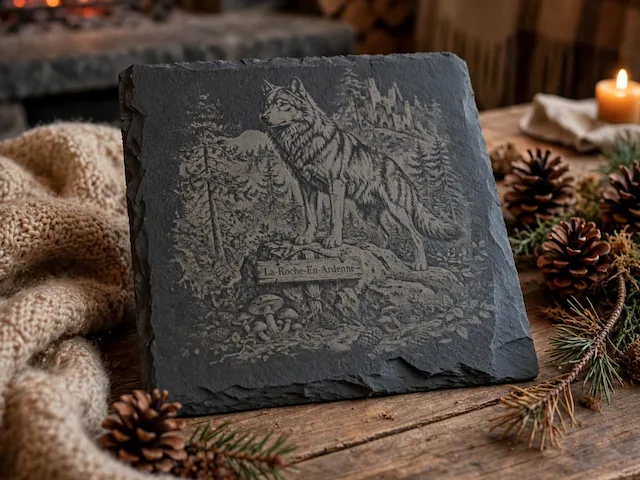
Wolf at La Roche In Ardenne

0
4

Laser Engraved Round Slate Coaster with Deer and Tree Design

1
8

Laser Engraved Slate Coaster with Howling Wolf Design

3
9

Slate plaque with illustration of deer in the forest

1
3

Laser Engraved Cat Design Slate Coaster on Wooden Table

4
14

Deer in the Forest Laser Engraving Files, Slate Coasters

30
436

Winterlandschaft mit Hirsch

13
73

Square slate coaster featuring a majestic stag in a mountain forest

0
21

Cork Coaster with Skiing Bear in the Forest

1
3


Woodland Fox & Tree Laser Engraved Slate Coaster

0
3

slate coaster american outdoors
2
18

Fox
12
94