
Report

Wedding Cards
ID 19949
 Instruction
Files

Original files
AuthorM1 Ultra · White 235g cardstock
1

Add Make Profile
Same design, different machine, material, or any improvement · Earn 50 Credits
Tips for a great Make Profile →
141
3606
Information
In this wonderful moment, we have carefully selected this special gift for you, may it become a beautiful witness in your love journey. The exquisite design with sparkling material symbolizes the radiance of your love, come and try it together!
Instruction
1
Step1: Import the XCS file

Preview
Start the machine, open the xTool Creative Space on the computer, drag in the required XCS file, adjust the parameters.
2
Step2: Inkjet

Preview
Place the consumables to be engraved, take the distance, walk the border to determine the scope, and drag the pattern onto the consumables.
intensity:80
3
Step3: Cut

Preview
Place the consumables to be engraved, take the distance, walk the border to determine the scope, and drag the pattern onto the consumables.
Cut pressure:320
speed:10
4
Step4: Line drawing

Preview
Place the consumables to be engraved, take the distance, walk the border to determine the scope, and drag the pattern onto the consumables.
pen pressure:35
speed:10
5
Step5: Engraving completed

Preview
This way you will have completed the laser engraved Topper, place him in your home for decoration!
Comments



You may also like


Heart-shaped wedding guest book with hearts to insert

9
27

Heart-shaped stand with floral tendril pattern

0
4

$2.80
$2.80
Credits280
Personalized Wedding Couple Wooden Sign Souvenir – 3mm Basswood Laser Cut File - Ai, Cdr, Dxf, Eps, Svg - Digital Download

3

Laser Cut Wooden Wedding Table Sign with Tree and Couple Design

8
70

Personalized Wedding Anniversary Keepsake Sign with Couple Silhouette and Floral Border

23
169

Wooden card with heart motif and punched out hearts

0
12

Testdruck zum Jahrestag

0
0

Wooden Wedding Guest Book Alternative Jar with Hearts Laser Cut. Rustic Style. Weeding Decor

12
62

Heart Shaped Wooden Puzzle Laser Cut. Valentine's Day. Romantic Gift Idea
7
100

Heart-shaped wedding couple paper sculpture

24
67

Heart Shaped Wedding Anniversary Calendar Keepsake

3
23

Wedding Welcome Sign with Floral Tree Frame and Personalized Names Laser Cut. Garden Welcome Sign. Laser Pattern. Wedding Day

30
166


Laser Cut Wooden Heart Puzzle with Personalized Engraving

104
853

Blank Note Card with Floral Corner Accent

0
16

Wedding Greeting Card

5
43

Nemo & Miko Wedding Invite Card
4
24
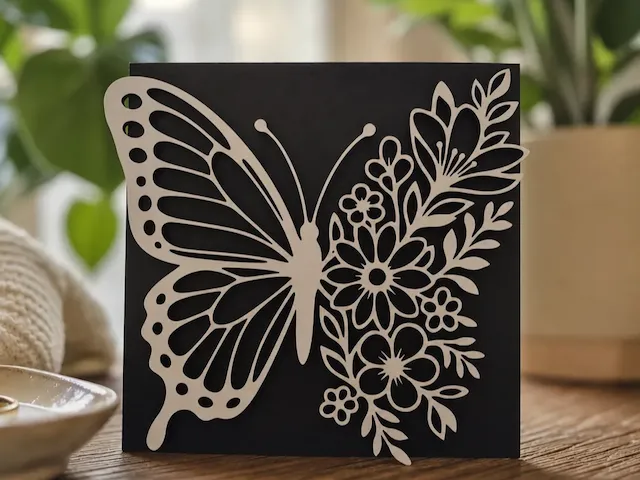
Butterfly/Flower Cut-out

3
105

Personalized Wooden Envelope for Wedding Cash Gift

20
179