![[UV printing] Funny quote refrigerator magnets with humorous text and cartoon illustration](https://storage-public.atomm.com/xtool/community/attachment/xtool-community/e6057c57-f6c4-49dc-b503-f71df5f50938.jpeg?x-oss-process=image/resize,m_fill,w_1280,h_960,limit_0/interlace,1/format,webp/auto-orient,1)
![[UV printing] Funny quote refrigerator magnets with humorous text and cartoon illustration](data:image/png;base64,iVBORw0KGgoAAAANSUhEUgAAAAoAAAAKCAYAAACNMs+9AAAAAXNSR0IArs4c6QAAABdJREFUKFNjZCASMBKpjmFUId6QIjp4AAppAAuXjCs4AAAAAElFTkSuQmCC)
![[UV printing] Funny quote refrigerator magnets with humorous text and cartoon illustration](https://storage-public.atomm.com/xtool/community/attachment/xtool-community/e6057c57-f6c4-49dc-b503-f71df5f50938.jpeg?x-oss-process=image/resize,m_fill,w_160,h_120,limit_0/interlace,1/format,webp/auto-orient,1)
![[UV printing] Funny quote refrigerator magnets with humorous text and cartoon illustration](https://storage-public.atomm.com/xtool/community/attachment/xtool-community/7c00c33d-9fd5-4447-b241-7ce0d901c7eb.jpeg?x-oss-process=image/resize,m_fill,w_160,h_120,limit_0/interlace,1/format,webp/auto-orient,1)
![[UV printing] Funny quote refrigerator magnets with humorous text and cartoon illustration](https://storage-public.atomm.com/xtool/community/attachment/xtool-community/23459e59-add0-42ff-97a9-66097c5e626d.jpeg?x-oss-process=image/resize,m_fill,w_160,h_120,limit_0/interlace,1/format,webp/auto-orient,1)
Funny Magnets 1 -O1 Edition
'/%3e%3cpath%20d='M7.99985%2010.6665L4.6665%206.6665H6.6665L7.99985%209.33317L9.33317%206.6665H11.3332L7.99985%2010.6665Z'%20fill='white'/%3e%3cdefs%3e%3clinearGradient%20id='paint0_linear_2869_78399'%20x1='8'%20y1='1.3335'%20x2='8'%20y2='14.6668'%20gradientUnits='userSpaceOnUse'%3e%3cstop%20stop-color='%23FFA15F'/%3e%3cstop%20offset='1'%20stop-color='%23E37C32'/%3e%3c/linearGradient%3e%3c/defs%3e%3c/svg%3e) Atomm Exclusive
Atomm Exclusive Instruction


Information
Two magnets made to be printed with the O1 on xTool Ceramic Magnets
Instruction
Step1: Simplicity in itself
This project needs no true introduction, just a few notes.
FIrst, since the ceramic magnets are already white, you do not need to print white. Be sure to turn that off in the settings on the right by selecting the image and then selecting the ink mode, changing it from White + Color to Color
Second, be sure to sharpen it with adjustments and increase the brightness by a point or two. This will help to bring out the color better imo.
Finally, if using this on a different magnet type, adjust the settings accordingly. For example, if on a non white surface, have your ink mode be White + Color.
Step2: Final Thoughts
Again, this project is almost silly easy to do. Just load and print on your magnet of choice. I will be introducing more magnets over the next few days. I have over 100 blanks to use, lol.
If you enjoyed this project, I have others available. Some are premium projects, but most are free. Check them out here: https://www.atomm.com/@Woodlord_Crafts?utm_source=copylink&utm_medium=referral&utm_campaign=sharetoearn2&utm_id=15190
Give me a follow so you can be alerted to projects as I post them.
As always,
Happy Crafting
Remixes
License



You may also like

'/%3e%3cpath%20d='M15.9997%2019.3335L11.833%2014.3335H14.333L15.9997%2017.6668L17.6663%2014.3335H20.1663L15.9997%2019.3335Z'%20fill='white'/%3e%3c/g%3e%3cdefs%3e%3clinearGradient%20id='paint0_linear_1412_57140'%20x1='16'%20y1='7.6665'%20x2='16'%20y2='24.3332'%20gradientUnits='userSpaceOnUse'%3e%3cstop%20stop-color='%23FFA15F'/%3e%3cstop%20offset='1'%20stop-color='%23E37C32'/%3e%3c/linearGradient%3e%3c/defs%3e%3c/svg%3e)
Funny Magnets 6 - Insults Galore -O1 edition


'/%3e%3c/g%3e%3cdefs%3e%3clinearGradient%20id='paint0_linear_1737_57170'%20x1='16.5097'%20y1='8.87061'%20x2='16.5097'%20y2='23.3945'%20gradientUnits='userSpaceOnUse'%3e%3cstop%20stop-color='%232E9AFF'/%3e%3cstop%20offset='1'%20stop-color='%233378FF'/%3e%3c/linearGradient%3e%3c/defs%3e%3c/svg%3e)
Always Be The Optimist Retro Office refrigerator magnet


Funny Magnets 2 - O1 Edition

Charlie Kirk memorial button pins


Wooden Beer Bottle Opener Magnets for Refrigerator


Daily Shitstorm Survivors Club Cork Coaster


Don't Annoy The Writer Slate Coaster with Book and Coffee Cup Motif

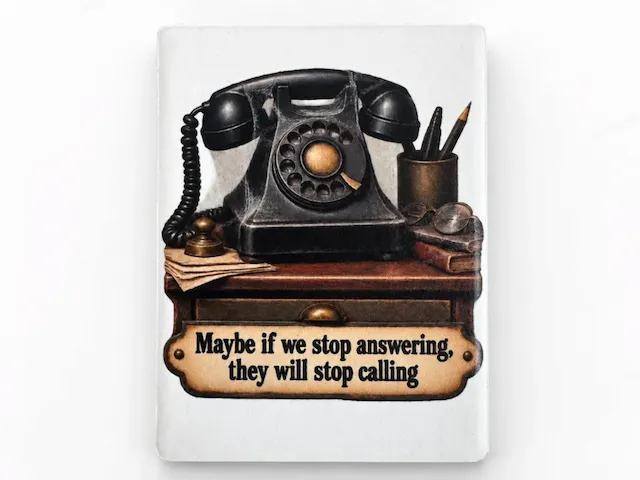
Vintage Telephone refrigerator magnet with 'Maybe If We Stop Answering They Will Stop Calling'

Dungeon Crawler Themed Coaster


Laser Engraved Wooden Cat Coaster Stay Paw-sitive


You're One Smart Cookie Refrigerator Magnet


Round Slate Coaster with If You Can Read This Coffee Cup Quote


Retro Burnout Bouquet — Halftone Sticker Pack for the Tired & Thriving


I'm Working On My PHD Projects Half Done Wooden Desk Sign


One More Page Flower Shaped Wooden Bookmark

Round Gold Mirror Disc/ Gold Token


Never Ending List of Jobs To Do Post It Note Holder

Cork Coaster with In My Defense The Moon Was Full Quote