
DTF and UV DTF share three letters and almost nothing else. Both print a design onto film and transfer it onto something — but one bonds into fabric with heat, and the other sticks to hard objects with pressure alone.
This guide defines each one, compares them directly, explains how each process runs, then covers the machines that produce them and how to choose between the two.
Design print-ready artwork freeBrowse Atomm's free generators for print-ready graphics, from stickers to full designs.Explore generatorsKey Takeaways
- DTF is for fabric: powder-coated film heat-pressed into a garment.
- UV DTF is for hard surfaces: UV-cured stickers that bond by pressure, no heat needed.
- They are not interchangeable — DTF will not bond to glass, and UV DTF cracks on fabric that flexes.
- Most printers do one or the other, because the ink systems differ — but a few 4-in-1 platforms carry both.
What Is DTF and UV DTF?
Both are transfer processes: the design is printed onto a carrier film first and moved onto the product second, rather than being printed straight onto the item. That shared idea is why the names look related.
What differs is everything downstream of the print — the ink chemistry, what makes the design stick, and therefore what it can stick to.
What Is DTF?
DTF stands for Direct-to-Film. Water-based pigment ink is printed onto PET film, coated with hot-melt adhesive powder, cured, then heat-pressed into a garment at around 160°C.
The result is flexible and sits inside the fabric rather than on top of it, which is why it survives stretching and washing. It works on cotton, polyester, and blends, in any colour, without pretreatment.
What Is UV DTF?
UV DTF prints UV-curable ink onto an A film, cures it instantly with UV light, then laminates a B film over the top. The finished sticker is applied by peeling, pressing, and rubbing it down.
No heat is involved at any stage. The cured ink is rigid and the adhesive grips smooth surfaces, which makes it right for glass, metal, wood, and plastic — and wrong for anything that bends.
DTF vs. UV DTF: Full Comparison
| DTF | UV DTF | |
|---|---|---|
| Applies to | Fabric — cotton, poly, blends | Hard surfaces — glass, metal, plastic, wood |
| Ink | Water-based pigment | UV-curable |
| Bonding | Heat press, roughly 160°C | Pressure only, no heat |
| Extra steps | Adhesive powder, then curing oven | Laminate A film to B film |
| Equipment beyond the printer | Shaker or oven, heat press | Laminator only |
| Finish | Flexible, moves with the fabric | Rigid, sits on the surface |
| Curved objects | Only what fits a press | Wraps bottles and tumblers |
| Washability | Machine washable, survives flexing | Not for anything washed and flexed |
| Typical use | T-shirts, hoodies, tote bags | Bottles, mugs, phone cases, signage |
The simplest test: if the item bends, use DTF. If it does not, use UV DTF.
How DTF Works
The design is printed onto PET film, then coated with hot-melt adhesive powder while the ink is still wet. The film goes through a curing oven to melt the powder into the ink.

Once cured, the transfer is heat-pressed onto the garment. The adhesive melts again under the press and bonds the design into the fabric, then the film peels away.

Because the ink is flexible and the bond is into the fibres, a DTF print stretches with the shirt rather than cracking. Full detail is in our guide on DTF printing.
How UV DTF Works
UV DTF prints UV-curable ink onto an A film and cures it instantly with UV light. A second B film is then laminated over the top, sandwiching the design between the two layers.

To apply it, you peel the A film away, press the sticker onto the object, and rub it down. The adhesive grips at room temperature — there is no heat press in the process at all.
That is what lets it wrap curved objects. A flatbed UV printer needs the surface under the printhead; a UV DTF sticker can go around a bottle or into a recess a printer could never reach.
How to Choose Between DTF and UV DTF
The material decides it almost every time, but four other factors matter once you are choosing what to buy rather than what to run.
Material
Anything that flexes or gets washed is DTF. Anything rigid — glass, metal, acrylic, coated wood, hard plastic — is UV DTF. There is very little grey area between the two.
Equipment cost
DTF needs the printer plus a shaker or oven and a heat press. UV DTF needs the printer and a laminator, and many UV DTF machines have the laminator built in, so the total setup is often simpler.
Running cost per print
Broadly comparable. DTF consumes ink, film, and adhesive powder; UV DTF consumes ink, two films, and varnish. Neither has a decisive cost advantage at small scale.
Turnaround
UV DTF cures instantly and needs no press, so a sticker is ready in minutes. DTF has a curing stage and a press cycle, which is slower per item but scales better in batches.
Product range
If you sell only apparel, buy DTF. If you sell only drinkware and hard goods, buy UV DTF. For a mixed catalogue, either run two dedicated machines or pick a multi-process platform that carries both ink systems.
Check what “2-in-1” actually means
DTF uses water-based pigment ink with adhesive powder; UV DTF uses UV-curable ink cured by lamp, so most machines are built around one ink system. A few multi-process platforms genuinely carry both — but plenty of listings use “2-in-1” to mean print plus laminate. Read which processes are named, not the number.
Good DTF and UV DTF Machines
Five machines covering both processes: one that does both, two DTF printers, and two on the UV side. Prices are the manufacturers' list prices at the time of writing.
1. xTool O1 Omni Printer
Best if you need both processes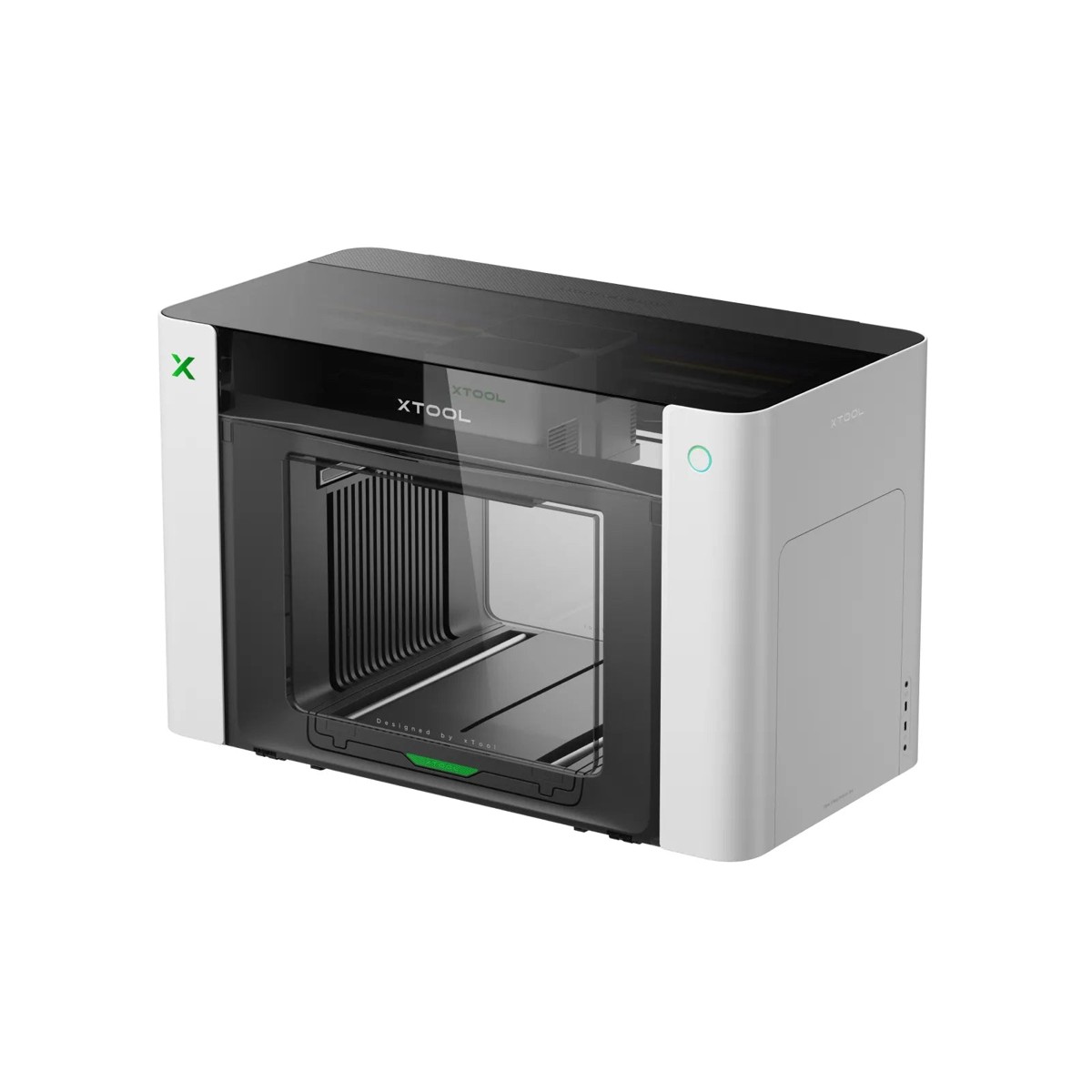
This is the machine that makes the “you need two printers” rule wrong. The O1 Omni is a 4-in-1 platform covering UV printing, UV DTF, DTG, and DTF, so rigid goods and fabric come off the same unit.
The catch is that capability is tied to the version. Single UV and Dual UV configurations handle hard surfaces only; fabric printing requires the DT+UV version, so check the variant before ordering rather than after.
Pros
- One machine covers rigid and fabric work
- 7 mm 3D embossing and lenticular effects
- G7-certified colour, Pixel-scan alignment
- Rotary for tumblers, LM1 laminator for UV DTF
Cons
- Fabric printing only on the DT+UV version
- Desktop bed, not a production roll printer
xTool O1 Omni Printer: the right buy when your catalogue spans shirts and hard goods and you want one machine, not two.
2. xTool Apparel Printer Plus
Best dedicated DTF for volume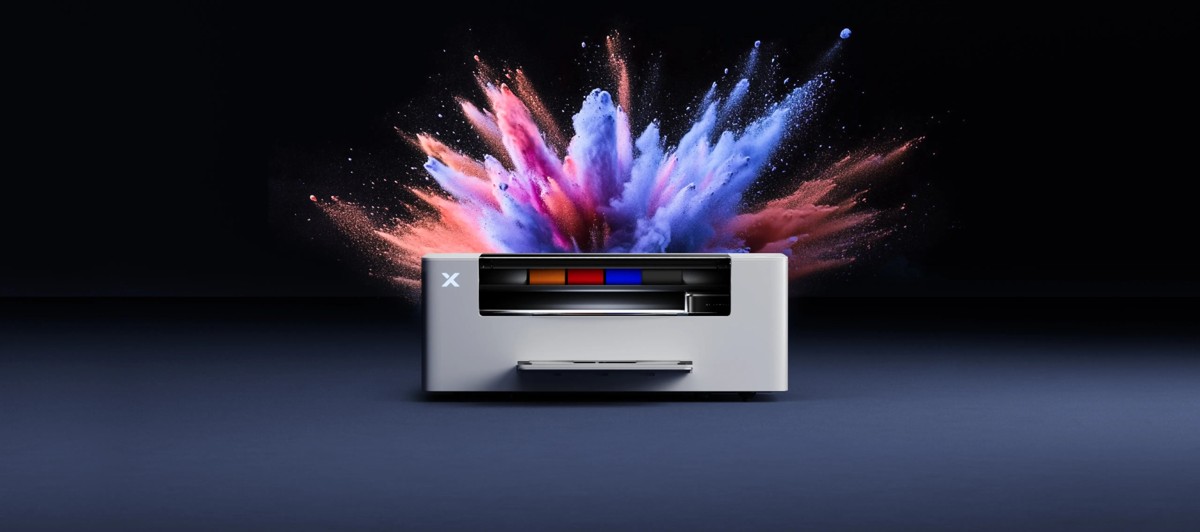
This is the most automated DTF setup at desktop scale: printing, powder application, and shaking run as one workflow rather than three manual stages, when paired with the matching shaker oven.
The specification aimed at production is the self-maintenance — automatic head cleaning, moisturising, and white-ink circulation around the clock. White ink settling is what kills most DTF printers, and this is the answer to it.
Pros
- One-click print, powder, and shake workflow
- Automatic 24/7 white ink circulation
- G7-certified colour accuracy, 50 sq ft/hr
- Mac and Windows support
Cons
- The highest price here
- Full workflow needs the matching shaker oven
xTool Apparel Printer Plus: the one to buy if DTF is a business rather than a hobby and downtime costs money.
3. Procolored K13
Best entry-level DTF
The K13 is the cheapest credible way into 13-inch DTF. It ships with a full CMYK plus white ink set, adhesive powder, roll film, and a printhead moisturising device, so the box is genuinely a starting kit.
It has no built-in shaker, which means powdering and curing are separate manual steps. For a few shirts a day that is fine; for dozens it becomes the bottleneck rather than the printer.
Pros
- Roughly half the price of production DTF machines
- Complete starter kit in the box
- A3 width covers most garment prints
Cons
- Powder and cure are manual
- Single printhead limits throughput
Procolored K13: the right first machine when you are testing whether DTF products sell before committing.
4. Procolored VF13 Pro Panda
Best dedicated UV DTF
A purpose-built UV DTF machine with the laminator integrated, so A film and B film are combined in the same pass instead of on a separate device. That removes the alignment step most UV DTF setups get wrong.
It ships with both film rolls, varnish, and a full CMYK plus white ink set. The software is Windows-only, which is worth checking before you buy if your studio runs on Macs.
Pros
- Printing and laminating in one machine
- Dual printheads for speed
- Films and varnish included
Cons
- Windows-only RIP software
- UV DTF only — cannot decorate fabric
Procolored VF13 Pro Panda: the strongest choice if crystal stickers and hard-goods decoration are the whole business.
5. Procolored V11 Pro
Best for flatbed plus transfers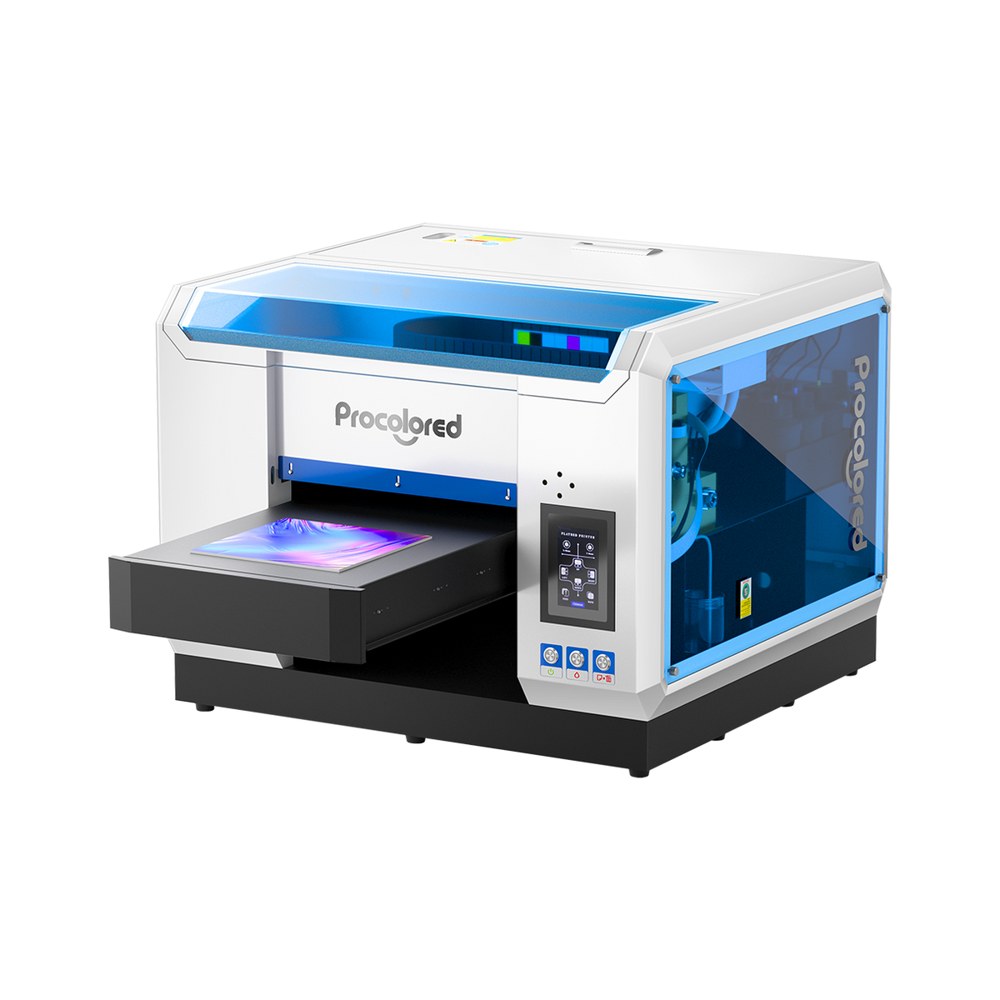
The closest thing here to a dual-purpose machine, though both purposes are UV: one printhead handles standard UV printing and the second applies varnish, giving gloss, matte, and raised texture effects.
Because it is a UV printer, it can print flat objects directly and also produce UV DTF transfer film for the curved ones. That covers both halves of hard-surface decoration from one unit.
Pros
- Direct printing and transfer film from one machine
- Dedicated varnish head for texture and gloss
- A3 bed suits signage and panels
Cons
- Still cannot do fabric
- Two ink systems to maintain
Procolored V11 Pro: the pick when your products are hard-surfaced but split between flat and curved.
How to Choose a DTF or UV DTF Machine
Once the process is settled, four questions decide which machine within it.
What is the widest thing you will print?
Print width is the one specification you cannot work around later. A 13-inch machine covers standard garment prints; anything wider needs a roll-fed production printer.
How many per day?
Below about ten items, manual powdering and a single printhead are fine. Above that, an integrated shaker and dual heads stop being a luxury and start paying for themselves.
What does the machine do when idle?
For DTF this is the question that matters most. White ink settles and clogs heads, so automatic circulation and self-cleaning are worth more than raw speed if the printer sits unused between orders.
What else do you have to buy?
A DTF printer alone is not a DTF setup — budget for a shaker or oven and a heat press. UV DTF is usually closer to complete out of the box, especially where the laminator is built in.
For a wider comparison of the UV side specifically, see our roundup of the best UV printers.
Common Mistakes
- Using UV DTF on clothing. It looks fine until the first wash, then cracks along every fold line.
- Expecting DTF to stick to glass. The adhesive needs fibres to bond into; on a smooth hard surface it peels straight off.
- Skipping the laminate step. Without the B film, a UV DTF design has nothing holding it together during transfer.
- Under-curing DTF powder. Powder that has not fully melted gives a rough finish and a transfer that lifts at the edges.
- Buying the printer and nothing else. A DTF printer without a shaker and press cannot finish a single shirt.
Conclusion
DTF and UV DTF are not competing options; they are two answers to two different questions. Fabric that bends and gets washed needs DTF. Rigid surfaces need UV DTF, and get the bonus that no heat press is involved.
The buying decision follows from the product range rather than the specification sheet. Apparel only, buy DTF. Drinkware and hard goods only, buy UV DTF. Both, and the choice is two dedicated machines or one multi-process platform that carries both ink systems.
New to the process side? What UV printing is covers the chemistry behind instant curing, and DTG printing is the other main route to a decorated garment.
If you are choosing hardware rather than comparing processes, our explainer on what a DTF printer is covers the machine side in more detail.
Frequently Asked Questions about DTF and UV DTF
What is the difference between DTF and UV DTF?
DTF uses water-based ink and adhesive powder, heat-pressed into fabric. UV DTF uses UV-curable ink laminated between two films and applied to hard surfaces by pressure, with no heat at all.
Can one printer do both DTF and UV DTF?
A few can. Most machines are built around one ink system, but multi-process platforms such as the xTool O1 Omni cover UV, UV DTF, DTG and DTF in one unit. Check which processes are named, since 2-in-1 often just means print plus laminate.
Can UV DTF be used on t-shirts?
It should not be. Cured UV ink is rigid, so it cracks as soon as the fabric flexes and will not survive washing. Use standard DTF for any garment.
Does UV DTF need a heat press?
No. That is its main practical advantage — the sticker bonds under hand pressure at room temperature, so no press or curing equipment is needed to apply it.
Which is more durable?
On their intended surfaces, both last well. UV DTF is more scratch-resistant on hard objects; DTF is far more durable on fabric because it flexes with the material instead of cracking.
What does a full DTF setup cost?
The printer is the starting point, not the total. Add a shaker or curing oven and a heat press. Entry-level DTF printers start around $2,500, with production machines above $5,000.
Design something worth printing
Create print-ready artwork free with Atomm, or let AI turn your idea into a design.
