F2 Hub


F2
Mở khóa sức mạnh kép laser của F2 để khắc và cắt một loạt các vật liệu, từ gỗ và acrylic đến kim loại và da. Tạo ra các biển hiệu tinh xảo, quà tặng cá nhân hóa, đồ trang sức tùy chỉnh và trang trí nhà độc đáo với độ chính xác và tốc độ.
Lựa Chọn F2 Nóng Trong Tuần Này

'/%3e%3c/g%3e%3cdefs%3e%3clinearGradient%20id='paint0_linear_1737_57170'%20x1='16.5097'%20y1='8.87061'%20x2='16.5097'%20y2='23.3945'%20gradientUnits='userSpaceOnUse'%3e%3cstop%20stop-color='%232E9AFF'/%3e%3cstop%20offset='1'%20stop-color='%233378FF'/%3e%3c/linearGradient%3e%3c/defs%3e%3c/svg%3e)
Mặt dây chuyền khiên bạc sterling


'/%3e%3cpath%20d='M15.9997%2019.3335L11.833%2014.3335H14.333L15.9997%2017.6668L17.6663%2014.3335H20.1663L15.9997%2019.3335Z'%20fill='white'/%3e%3c/g%3e%3cdefs%3e%3clinearGradient%20id='paint0_linear_1412_57140'%20x1='16'%20y1='7.6665'%20x2='16'%20y2='24.3332'%20gradientUnits='userSpaceOnUse'%3e%3cstop%20stop-color='%23FFA15F'/%3e%3cstop%20offset='1'%20stop-color='%23E37C32'/%3e%3c/linearGradient%3e%3c/defs%3e%3c/svg%3e)
Đồ trang trí Giáng Sinh khâu chữ A-Z — Bộ hoàn chỉnh độc quyền


Laser Cut Gỗ Giáng sinh Cảnh trang trí trang trí Giáng sinh


Đồ trang trí tất Giáng Sinh với họa tiết gấu bông và cây kẹo gậy


Kiểm tra khắc màu hồng ngoại trên thép không gỉ 304 — Không có cửa chéo


Đồ trang trí Giáng Sinh truyền thống - Bộ 5 dũa laser miễn phí (Tất, Gia đình Người tuyết, Gia đình Hươu, Xe tải cổ điển, Hiên nhà lễ hội)


Ngôi Sao Trên Bethlehem — Khắc laser Chúa giáng sinh đêm Thánh Giáng Sinh PNG

'/%3e%3c/g%3e%3cdefs%3e%3clinearGradient%20id='paint0_linear_1737_57196'%20x1='16'%20y1='8.6665'%20x2='16'%20y2='23.3332'%20gradientUnits='userSpaceOnUse'%3e%3cstop%20stop-color='%23FFBC56'/%3e%3cstop%20offset='1'%20stop-color='%23FFA83E'/%3e%3c/linearGradient%3e%3c/defs%3e%3c/svg%3e)
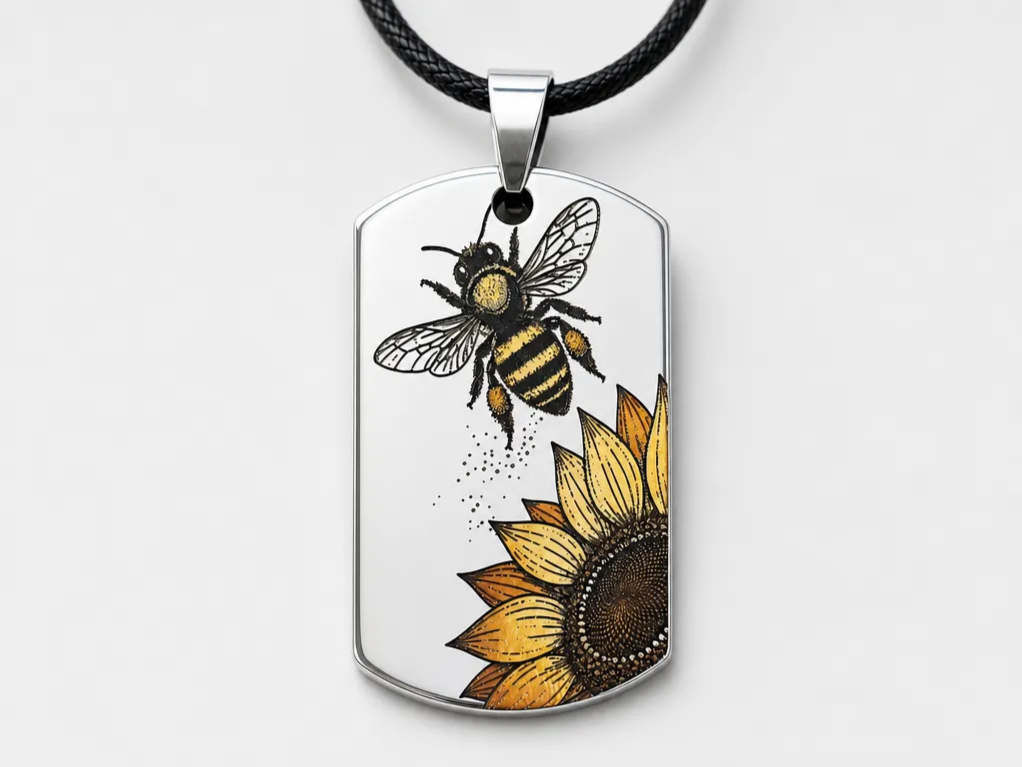
Ong và hướng dương Thẻ chó bằng thép không gỉ Pedant Khắc màu Vòng cổ

Dự án F2 dễ thực hiện

Một chiếc lá cũ và ban nhạc CN-Post-Rock tuyệt vời——WANGWEN


Laser Cut Glittery Angel Trang trí cây thông Noel trang trí


Bông tai hình giọt nước thanh lịch

Thớt Giáng sinh bằng gỗ khắc laser với bò cao nguyên


Thớt tre cho người yêu thích bánh mì nướng bơ


Đồ trang trí Giáng sinh bằng gỗ cắt laser số 67 với mũ ông già Noel 2025

Đĩa cho ông già Noel


Thớt tre minh họa phù thủy và câu nói truyền cảm hứng

Làm gì với F2


Hướng dẫn F2
Khóa học miễn phí từ xTool Academy sẽ giúp bạn từ thiết lập đến trình độ cao — tất cả đều được điều chỉnh cho F2.


Sound Wave Generator
Biến âm thanh yêu thích của bạn thành tác phẩm nghệ thuật sóng âm tuyệt đẹp, cá nhân hóa được thiết kế đặc biệt cho khắc laser và quà tặng tùy chỉnh. Dễ dàng tải lên bất kỳ tệp âm thanh nào (bài hát, lời thề, ghi chú giọng nói hoặc podcast) và tạo ra các mẫu sóng âm tương phản cao chính xác, sẵn sàng để khắc lên trang sức, đài kỷ niệm, giải thưởng hoặc bia gỗ chỉ trong vài giây.
Mẫu AI cho khắc laser
Phong cách AI một chạm biến bất kỳ bức ảnh nào thành tác phẩm nghệ thuật sẵn sàng để khắc.


Mẫu AI cho Giải cứu
Nghệ thuật relief bản đồ độ sâu cho việc chạm khắc đa chiều.


Các nhà sáng tạo F2 hàng đầu


Hướng dẫn & Bài viết F2
Vật liệu cho xTool dòng F (F1, F2, Ultra và UV)
xTool F1, F2, Ultra và UV đánh dấu và cắt được gì, theo từng vật liệu: kim loại trần và kim loại phủ lớp, thủy tinh, pha lê, gỗ, nhựa biển hiệu, đá và da.
xTool F2 là gì? Thông số, giá, khắc màu & dự án (2026)
Hướng dẫn đầy đủ về xTool F2: thông số, giá bán, khắc màu trên kim loại, khả năng cắt, chất liệu hỗ trợ, cách thiết lập và các dự án thực tế.
Cách làm chủ xTool F2 Ultra? Hướng dẫn đầy đủ này có mọi câu trả lời!
Hướng dẫn chi tiết dùng xTool F2 Ultra để khắc màu kim loại, tạo hiệu ứng ảnh nổi, đánh dấu đen và cắt đồng thau — khai phá trọn tiềm năng của máy.