
Key Takeaways
- Wood is the friendliest laser material — diode and CO2 machines both engrave and cut it beautifully.
- Diode machines engrave fine wood detail affordably; CO2 machines cut thicker hardwood faster.
- Diode lasers are affordable and great for engraving; CO2 cuts thicker wood faster with cleaner edges.
- Fiber lasers are for metal — skip them for wood.
- Watch power (for cut depth), air assist (for clean cuts), and enclosure (for safety and fumes).
Woodworkers, sign makers, and craft sellers reach for a laser engraver because it engraves grain-rich art and cuts intricate shapes in one machine — for coasters, signs, ornaments, and layered décor. Wood absorbs both diode and CO2 wavelengths well, so you have great options at every budget; the choice comes down to how thick you cut and how much you want to spend. Below we compare seven wood-friendly machines, with specs, pros and cons, and advice.
The best wood laser engravers at a glance
We ranked machines on wood engraving quality, cutting depth, value, and ease. Prices are approximate and move with promotions.
xTool S1
Best overall for wood
The xTool S1 hits the sweet spot for wood. Its 40W diode module engraves rich, detailed tones and cuts plywood and hardwood quickly, all inside a safe, enclosed body with auto-focus.
Diodes render wood grain and photos superbly, and the S1's power range covers most wood projects short of very thick hardwood — pair it with a stash of laser-engraved gift designs and it's the machine most woodcrafters should buy first.
Pros
- Excellent wood engraving detail
- 40W module cuts plywood fast
- Enclosed and class-1 safe
Cons
- Very thick hardwood needs CO2
- Add-ons cost extra
- Slower than CO2 on deep cuts
xTool S1: the do-it-all wood laser engraver for most makers.
xTool P2S
Best for thick hardwood
For cutting thick wood, CO2 rules — and the xTool P2S cuts black walnut up to 18 mm in a single pass with smooth, dark edges. It engraves large wood panels beautifully too.
Dual cameras and passthrough handle big boards and batches. The CO2 tube wears over time and you'll need venting, but for serious woodwork it's the desktop benchmark.
Pros
- Cuts 18 mm hardwood in one pass
- Clean, fast edges on wood
- Large bed + passthrough
Cons
- CO2 tube is a consumable
- Requires venting
- Pricier than diode machines
xTool P2S: the desktop CO2 laser engraver for thick hardwood.
WeCreat Vision Pro
Best all-in-one
The WeCreat Vision Pro's 45W diode with BeamFocus cuts wood faster than most diodes and engraves clean detail, all in an enclosed body with camera alignment and auto pass-through.
It's a strong grow-with-you wood machine that often undercuts the S1. The brand is newer and full capability needs some add-ons.
Pros
- Strong 45W diode for wood cutting
- Auto pass-through + camera
- Great value enclosed
Cons
- Newer brand
- Add-ons for full kit
- Not CO2-level on thick stock
WeCreat Vision Pro: the best-value all-in-one wood laser engraver.
Creality Falcon2 Pro
Best budget enclosed
The Creality Falcon2 Pro brings enclosed, air-assisted wood cutting at a budget price, with modules up to 60W for deeper cuts and built-in fume extraction — a real plus with smoky woods.
Software is less polished than xTool, but for safe, enclosed wood work without spending big, the value is excellent.
Pros
- Enclosed with air assist, cheap
- Up to 60W for deep wood cuts
- Built-in fume extraction
Cons
- Software less refined
- Needs external venting
- Diode slower than CO2 on thick wood
Creality Falcon2 Pro: the cheapest enclosed wood laser engraver.
Ortur Laser Master 3
Best budget
The Ortur Laser Master 3 is the cheapest way to engrave and cut thin wood, with a big 400 × 400 mm area and a capable diode. Great for signs, ornaments, and plywood projects.
It's open-frame, so laser glasses and ventilation are essential, and there's no camera. For budget woodcrafters comfortable with setup, it's superb value.
Pros
- Lowest price for wood work
- Large work area
- Good safety features
Cons
- Open frame — glasses/venting needed
- No camera
- Thin wood only at speed
Ortur Laser Master 3: the most wood laser engraver you can get for the money.
Glowforge Aura
Best for beginners
The Glowforge Aura is the easiest way to start engraving thin wood. Its camera preview and simple software make wood signs, ornaments, and cards effortless for a first-timer.
At 6W it engraves nicely but only cuts thin wood slowly. For casual wood crafts where ease matters most, it's the friendliest option.
Pros
- Easiest software for wood crafts
- Camera preview
- Compact and quiet
Cons
- Only thin wood, slow cuts
- Cloud-oriented software
- Small work area
Glowforge Aura: the easiest wood laser engraver for beginners.
Glowforge Pro
Premium CO2
The Glowforge Pro is the premium CO2 choice for wood, with autofocus, camera alignment, and unlimited-length passthrough for long boards — all with polished software.
It cuts and engraves wood beautifully but costs a clear premium over similar-wattage rivals, and leans on the cloud. For hands-off convenience, it's a benchmark.
Pros
- Passthrough for long wood boards
- Autofocus and camera alignment
- Refined software
Cons
- Expensive for its wattage
- Cloud-oriented software
- Requires venting
Glowforge Pro: the premium, hands-off CO2 wood laser engraver.
Atomstack A20 Pro
Best open-frame value
The Atomstack A20 Pro pairs a 20W quad-diode with a roomy 400 × 400 mm bed, so it engraves signs and cuts thin plywood across big layouts for around a thousand dollars.
It ships open-frame, so laser glasses and venting are must-haves and there's no camera alignment. For makers who want reach and power per dollar over convenience, it's a strong wood workhorse.
Pros
- Large 400 × 400 mm work area
- 20W diode cuts thin plywood well
- Low price for the power
Cons
- Open frame — glasses and venting needed
- No camera alignment
- Enclosure is a paid add-on
Atomstack A20 Pro: Atomstack A20 Pro: the most work area and diode power per dollar for wood.
Glowforge Plus HD
Premium hands-off CO2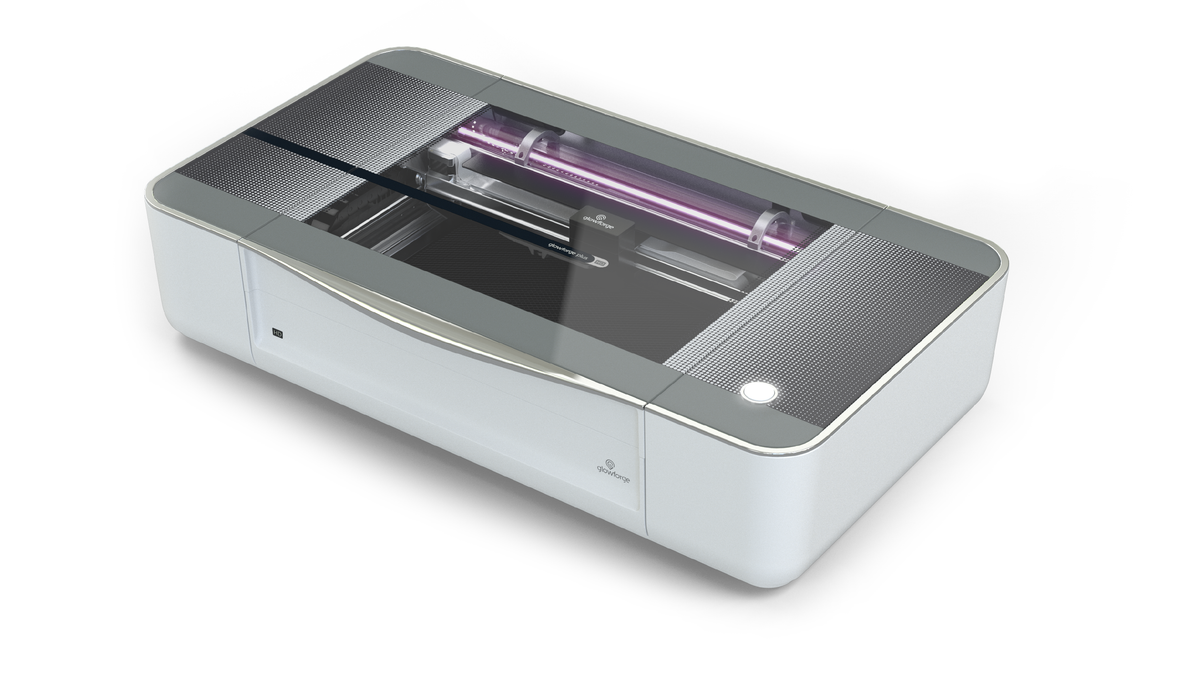
The Glowforge Plus HD is a refined 40W CO2 machine that cuts and engraves wood with camera alignment and famously simple software, making detailed hardwood projects almost effortless.
It carries a steep price for its wattage and leans on the cloud, so it suits buyers who value ease and finish over raw value. For premium hands-off wood work it delivers.
Pros
- Very easy, polished software
- Camera alignment for wood
- Clean CO2 cuts and engraving
Cons
- Expensive for 40W
- Cloud-oriented workflow
- Requires venting
Glowforge Plus HD: Glowforge Plus HD: a premium, hands-off CO2 wood laser engraver.
How to choose a wood laser engraver
We compared every machine in this guide on the same factors — laser type and power, work area, enclosure and safety, air assist, and value — and here's what each means for wood. Wood is forgiving, so focus on these:
- How thick do you cut? Thin plywood and engraving? A diode is plenty. Thick hardwood? Choose CO2.
- Power. More watts cut deeper, faster. 20–40W diode suits most; 45–55W CO2 handles thick stock.
- Air assist. Essential for clean wood cuts and less charring.
- Enclosure and fume extraction. Wood smoke is real — an enclosure and venting keep it manageable.
- Work area. Match the bed to your largest boards; passthrough helps with long pieces.
Here's how the picks compare:
| Model | Laser | Power | Work area | Approx. price | Best for |
|---|---|---|---|---|---|
| xTool S1 | Diode | 20/40W | 498 × 319 mm | From $1,299 | Best overall |
| xTool P2S | CO2 | 55W | 600 × 305 mm | From $3,399 | Thick hardwood |
| WeCreat Vision Pro | Diode | 45W | 500 × 320 mm | ~$2,140 | All-in-one |
| Creality Falcon2 Pro | Diode | 22–60W | 400 × 400 mm | ~$1,899 | Budget enclosed |
| Ortur Laser Master 3 | Diode | 10–40W | 400 × 400 mm | ~$650 | Budget |
| Glowforge Aura | Diode | 6W | 12″ × 12″ | ~$1,199 | Beginners |
| Glowforge Pro | CO2 | 45W | 11″ × 19.5″ | ~$5,999 | Premium CO2 |
| Atomstack A20 Pro | Diode | 20W | 400 × 400 mm | ~$1,099 | Open-frame value |
| Glowforge Plus HD | CO2 | 40W | 11″ × 19.5″ | ~$6,999 | Hands-off CO2 |
Our buying advice
- Most woodcrafters: the xTool S1 engraves and cuts wood superbly for the price.
- Cutting thick hardwood: the xTool P2S CO2, or the Glowforge Pro for premium ease.
- On a budget: the Ortur Laser Master 3, the Atomstack A20 Pro for a big open-frame bed, or Creality Falcon2 Pro for an enclosure.
- Beginners: the Glowforge Aura for thin-wood crafts.
- Powerful all-in-one: the WeCreat Vision Pro; for hands-off premium CO2, the Glowforge Plus HD.
For wood, a good diode covers most projects — step up to CO2 only when you cut thick hardwood regularly. If you mostly cut rather than engrave, our best laser cutter for wood guide digs deeper into cutting-focused picks.
What real makers create in wood
From keychains and bookmarks to layered wall art, puzzles, and hair sticks, here's the range wood makers pull off — each comes with a free file.
Stitch wooden keychain

This little Stitch keychain combines fine engraving with clean cut-outs on a palm-sized blank. It shows how crisply a diode renders detail on small wood pieces.
Get this design free →Layered hummingbird wall art
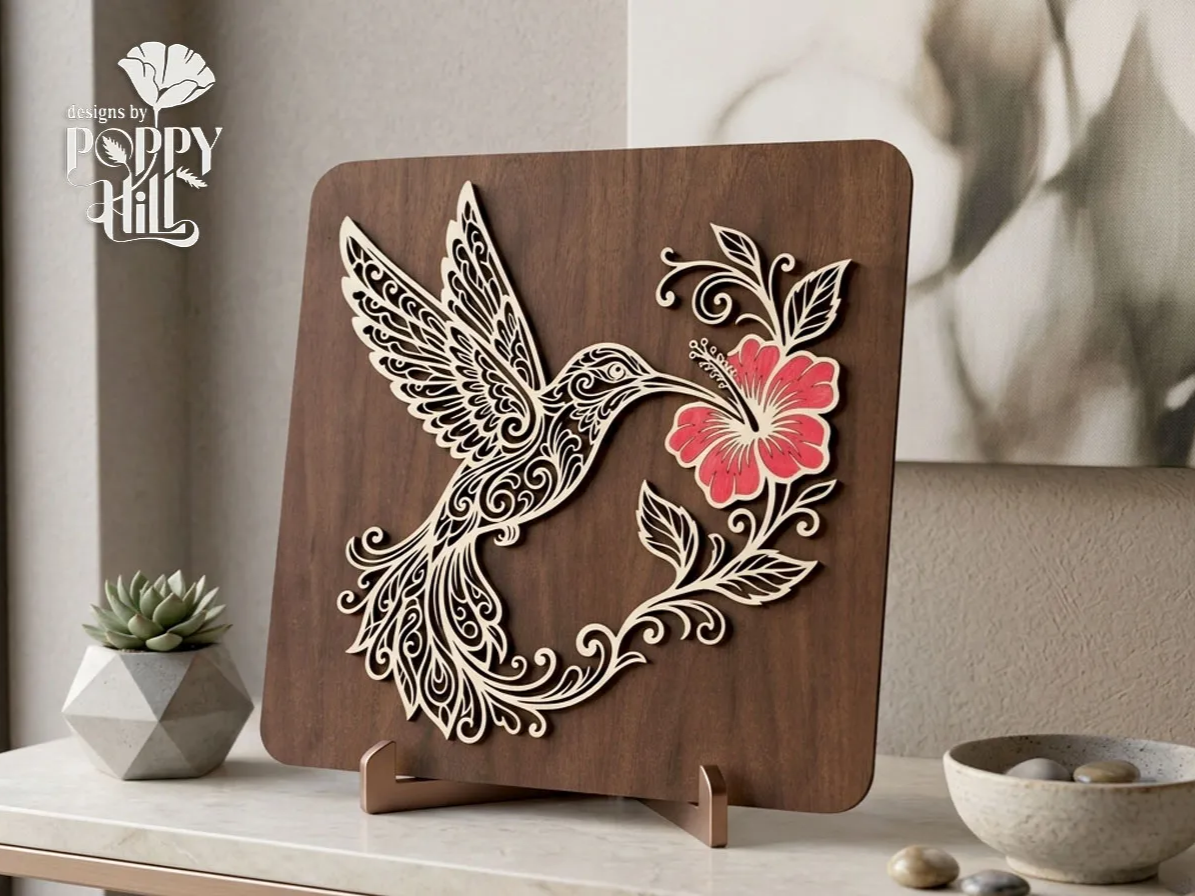
Stacked, cut wood layers build a hummingbird-and-hibiscus scene with real depth. It's a great demo of a machine cutting many clean parts that assemble into decor.
Get this design free →Sleeping fox wooden bookmark
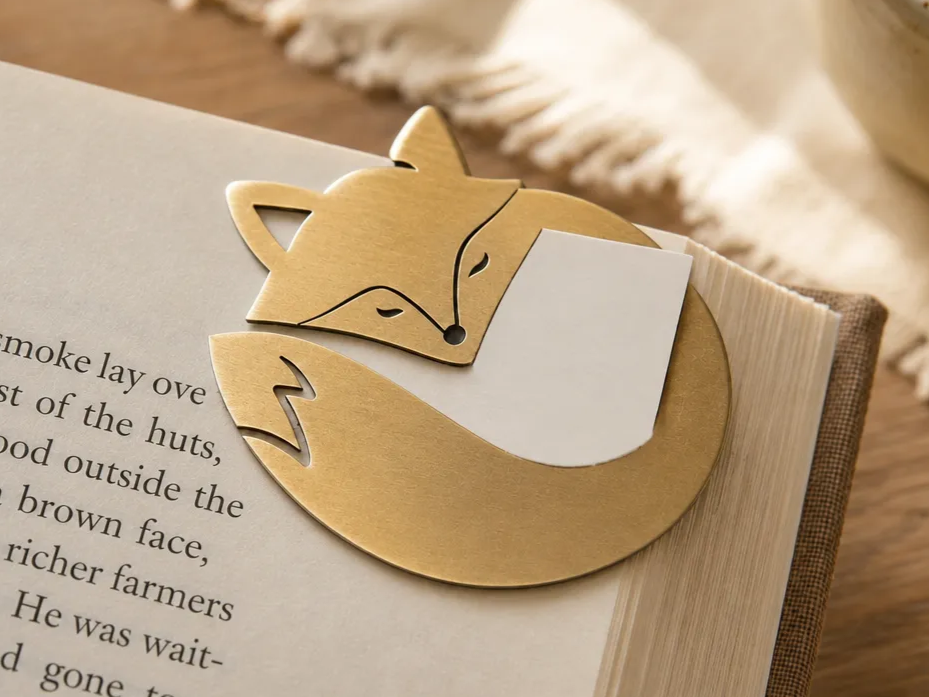
This sleeping-fox bookmark cuts delicate outlines from thin wood into a giftable piece. It proves an affordable diode can handle intricate wood cut-outs.
Get this design free →Safari animals learning puzzle

An eight-piece Montessori-style safari puzzle pairs engraved names with cut animal shapes. It highlights how one wood machine both engraves and cuts a finished toy.
Get this design free →Wooden dragon hair stick
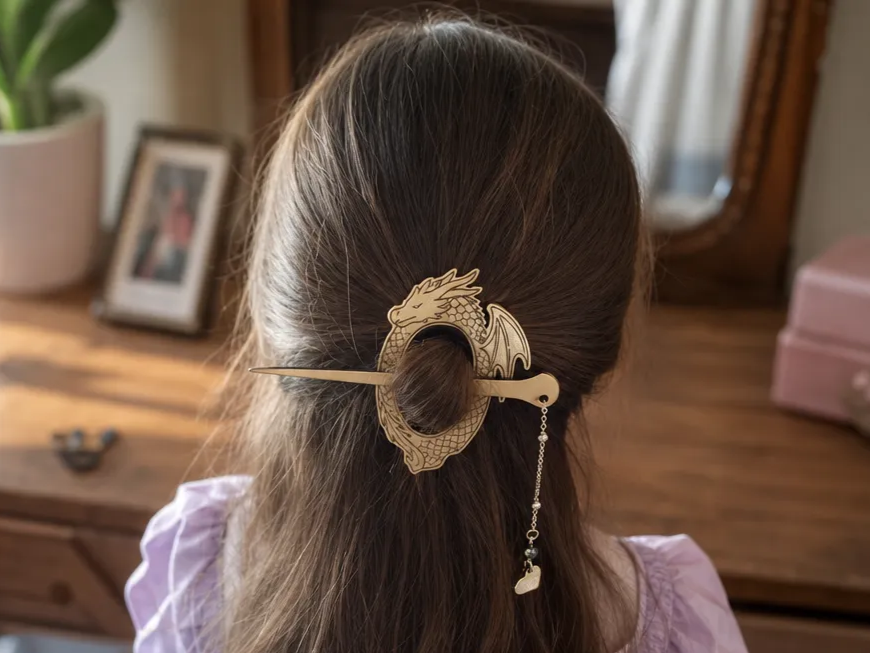
This fantasy dragon hair stick turns a slim wood blank into a wearable accessory with fine detail. It shows the precision a good wood laser brings to tiny functional pieces.
Get this design free →Frequently asked questions about wood laser engravers
Is a diode or CO2 laser better for wood?
Both work well. Diode lasers are cheaper and engrave wood with great detail; a CO2 laser cutter cuts thicker hardwood faster with cleaner edges. Choose CO2 only if you cut thick stock regularly.
What wattage do I need to engrave and cut wood?
A 20W diode engraves and cuts thin plywood; 40W diode or 45–55W CO2 cuts thicker hardwood. Higher power mainly buys faster, deeper cuts.
What is the best wood for laser engraving?
Light, even-grained woods like basswood, birch plywood, and maple engrave cleanest. Avoid resinous or very hard woods for fine detail. Always test settings on scrap.
Do I need air assist for wood?
Yes for cutting — air assist clears smoke and reduces charring, giving cleaner edges and deeper cuts. It's less critical for light engraving but still helpful.
Can any laser engraver cut wood?
Diode and CO2 machines cut wood; fiber lasers do not (they're for metal). Thin wood cuts on almost any diode, while thick hardwood needs higher-power diode or CO2. For an all-material overview, see our best laser engraver guide.
Ready to make something?
Explore free, ready-to-make wood designs — or generate your own artwork in seconds.
