
Report
![[Laser cut and engrave] Created with a purpose Ephesians 2:10 framed wall art](https://image-res.atomm.com/resource/xtool/community/attachment/xtool-community/05379a32-d4ae-43ac-bf96-1e244c1a94a8?x-oss-process=image/resize,m_fill,w_1280,h_960,limit_0/interlace,1/format,webp/auto-orient,1)
![[Laser cut and engrave] Created with a purpose Ephesians 2:10 framed wall art](data:image/png;base64,iVBORw0KGgoAAAANSUhEUgAAAAoAAAAKCAYAAACNMs+9AAAAAXNSR0IArs4c6QAAABdJREFUKFNjZCASMBKpjmFUId6QIjp4AAppAAuXjCs4AAAAAElFTkSuQmCC)
![[Laser cut and engrave] Created with a purpose Ephesians 2:10 framed wall art](https://image-res.atomm.com/resource/xtool/community/attachment/xtool-community/05379a32-d4ae-43ac-bf96-1e244c1a94a8?x-oss-process=image/resize,m_fill,w_160,h_120,limit_0/interlace,1/format,webp/auto-orient,1)
![[Laser cut and engrave] Created with a purpose Ephesians 2:10 framed wall art](https://image-res.atomm.com/resource/xtool/community/attachment/xtool-community/0be5628c-da0f-4fc2-8c1e-2856970ba13a.jpg?x-oss-process=image/resize,m_fill,w_160,h_120,limit_0/interlace,1/format,webp/auto-orient,1)
Created With a Purpose Sign
 Instruction
createwithapurpose
.xcs
Application scenario
Laser processing
Machine & module

xTool S1
20WCompatible xTool Machine
M2
10W, 20WF2 Ultra UV
5WF2
15WP3
80WF2 Ultra
40WF1 Ultra
20WM1
5W, 10WD1
5W, 10W, 20WD1 Pro
5W, 10W, 20W, 40WP2
55WF1
10WS1
10W, 40WM1 Ultra
10W, 20WP2S
55WMaterial used

1/8"(3mm) Basswood Plywood

69
1597
Information
Discover the beauty of a handcrafted, whitewashed wooden sign that boldly proclaims the inspiring message of Ephesians 2:10: "Created with a Purpose." This powerful reminder serves not only as decor but also as a reminder of your unique significance.
Instruction
1
Step1

Preview
Place the material- “Rustic Hanging Plaque” from Hobby Lobby- onto the honeycomb insert.
2
Step2
Load the file and make any adjustments needed.
3
Step3

Preview

Preview
Focus the laser with the auto measure tool. Then, mark your working area with the rectangle option.
4
Step4
Run the file, these settings produced great results for me. Adjust as needed for your liking.
S1 20W - 50% Power 120 Speed - Jarvis Bitmap
5
Step5
Once complete, remove the wooden decor and place it near your daily coffee source as a reminder of the source of our true blessings.
Comments
Remixes



You may also like

John 3:16 Cross SVG | For God So Loved the World Wall Art | Christian Scripture Laser Cut File | Bible Verse SVG Download

7
65

Bible Verse Wooden Sign engraving destressed

2
28

Bible Verse Sign

42
157

Sword of the Spirit on Slate Ephesians 6:10-18

15
81

Jesus Cross Wall Art SVG – Christian Decor, Laser Cut Faith Sign (Digital Download)

12
75

FAITH MAKES IT POSSIBLE SVG

13
96

Wooden fence sign with inspirational quote and floral decoration
6
27

Laser Cut Wooden True Story Cross Wall Decor Sign

5
20

All things

10
91

$1.59
$1.59
$3.98
Credits159
Wooden sign with 'Created with a Purpose' Ephesians 2:10

1

Faith Cross SVG | Christian Wall Art Laser Cut File | Modern Script Cross Decor | Religious Home Sign | Digital Download SVG
2
25

1 Thessalonians 4 Verse Sign for Makers
10
34

Motivational Sign

1
6
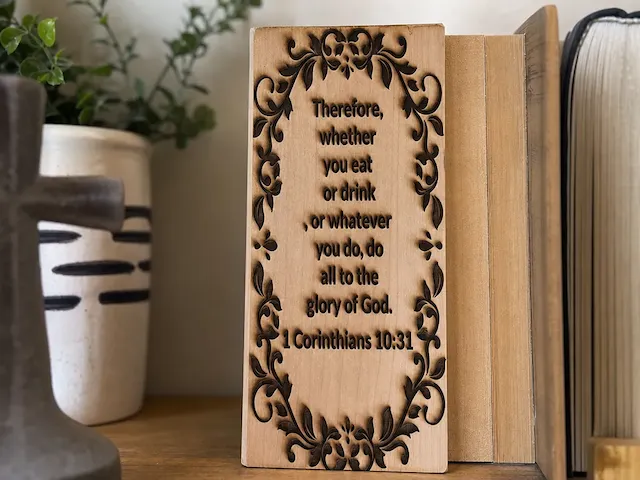
1 Corinthians 10:31 Bible Verse Wooden Scripture Sign

0
2

Jesus Cross Wall Art SVG – Christian Decor, Laser Cut Religious Art (Digital Download)
2
34

The Shield of Faith on Slate Ephesians 6:10-18
5
58

Fear Not For I Am The One: Fingerprint scripture Isaiah 41:13 design for wood and slate

11
66

Laser Engraved Wooden Coffee Quote Wall Sign with Leather Strap

12
32