


Description
Tic Tac Toe Maker
What is it?
The Tic Tac Toe Maker is a tool that allows you to create a Tic Tac Toe gameboards in different shapes, with different player pieces.
Just select a board and let the players choose their pieces... enter a text (names, theme, slogan...), choose your font,
that's just how easy it is :)
A tool intended for makers and creators looking to make custom Tic Tac Toe games.
Key Features
Board Selection: Choose from multiple board shapes and if you like text on top or bottom.
Automatic Text Scaling: Dynamic scaling logic adjusts text size for shorter or longer text.
Manual Size Adjustment: A slider allows manual fine-tuning of the font size.
Live preview: Changes you make are live in the preview window.
SVG Export:Export the final design as an SVG file for use, or open it directly in Xtool Studio.
How to use
- Choose a shape in the left panel.
- Choose a piece for player 1 and player 2 (or upload your own images)
- Enter your text this is optional (max 2 lines).
- Choose text placementtop or bottom or none for no text.
- Pick a font and adjust font size if needed.
- Check the result in Visual, then switch to SVG to see cut/engrave lines.
- Click Export → Download or Open in Studio.
When you open in xTool Studio:
The system recognizes the red and blue as cut and engrave!
Choose your machine and material and click for Open in Studio.
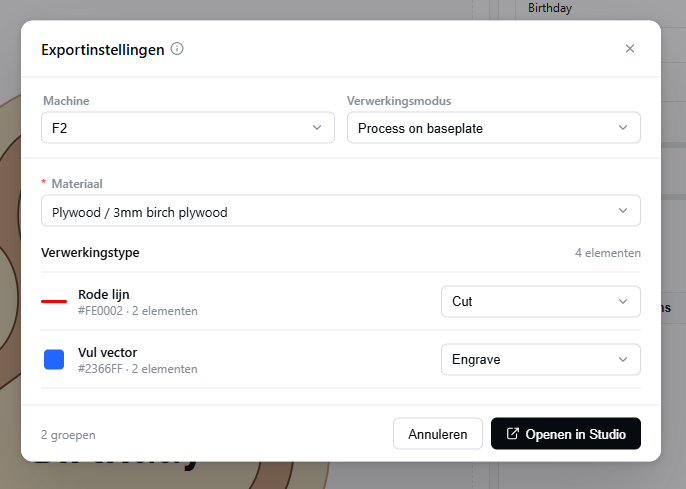
How to process in xTool Studio
The settings are already filled in, adjust if you have your own settings.
Frame (optional) and send the job to your xTool machine.