
The xTool Apparel Printer is a DTF (direct-to-film) printer built for custom apparel at scale. It prints full-color designs onto film, and its automatic shaker oven applies powder and cures the transfer — a near one-click workflow for shirts, hoodies, and more.
This guide explains what the Apparel Printer is, what it costs, what it prints, where to buy it, and how to set it up and use it.
Key Takeaways
- The xTool Apparel Printer is an all-in-one DTF printer with an integrated shaker oven for powder and curing.
- It uses Epson I1600 dual printheads, a 14″ print width, and reaches up to 50 sq ft/hr for batch production.
- It prints on all fabrics — cotton, polyester, denim, canvas, spandex, leather — in any color, with G7-certified color and 24/7 self-maintenance.
- At around $5,199, it’s aimed at apparel businesses scaling custom prints, not casual hobby use.

What is the xTool Apparel Printer?
The xTool Apparel Printer is a dedicated DTF (direct-to-film) system. It prints your artwork — including a solid white ink layer — onto a clear film, then its built-in shaker oven automatically applies adhesive powder and cures it. You’re left with a ready-to-press transfer, without the separate printer, manual powdering, and curing oven a traditional DTF setup needs.
Because DTF bonds to almost any fabric, one machine can print for cotton tees, poly hoodies, denim, canvas bags, and more — in full color, on light or dark garments.
| Type | All-in-one DTF apparel printer + shaker oven |
|---|---|
| Printheads | Epson I1600 dual printheads |
| Print width | 14 in |
| Resolution | Up to 720 × 1800 DPI |
| Speed | Up to 50 sq ft/hr |
| Color | CMYK + 100% white ink; G7-certified accuracy |
| Workflow | One-click print, powder & bake; 24/7 SmartCycle self-maintenance |
| Software | All-in-one app for Mac & Windows |
What is the pricing of the xTool Apparel Printer?
As a business-grade machine, the Apparel Printer sits at the top of xTool’s printer range. Prices are in USD as of July 2026 and move with promotions.
| Option | What you get | Price (approx.) |
|---|---|---|
| xTool Apparel Printer | The DTF printer with integrated shaker oven | from ~$5,199 |
| Consumables | DTF ink, film, and adhesive powder | ongoing per-print cost |
| Bundles | Printer plus a heat press and starter supplies | bundle pricing on xtool.com |
Factor in ink, film, and powder as a running cost. The machine pays off through volume, so it suits shops printing apparel regularly rather than the occasional one-off.
What can the xTool Apparel Printer print?
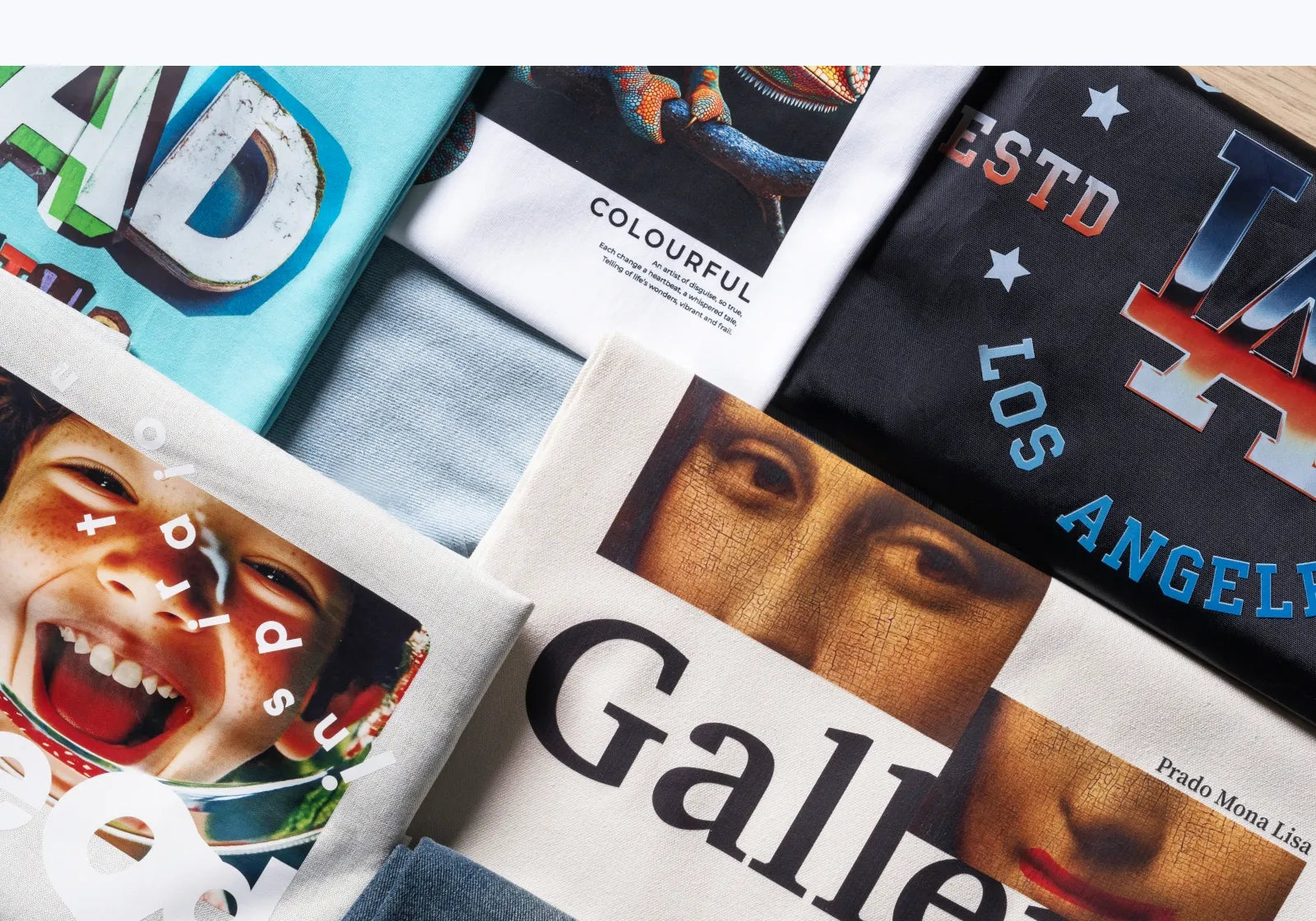
DTF is one of the most versatile decoration methods, and this printer leans into that:
- Any fabric — cotton, polyester, denim, canvas, spandex, and leather all take DTF.
- Any color garment — the 100% white ink layer means designs pop on dark and light fabrics alike.
- Full-color, photo-quality art — gradients, fine detail, and vivid color at up to 720×1800 DPI.
- Batches — up to 50 sq ft/hr with continuous, automatic baking for production runs.
Where can you buy the xTool Apparel Printer?
- xTool official store (xtool.com) — the printer, consumables, and business bundles.
- Authorized resellers — print- and apparel-supply retailers that carry xTool.
- xTool sales — for business buyers, xTool offers direct and bulk purchasing.
What can you make with the xTool Apparel Printer?
Its speed and any-fabric flexibility make it a fit for both fun projects and real businesses:
- Custom apparel — T-shirts, hoodies, and sportswear in full color.
- Print on demand — fulfill one-off online orders without minimums.
- In-store customization — print designs for walk-in customers on the spot.
- Enterprise & team merch — branded uniforms, event shirts, and bulk runs.

How to set up the xTool Apparel Printer
- Place the printer on a stable surface in a ventilated space and connect power.
- Install the ink, load DTF film, and fill the powder hopper for the shaker oven.
- Install the xTool app on a Mac or Windows computer and connect the printer.
- Run the guided setup and a test print to check color, white ink, and curing.
How to use the xTool Apparel Printer
- Import or design your artwork in the app and set the white-ink layer.
- Send the job — the printer lays down color and white ink onto the film.
- The film passes into the shaker oven, which applies powder and cures it automatically.
- Peel the finished transfer once cooled.
- Heat-press the transfer onto your garment to bond it.
What fabrics does the xTool Apparel Printer support?
Because DTF transfers bond with heat and adhesive rather than dye, they work across most textiles:
| Fabric | Examples | Notes |
|---|---|---|
| Cotton | T-shirts, tote bags | Excellent adhesion and hand feel |
| Polyester & blends | Hoodies, sportswear | Great color; no dye-migration issues with white base |
| Denim & canvas | Jackets, bags, aprons | Durable on heavier fabrics |
| Spandex & stretch | Activewear, leggings | Flexible transfers move with the fabric |
| Leather & more | Patches, accessories | Works on many specialty surfaces |
Match press time and temperature to the fabric, and cure the DTF powder fully for wash-durable prints.
xTool Apparel Printer alternatives
DTF isn’t the only way to decorate apparel, and there are cheaper DTF options too. Here are three alternatives and where each fits.
Procolored P13 DTF Printer
Cheaper desktop DTF
A budget desktop DTF printer. It prints the same kind of full-color, any-fabric transfers, but slower and with more manual powdering/curing than the xTool’s all-in-one shaker oven.
xTool Screen Printer
Cheaper at volume
For a single bold design printed in bulk, screen printing costs far less per shirt than DTF. It can’t match DTF’s photo detail or per-order flexibility, but it’s cheaper at scale.
xTool Heat Press
For pre-made transfers
The finisher, not the printer — it presses DTF or HTV transfers you print or buy. Pair it with a DTF printer, or use it alone with purchased transfers for the cheapest start.
How to choose an apparel printing method
Match the method to your designs, order sizes, and budget:
| If you want… | Best method | Option |
|---|---|---|
| Full-color, any fabric, per-order | DTF | xTool Apparel Printer, Procolored |
| Cheapest per unit at high volume | Screen printing | xTool Screen Printer |
| Quick one-offs from bought transfers | Heat press | xTool Heat Press |
| Lowest startup cost | Desktop DTF or HTV | Procolored, heat press |
The xTool Apparel Printer wins on throughput and its all-in-one shaker oven for a real DTF business. Choose a Procolored for a cheaper desktop DTF start, the xTool Screen Printer for bulk single-color runs, or a heat press to apply bought transfers.
Industrial machines like the Epson SureColor DTF line or Brother GTX DTG cost far more and target high-volume shops.
Frequently asked questions about the xTool Apparel Printer
What is DTF printing?
DTF (direct-to-film) prints a design plus a white ink base onto a film, coats it with adhesive powder, and cures it. The finished transfer is then heat-pressed onto a garment, so it works on almost any fabric and color.
What makes the xTool Apparel Printer all-in-one?
It combines the DTF printer and the shaker oven (powder + curing) in one machine with a near one-click workflow, replacing the separate printer, manual powdering, and oven of a traditional DTF setup.
What fabrics can it print on?
Cotton, polyester, denim, canvas, spandex, leather, and more — in any garment color, thanks to the 100% white ink layer.
How fast is it?
Up to 50 sq ft per hour with continuous automatic baking, which makes batch and print-on-demand production practical.
Is the xTool Apparel Printer for hobbyists or businesses?
It’s built for businesses. At around $5,199 plus consumables, it pays off through volume — ideal for apparel shops, print-on-demand, and team merch rather than occasional hobby use.
Final thoughts
The xTool Apparel Printer folds the whole DTF process — print, powder, and cure — into one automated machine, so a small shop can turn out full-color, any-fabric transfers at production speed. For a business scaling custom apparel, that integration and throughput are the main draw.
Pair it with a heat press to finish garments, and see how it fits the wider lineup in our overview of xTool machines.
