
The xTool D1 is an open-frame diode laser engraver and cutter built for hobbyists and small businesses who want a big work area at an affordable price.
The xTool D1 Pro is its upgraded successor: same open-frame design, but with a finer laser spot, roughly 4× faster travel, a proper safety kit, and a module lineup that runs from an entry-level 5W all the way up to a 40W powerhouse.
This guide explains what the D1 and D1 Pro are, what they cost, what they can engrave and cut, and how to set one up and use it.
Key Takeaways
- The xTool D1 and D1 Pro are open-frame blue-diode engravers with a large ~430 × 400 mm bed.
- The D1 Pro is current, with a compressed laser spot and speeds up to 400 mm/s.
- It takes swappable 5W / 10W / 20W / 40W modules and adds a flame detector and limit switches.
- It engraves and cuts wood, acrylic, and leather, and marks metal with the optional IR module.

What is the xTool D1 (and D1 Pro)?
The xTool D1 is a gantry-style, open-frame desktop laser that uses a 455 nm blue diode laser to engrave and cut.
It launched in 2021 with a large work area and quickly became one of the most popular budget engravers for makers cutting wood, acrylic, and leather. It shipped with 5W and 10W modules, with higher-power and infrared modules added to the ecosystem later.
The xTool D1 Pro arrived in 2022 as the direct upgrade and is the model xTool sells today.
It keeps the same footprint but improves nearly everything that matters: a compressed laser spot as fine as 0.08 × 0.06 mm for sharper detail, a top travel speed of 400 mm/s (about 4× the original D1), and an on-board safety kit — a flame detector, travel limit switches, and a movement/tilt alarm.
It also expands the module range to include 5W, 10W, 20W, and a world-first 40W octa-diode module. The original D1 has largely been phased out in favor of the Pro, so if you are buying new, you are buying a D1 Pro.
| Spec | xTool D1 | xTool D1 Pro |
|---|---|---|
| Released | 2021 | 2022 (current model) |
| Laser type | 455 nm blue diode | 455 nm blue diode (+ optional 1064 nm IR) |
| Module options | 5W, 10W | 5W, 10W, 20W, 40W + IR |
| Work area | ~432 × 406 mm | ~430 × 400 mm (expandable to ~430 × 930 mm) |
| Max travel speed | ~100 mm/s | 400 mm/s |
| Laser spot | Standard | Compressed, down to 0.08 × 0.06 mm |
| Safety | Movement/tilt alarm | Flame detector + limit switches + tilt alarm |
| Software | XCS + LightBurn | XCS + LightBurn |
| Enclosure | Open frame (optional enclosure) | Open frame (optional enclosure) |
What is the pricing of the xTool D1 Pro?
Because the D1 Pro is sold in interchangeable-module tiers, price depends on the wattage you choose. xTool runs frequent promotions and bundles, so treat these as a guide and confirm the live figure on the official xTool D1 Pro page. Prices are in USD as of July 2026 and move with seasonal sales.
| Configuration | Best for | Price (approx.) |
|---|---|---|
| D1 Pro 5W | Entry-level engraving and light cutting | Lowest tier — check current promo |
| D1 Pro 10W | All-round engraving + cutting thin wood/acrylic | ~$849 |
| D1 Pro 20W | Faster, deeper single-pass cutting | ~$1,399 (bundles higher) |
| D1 Pro 40W | Heavy cutting; world-first octa-diode module | Premium tier (module upgrade ~$1,000+) |
Bundles that add the RA2 Pro rotary, riser base, honeycomb panel, air assist, or enclosure raise the total but usually cost less than buying each part separately. The original xTool D1 is generally only available secondhand now.
What can the xTool D1 engrave and cut?
As a blue-diode laser, the D1 / D1 Pro is strongest on organic and dark materials. Higher-wattage modules cut thicker stock and cut faster:
- Engraves and cuts: wood (basswood, birch, plywood, MDF), bamboo, leather, cardboard and paper, cork, felt, rubber, and opaque/dark acrylic. A 20W module cuts roughly 3 mm basswood in a single pass; the 40W goes far deeper over multiple passes.
- Engraves / marks only: anodized aluminum, painted or coated metal, stainless steel and titanium (much easier with the optional 1064 nm IR module), plus slate, stone, and coated glass or ceramic.
- Cannot cut: clear or transparent acrylic (the 455 nm beam passes straight through it — a physics limit for every diode laser), bare or reflective metal, and glass.
That range makes the D1 Pro a favorite for signage, jewelry, home decor, coasters, ornaments, and personalized gifts. Browse real results in the D1 project gallery and the D1 Pro gallery.
Where can you buy the xTool D1 Pro?
- xTool official store (xtool.com) — the full D1 Pro lineup, module upgrades, bundles, warranty, and sale pricing.
- Amazon — the D1 Pro is listed under Arts, Crafts & Sewing for fast shipping.
- Authorized resellers — retailers including MatterHackers and Micro Center carry xTool machines.
Real projects people make with the xTool D1
Here are a few community builds made on the xTool D1 and D1 Pro — mostly wood engraving and cutting, which is exactly where these diode machines shine — from the D1 project gallery:
1. Japanese Landscape Engraved Cutting Board

A wooden cutting board engraved with a detailed Japanese landscape scene. Grayscale image engraving like this shows how well the D1 Pro’s compressed laser spot renders fine tonal detail and shading on a large, flat surface.
Get this design →2. Owl, Forest & Moon Earring Pendant
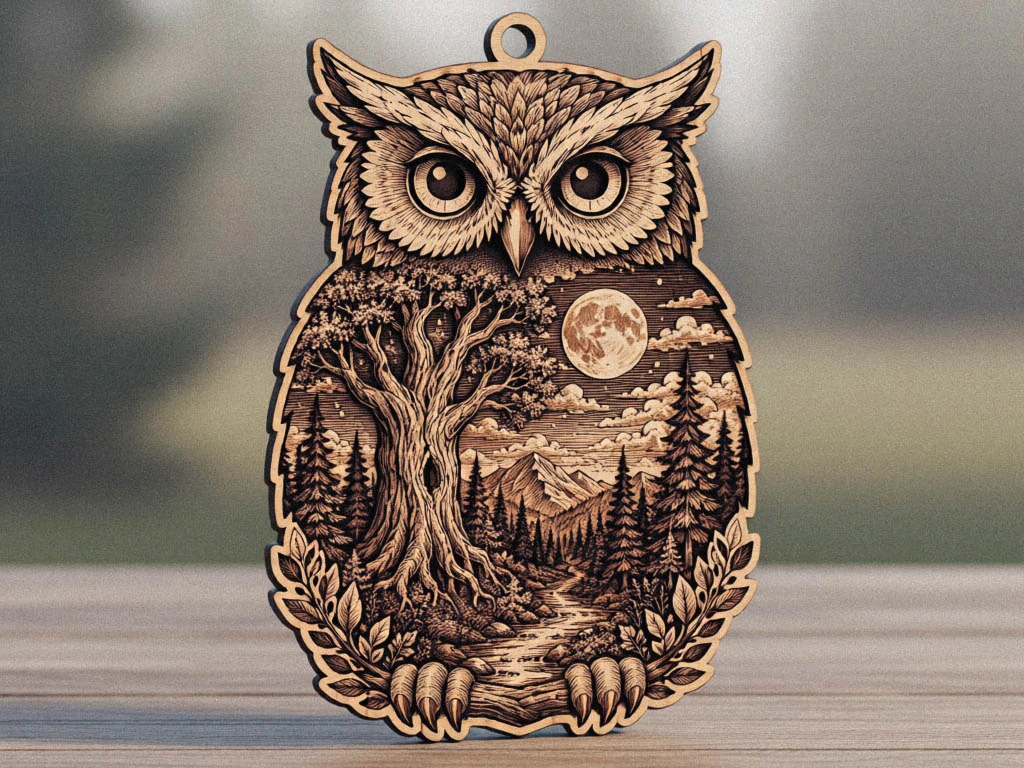
Delicate layered earrings that combine an owl, forest, and moon motif. The fine outlines and tiny cut-outs highlight the precision cutting a diode laser can achieve on thin plywood — a popular, low-cost product to sell.
Get this design →3. 3mm Geometric Slim Phone Stand
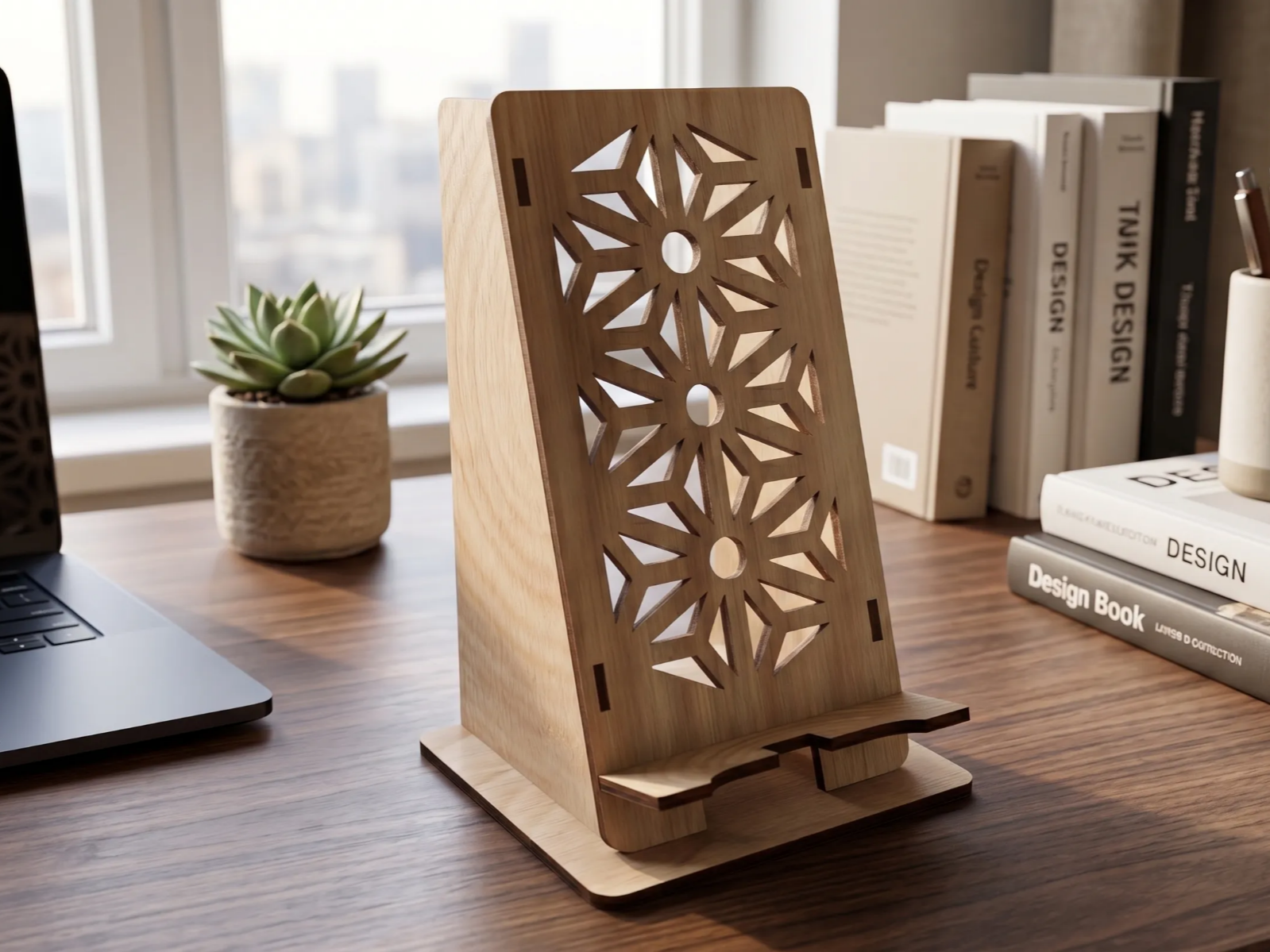
A slim, geometric phone stand cut from 3 mm plywood and slotted together without glue. Functional flat-pack builds like this use the D1’s large bed to nest all the parts and cut them in one job.
Get this design →4. Snowflake Tea Light Candle Holder
A layered wooden snowflake that frames a tea light. Multi-layer decor like this relies on clean, repeatable cutting so every stacked piece lines up — an easy seasonal seller for craft fairs and gift shops.
Get this design →5. Tree of Life Wall Art
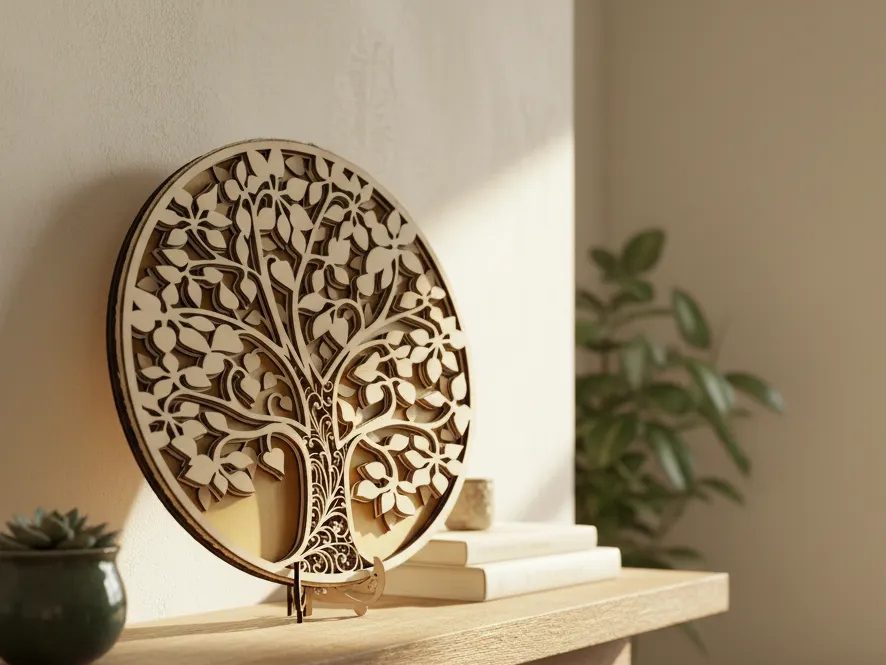
An intricate Tree of Life wall piece with hundreds of fine interior cuts. Detailed filigree cutting like this is a great stress test for the D1 Pro — it needs a tight beam and steady belts to hold the thin webs together.
Get this design →6. Happy Birthday Money Pulling Box

An interactive money-pulling gift box with a cake topper, cut and engraved from plywood. Assembled mechanical gifts like this combine engraved decoration with precise slots — a fun, giftable project that shows off cut-and-assemble workflows.
Get this design →How to set up the xTool D1 Pro
- Assemble the frame: the D1 Pro ships partly assembled — attach the gantry rails, belts, and laser module following the printed guide (about 20–30 minutes).
- Place it on a flat, stable surface in a well-ventilated area. Because it is open-frame, add the optional enclosure or run it near a smoke purifier and window.
- Wear laser goggles and keep pets and children away — open-frame diode lasers emit bright, hazardous light while running.
- Connect power and link the D1 Pro to your computer via USB, join it to Wi-Fi, or use a TF/microSD card for offline jobs.
- Install xTool Creative Space (XCS) (or set up LightBurn), let it detect the machine, and apply any firmware update.
- Set focus with the flip-up focus block or the module’s focus knob, and attach the RA2 Pro rotary, riser, or honeycomb panel if your project needs them.
How to use the xTool D1 Pro
- Design or import artwork in XCS or LightBurn — text, SVG, DXF, or an image — and arrange multiple pieces to fill the large bed for batch runs.
- Position the design over your material and use the frame-preview outline so you know exactly where the laser will fire before you start.
- Choose the operation: engrave, score, or cut, and set the mode for your material (image, fill, or line).
- Pick a material preset or dial in power, speed, and passes. Turn on air assist for cleaner, deeper cuts, and always run a small test on scrap first.
- Start the job and stay nearby — the flame detector and tilt alarm add protection, but an open-frame laser should never run unattended. Unload and repeat for the next piece.
What materials does the xTool D1 Pro support?
The D1 Pro handles a wide range of organic and coated materials across its modules. A quick reference:
| Category | Examples | What it does |
|---|---|---|
| Wood | Basswood, birch, plywood, MDF, bamboo | Engrave + cut |
| Acrylic | Opaque / dark acrylic (not clear) | Engrave + cut |
| Leather & fabric | Veg-tan leather, felt, canvas, cork | Engrave + cut |
| Paper & card | Cardstock, cardboard, kraft paper | Engrave + cut |
| Coated metal | Anodized aluminum, painted / coated metal | Engrave / mark |
| Bare metal | Stainless steel, titanium (with 1064 nm IR module) | Mark only |
| Stone & glass | Slate, stone, coated glass, ceramic tile | Engrave / mark |
Always test on scrap first and follow xTool’s material settings. Never laser PVC, vinyl, or unknown coated plastics, and remember that clear acrylic and bare reflective metal cannot be cut with a diode laser.
xTool D1 (and D1 Pro) alternatives
The D1 is an open-frame diode engraver. Here are five alternatives and where each fits.
xTool S1
Enclosed upgrade
The enclosed successor in spirit to the D1: more power, a fume-safe enclosure, a camera, and tested materials. The upgrade if you want the D1’s versatility with more safety and muscle.
xTool F1
Portable + metal
A compact portable engraver that also marks metal via an IR laser — something the diode-only D1 can’t do. Good for small, varied jobs on the go.
Ortur Laser Master 3
Direct open-frame rival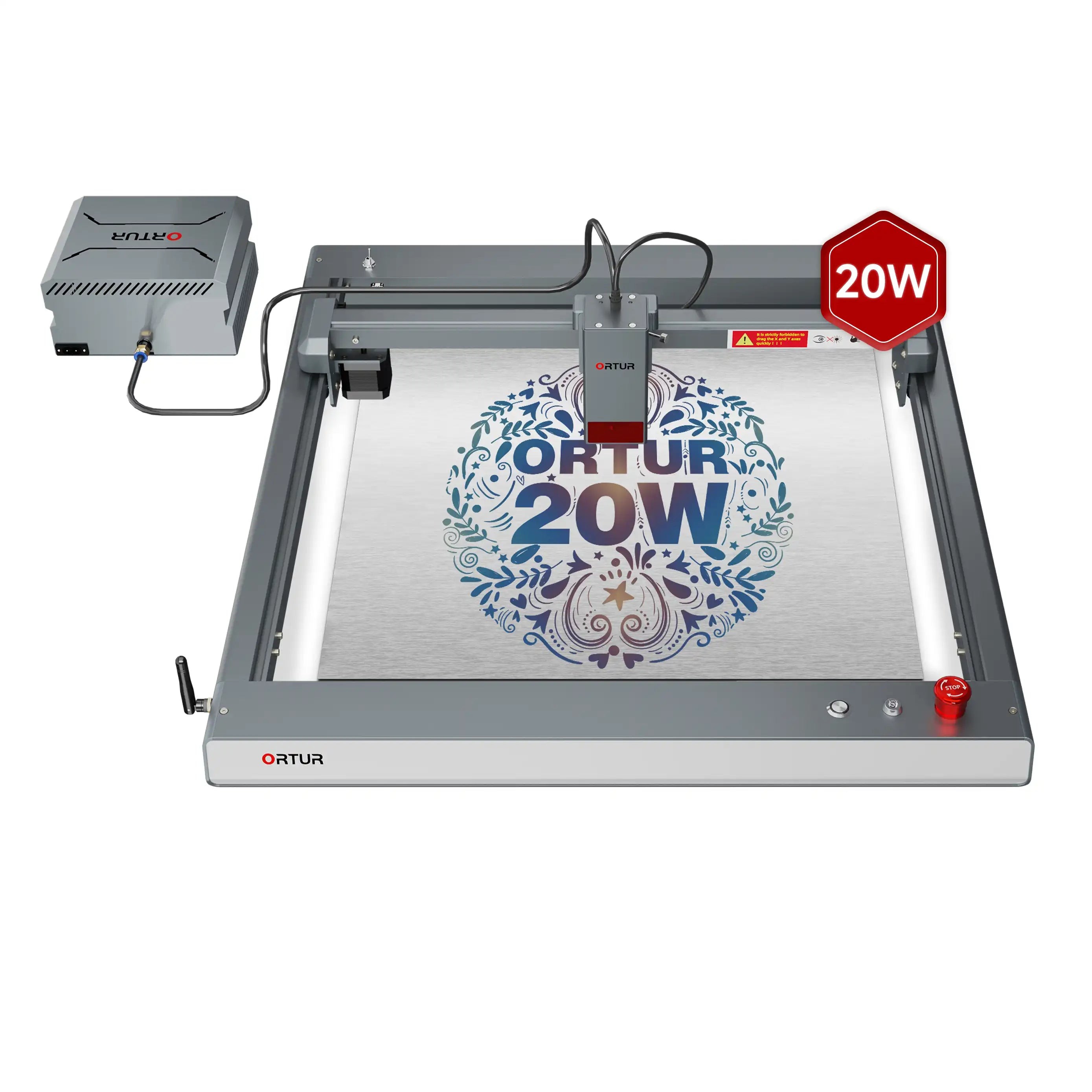
The closest competitor to the D1: another budget open-frame diode. Similar price and format, so it comes down to ecosystem, software, and accessories.
Glowforge Aura
Simplest enclosed diode
A beginner-friendly enclosed diode. Safer and simpler than the open-frame D1, but pricier and lower-powered, with some features behind a subscription.
LaserPecker 4
Portable dual
A portable dual-laser that also marks metal. A very different form factor from the D1 — tiny and travel-ready, but pricier with a smaller bed.
How to choose an open-frame diode laser
Weigh these against your budget and workspace:
| Priority | What to check | Points to |
|---|---|---|
| Format | Open-frame (cheap) vs enclosed (safe) | D1 / Ortur (open); S1 / Glowforge (enclosed) |
| Power | Diode wattage | D1 (up to 40W), S1 |
| Metal marking | IR/fiber capability | xTool F1, LaserPecker 4 |
| Budget | All-in cost | Ortur / D1 (cheapest) |
The xTool D1 and D1 Pro are affordable, capable open-frame diodes. If you want more safety and power, the enclosed S1 is the upgrade; for portability plus metal, the F1 fits.
An Ortur Laser Master 3 is the most direct open-frame rival, while brands like Sculpfun and Creality Falcon compete on price in the same category.
Frequently asked questions about the xTool D1 and D1 Pro
What is the difference between the xTool D1 and D1 Pro?
The D1 Pro is the upgraded successor. It adds a finer compressed laser spot (down to 0.08 × 0.06 mm), roughly 4× faster travel (400 vs ~100 mm/s), a flame detector and limit switches, and more module options including a 40W. The original D1 is mostly discontinued.
Can the xTool D1 Pro cut metal?
No — a diode laser cannot cut bare metal. It can engrave and mark coated or anodized metal, and with the optional 1064 nm IR module it marks bare stainless steel and titanium, but it does not cut through metal.
How thick can the xTool D1 Pro cut?
It depends on the module and settings. The 20W cuts roughly 3 mm basswood in a single pass and thicker stock in multiple passes; the 40W cuts much deeper — up to tens of millimeters of wood over several passes. Air assist improves cut depth.
Does the xTool D1 Pro work with LightBurn?
Yes. Both the D1 and D1 Pro run in xTool’s free Creative Space (XCS) and are also compatible with LightBurn, though the configuration files differ between the two machines.
Is the xTool D1 Pro safe to use at home?
It is an open-frame laser, so treat it with care: wear the included goggles, ventilate the smoke, and never leave it running unattended. The D1 Pro adds a flame detector, tilt alarm, and limit switches, and an optional enclosure improves safety further.
Final thoughts
The xTool D1 made large-format diode engraving affordable, and the D1 Pro refined it into a genuinely capable workhorse: sharper detail, much faster engraving, a real safety kit, and modules from 5W up to a 40W octa-diode.
For makers cutting and engraving wood, acrylic, leather, and coated materials — whether for a hobby or a small business — it remains one of the best-value open-frame lasers you can buy. See real builds in the D1 project gallery, then check current module pricing on the official xTool D1 Pro page.
