舉報
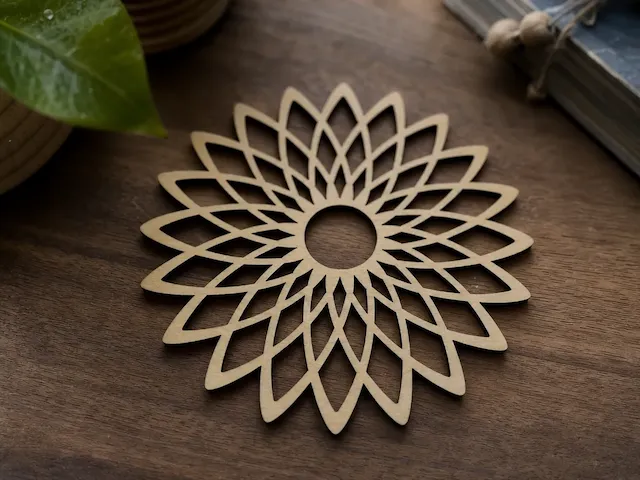
![[Laser cut and engrave] Geometric Mandala Flower Wall Art](https://storage-public.atomm.com/xtool/community/attachment/xtool-community/24f4cdb0-ec31-40de-9bb6-17671807aecc.webp?x-oss-process=image/resize,m_fill,w_1280,h_960,limit_0/interlace,1/format,webp/auto-orient,1)
![[Laser cut and engrave] Geometric Mandala Flower Wall Art](https://storage-public.atomm.com/xtool/community/attachment/xtool-community/24f4cdb0-ec31-40de-9bb6-17671807aecc.webp?x-oss-process=image/resize,m_fill,w_160,h_120,limit_0/interlace,1/format,webp/auto-orient,1)
![[Laser cut and engrave] Geometric Mandala Flower Wall Art](https://storage-public.atomm.com/xtool/community/attachment/xtool-community/94498e1d-7a25-4927-9f18-320448a84173.jpeg?x-oss-process=image/resize,m_fill,w_160,h_120,limit_0/interlace,1/format,webp/auto-orient,1)
![[Laser cut and engrave] Geometric Mandala Flower Wall Art](https://storage-public.atomm.com/xtool/community/attachment/xtool-community/e7570951-01f8-4f33-bfd6-0cbf51910f23.jpeg?x-oss-process=image/resize,m_fill,w_160,h_120,limit_0/interlace,1/format,webp/auto-orient,1)
M2 雲霄飛車教學
ID 333295
檔案
41
教程
1
步驟1

預覽
選擇一塊尺寸合適的椴木或其他合適的材料。
打開蓋子,將椴木放在 M2 內的磁鐵夾子上。(xTool 建議您在椴木下方放置木條或其他材料,以避免蝕刻底板。)
蓋上蓋子。
開啟您的 xTool Studio 軟體。
打開此專案的說明。
選擇您的雷射與材料。
再確認你有足夠大的木頭來完成這個專案。
按下 Process,再按 xTool 前面的按鈕。
泡杯茶,讀 11 分鐘多一點。
好好享受你漂亮的杯墊吧!
評論
二創

您可能還喜歡

第一刀 M2 練習檔案
0
27
幾何花卉曼陀羅杯墊,搭配層疊花瓣圖案
0
1

教學雲霄飛車
0
4
雲霄飛車計畫
7
287

M2 測試專案
1
24

教學過山車
0
10

我的第一個專案!!耶!
1
3

首次 xTool M2 測試
12
218

木製花卉曼陀羅隔熱墊,葉片圖案繁複
6
124

教學
0
2

精緻的層疊木製曼荼羅壁畫
6
19
精細的雷射切割木製曼荼羅藝術裝飾
25
139
聖誕舞會
2
7
木製幾何花朵耳環
111
480

精緻的太陽曼荼羅壁畫裝飾
2
30

漂亮的曼陀羅
14
89

雷射切割木製花桌燈,配備溫暖LED燈/蓮花形木燈
352
1.6k
$1.79
$1.79
$1.99
積分179
精緻的圓形花卉剪裁裝飾
13


