舉報
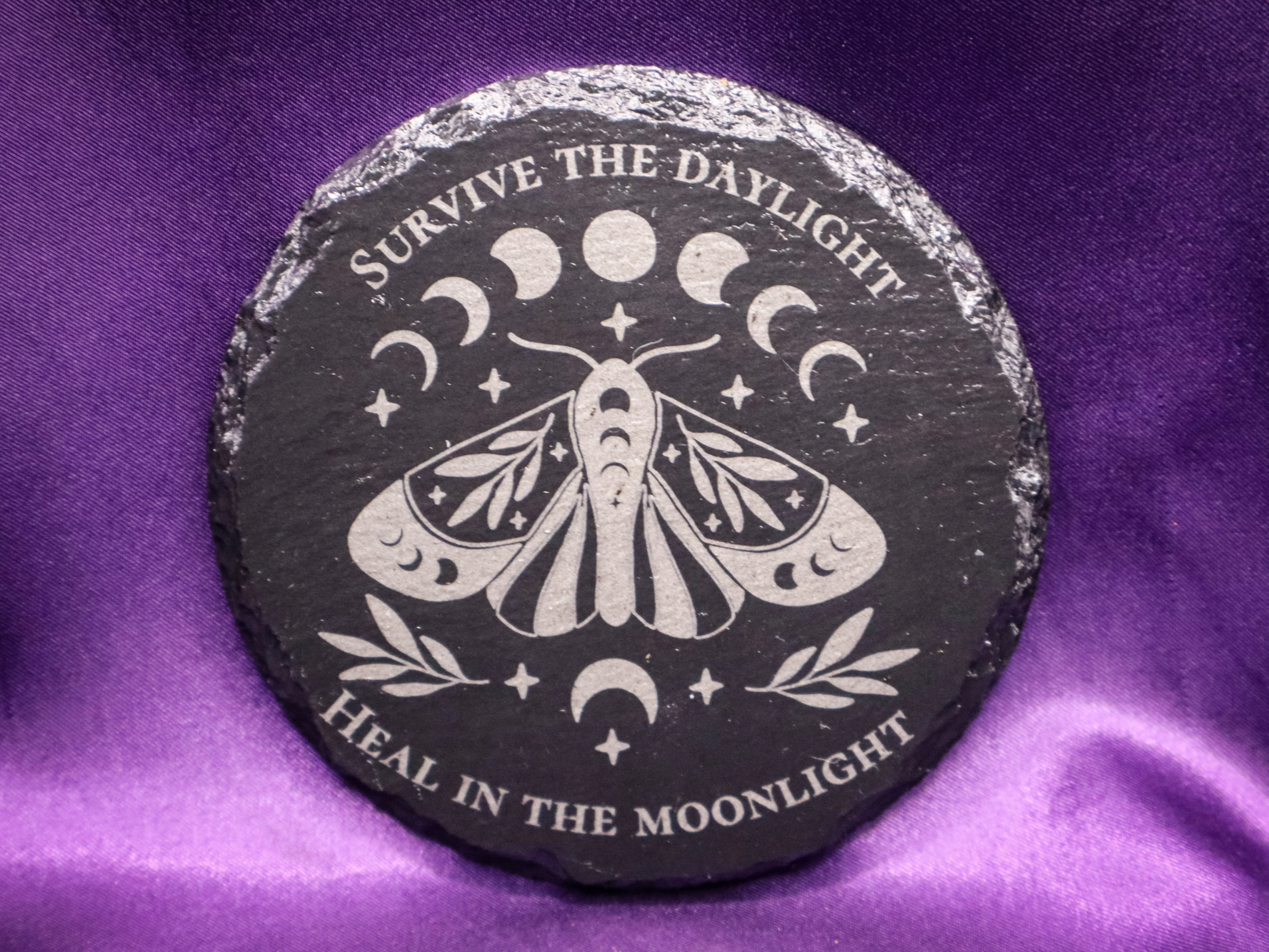
![[Laser cut and engrave] Luna Moth and Moon Phase Wooden Coaster](https://image-res.atomm.com/resource/xtool/community/attachment/xtool-community/a82daf71-d8e3-43fc-bea8-8f9e3a4e3f35.png?x-oss-process=image/resize,w_1200,h_900,limit_0/interlace,1/format,webp/auto-orient,1)
![[Laser cut and engrave] Luna Moth and Moon Phase Wooden Coaster](data:image/png;base64,iVBORw0KGgoAAAANSUhEUgAAAAoAAAAKCAYAAACNMs+9AAAAAXNSR0IArs4c6QAAABdJREFUKFNjZCASMBKpjmFUId6QIjp4AAppAAuXjCs4AAAAAElFTkSuQmCC)
![[Laser cut and engrave] Luna Moth and Moon Phase Wooden Coaster](https://image-res.atomm.com/resource/xtool/community/attachment/xtool-community/a82daf71-d8e3-43fc-bea8-8f9e3a4e3f35.png?x-oss-process=image/resize,w_200,h_150,limit_0/interlace,1/format,webp/auto-orient,1)
![[Laser cut and engrave] Luna Moth and Moon Phase Wooden Coaster](https://image-res.atomm.com/resource/xtool/community/attachment/xtool-community/230e5e35-f237-4fb9-ad57-a04fcb27709c.png?x-oss-process=image/resize,w_200,h_150,limit_0/interlace,1/format,webp/auto-orient,1)
![[Laser cut and engrave] Luna Moth and Moon Phase Wooden Coaster](https://image-res.atomm.com/resource/xtool/community/attachment/xtool-community/67692c38-f382-4a64-b31b-db4b40a99695.png?x-oss-process=image/resize,w_200,h_150,limit_0/interlace,1/format,webp/auto-orient,1)
![[Laser cut and engrave] Luna Moth and Moon Phase Wooden Coaster](https://image-res.atomm.com/resource/xtool/community/attachment/xtool-community/5a7951a7-dc38-45fb-9fbb-401dc1e2c436.png?x-oss-process=image/resize,w_200,h_150,limit_0/interlace,1/format,webp/auto-orient,1)
![[Laser cut and engrave] Luna Moth and Moon Phase Wooden Coaster](https://image-res.atomm.com/resource/xtool/community/attachment/xtool-community/c5b99fe7-b2c3-4296-980b-b2657578cfdd.png?x-oss-process=image/resize,w_200,h_150,limit_0/interlace,1/format,webp/auto-orient,1)
![[Laser cut and engrave] Luna Moth and Moon Phase Wooden Coaster](https://image-res.atomm.com/resource/xtool/community/attachment/xtool-community/de00ca89-92e5-43b4-b4e9-2e7aff2ace73.png?x-oss-process=image/resize,w_200,h_150,limit_0/interlace,1/format,webp/auto-orient,1)
巫師鄉村風
 教程
教程
Witchy Cottagecore
.xcs
應用場景
激光加工
機器與模組

xTool D1 Pro
20W兼容的 xTool 機器
F2 Ultra UV
5WF2
15WP3
80WF2 Ultra
40WF1 Ultra
20WM1
5W, 10WD1
5W, 10W, 20WD1 Pro
5W, 10W, 40WP2
55WF1
10WS1
10W, 20W, 40WM1 Ultra
10W, 20WP2S
55W使用的材料

矩形岩石板

榉木杯垫

胡桃木砧板

31
643
教程
1
步驟1
實體設定與對焦
- 連接你的機器:打開 xTool Creative Space,並透過 Wi-Fi 或 USB 連接雷射。
- 放置材料:將你的空白木製杯墊放在蜂巢面板或底板上。
- 測量厚度:正確對焦是雕刻清晰的祕訣。將雷射模組直接移到雲霄飛車上方。點擊 XCS 右上角的自動測量圖示(小尺子)即可自動計算距離,或手動輸入雲霄飛車厚度。
2
步驟2
匯入並調整設計尺寸
- 帶入藝術作品:匯入你從 Atomm 網站下載的設計。
- 縮小比例:標準雲霄飛車直徑通常介於3.5到4英吋(90-100毫米)之間。高亮你的設計,並利用螢幕頂端的尺寸框縮小設計,使其舒適地符合這些範圍,並在邊緣留出一點餘距。
3
步驟3
設定雕刻設定
- 選擇處理類型:點擊您的設計使其高亮。在右側面板中,請確保處理類型設為雕刻(而非刻字或切割)。
- 撥入功率與速度:你的設定會依照你機器的瓦數而有所不同。
- 能力:控制燒傷的深沉與深淺。
- 速度:控制雷射頭的移動速度。
- 提示:標準二極體雷射在輕木質雲霄飛車上,一個不錯的起點大約是30-40%功率和100-150毫米/秒速度,每公分100條線。
- 能力:控制燒傷的深沉與深淺。
4
步驟4
構圖(關鍵步驟)
- start="1" type="1">點擊「構圖」:此按鈕通常位於畫面右下角。
- 注意雷射:雷射頭會移動並投射出一束弱光束(或紅色準星/邊界框),描繪你設計將刻劃的外圍範圍。
- 調整:移動你的實體杯墊,直到框架雷射完美描繪木頭中心。這能確保你的設計不會偏離中心。
5
步驟5
Process and Finish
- li start="1" type="1">Hit Process:點擊右上角的綠色 Process 按鈕。
- 後製處理:完成後,用微濕的布擦拭杯墊,去除鬆散的煤灰。如果你想讓杯墊大量使用來裝飲料,可以考慮用噴霧聚氨酯或透明壓克力密封劑密封,這樣冷凝水不會讓木頭變形。
評論
二創

您可能還喜歡

圓形石板雲霄飛車,附有詳細的月亮插畫

0
1

$1.50
$1.50
积分150
分層月亮與星空雲霄飛車

0

WITCHY / APOTHECARY-琴酒設計

2
4
'/%3e%3cdefs%3e%3clinearGradient%20id='paint0_linear_1433_15752'%20x1='12.5'%20y1='5'%20x2='12.5'%20y2='19.2596'%20gradientUnits='userSpaceOnUse'%3e%3cstop%20stop-color='%232F7FFF'/%3e%3cstop%20offset='1'%20stop-color='%232661F1'/%3e%3c/linearGradient%3e%3c/defs%3e%3c/svg%3e)
圓形雲霄飛車,配有蛾子與人眼復古插畫

3
7

圓形石板雲霄飛車藝術,描繪天山與海洋景觀

9
31

月下郊狼雲霄飛車設計

2
5

圓形石板雲霄飛車,特色為燈塔與月亮插畫

3
9

現代蜜蜂與蜂巢雕刻收藏

6
22

方形石板雲霄飛車,帶有蝴蝶與花卉圖案

2
10
萬聖節天體蝙蝠雲霄飛車

0
3
圓形石板雲霄飛車,特色為太空火箭與行星主題
0
7

$1.99
$1.99
积分199
新月山熊 – 雷射雕刻檔案(XCS + PNG,預倒置版用於 Slate)

1

巫術/愛護者-石板的蟾蜍之眼設計
0
4

復活節「復活節快樂」曼荼羅雲霄飛車

1
7

雷射雕刻木製武士雲霄飛車,月亮輪廓
2
6

圓形石板雲霄飛車,圖案為狼芬里爾與符文

4
18

M1 Ultra 安納波利斯皇家雲霄飛車設計
0
4

鄉村蘑菇三重奏雕刻裝飾——木刻風格森林真菌
33
133