
![[Laser cut and engrave] 激光雕刻橙色手机壳心形花纹保护套](https://image-res.atomm.com/resource/xtool/community/attachment/xtool-community/82ee8ece-3d08-4469-a129-70ecc1459801.jpg?x-oss-process=image/resize,m_fill,w_1280,h_960,limit_0/interlace,1/format,webp/auto-orient,1)
![[Laser cut and engrave] 激光雕刻橙色手机壳心形花纹保护套](data:image/png;base64,iVBORw0KGgoAAAANSUhEUgAAAAoAAAAKCAYAAACNMs+9AAAAAXNSR0IArs4c6QAAABdJREFUKFNjZCASMBKpjmFUId6QIjp4AAppAAuXjCs4AAAAAElFTkSuQmCC)
![[Laser cut and engrave] 激光雕刻橙色手机壳心形花纹保护套](https://image-res.atomm.com/resource/xtool/community/attachment/xtool-community/82ee8ece-3d08-4469-a129-70ecc1459801.jpg?x-oss-process=image/resize,m_fill,w_160,h_120,limit_0/interlace,1/format,webp/auto-orient,1)
![[Laser cut and engrave] 激光雕刻橙色手机壳心形花纹保护套](https://image-res.atomm.com/resource/xtool/community/attachment/xtool-community/0308f1ac-13a3-4f27-90fc-1abb8407fa7f.jpg?x-oss-process=image/resize,m_fill,w_160,h_120,limit_0/interlace,1/format,webp/auto-orient,1)
"Wird es schmelzen?" Stresstest eines Silikongehäuses auf dem F2 Ultra UV 🧡
 Anleitung


Information
      Also habe ich dieses leuchtend orangefarbene Silikoncase gekauft und statt etwas Einfaches zu machen, habe ich beschlossen, das F2 Ultra UV zu torturtesten. 😈

Ich bin direkt in die xTool Studio-Bibliothek gegangen und habe das sehr komplexe, zeilenlastige Herzmandala ausgewählt, das ich finden konnte. Mein Gedankengang: "Wenn diese Maschine wirklich ein 'kaltes Licht'-Monster ist, schauen wir mal, ob sie hochdichte Leitungen bewältigen kann, ohne diese Gummihülle in ein klebriges, geschmolzenes Chaos zu verwandeln."
Anleitung
Schritt1

Das "faule" Setup (das funktionierte): xTool Studio hatte zu diesem Zeitpunkt kein "Orange Case"-Preset. Habe ich zu viel darüber nachgedacht? Nein. Ich habe einfach < data-path-to-node="8" data-index-in-node="115">"Pink Silicone" ausgewählt, die Standardparameter geladen und auf Go gedrückt. Da das F2 Ultra UV nicht wie ein Diodenlaser auf Hitze oder Verbrennung angewiesen ist, spielte der Farbunterschied überhaupt keine Rolle.
Schritt2
Das liegt daran, dass ich den Deckel OFFEN gelassen habe, um ein Video zu filmen (sei nicht wie ich – schließen Sie den Deckel und schalten Sie Ihren Luftreiniger ein!). Silikongravur erzeugt ein feines weißes Pulver. Es sieht anfangs beängstigend aus, aber sobald ich es mit einem feuchten Tuch abgewischt habe? BOOM. 💥
Schritt3

Perfekte, klare Linien. Keine Gelbfärbung. Keine geschmolzenen Kanten. Die Details bei diesem Ding sind wirklich verrückt.
Remixe



Das könnte Ihnen auch gefallen

Lasergravierte Holz-Handyhülle mit floralem LOVE-Design


Bunte Mandala-Muster 3D-gedruckte Handyhülle für iPhone


8 Mandala Heart Laserschnitt-Designs


ICH VERKAUFE HANDYCOVER


Valentinstags-Handyhalter für Paare


Leder-Handyhülle mit lasergraviertem Tribal Turtle-Design

Herzenförmiges Tischornament mit floralem Ausschnitt


Holzlasergravierte Mandala-Handyhülle für iPhone

Lasergeschnittener Holzuntersetzer mit kunstvollem Herzmuster


Individuell lasergravierte hölzerne Drachen-Handyhülle Name Telefon

Runde Holzuntersetzer mit Herzmotiv und floraler Gravur


Personalisierte lasergravierte Holz-Handyhülle mit Bergdesign

Lasergravierte Bambus-Handyhülle mit Mandala-Design

Schickes Valentinstagsherz


Bild Nr. 1 Vater-Handyhalter – Bambus-Einstellungen

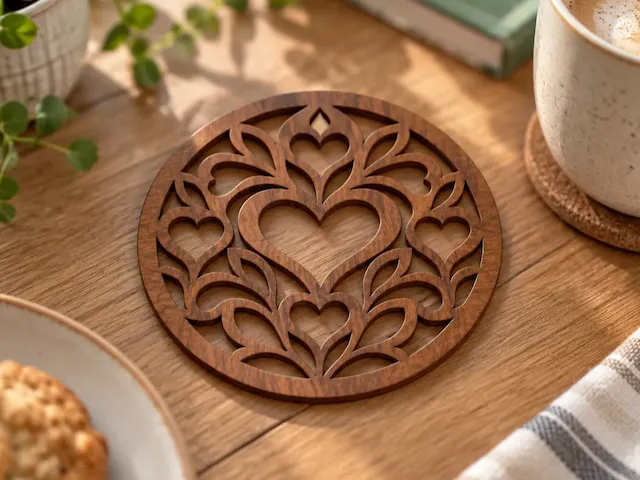
Runde Holzuntersetzer mit Herzmotiv und Blumenmuster

Lasergravierte Osterei- und Hasen-Design-Handyhülle


Scalloped Edge Holz-Herz-Untersetzer
