









































![[Laser cut and engrave] Laser Engraved Slate Coaster with Designer Creativity Quote](https://storage-us.atomm.com/resource/xtool/community/attachment/xtool-community/6ab94e9c-f4ab-49f9-8ca9-d1e23286938b.jpg?x-oss-process=image/resize,w_1200,h_900,limit_0/interlace,1/format,webp/auto-orient,1)

![[Laser cut and engrave] Laser Engraved Slate Coaster with Designer Creativity Quote](data:image/png;base64,iVBORw0KGgoAAAANSUhEUgAAAAoAAAAKCAYAAACNMs+9AAAAAXNSR0IArs4c6QAAABdJREFUKFNjZCASMBKpjmFUId6QIjp4AAppAAuXjCs4AAAAAElFTkSuQmCC)
![[Laser cut and engrave] Laser Engraved Slate Coaster with Designer Creativity Quote](https://storage-us.atomm.com/resource/xtool/community/attachment/xtool-community/6ab94e9c-f4ab-49f9-8ca9-d1e23286938b.jpg?x-oss-process=image/resize,w_200,h_150,limit_0/interlace,1/format,webp/auto-orient,1)
![[Laser cut and engrave] Laser Engraved Slate Coaster with Designer Creativity Quote](https://storage-us.atomm.com/resource/xtool/community/attachment/xtool-community/fbddbe99-551c-49b0-ae53-edc3880fd5bb.png)
![[Laser cut and engrave] Laser Engraved Slate Coaster with Designer Creativity Quote](https://storage-us.atomm.com/resource/xtool/community/attachment/xtool-community/efa47bda-ecea-484c-abf0-398c918a7338.jpeg?x-oss-process=image/resize,w_200,h_150,limit_0/interlace,1/format,webp/auto-orient,1)
![[Laser cut and engrave] Laser Engraved Slate Coaster with Designer Creativity Quote](https://storage-us.atomm.com/resource/xtool/community/attachment/xtool-community/5cd4aab6-05f7-48c7-9a9c-d6a11369a38c.jpeg?x-oss-process=image/resize,w_200,h_150,limit_0/interlace,1/format,webp/auto-orient,1)
Laser Engraved Coffee Coasters
 Coffee Décor Contest
  Instruction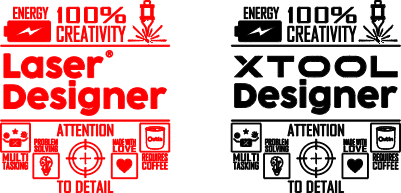


Information
Personalized coasters for those of us who are dedicated to creating and inspiring with personalized laser projects and who also like coffee!... but the materials that you can customize with my design are many... if you like it, download it and leave me a like, I want to see your remixes!
Instruction
Step1: Desing


1. I typed Laser Designer with the text tool, chose my font and positioned my words
2. Add a horizontal line over the phrase and add an outline to make it thicker, duplicate it and place it at the bottom.
3. Add 4 boxes and add an outline to them to do the same as with the lines.
4. Search the web for icons that define the characteristics that describe me as a laser designer and that I admire in other designers.
5. I converted a photo of the OutIn coffee maker and transformed it into a drawing to trace it, but due to space I decided to only use the cup and place its logo
6.I wrote the definition of each icon, and arranged my design.
7. In the end I decided to change the word laser for the Xtool logo for my project, although I still left the previous design, for whoever wants to use it.
Step2: Laser engraving


Clean, position the coaster, frame, and that's it!
Use my 10w F1 laser


