









































![[Laser cut and engrave] Heart Earrings with Scored Stripe Detail (Teardrop Shape)](https://storage-us.atomm.com/resource/xtool/community/attachment/xtool-community/eb2f27d3-e112-4dac-9103-6cbb58326f86.jpg?x-oss-process=image/resize,w_1200,h_900,limit_0/interlace,1/format,webp/auto-orient,1)
![[Laser cut and engrave] Heart Earrings with Scored Stripe Detail (Teardrop Shape)](data:image/png;base64,iVBORw0KGgoAAAANSUhEUgAAAAoAAAAKCAYAAACNMs+9AAAAAXNSR0IArs4c6QAAABdJREFUKFNjZCASMBKpjmFUId6QIjp4AAppAAuXjCs4AAAAAElFTkSuQmCC)
![[Laser cut and engrave] Heart Earrings with Scored Stripe Detail (Teardrop Shape)](https://storage-us.atomm.com/resource/xtool/community/attachment/xtool-community/eb2f27d3-e112-4dac-9103-6cbb58326f86.jpg?x-oss-process=image/resize,w_200,h_150,limit_0/interlace,1/format,webp/auto-orient,1)
![[Laser cut and engrave] Heart Earrings with Scored Stripe Detail (Teardrop Shape)](https://storage-us.atomm.com/resource/xtool/community/attachment/xtool-community/0a51726a-32bc-49d6-938f-90f34f40c4cc.jpg?x-oss-process=image/resize,w_200,h_150,limit_0/interlace,1/format,webp/auto-orient,1)
![[Laser cut and engrave] Heart Earrings with Scored Stripe Detail (Teardrop Shape)](https://storage-us.atomm.com/resource/xtool/community/attachment/xtool-community/fb9475db-17b4-4f41-8026-3cf0c307b2ea.jpg?x-oss-process=image/resize,w_200,h_150,limit_0/interlace,1/format,webp/auto-orient,1)
Heart Earrings with Scored Stripe Detail (Teardrop Shape)
 Instruction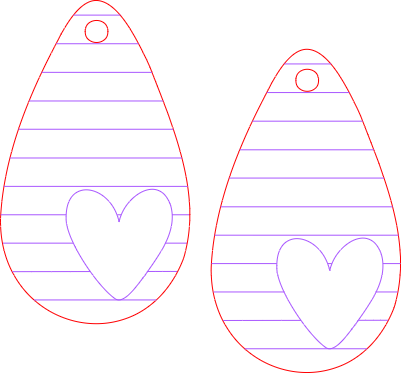


Information
This best-selling heart earring is a quick project for any diode or CO2 laser. These can be sold fully painted and sealed or simple sealed and sold as a DIY earring kit. The design is tested and the earring hole positioned well for different hooks and jump ring styles and sizes. The project includes a full, step by step tutorial using an xTool M1 Ultra laser using the Pin Point Positioning technology.
Instruction
Step1: Easy Score, Cut, and Assembly
Place the 3mm basswood into the bed of the laser and secure and turn on the machine.
If using the M1 Ultra, position the crosshairs over the material and close the lid.
Load the SVG into laser software or open the .XCS file.
Set the material, auto-measure, and add any processing parameters (my settings are 80/50/1 for score and 90/5/1 for the 10 watt M1 Ultra, processing on the honeycomb). For beginners, note the video details each of these steps. :)
As shown in the video, you can combine the score lines into a vector and/or combine vectors to speed up processing. Note: if you combine vectors after you’ve set your processing parameters, you must reset them.
Once the earrings have the parameters set, mark the processing area. Select the shape (rectangle), position the crosshair at the top left of the processing area, and select the white button. Move the crosshairs to the bottom right of the processing area and select the white button. Close the lid.
In the software, select the earrings and position them into the marked area. Select processing and then start in the software. Press start on the machine.
Once the earrings have been scored and cut, wipe down any edges and seal. Paint and seal or sell as paintable earrings.


