Report
![[Laser cut and engrave] Personalized Laser Engraved Bamboo Cutting Board with Tree Design](https://storage-us.atomm.com/resource/xtool/community/attachment/xtool-community/8e8ec1b6-21d7-4f44-831c-cff417a5f152.jpg?x-oss-process=image/resize,w_1200,h_900,limit_0/interlace,1/format,webp/auto-orient,1)
![[Laser cut and engrave] Personalized Laser Engraved Bamboo Cutting Board with Tree Design](https://storage-us.atomm.com/resource/xtool/community/attachment/xtool-community/8e8ec1b6-21d7-4f44-831c-cff417a5f152.jpg?x-oss-process=image/resize,w_200,h_150,limit_0/interlace,1/format,webp/auto-orient,1)
![[Laser cut and engrave] Personalized Laser Engraved Bamboo Cutting Board with Tree Design](https://storage-us.atomm.com/resource/xtool/community/attachment/xtool-community/4a3b73b4-c644-4826-8bf9-5301fe0af393.jpg?x-oss-process=image/resize,w_200,h_150,limit_0/interlace,1/format,webp/auto-orient,1)
![[Laser cut and engrave] Personalized Laser Engraved Bamboo Cutting Board with Tree Design](https://storage-us.atomm.com/resource/xtool/community/attachment/xtool-community/a579f1af-9686-4f74-b91d-7c0bf0e33ce1.jpg?x-oss-process=image/resize,w_200,h_150,limit_0/interlace,1/format,webp/auto-orient,1)
Personalized Bamboo Cutting Board with Initials Tree Design
 Cutting Board Contest
 Instruction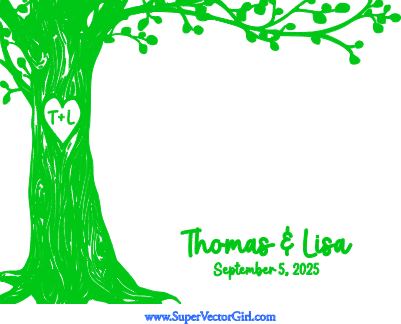
CoupleTreeCuttingBoard
.xcs
Application scenario
Laser processing
Machine & module

xTool P2
55WCompatibles · 9
Material used

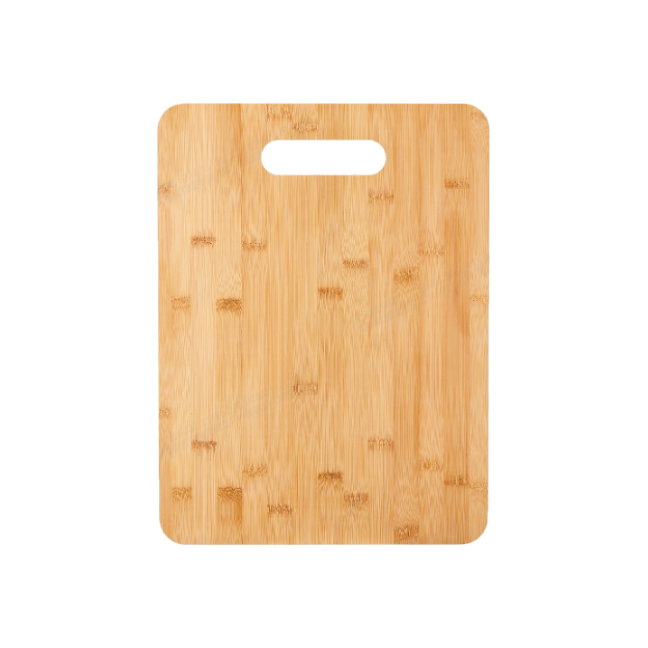
Bamboo Cutting Board with Cutout Handle
21
365
Information
      This is a personalized engraved cutting board with a tree design. You can add initials or text inside a heart on the tree. This is a perfect gift for couples for their wedding, anniversary, house warming or Christmas gift.

The design is engraved on a bamboo cutting board that is about 15 x 11 inches. You can resize the design to fit any cutting board.
Instruction
1
Step1: Place Cutting Board Inside Machine

Preview
- Place the cutting board inside your laser machine.
- Use auto-measure on the P2 to get an accurate distance measurement.
- Using the cameras, center the design on the cutting board, lining up the edges of the design with the edges of the board. Resize as necessary.
2
Step2: Engrave the Design

Preview

Preview
- Change/Delete the text on the design. Don't forget the initials too.
- Enter your engraving settings. I used 25 power, 200 speed, 1 pass.
- Process the engraving.
- After engraving, clean the board with some soap and water. Seal the board with a food grade oil afterwards.
- All done!
Comments