









































Report
![[Laser cut and engrave] Laser Engraved Stainless Steel White Travel Tumbler with Handle](https://storage-us.atomm.com/resource/xtool/community/attachment/xtool-community/f3dee909-65ed-45d4-abb3-afb50b8f6b99.jpg?x-oss-process=image/resize,w_1200,h_900,limit_0/interlace,1/format,webp/auto-orient,1)
![[Laser cut and engrave] Laser Engraved Stainless Steel White Travel Tumbler with Handle](data:image/gif;base64,R0lGODlhAQABAAAAACH5BAEKAAEALAAAAAABAAEAAAICTAEAOw==)
Get the best results on your tumbler
 Instruction
tumbler amazon
.xcs
Application scenario
Laser processing
Machine & module

xTool F2
5W, 15WCompatibles · 12
Material used

20oz(600ml) Light Green Coffee Tumbler for Laser Engraving
1
4
Information
tutorial to have a perfect finish on your tumbler
Instruction
1
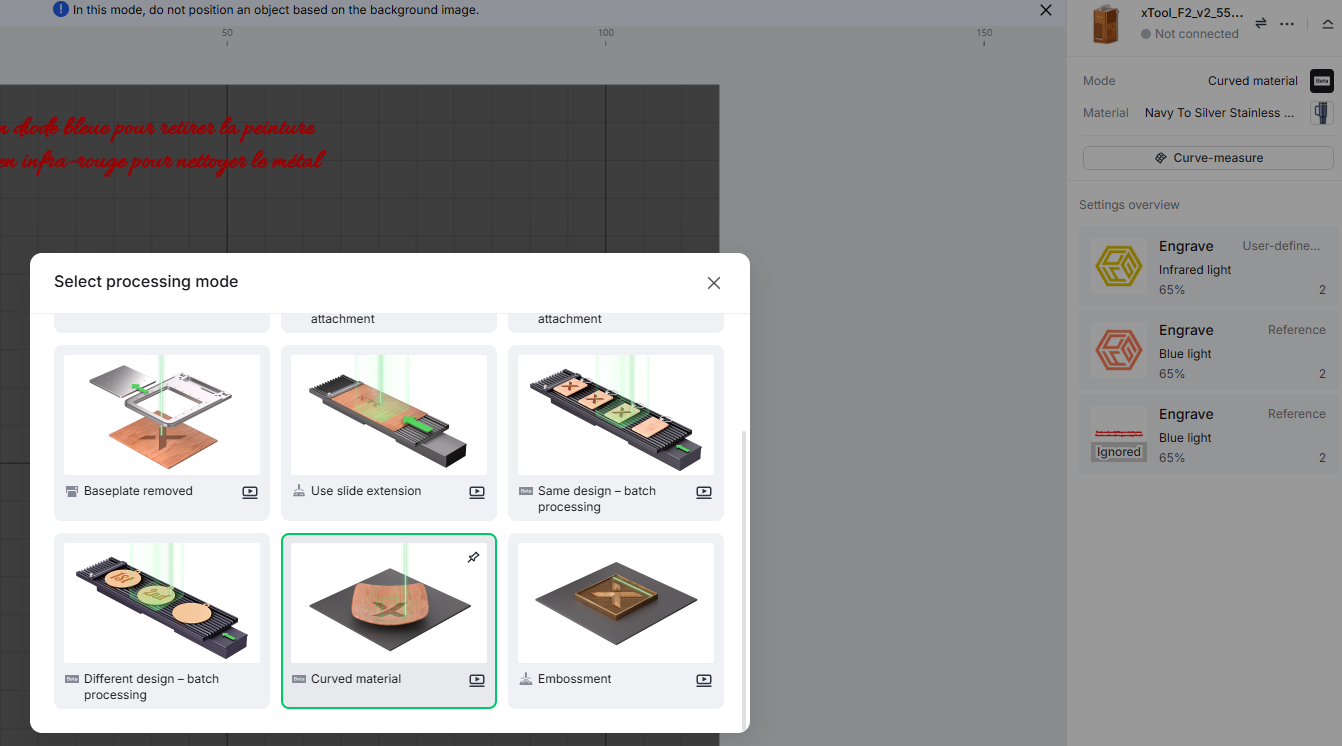
Step1: use the great curve material option
Place your tumbler and using your F2, choose curved material from the processing mode menu and follow instructions
2
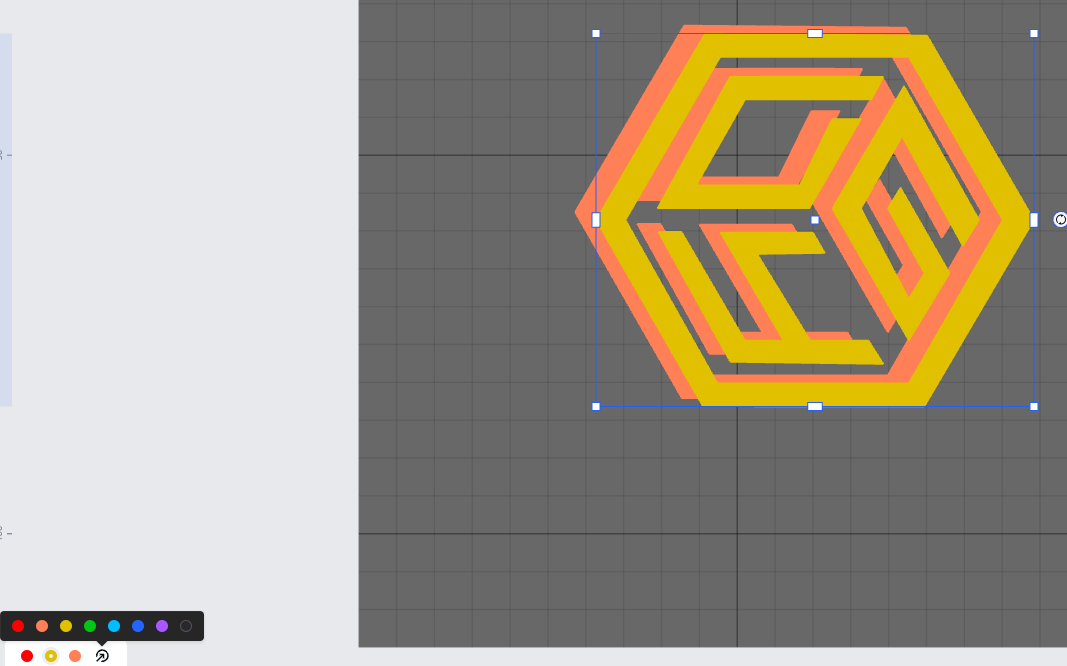
Step2: prepare your design X2
use any vector design you want and place it on your canvas.
DUPLICATE IT
move it to another color and then put the copy exactly on top of the original (only one should be visible)
3
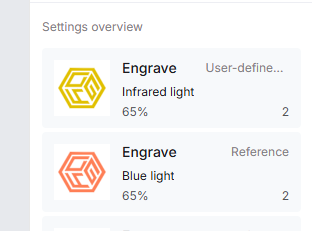
Step3: set the engraving parameters
use the settings provided here.
one design must be engraved with blue light and the second one with infre red
infrared MUST be on top of blue :
4
Step4: process and clean
At first, the blue light removes the coating and leaves a black mark
Then, the infrared cleans the tumbler, revealing the clean stainless steel.
when finished, just wash the tumbler with soal to remove all smoke marks and voila!
Comments
