![[Laser cut and engrave] Boucles d'oreilles interchangeables (pampilles) en bois, en forme de tournesol](https://image-res.atomm.com/resource/xtool/community/attachment/xtool-community/91b79c6a-9cfa-4832-9a9e-4cd1a422537f.jpg?x-oss-process=image/resize,m_fill,w_1280,h_960,limit_0/interlace,1/format,webp/auto-orient,1)
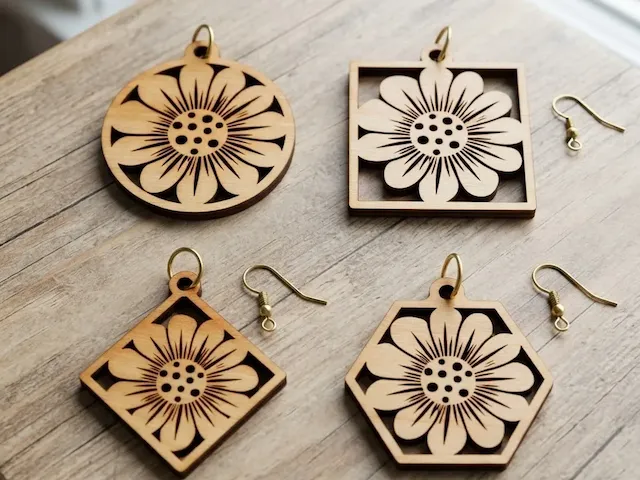
Boucles d'oreilles interchangeables (pampilles) en bois, en forme de tournesol
 Instruction


Information
      Small floral tassel for today, as I told you, I make earrings 1 day out of 2, because I love creating earrings, but I don't want to do just that.

It's hard for me to know what you like, so if you can tell me, what you'd like me to create for you, it'll be with pleasure.
Instruction
Step1: Import your image onto your canvas


Find an image you like and upload it to your canvas.
Step2: Ajustez la taille
Adjust the size of your image, so that it is not too small or too large.
Doing it now means that you don't have to touch it anymore and don't make any mistakes later.
Step3: Vectoriser votre image


To vectorize your image, simply select your image and click on edit, then on tracing and on save.
Step4: Supprimez votre image
Delete your image, so it doesn't bother you.
Step5: Switch Vector from Outline Engraving to Deep Engraving


Pass your vector, in deep engraving for a more beautiful result.
Step6: Create the outline


To create the outline, click on your vector and then on offset.
Choose the value you want, I put 1.
Put the outer outline, so ticked the box.
Step7: Changer la couleur de votre calque

We change the color of the layer because we won't do the same action, on the vector and on the outline.
Step8: Create an opening


To create the opening, look for a circle in elements / basic shape or see photo n°2.
Change the color of your circle, to the same color as the outline.
Adjust the size, so that it is not too small, not too big (made according to your ring).
Place the circle, in the center, for a beautiful rendering.
Step9: Duplicate your full image

To get your pair of earrings, duplicate it, by copying and pasting.
Attention: Select the whole thing, i.e., the outline, the vector and the central aperture.
Step10: Set up your device

Set up your device and launch it.
Step11: Collect your earrings
All you have to do is collect your earrings, clean them, treat them and assemble them.
And then you make me beautiful photos to share with me.
Remixes



You may also like

Dangling earrings in the shape of a flower


boucles d'oreilles interchangeables (pampilles) en bois, en forme de fleur


Interchangeable wooden earrings, in the shape of a flower

Boucles d'oreilles pampilles rosace en bois

boucles d'oreilles interchangeables (pampilles) printanières en bois

Wooden dangling earrings with geometric flower pattern

Daisy drop earrings


Wooden sunflower dangle earring


Flower Shaped Wooden Earring Pendants


Sunflower dangling earrings


Interchangeable laser-cut wooden flower-shaped earrings

Mandala Earrings

Geometric Sunflower Wooden Dangle Earrings


Daisy Flower Dangle Earrings


Double Daisy Flower Dangle Earring Charms


Daisy Flower Earrings | Minimalist Wooden Laser Cut Design


Daisy flower drop earrings


Flower shaped wooden dangle earrings