









































Report
![[Laser cut and engrave] Laser Cut Wooden Ghost Halloween Decoration with Boo Sign](https://storage-us.atomm.com/resource/xtool/community/attachment/xtool-community/cfe6348d-9459-4cfe-a74a-9f0ea93fe76d.jpeg?x-oss-process=image/resize,w_1200,h_900,limit_0/interlace,1/format,webp/auto-orient,1)
![[Laser cut and engrave] Laser Cut Wooden Ghost Halloween Decoration with Boo Sign](data:image/png;base64,iVBORw0KGgoAAAANSUhEUgAAAAoAAAAKCAYAAACNMs+9AAAAAXNSR0IArs4c6QAAABdJREFUKFNjZCASMBKpjmFUId6QIjp4AAppAAuXjCs4AAAAAElFTkSuQmCC)
![[Laser cut and engrave] Laser Cut Wooden Ghost Halloween Decoration with Boo Sign](https://storage-us.atomm.com/resource/xtool/community/attachment/xtool-community/cfe6348d-9459-4cfe-a74a-9f0ea93fe76d.jpeg?x-oss-process=image/resize,w_200,h_150,limit_0/interlace,1/format,webp/auto-orient,1)
![[Laser cut and engrave] Laser Cut Wooden Ghost Halloween Decoration with Boo Sign](https://storage-us.atomm.com/resource/xtool/community/attachment/xtool-community/71f4322f-86c4-4061-93d6-75836244d5da.jpeg?x-oss-process=image/resize,w_200,h_150,limit_0/interlace,1/format,webp/auto-orient,1)
Laser Cut Wooden Ghost Halloween Decoration with Boo Sign
 Instruction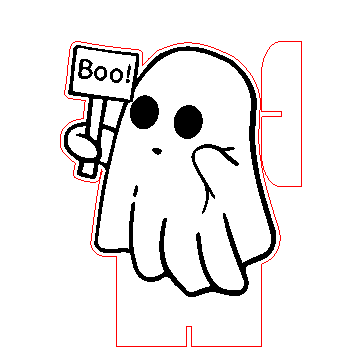
child_ghost_halloween_display
.xcs
Application scenario
Laser processing
Machine & module

xTool M1 Ultra
20WCompatibles · 13
Material used

1/8"(3mm) Basswood Plywood
20
358
Information
I made this cute little ghost standee for my daughter. She has it in her window now. I hope you like it too.
Instruction
1
Step1

Preview
Open the file in xTool Studio and hit the process button. The machine will first engrave and then cut the project.
2
Step2

Preview
Simply put both cut-out pieces together. If you don’t want to disassemble it later for easy storage, you can add a little bit of glue.
3
Step3

Preview
Done. :)
Comments


