
Report
![[Laser cut and engrave] Laser Engraved Wooden Cutting Board Fijne 72ste Verjaardag.](data:image/png;base64,iVBORw0KGgoAAAANSUhEUgAAAAoAAAAKCAYAAACNMs+9AAAAAXNSR0IArs4c6QAAABdJREFUKFNjZCASMBKpjmFUId6QIjp4AAppAAuXjCs4AAAAAElFTkSuQmCC)
![[Laser cut and engrave] Laser Engraved Wooden Cutting Board Fijne 72ste Verjaardag.](https://storage-us.atomm.com/resource/xtool/community/attachment/xtool-community/ce7fff36-4316-4e52-8b39-91c139cd6012.jpg?x-oss-process=image/resize,w_200,h_150,limit_0/interlace,1/format,webp/auto-orient,1)
![[Laser cut and engrave] Laser Engraved Wooden Cutting Board Fijne 72ste Verjaardag.](https://storage-us.atomm.com/resource/xtool/community/attachment/xtool-community/6af992f8-d680-4d42-b6c0-3b1872fdddef.jpg?x-oss-process=image/resize,w_200,h_150,limit_0/interlace,1/format,webp/auto-orient,1)
![[Laser cut and engrave] Laser Engraved Wooden Cutting Board Fijne 72ste Verjaardag.](https://storage-us.atomm.com/resource/xtool/community/attachment/xtool-community/c648a542-77a5-4682-b2c6-d58c23a8694d.JPG?x-oss-process=image/resize,w_200,h_150,limit_0/interlace,1/format,webp/auto-orient,1)
Laser Engraved Wooden Cutting Board Fijne 72ste Verjaardag.
 Instruction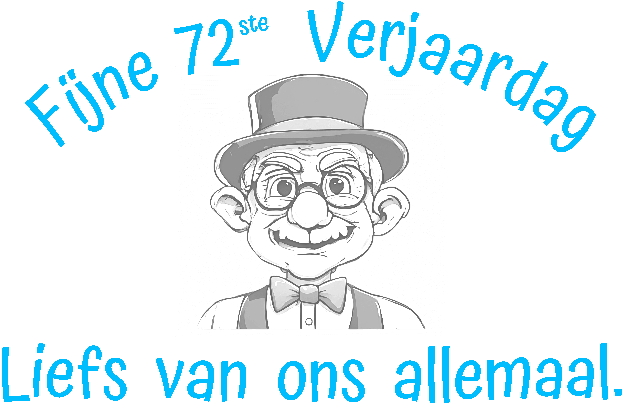
verjaardagsapboard
.xcs
Application scenario
Laser processing (30min)
Machine & module

xTool P2S
55WCompatible xTool Machine
M2
10W, 20WF2 Ultra UV
5WF1 Ultra
20WM1
5W, 10WD1
5W, 10W, 20WD1 Pro
5W, 10W, 20W, 40WP2
55WF1
10WS1
10W, 20W, 40WM1 Ultra
10W, 20WMaterial used

Beechwood

3
670
Information
A beechwood juice board, on which we've engraved a Dutch text based on a 72nd birthday. Also included is a drawing of a grandfather.
Instruction
1
Step1: It simply couldn't be easier

Preview
- Make sure you've determined the center of your board.
- In xcs, align your text and photo in the center.
- Start the system.
- Done.
Want to make the engraving a bit blacker?
- First, make sure the initial engraving is running through my settings.
- Then, you can engrave both the text and the drawing in 4% increments.
Note that 4% will give the letters a blacker color, while 4% will give the drawing a darker color. This means you'll need to engrave it more often.
Suc-6
Thanks for downloading❤️this project and have more fun with our (other) models.😍
It is always fun to make it, and also nice to 🎁 it away afterwards.
Happy with this project? Give me a 👍up. THKS.
Comments
