
Report
![[Laser cut and engrave] Wooden slices with animals - coasters or decor](https://image-res.atomm.com/resource/xtool/community/attachment/xtool-community/60aba905-2bbd-4ff3-8cb7-6a218f117000?x-oss-process=image/resize,m_fill,w_1280,h_960,limit_0/interlace,1/format,webp/auto-orient,1)
![[Laser cut and engrave] Wooden slices with animals - coasters or decor](data:image/png;base64,iVBORw0KGgoAAAANSUhEUgAAAAoAAAAKCAYAAACNMs+9AAAAAXNSR0IArs4c6QAAABdJREFUKFNjZCASMBKpjmFUId6QIjp4AAppAAuXjCs4AAAAAElFTkSuQmCC)
![[Laser cut and engrave] Wooden slices with animals - coasters or decor](https://image-res.atomm.com/resource/xtool/community/attachment/xtool-community/60aba905-2bbd-4ff3-8cb7-6a218f117000?x-oss-process=image/resize,m_fill,w_160,h_120,limit_0/interlace,1/format,webp/auto-orient,1)
![[Laser cut and engrave] Wooden slices with animals - coasters or decor](https://image-res.atomm.com/resource/xtool/community/attachment/xtool-community/24c0e48b-8ed5-4025-a193-41eaea737c83.JPG?x-oss-process=image/resize,m_fill,w_160,h_120,limit_0/interlace,1/format,webp/auto-orient,1)
![[Laser cut and engrave] Wooden slices with animals - coasters or decor](https://image-res.atomm.com/resource/xtool/community/attachment/xtool-community/de7b8cc1-b2de-4b40-81ab-1ffca73283aa.png?x-oss-process=image/resize,m_fill,w_160,h_120,limit_0/interlace,1/format,webp/auto-orient,1)
Wooden slices with animals - coasters or decor
 Top Creative in Carve the Spring Workshop
 Instruction
Animal_Coasters
.xcs
Application scenario
Laser processing (30min)
Machine & module

xTool M1 Ultra
20WCompatible xTool Machine
P3
F2
F2 Ultra UV
F2 Ultra(Single)
F2 Ultra
F1 Ultra
F1
F1 Lite
S1
P2S
P2
M1
D1 Pro 2.0
D1 Pro
D1
Laserbox
M2
Material used

1/2"(12mm) Pine Ponderosa Plywood

500
5347
Information
Wooden slices used as coasters or wall decorations, cutout animals.
Instruction
1
Step1: XCS file

Preview

Preview

Preview

Preview
Open the “.xcs” file in xTool Creative Space. There are four workspace you can select from, each with a different animal
- Bird
- Colibri
- Snail(s)
- Squirrel
2
Step2: Laser engrave and laser cut

Preview

Preview

Preview

Preview
Select the correct workspace and adjust your cutting settings based on the material used.
Eventually you might need to run the cutting multiple-times, initially set to 2.
Material
- Self cut pine slices
3
Step3: Enjoy!

Preview
Enjoy by hanging it on the wall or use it as a coaster.
Comments
Remixes



You may also like

Set of four wooden coasters with snail design

2
3

Set of 5 Laser Cut Wooden Animal Coasters with Nature Design
1
6

Round coasters with tree of life openwork
2
18

Tree slice with a doe and fawn motif

0
8

$1.50
$1.50
Credits150
Round Santa Claus and Reindeer Christmas Ornaments

3

a coaster

0
10

Rustic wood slice with illustration of ducklings in a basket

0
1


Round cork coaster with cute snail motif

1
1
$1.50
$1.50
Credits150
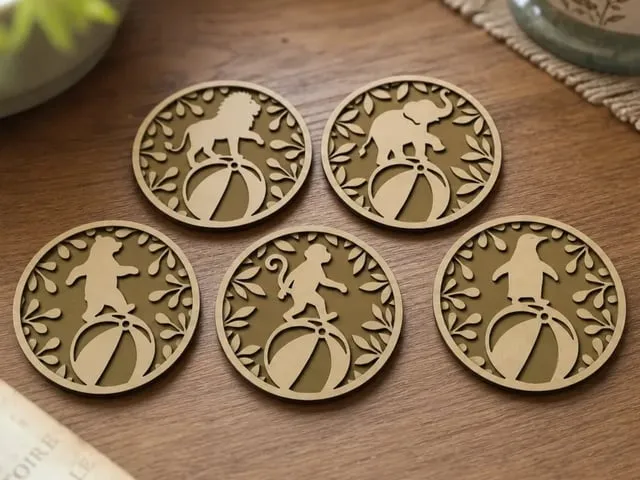
Circus Animal Themed Round Coasters with Lion Elephant Bear Monkey and Penguin

1

Laser Engraved Santa Claus and Reindeer on Wood Slice
9
39

$1.50
$1.50
Credits150
Set of Three Wooden Snail Wall Art Pieces
0

$4.20
$4.20
$6.00
Credits420
Tree inspired coasters featuring artistic forest animal silhouettes

2

Squirrel Portrait on Natural Wood Slice
0
6

$1.50
$1.50
Credits150
Tree of Life Wall Art Set in Circular and Square Frames
0

Round Cork Coaster Featuring a Happy Squirrel Illustration

0
2

Cat portrait on a natural wood slice coaster

1
1

$1.80
$1.80
Credits180
Round wooden coasters with intricate bird and leaf cutout patterns
0

Forest animal themed wooden fridge magnet set
1
9