







![[Laser cut and engrave] Pet Memorial Ornament](https://image-res.xtool.com/resource/xtool%2Fcommunity%2Fmaking%2Fafcc5017-9544-451d-8aeb-1df4e729579e%2FIMG_4786.jpeg?x-oss-process=image/resize,w_1200,h_900,limit_0/interlace,1/format,webp/auto-orient,1)
![[Laser cut and engrave] Pet Memorial Ornament](data:image/png;base64,iVBORw0KGgoAAAANSUhEUgAAAAoAAAAKCAYAAACNMs+9AAAAAXNSR0IArs4c6QAAABdJREFUKFNjZCASMBKpjmFUId6QIjp4AAppAAuXjCs4AAAAAElFTkSuQmCC)
![[Laser cut and engrave] Pet Memorial Ornament](https://image-res.xtool.com/resource/xtool%2Fcommunity%2Fmaking%2Fafcc5017-9544-451d-8aeb-1df4e729579e%2FIMG_4786.jpeg?x-oss-process=image/resize,w_200,h_150,limit_0/interlace,1/format,webp/auto-orient,1)
![[Laser cut and engrave] Pet Memorial Ornament](https://image-res.xtool.com/resource/xtool%2Fcommunity%2Fmaking%2F7239aa5e-6160-40d1-aa22-a0338c1e282c%2FIMG_4786.jpeg?x-oss-process=image/resize,w_200,h_150,limit_0/interlace,1/format,webp/auto-orient,1)
Pet Memorial Ornament
 Instruction


Information
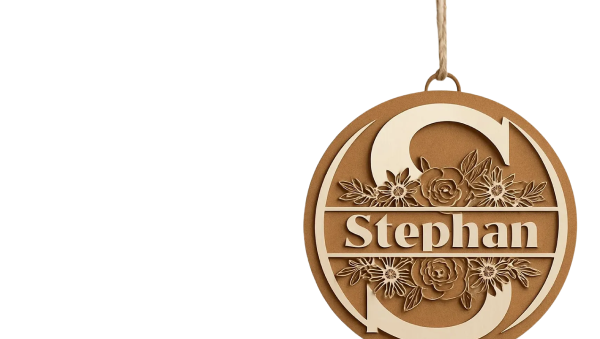
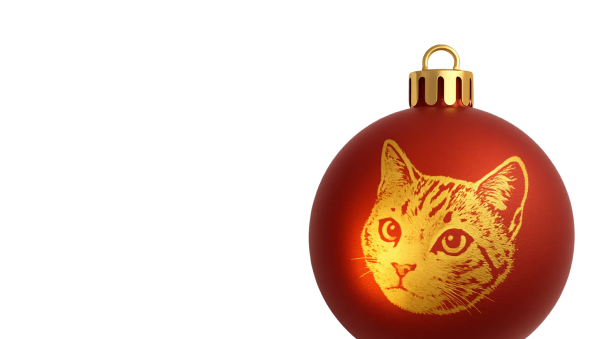
This was made for a friends son after the recent passing of their family dog. Engraved photos make long lasting sentimental gifts. Bonus image of a general golden retriever with no text is also included. Ornament is made in XCS using circle shapes. Image edited in InstaToon iPad app and cropped in Canva.
Instruction
Step1: Create ornament shape


-start with a blank canvas
-add 3 circles from the shapes menu to the canvas
-size them, 1-3.5inch 1-.5 inch, 1 .25inch
-overlap the edges of then3.5 and .5 for the top loop
-select both and combine
-position .25inch circle for the loop, select both shapes and minus front
Step2: Edit Photo in design program of choice


I use the iPad App:InstaToon and the filter setting Sketch
I save this image to the device
I then use the Canva for iPad app to add text to the image and add the photo to a circle cropped frame.
I download this updated image to my device as a PNG with transparent background.
Both of these are paid subscription services. You may also change your color photos to mono tone and increase contrast and brightness and add text using XCS as a free option. You will have to test engraving settings for the best results.
Step3: Add photo to ornament shape and process


-add newly edited photo to the canvas
-size the width of the image to 3.5 if also saved in cropped circle with transparent background
-if not size to slightly larger and use the photo edit in XCS to use the eraser and round the edges of the square photo for a better fit to the circle.
Send to the laser to engrave and cut.


